Listen to this Post
Introduction:
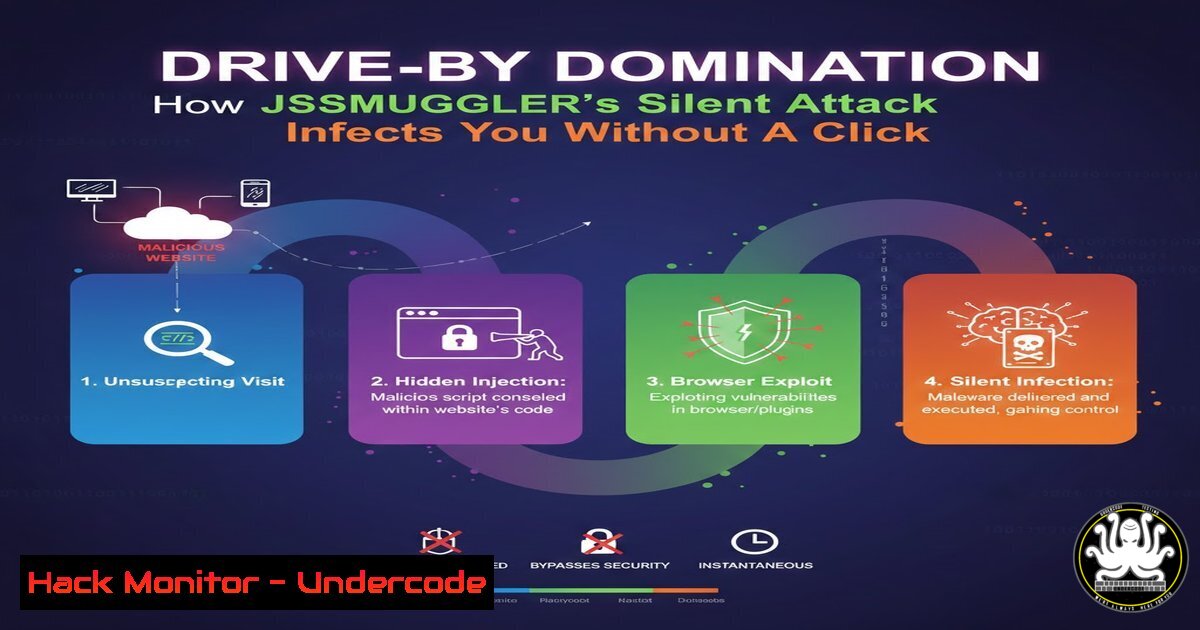
A sophisticated new malware campaign dubbed JSSMUGGLER is compromising legitimate websites to launch fully automated, fileless attacks that install a powerful Remote Access Trojan (RAT) on visitors’ computers. By weaponizing native Windows tools and living purely in memory, this threat operates undetected by traditional antivirus, turning a simple website visit into a complete system takeover.
Learning Objectives:
- Understand the three-stage infection chain of the JSSMUGGLER campaign, from obfuscated JavaScript to persistent RAT installation.
- Learn practical detection methods using Windows commands, PowerShell logging, and behavioral analytics to identify signs of compromise.
- Implement actionable defense and mitigation strategies, including system hardening, application control, and browser security.
You Should Know:
- Stage 1: The Invisible Trigger – Obfuscated JavaScript Loader
The attack begins silently when a user visits a compromised website. A heavily obfuscated JavaScript file (e.g.,phone.js) is loaded. This script uses advanced techniques to hide its intent, such as stuffing thousands of lines with random, harmless-looking words to bury the malicious logic. Before executing, it performs crucial reconnaissance:
– Device Profiling: It checks the browser’s user-agent to determine if the victim is on a mobile device or desktop.
– First-Visit Tracking: It uses the browser’s `localStorage` to ensure it only attacks once per visitor, minimizing repetitive suspicious activity.
– Dynamic Payload Retrieval: Based on the device type, it either injects a fullscreen invisible iframe (for mobile) or fetches the next-stage payload from an attacker-controlled server (for desktop).
Step-by-step guide explaining what this does and how to use it:
This stage is about stealth and delivery. The obfuscation prevents static analysis. To analyze such a script manually, you can use browser developer tools:
1. Open Developer Tools: Press F12 on the infected webpage (in a safe, isolated environment).
2. Use the De-obfuscator: Tools like the “Pretty Print” feature (often represented as `{}` in the Sources tab) can reformat minified code.
3. Set Breakpoints: Pause execution at the start of suspicious scripts to step through the logic and see decoded strings at runtime. For more advanced, automated de-obfuscation, cybersecurity professionals use frameworks like CyberChef to decode the layered obfuscation and reveal the script’s true functions.
- Stage 2: Living Off the Land – HTA & Fileless PowerShell Execution
For desktop users, the JavaScript fetches and executes an HTML Application (HTA) file using Windows’ legitimate `mshta.exe` binary. This technique, known as “Living Off the Land” (LOLBin), abuses trusted system tools to evade detection.
Step-by-step guide explaining what this does and how to use it:
The HTA file is engineered for invisibility. It runs with no visible window and uses `mshta.exe` to proxy the execution of a PowerShell payload. The payload is often AES-256 encrypted and delivered in a fileless manner.
– How Attackers Use It: A typical malicious HTA contains script code that launches PowerShell. An example from threat research shows:mshta.exe vbscript:Execute("CreateObject(""WScript.Shell"").Run 'powershell -EncodedCommand
', 0:close")</code>. The `0` hides the window.
- How to Detect It: Monitor for `mshta.exe` spawning PowerShell or Command Prompt. A simple detection rule for security tools is: <code>process == 'mshta.exe' && child_process == ('cmd.exe' || 'powershell.exe')</code>. You can also audit command-line logs for `mshta.exe` executing scripts from remote URLs.

<ol>
<li>Stage 3: Gaining Permanent Access - NetSupport RAT Deployment & Persistence
The final, decrypted PowerShell payload's goal is to deploy the NetSupport RAT and ensure it survives reboots. NetSupport is a legitimate remote administration tool maliciously repurposed to give attackers full control over the victim's host.</li>
</ol>

Step-by-step guide explaining what this does and how to use it:

<h2 style="color: yellow;">The PowerShell script performs several distinct actions:</h2>

<ol>
<li>Download and Extract: It downloads a ZIP archive containing the RAT from the attacker's server and extracts it to a hidden path, commonly <code>C:\ProgramData\CommunicationLayer\</code>.</li>
<li>Establish Persistence: It creates a shortcut named `WindowsUpdate.lnk` in the user's Startup folder (<code>%APPDATA%\Microsoft\Windows\Start Menu\Programs\Startup\</code>). This ensures the RAT launches every time the user logs in.</li>
<li>Immediate Execution: It launches the RAT to establish an immediate connection with the attacker's command-and-control (C2) server.</p></li>
<li><p>Detection: Hunting for the Infection on Your Systems
Early detection is critical. Here are commands and logs to check on a potentially infected Windows system.</p></li>
</ol>

<p>Step-by-step guide explaining what this does and how to use it:
- Check for Artifacts: Run the following commands in Command Prompt to look for known JSSMUGGLER indicators:
[bash]
dir "C:\ProgramData\CommunicationLayer" 2>nul
dir "%APPDATA%\Microsoft\Windows\Start Menu\Programs\Startup\WindowsUpdate.lnk" 2>nul
- Enable and Review PowerShell Logging: PowerShell is key to this attack. Enable Script Block Logging to capture the contents of executed scripts.
1. Enable via Group Policy: Computer Configuration -> Administrative Templates -> Windows Components -> Windows PowerShell -> Turn on PowerShell Script Block Logging.
2. View events in Event Viewer under Applications and Services Logs -> Microsoft -> Windows -> PowerShell -> Operational. Look for Event ID 4104.
- Monitor for LOLBin Activity: Use Sysmon or EDR tools to create alerts for suspicious parent-child process relationships, such as `mshta.exe` being spawned by a web browser process or itself spawning powershell.exe.
5. Defense: Hardening Systems Against the Attack Chain
A layered defense can break the JSSMUGGLER infection chain at multiple points.
Step-by-step guide explaining what this does and how to use it:
- Harden the Browser: Use script-blocking browser extensions like uBlock Origin or NoScript to prevent the initial JavaScript loader from executing. Enforce strong Content Security Policies (CSP) on web servers to block unauthorized script sources.
- Restrict LOLBins: If HTA applications are not needed in your environment, block `mshta.exe` using application control tools.
1. Using Windows Defender Application Control (WDAC): Deploying even a basic WDAC policy blocks HTA execution. Test with an audit policy first.
2. Via AppLocker: Create a rule to block `mshta.exe` for all users.
- Harden PowerShell: Restrict PowerShell execution to signed scripts where possible. Enable Antimalware Scan Interface (AMSI) and Constrained Language Mode to limit malicious functionality.
- Network Controls: Use web filters to block access to known malicious domains linked to the campaign (e.g., boriver[.]com, stoneandjon[.]com). Network monitoring can detect connections to the NetSupport RAT C2 infrastructure.
What Undercode Say:
- The Era of "Passive" Compromise is Here: JSSMUGGLER signifies a shift where simply loading a webpage is sufficient for infection. The "first-visit-only" logic demonstrates a frightening focus on stealth and broad, low-and-slow targeting.
- Evasion is Built into Every Layer: From junk-code obfuscation and living-off-the-land execution to in-memory payloads and disguised persistence, every stage is designed to evade traditional signature-based detection. This demands a shift to behavioral and anomaly-based detection strategies.
This campaign exemplifies the modern malware lifecycle, where off-the-shelf tools like NetSupport RAT are delivered via highly sophisticated, modular frameworks. Its success relies on the weakest link: trusted but unpatched websites. Defenders must assume breach and focus on minimizing the attack surface by disabling unnecessary tools like mshta.exe, enforcing strict application controls, and vigilantly monitoring for the behavioral patterns—such as PowerShell downloading payloads or writing to startup locations—that these advanced threats cannot fully conceal.
Prediction:
The JSSMUGGLER framework is a blueprint for future attacks. We predict its techniques will be rapidly adapted by other threat actors. The core method—compromising legitimate sites to launch fileless, LOLBin-based attacks—will persist. Future iterations may target different initial vectors (like advertising networks) or substitute the final payload with ransomware or cryptominers. Crucially, we may see cross-platform adaptations; while currently Windows-specific, the underlying smuggling and obfuscation principles could be tailored to exploit macOS or Linux environments, expanding the threat landscape significantly. Defensive investments must center on application control, behavior monitoring, and securing the software supply chain for websites.
▶️ Related Video (86% Match):
🎯Let’s Practice For Free:
IT/Security Reporter URL:
Reported By: Yaniv Avisror - Hackers Feeds
Extra Hub: Undercode MoN
Basic Verification: Pass ✅


