Listen to this Post
Introduction:
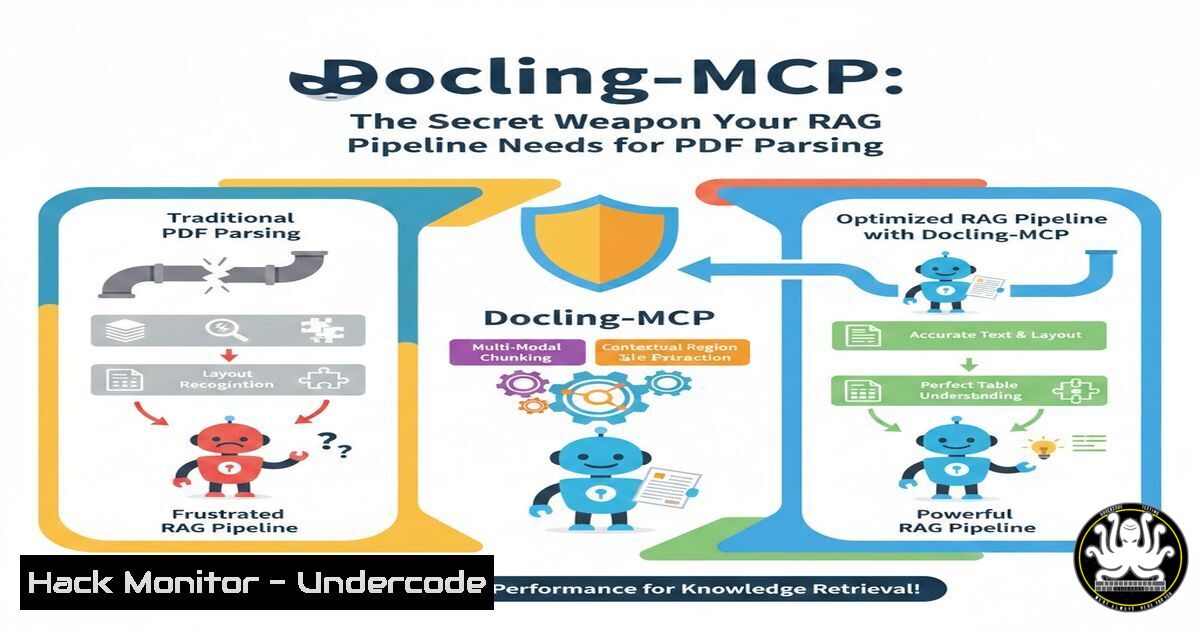
In the rapidly evolving landscape of AI and cybersecurity, the integrity of your data pipeline is your first line of defense. While many organizations focus on securing databases and APIs, the humble PDF remains a silent vector for data leakage and model hallucination. When sensitive contracts, threat intelligence reports, or security logs are fed into a Retrieval-Augmented Generation (RAG) system, “flat” text extraction strips away the critical context of reading order, tables, and section hierarchy. This creates a blind spot where structured data—and the hidden malicious code within it—becomes unreadable garbage for your AI. Docling-MCP, a Model Context Protocol (MCP) wrapper for IBM’s Docling, bridges this gap, transforming chaotic PDFs into structured JSON. This ensures your AI agents not only see the text but understand the document’s architecture, which is crucial for accurate data retrieval and maintaining the integrity of security operations.
Learning Objectives:
- Understand why flat text extraction is a critical vulnerability in AI-driven security pipelines.
- Learn to install and configure the `mcp-server-docling` tool for structured PDF parsing.
- Master the extraction of reading order, tables, and metadata for cybersecurity analysis.
- Integrate Docling-MCP with AI agents (like ) to automate the ingestion of threat reports.
- Identify and mitigate risks associated with malformed PDFs and poisoned data sources.
You Should Know:
1. Installing and Configuring the Docling-MCP Server
Before your AI agent can intelligently dissect a PDF, you need to establish the communication protocol. The Docling-MCP server acts as a bridge, allowing AI models like or LM Studio to request document conversion services. This setup is lightweight and cross-platform, making it ideal for security engineers who need to deploy agents quickly in isolated environments.
Step‑by‑step guide:
This process uses uvx, a fast tool for running Python packages, eliminating the need for a full virtual environment setup on your analysis machine.
Linux / macOS (Terminal):
 Ensure you have pip and uv installed (optional but recommended for speed)
pip install uv

Run the MCP server directly. It will listen for commands from your AI client.
uvx mcp-server-docling
Windows (PowerShell/Command Prompt):
 Install uv if you haven't
pip install uv

Launch the server
uvx mcp-server-docling
Verification:
Once running, the server waits for MCP requests. To test connectivity, you can use a simple MCP client or check the process list:
 Linux
ps aux | grep mcp-server-docling

Windows
Get-Process -Name "mcp-server-docling" -ErrorAction SilentlyContinue
If the server is active, your AI tools can now call its functions.
2. Converting a Document: The `convert_document` Function
The core functionality is exposed via the `convert_document` tool. Unlike basic OCR or text extraction, this command analyzes the layout, recognizing columns, tables, and headings. For a cybersecurity analyst, this means being able to parse a firewall log PDF or a vulnerability report where the data is split across multiple columns, preserving the relationship between an IP address and its associated risk score.
Step‑by‑step guide (Using `curl` to simulate an MCP call):
While typically called by an AI, you can interact with the server via HTTP endpoints if configured. Here’s a conceptual command to show how the data is requested:
 Linux/macOS (Conceptual API call to the MCP server)
curl -X POST http://localhost:8000/mcp/v1/tools/convert_document \
-H "Content-Type: application/json" \
-d '{
"params": {
"input_path": "/path/to/cybersecurity_threat_report.pdf",
"output_format": "json"
}
}'
Windows (PowerShell):
$body = @{
params = @{
input_path = "C:\Reports\cybersecurity_threat_report.pdf"
output_format = "json"
}
} | ConvertTo-Json

Invoke-RestMethod -Uri "http://localhost:8000/mcp/v1/tools/convert_document" `
-Method Post `
-Body $body `
-ContentType "application/json"
What it does:
The server returns a JSON object containing not just the text, but keys for `reading_order` (a sequence of element IDs), `table_structure` (cell coordinates and content), and `heading_hierarchy` (nesting levels). This allows an AI to navigate a security policy document as a human would, rather than as a raw text dump.
3. Integrating with for Automated Security Analysis
The power of MCP is realized when you connect it to a desktop AI like . By configuring to recognize the Docling server, you can automate the ingestion of daily threat briefs. For example, an analyst can drop a PDF of the latest CISA alert into a folder, and the AI can extract all IOCs (Indicators of Compromise) with perfect context.
Step‑by‑step guide ( Desktop Configuration):
Locate your Desktop configuration file (`_desktop_config.json`).
Linux:
`~/.config//_desktop_config.json`
macOS:
`~/Library/Application Support//_desktop_config.json`
Windows:
`%APPDATA%\\_desktop_config.json`
Add the Docling server to the `mcpServers` section:
{
"mcpServers": {
"docling": {
"command": "uvx",
"args": ["mcp-server-docling"]
}
}
}
After restarting , you can now use prompts like: “Analyze the file ‘patch_tuesday_advisory.pdf’ and extract all CVE IDs and their associated severity scores into a table.” uses the MCP tool to call `convert_document` and receives structured data, ensuring the CVEs are correctly matched to their scores, even if they are in a complex table.
4. Extracting Structured Data for Forensic Analysis
In digital forensics, metadata is king. A standard text extraction might miss the fact that a paragraph is actually a table cell or a footnote. Using the Python SDK directly allows for scripting batch jobs to convert thousands of legal documents or intercepted communications for keyword searching while maintaining structure.
Python Script (Cross-Platform):
import asyncio
from docling_mcp.server import convert_document

Define the path to the potentially malicious document
pdf_path = "evidence_logs/ransomware_note.pdf"

Run the conversion asynchronously
async def extract_forensic_data():
result = await convert_document(pdf_path)

Access the structured output
structured_data = result["structured_data"]

Iterate through elements in reading order
for element in structured_data["reading_order"]:
if element["type"] == "table":
 Extract table cells for IOC analysis
for row in element["data"]["rows"]:
print(f"Table Data: {row}")
elif element["type"] == "text":
print(f"Text: {element['content']}")

Run the async function
asyncio.run(extract_forensic_data())
This script preserves the exact reading flow of a document, which is essential when analyzing the narrative structure of a phishing email or a social engineering script embedded in a PDF.
5. Handling Malformed PDFs and Security Considerations
Attackers often exploit PDF parsers by embedding malformed objects or infinite loops. Docling, built on robust libraries, includes error handling, but as a security professional, you must sandbox this process. Never run document parsing on a production server without resource limits.
Linux (Using `timeout` and `docker` for isolation):
 Run the conversion inside a Docker container with limited resources
docker run --rm \
--memory="512m" \
--cpus="0.5" \
-v $(pwd)/input.pdf:/data/input.pdf \
python:3.11-slim \
bash -c "pip install docling-mcp && uvx mcp-server-docling --input /data/input.pdf"
Windows (PowerShell with Job timeouts):
$job = Start-Job -ScriptBlock {
uvx mcp-server-docling --input "C:\suspicious.pdf"
}
 Wait for 30 seconds max
$job | Wait-Job -Timeout 30
if ($job.State -eq 'Running') {
$job | Stop-Job
Write-Host "Parsing timed out - potential malformed PDF."
}
Always validate the source of the PDF before feeding it to your AI pipeline to prevent data poisoning or parser exploitation.
6. Comparing Output: Flat Text vs. Structured JSON
To understand the security implications, let’s examine a common scenario: a network audit report with a table listing “IP Address,” “Open Ports,” and “Patch Status.”
Flat Text Output (Vulnerable):
Server Status
IP: 10.0.0.1 Open Ports: 22, 443
10.0.0.2 80, 8080
Missing patches: KB123
The AI might incorrectly associate “KB123” with 10.0.0.1 because the flat text loses the row association.
Docling-MCP Structured Output (Secure):
{
"tables": [
{
"cells": [
{"row": 1, "col": 1, "text": "10.0.0.1"},
{"row": 1, "col": 2, "text": "22, 443"},
{"row": 1, "col": 3, "text": "N/A"},
{"row": 2, "col": 1, "text": "10.0.0.2"},
{"row": 2, "col": 2, "text": "80, 8080"},
{"row": 2, "col": 3, "text": "KB123"}
]
}
]
}
The JSON retains the relational database structure, allowing a security AI to accurately map the missing patch (KB123) to the correct IP (10.0.0.2).
What Undercode Say:
- Context is Security: In AI-driven security operations, data without context is noise. Docling-MCP ensures that the narrative and relationships within threat intelligence reports are preserved, reducing false positives in automated analysis.
- The Pipeline is the Perimeter: As we move toward agentic AI, the tools that feed data to these agents become critical attack surfaces. Securing the MCP server and validating its inputs is as important as securing the AI model itself.
- Open Source Transparency: Using open-source tools like Docling allows security teams to audit the parsing logic for backdoors or vulnerabilities, ensuring that the software dissecting your sensitive documents isn’t exfiltrating data.
Prediction:
Within the next 18 months, structured document parsing via protocols like MCP will become the default standard for enterprise RAG implementations. As AI agents are granted more autonomy to act on information, the demand for “document-aware” parsing will skyrocket. We predict a rise in “parsing-based” attacks, where adversaries craft PDFs with hidden visual elements or malicious structural metadata designed to corrupt AI logic or trigger buffer overflows in the parsing libraries themselves. Consequently, the role of the security engineer will expand to include “Prompt/Parse Engineering,” hardening the very first step of the AI data pipeline against adversarial injection.
▶️ Related Video (86% Match):
🎯Let’s Practice For Free:
IT/Security Reporter URL:
Reported By: Alindnbrg Mcp – Hackers Feeds
Extra Hub: Undercode MoN
Basic Verification: Pass ✅


