
Listen to this Post
Introduction:
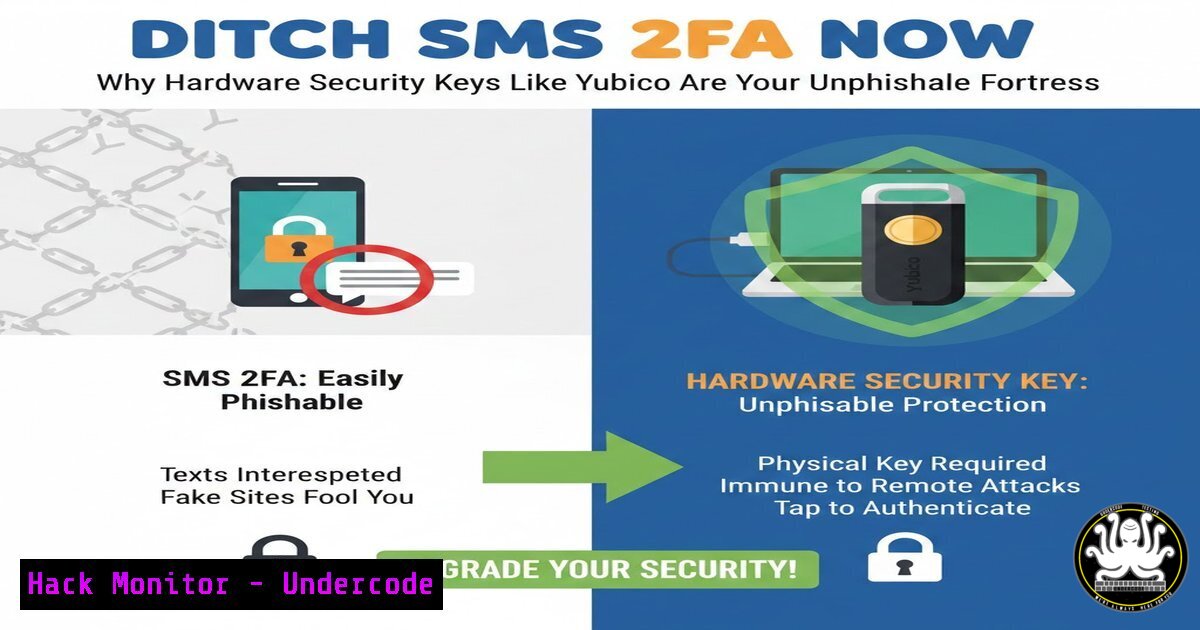
In an era of sophisticated phishing and SIM-swapping attacks, traditional multi-factor authentication (MFA) methods like SMS and email have become the weakest link in personal and organizational security chains. This article delves into the critical shift towards phishing-resistant MFA, championed by security veterans, and provides a technical deep dive into implementing hardware security keys, specifically Yubico’s offerings, to create an unbreachable authentication layer for your digital life and enterprise environment.
Learning Objectives:
- Understand the critical vulnerabilities of SMS/Email/Phone-based MFA and the superiority of FIDO2/WebAuthn standards.
- Learn how to procure, configure, and deploy Yubico Security Keys across major online platforms and enterprise systems.
- Master backup strategies and advanced YubiKey features for IT professionals, including PIV smart card functionality and secure shell (SSH) authentication.
You Should Know:
- The Inherent Flaws of Legacy MFA and the FIDO2 Revolution
SMS and voice-based MFA are vulnerable to interception, SIM-swapping, and phishing attacks where one-time codes can be stolen in real-time. The FIDO2 (Fast Identity Online) project, comprising the W3C’s WebAuthn and FIDO’s CTAP protocols, solves this by using public-key cryptography. During registration, your security key generates a unique cryptographic key pair for each website. Authentication happens locally between the key and your browser—no shared secrets are ever transmitted, making it immune to phishing and man-in-the-middle attacks.
Step-by-Step Guide to Understanding the Protocol:
- Registration: When you add a security key to an account (e.g., GitHub), your browser triggers the `navigator.credentials.create()` WebAuthn API call.
- Key Generation: The security key generates a new public/private key pair unique to that site (relying party ID).
- Storage: The public key is sent to the website’s server and stored. The private key never leaves the security key.
- Authentication: When logging in, the server sends a challenge. The security key signs this challenge with the private key. The server verifies the signature with the stored public key.
-
Procuring and Configuring Your First Yubico Security Key
For personal use, the $29 Yubico Security Key NFC (supports FIDO U2F & FIDO2) is ideal. For IT professionals, the YubiKey 5 Series ($55-$80) adds support for OTP, PIV (smart card), OpenPGP, and secure device management. Crucially, buy two identical keys immediately—one for daily use, one for a secure backup.
Step-by-Step Guide to Basic Configuration (Using Google as an Example):
1. Navigate to your Google Account > Security > 2-Step Verification.
2. Under “Add more second steps,” select Security Key.
3. Click Add Security Key.
- Insert your Yubico key into a USB port or tap it to your phone’s NFC reader.
- Touch the key’s gold contact when prompted. It will register in seconds.
- Repeat the process with your backup key. Name them clearly (e.g., “Primary Key – Blue,” “Backup Key – Red”).
- Test login on another device using only the security key.
-
Advanced Deployment: Integrating YubiKeys for Linux SSH Access
IT professionals can use YubiKeys for password-less, highly secure SSH authentication. This uses the PIV (smart card) functionality of the YubiKey 5.
Step-by-Step Guide to SSH Authentication on Linux:
- Install Tools: `sudo apt update && sudo apt install yubikey-manager yubikey-manager-qt scdaemon`
2. Configure PIV Slot: Use `ykman` to generate a key on the key itself (private key never leaves).ykman piv keys generate --algorithm RSA2048 --pin-policy ONCE --touch-policy CACHED 9a public.pem
- Export Public Key: `ykman piv keys export 9a public.pem`
4. Add to SSH Authorized Keys: On your server, append the public key:ssh-keygen -i -m PKCS8 -f public.pem >> ~/.ssh/authorized_keys
5. SSH Client Configuration (~/.ssh/config):
Host
PKCS11Provider /usr/lib/x86_64-linux-gnu/opensc-pkcs11.so
IdentitiesOnly yes
6. Connect: Use ssh -o "PKCS11Provider /usr/lib/opensc-pkcs11.so" user@host. You will be prompted for the YubiKey’s PIN and to touch the key.
4. Hardening Windows Environments with YubiKey PIV
YubiKeys can store certificates for Windows logon, replacing weak password policies.
Step-by-Step Guide for Windows Smart Card Logon:
- Configure YubiKey: Use the YubiKey Manager GUI to set a PIV PIN, Management Key, and generate a Certificate Signing Request (CSR) in Slot 9c.
- Issue Certificate: Import the CSR to a corporate Microsoft Certificate Authority (CA) or use a public CA to issue a user authentication certificate.
- Load Certificate: Load the issued certificate back onto the YubiKey in the same slot using YubiKey Manager.
- Enable Smart Card Logon: In Windows Group Policy (
gpedit.msc), navigate to Computer Configuration > Windows Settings > Security Settings > Local Policies > Security Options and enable Interactive logon: Require smart card. - Users can now logon by inserting their YubiKey and entering the PIV PIN.
-
API Security and DevOps: Securing CI/CD Pipelines with Hardware Tokens
Secrets in CI/CD pipelines (e.g., GitHub Actions, GitLab CI) are high-value targets. YubiKeys can secure these through hardware-backed GPG signing or as a physical token for secret managers like HashiCorp Vault.
Step-by-Step Guide for Git Commit Signing with a YubiKey 5:
1. Install GPG Tools: `sudo apt install gnupg2 gnupg-agent pinentry-curses scdaemon`
2. Configure GPG: Edit `~/.gnupg/gpg-agent.conf`:
enable-ssh-support
pinentry-program /usr/bin/pinentry-curses
3. Import Key: `gpg –card-edit` then `fetch` to import the public key from the YubiKey.
4. Configure Git: `git config –global user.signingkey [KEY-ID]` and git config --global commit.gpgsign true.
5. All commits are now signed with a private key that cannot be exfiltrated from the hardware device.
6. Vulnerability Mitigation: The Concrete Security Advantages
Deploying hardware keys directly mitigates common CVEs and attack vectors:
Mitigates CVE-2021-30554 (Chrome V8 Engine Bugs): Even if a renderer bug is exploited, the attacker cannot trigger a security key press without physical user interaction.
Nullifies SIM-Swap Attacks: Removes the telecommunication network from the authentication flow entirely.
Defeats Real-Time Phishing: A fake site cannot authenticate because the FIDO2 protocol cryptographically verifies the genuine domain name.
What Undercode Say:
Adoption is Non-Negotiable: For high-value accounts (corporate admins, developers, executives, personal banking/email), hardware security keys are no longer a luxury but a baseline security requirement. The $60 investment for a primary and backup key is trivial compared to the cost of a compromised account.
The Human Firewall’s Best Tool: While user training is vital, it is inherently fallible. Hardware keys provide a tangible, user-friendly action (a “touch”) that enforces security policy at the point of authentication, effectively making the human element far more robust.
The analysis from security professionals like Al Lipscomb underscores a mature understanding of defense-in-depth. The recommendation to avoid SMS/email MFA is a direct response to its systemic failure against determined attackers. The debate around USB-A vs. USB-C durability highlights practical operational considerations, but the core principle remains unchallenged: possession-based, cryptographic authentication is the future. For organizations, this shift isn’t just about buying keys; it’s about integrating them into identity architectures (like Azure AD or Okta with FIDO2), revising disaster recovery plans to include key loss scenarios, and fostering a security culture that embraces physical tokens as essential tools.
Prediction:
Within the next 3-5 years, hardware-bound, phishing-resistant authentication will become the mandated standard for regulatory frameworks like NIST, PCI DSS, and cyber insurance policies. We will see a convergence of physical keys with biometrics (like passkeys stored in secure enclaves) and a move towards decentralized identity models. The rise of quantum computing will further accelerate the adoption of hardware-backed cryptography, as security keys can be updated or replaced to support post-quantum algorithms, whereas soft tokens on smartphones may face longer migration cycles. The “key” will evolve from a single-purpose dongle into a central, programmable identity carrier for both physical and digital access.
▶️ Related Video (80% Match):
🎯Let’s Practice For Free:
IT/Security Reporter URL:
Reported By: Al Lipscomb – Hackers Feeds
Extra Hub: Undercode MoN
Basic Verification: Pass ✅


