
Listen to this Post
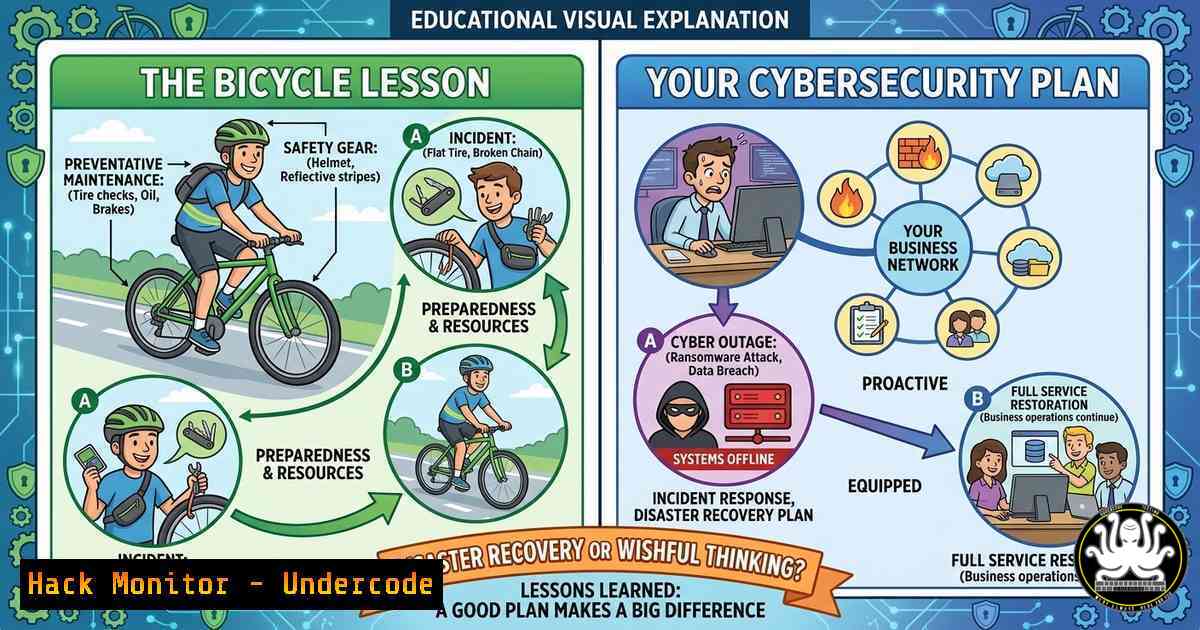
Introduction:
In the world of IT and cybersecurity, we spend millions on complex failovers, cloud redundancy, and sophisticated SIEM tools to prepare for the “expected” disasters—ransomware, server failures, or DDoS attacks. However, as highlighted by a recent viral analogy regarding petrol shortages and bicycle preparedness, the most catastrophic failures often stem from the dependencies we overlook entirely. Just as a fuel shortage cripples a car-dependent society, a failure in a seemingly minor third-party API or a neglected software library can render your entire digital infrastructure inert.
Learning Objectives:
- Understand the concept of “single points of failure” in IT infrastructure and supply chain attacks.
- Learn how to perform a dependency audit using CLI tools on both Linux and Windows.
- Analyze real-world disaster recovery (DR) scenarios focusing on overlooked digital assets.
You Should Know:
- The “Petrol Station” Analogy: Mapping Your Digital Dependencies
The core message of the post is that we prepare for the outages we expect (server crashes) but ignore the ones we deem impossible (petrol stops flowing). In IT, this translates to focusing on internal hardware failures while ignoring external dependencies.
Extended Context:
Just as a cyclist relies on a functional bike when cars are useless, a business relies on its “pushy”—its legacy systems, its overlooked scripts, and its third-party integrations—when the main grid fails. If you haven’t serviced these components, they will fail exactly when you need them most.
Step‑by‑step guide: Auditing Hidden Dependencies
To avoid this, you must map your “Digital Petrol Stations.” Here is how to audit what your systems rely on that you might have forgotten.
On Linux (Auditing Shared Libraries and External Calls):
A binary might work today, but if a shared library (lib ) is updated or removed, it will fail tomorrow.
 Check the shared library dependencies of a binary (e.g., your custom compiled app)
ldd /usr/local/bin/your-application

Check what external IPs your server is talking to (find hidden call-homes)
sudo netstat -tunap | grep ESTABLISHED

Check for orphaned packages (software installed but no longer needed by anything)
sudo apt-get autoremove --dry-run
On Windows (Auditing Scheduled Tasks and Services):
Often, critical “bicycles” are hidden as scheduled tasks running obscure scripts.
 List all scheduled tasks to find the ones you forgot about
Get-ScheduledTask | Where-State -ne "Disabled" | Format-Table TaskName,State

Check services that are set to run manually but are critical for failover
Get-Service | Where StartType -eq Manual | Where Status -eq Stopped | Select Name, DisplayName
- Disaster Recovery for Your “Bicycle” (The Legacy System)
Paul M. mentions getting the pushbike serviced before the panic. In cybersecurity, this means patching and documenting the systems you don’t touch often—the “pushbikes” of your infrastructure.
Extended Context:
These are often the jump boxes, the old NAS devices in the corner, or the scripts that handle log rotation. If a major outage hits (like a supply chain attack on a major cloud provider), these neglected systems become your lifeline.
Step‑by‑step guide: Hardening Your Fallback Systems
Let’s simulate securing a legacy Linux server that you would rely on if your primary cloud environment went down.
Configuration: Securing SSH as a Fallback Channel
Ensure your “bicycle” (fallback server) is not rusted shut.
1. Update the Kernel (Service the Bike):
sudo apt update && sudo apt upgrade -y
sudo reboot
2. Harden SSH Access (Ensure the Chain doesn’t slip): Edit `/etc/ssh/sshd_config`
 Disable root login
PermitRootLogin no
 Use only key-based authentication
PasswordAuthentication no
PubkeyAuthentication yes
 Allow only specific users
AllowUsers youradminuser
Restart SSH: `sudo systemctl restart sshd`
- Install a Fallback Monitoring Tool: Since your main dashboards might be down, ensure the fallback server can email you directly.
sudo apt install mailutils
Create a simple script to check disk space and email you
echo 'df -h | mail -s "Fallback Server Disk Report" [email protected]' > ~/diskcheck.sh
chmod +x ~/diskcheck.sh
Add to cron to run daily
crontab -e
Add line: 0 8    /home/user/diskcheck.sh
-
The “Cycling Solutions” Link: Analyzing the External Asset
The post contains a link tocyclingsolutions.com.au. While this is a real bike shop, in a technical context, we treat this as a third-party asset. In cybersecurity, if this URL was a critical API endpoint for your business, you would need to assess its resilience.
Extended Context:
Imagine `cyclingsolutions.com.au` was not a bike shop, but a critical API your payment system relies on. If their DNS fails, your business stops.
Step‑by‑step guide: Testing Third-Party Resilience
Here is how you test the resilience of an external dependency (using the provided domain as an example).
Using Command Line (Linux/macOS):
 Check DNS resolution speed and health
dig cyclingsolutions.com.au

Check HTTP headers for security misconfigurations (does it use HTTPS properly?)
curl -I https://cyclingsolutions.com.au

Simulate a connection timeout to see how your app behaves (you can't do this to their live site, but you can simulate locally via /etc/hosts)
 You would normally test this in a dev environment by pointing the domain to a black hole.
Using Python (Simulating API Failure):
If this were an API, you would write a script to test retry logic.
import requests
from requests.adapters import HTTPAdapter
from urllib3.util.retry import Retry

This is how you build a resilient client that handles outages
def resilient_request(url):
session = requests.Session()
retry = Retry(total=3, backoff_factor=1, status_forcelist=[502, 503, 504])
adapter = HTTPAdapter(max_retries=retry)
session.mount('http://', adapter)
session.mount('https://', adapter)

try:
response = session.get(url, timeout=5)
print(f"Success: {response.status_code}")
except requests.exceptions.RequestException as e:
print(f"Service failed even with retries: {e}. Your 'bicycle' (fallback) must kick in now.")

Test (use a test URL, not production)
 resilient_request("https://cyclingsolutions.com.au")
- Vulnerability Exploitation: What Happens if the Bike is Left Unlocked?
If your “bicycle” (unpatched system) is left outside, it will get stolen (hacked). The post implies that neglecting your backup plan is a vulnerability.
Extended Context:
We will explore a common vulnerability found on neglected servers: outdated SMB versions.
Step‑by‑step guide: Exploiting & Mitigating SMB Vulnerabilities
If your fallback “bicycle” is a Windows Server 2008 (out of support), it likely runs SMBv1, which is vulnerable to EternalBlue (MS17-010).
Detection (Scanning your Network for this vulnerability):
Using Nmap on Linux:
 Scan for open SMB ports and check for SMBv1
nmap -p445 --script smb-protocols <target_ip_or_range>

If the output shows "PROTOCOL: SMB 1.0", you have a critical vulnerability.
Mitigation (Locking the Bike Shed):
If you find an old server you must keep running but cannot patch, isolate it.
 On Windows Server, disable SMBv1 immediately
Set-SmbServerConfiguration -EnableSMB1Protocol $false -Force

Restrict inbound traffic via Windows Firewall to only specific admin IPs
New-NetFirewallRule -DisplayName "Restrict SMB Access" -Direction Inbound -LocalPort 445 -Protocol TCP -RemoteAddress <TRUSTED_ADMIN_SUBNET> -Action Allow
5. Cloud Hardening: The “Cycling Solutions” Business Model
In a cloud context, the bike shop represents a microservice. To ensure it survives a “petrol shortage” (cloud region failure), you need infrastructure as code.
Step‑by‑step guide: Deploying a Redundant Instance (AWS Example)
If you were hosting the “Cycling Solutions” website, you wouldn’t host it in just one place.
AWS CLI Commands:
Ensure your infrastructure is reproducible.
 Take an AMI of your current bike shop server (create a snapshot)
aws ec2 create-image --instance-id i-1234567890abcdef0 --name "Cycling-Solutions-Backup-Image" --no-reboot

Launch a new instance from that image in a different availability zone (AZ)
aws ec2 run-instances --image-id ami-0abcdef1234567890 --instance-type t3.micro --subnet-id subnet-different-az --key-name YourKeyPair
What Undercode Say:
- Dependency Blindness is a Security Risk: The biggest threat to your disaster recovery plan isn’t a zero-day exploit; it’s the assumption that everything external (fuel supply, third-party APIs, legacy hardware) will work forever. You must treat your dependencies as attack surfaces.
- Service Your Neglected Assets: The “pushbike in the shed” represents your legacy code, your manual failover scripts, and your forgotten test servers. If they aren’t maintained (patched, tested, documented), they will fail when you are in crisis mode. Regular “offline” testing is non-negotiable.
- Simplicity is the Ultimate Fallback: When the complex grid fails, the simplest solution wins. In IT, this means having offline documentation, local admin passwords stored in a physical safe, and the ability to operate without the cloud. If your disaster recovery plan requires the internet to fix the internet, you don’t have a plan.
Prediction:
As geopolitical instability increases (affecting energy and supply chains) and cloud dependency deepens, we will see a shift toward “Resilience Engineering.” The market will move away from chasing only the latest AI tools and pivot toward hardening the “bicycle” layer—on-premise bare-metal servers, mesh networking, and analog backups. The next major outage won’t be caused by a sophisticated hacker group, but by a cascade failure of overlooked dependencies that no one thought to “service.”
▶️ Related Video (80% Match):
🎯Let’s Practice For Free:
IT/Security Reporter URL:
Reported By: Paulmcdonogh Cycling – Hackers Feeds
Extra Hub: Undercode MoN
Basic Verification: Pass ✅


