Listen to this Post
Introduction:
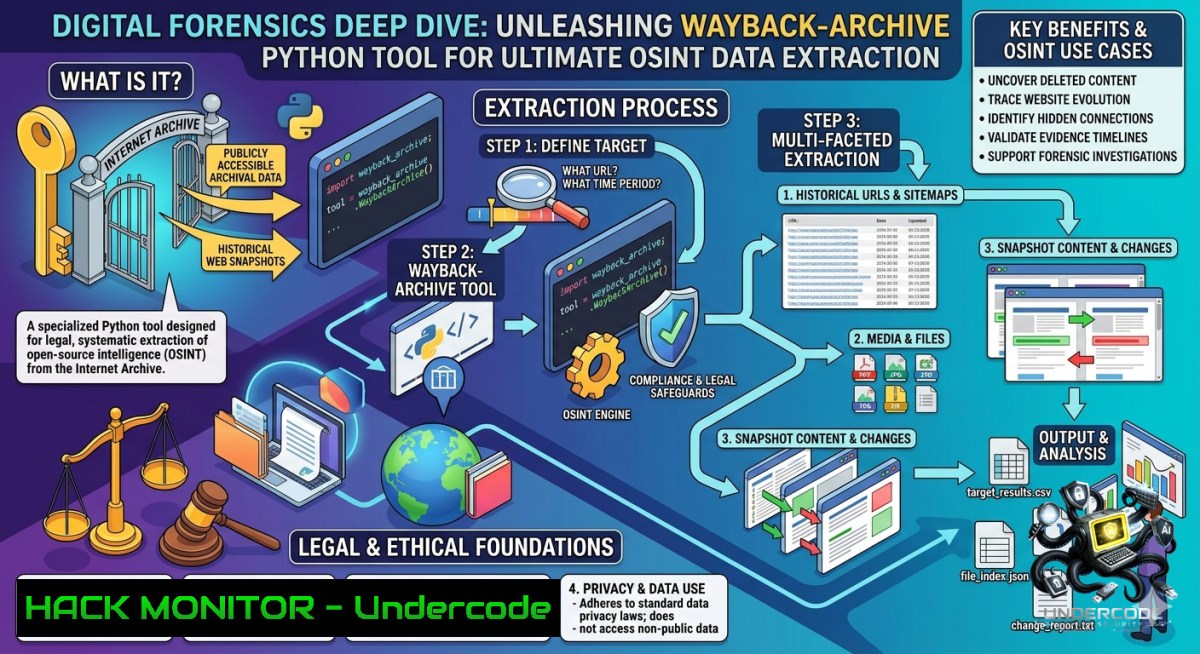
The digital landscape is ephemeral; content can vanish or be manipulated without a trace. For cybersecurity analysts and OSINT investigators, the Wayback Machine serves as a critical time capsule, preserving historical snapshots of the web. Leveraging a Python tool like `wayback-archive` allows professionals to systematically download entire archived websites, reconstructing them for offline analysis to uncover evidence of past compromises, track adversarial infrastructure evolution, or recover lost digital artifacts.
Learning Objectives:
- Master the installation and configuration of the Python-based `wayback-archive` tool for automated website downloading.
- Execute advanced OSINT collection techniques by downloading and analyzing archived website data through command-line examples.
- Apply forensic analysis methods to downloaded web data to identify historical vulnerabilities and track digital footprints.
You Should Know:
- Getting Started with Wayback-Archive: Installation and Command-Line Operations
This Python tool is designed to download complete websites from the Wayback Machine and reconstruct them for fully functional offline viewing. It preserves all assets—HTML, CSS, JavaScript, images, and fonts—and rewrites URLs to relative paths, eliminating Wayback Machine artifacts so the local copy resembles the original site.
Step-by-Step Guide:
- Prerequisites: Ensure Python 3.8 or higher and pip are installed on your Linux or Windows system.
- Installation via Source:
git clone https://github.com/GeiserX/Wayback-Archive.git
cd Wayback-Archive
python3 -m venv venv
source venv/bin/activate  On Linux/macOS
venv\Scripts\activate  On Windows
pip install -r config/requirements.txt
This process sets up a virtual environment and installs all necessary dependencies.
- Basic Usage: Set a target Wayback Machine URL and run the tool. For example, to download a specific snapshot:
export WAYBACK_URL="https://web.archive.org/web/20250417203037/http://example.com/"
python3 -m wayback_archive.cli
The tool recursively discovers links in HTML, CSS, and JS files, downloads all linked assets, and processes data attributes.
- Serving the Downloaded Archive: Navigate to the output directory and start a simple HTTP server to view the site offline:
cd output && python3 -m http.server 8000
Then open `http://localhost:8000` in your browser.
2. Advanced OSINT Collection: Filtering and Time-Range Targeting
For focused intelligence gathering, you might want to retrieve only specific timeframes. Tools like `waybackpack` and `pywaybackup` offer sophisticated filtering options.
Step-by-Step Guide:
- Using Waybackpack for Time-Range Downloads: Install `waybackpack` via pip (
pip install waybackpack). To download all snapshots from a specific year:waybackpack http://www.example.com/ -d ./example-archives --from-date 20150101 --to-date 20151231
This command fetches only captures archived in 2015.
- Retrieving Raw Files: For forensically sound downloads without any post-processing, use the `–raw` flag:
waybackpack http://www.example.com/ -d ./example-archives --raw
This retrieves the original capture exactly as stored, using the Wayback Machine’s “id_” prefix.
- Automated Scripting for OSINT: Using
pywaybackup, you can integrate downloads into Python scripts for batch processing. Below is a script that downloads all snapshots of a URL from a specified year:from pywaybackup import PyWayBackup</li> </ul> backup = PyWayBackup( url="https://example.com", all=True, start="20200101", end="20201231", silent=False, debug=True, log=True, keep=True ) backup.run() backup_paths = backup.paths(rel=True) print(backup_paths)
This script provides structured output, including paths to saved snapshots, CDX files, and logs.
3. Linux/Windows Commands for Data Extraction and Analysis
After downloading an archived website, you can use standard system commands to analyze the data efficiently.
Step-by-Step Guide:
- File Listing and Searching (Linux/Windows): Navigate the downloaded directory structure (
output/example.com/) and search for specific keywords or file types. - Linux: `grep -r “password” .` or `find . -1ame “.js” -exec grep -H “api_key” {} \;`
– Windows (PowerShell): `Get-ChildItem -Recurse -Filter .html | Select-String “password”`
– Extracting Metadata: Use tools like `exiftool` on Linux to extract metadata from downloaded images, which might reveal geolocation or authorship information. For Windows, you can use PowerShell commands or installexiftool. - Comparing Snapshots: Download two different timestamps of the same page and use `diff` (Linux) or `Compare-Object` (PowerShell) to identify changes. This is crucial for detecting when a security vulnerability was introduced or patched.
- Uncovering Hidden Endpoints and Historical Vulnerabilities with Urx and Wayparam
For offensive security and threat intelligence, discovering old, forgotten API endpoints or parameters can be gold. Tools like `urx` and `wayparam` automate the extraction of URLs from archive data.
Step-by-Step Guide:
- Using Urx for Rapid URL Extraction: Urx is a Rust-based tool that rapidly queries multiple OSINT archives (Wayback Machine, Common Crawl, OTX). Install via `cargo install urx` or
brew install urx. To scan a domain for all historical URLs:urx example.com -o urls.txt
This returns a comprehensive dataset that can be used for vulnerability assessment and attack surface mapping.
- Filtering and Normalizing with Wayparam: `wayparam` focuses on cleaning Wayback CDX API results. It filters out static assets and normalizes query parameters to reveal actual application endpoints. Install from source:
git clone https://github.com/yourrepo/wayparam.git
cd wayparam
python -m venv .venv
source .venv/bin/activate
pip install -e .
Then run:
wayparam -d example.com --include-subdomains --rps 1 --concurrency 2
This command respects rate limits and returns a clean list of parameterized URLs, perfect for fuzzing and security testing.
5. Recovering Lost Digital Assets and Forensic Reconstruction
The `wayback-archive` tool excels at reconstructing websites, handling broken links and missing resources through smart fallbacks.
Step-by-Step Guide:
- Recovering a Lost Blog or Documentation: Suppose a company’s old documentation site went offline. Use `wayback-archive` to download the latest snapshot. The tool’s timeline fallback feature will automatically search for resources in nearby timestamps if a specific file returns a 404 error.
- Cleaning Up Archive Artifacts: Unlike `wget` or
httrack, `wayback-archive` includes built-in tracker and ad removal. It processes `data-` attributes, preserves icon groups, and even localizes Google Fonts, fixing common CORS issues that plague offline archives. - Validating Integrity: After download, the tool includes font corruption detection and can optionally minify HTML, CSS, and JS, making the local copy faster to navigate and parse.
- Integrating with Broader OSINT Workflows: Contact Mining and Threat Attribution
Beyond simple downloading, combine these tools with specialized OSINT utilities for actionable intelligence.
Step-by-Step Guide:
- Extracting Historical Contacts: Use
kronieker, an OSINT tool that mines historical email addresses and phone numbers from web.archive.org snapshots.pip install -e . kronieker targetdomain.com
This tool is invaluable for investigations where current contact details are missing or have been scrubbed, revealing past ownership or points of contact.
- Automating Threat Intelligence Feeds: Create a cron job (Linux) or scheduled task (Windows) that runs a script combining `urx` and `kronieker` on a list of known malicious domains. This continuously updates your threat intelligence database with historical data, helping to map out attacker infrastructure changes over time.
What Undercode Say:
- Key Takeaway 1: The Wayback Machine is not just a nostalgic tool; it is a primary source for digital forensics. Python tools like `wayback-archive` and `waybackpack` provide the automation needed to systematically collect and preserve this evidence, which is crucial for incident response and threat hunting.
- Key Takeaway 2: Mastering command-line OSINT tools empowers analysts to move beyond point-and-click interfaces, enabling batch processing, data normalization, and integration into larger security pipelines (e.g., SIEMs or SOARs). The ability to extract parameterized URLs and historical contacts directly from the archive transforms raw data into actionable intelligence for penetration testing and attribution analysis.
Prediction:
- +1 The accessibility and power of OSINT archiving tools will democratize cybersecurity research, allowing smaller teams to perform historical threat actor tracking and vulnerability discovery that was previously only possible for nation-states.
- +1 As web content becomes more ephemeral (with frequent updates and takedowns), reliance on tools like the Wayback Machine will grow, leading to the development of more sophisticated AI-driven anomaly detection that automatically flags discrepancies between live sites and their archived versions.
- -1 Malicious actors will increasingly weaponize the removal of historical data to erase their digital footprints, pressuring archive providers to implement stricter data retention policies and challenging defenders’ ability to establish timelines of compromise.
▶️ Related Video (82% Match):
🎯Let’s Practice For Free:
🎓 Live Courses & Certifications:
Join Undercode Academy for Verified Certifications
🚀 Request a Custom Project:
Secure, high-velocity infrastructure and disruptive technological engineering. Contact our engineering team for high-tier development and proprietary systems:
[email protected]
💎 Smart Architecture | 🛡️ Secure by Design | ⭐ Trusted by ThousandsIT/Security Reporter URL:
Reported By: Mariosantella Osint – Hackers Feeds
Extra Hub: Undercode MoN
Basic Verification: Pass ✅🔐JOIN OUR CYBER WORLD [ CVE News • HackMonitor • UndercodeNews ]
📢 Follow UndercodeTesting & Stay Tuned:
- File Listing and Searching (Linux/Windows): Navigate the downloaded directory structure (


