Listen to this Post
Introduction:
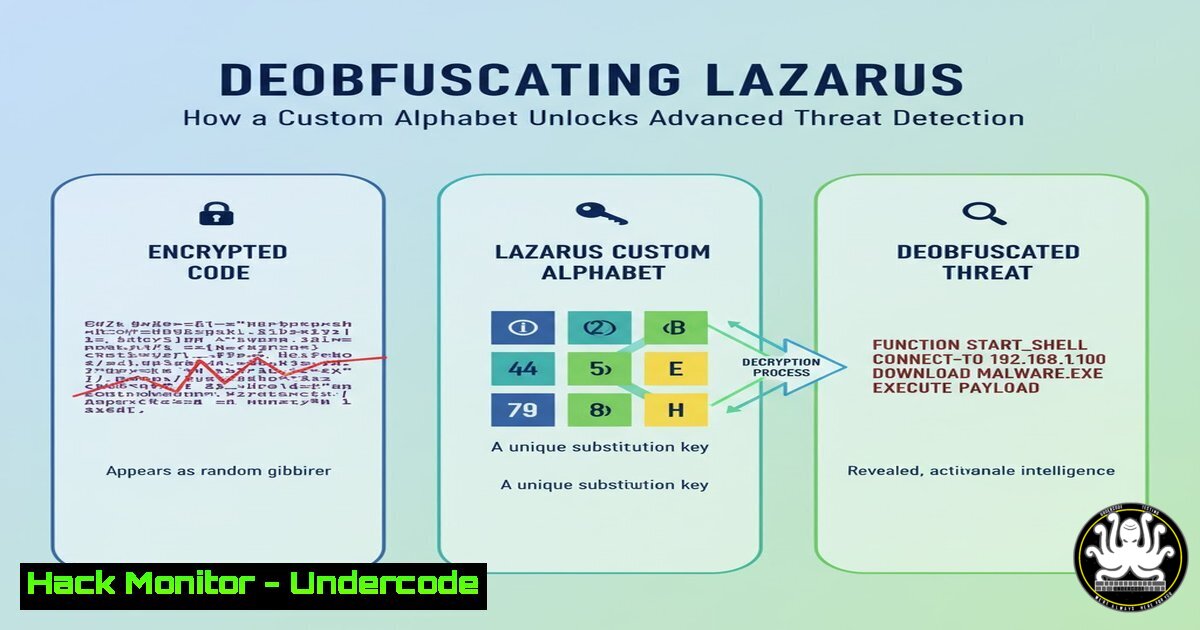
The Lazarus APT group, a sophisticated state-sponsored actor, continues to evolve its tradecraft, employing advanced obfuscation techniques to hide in plain sight. A recent analysis of their “ScoringMathTea” RAT uncovered a novel string obfuscation method using a custom alphabet, presenting a significant hurdle for static analysis. This article delves into the technical specifics of this technique and provides actionable tools and methodologies for defenders to deobfuscate such threats, turning an evasion tactic into a powerful detection opportunity.
Learning Objectives:
- Understand the mechanics of custom alphabet-based string obfuscation used by advanced persistent threats.
- Learn how to utilize and adapt a dedicated IDA Pro Python script for static string deobfuscation.
- Develop robust, behavior-based detection rules to identify this Lazarus tradecraft across your environment.
You Should Know:
1. The Anatomy of Custom Alphabet Obfuscation
This obfuscation technique does not rely on standard encryption but on a construction kit. The malware contains a custom, predefined alphabet. The strings seen in the static binary are not the real strings; they are sets of indices or instructions. During execution, the malware uses these indices to pull individual characters from the custom alphabet and constructs the actual strings in memory, just-in-time for use. This effectively hides critical indicators like C2 domains, API function names, and file paths from signature-based scanners and manual reverse engineering.
Verified Command/Tutorial:
 Example: Using 'strings' command with custom encoding hints (Linux)
strings -a -e l malware_sample.exe > standard_strings.txt
strings -a -e b malware_sample.exe >> standard_strings.txt
strings -a -e S malware_sample.exe >> standard_strings.txt
Step-by-step guide:
- What it does: The `strings` command scans a binary for sequences of printable characters. The `-a` flag scans the entire file, and the `-e` flag specifies character encoding (e.g., `l` for 16-bit little-endian, `b` for 16-bit big-endian, `S` for single-byte).
- How to use it: Run this command series against a suspected binary. While it may not decode the custom alphabet, it helps you inventory all string-like data, providing a baseline for analysis and potentially revealing non-obfuscated artifacts or parts of the obfuscation algorithm itself.
-
Deobfuscation in Action: The IDA Pro Python Script
The core tool for tackling this is a Python script designed for the IDA Pro disassembler. This script automates the process of identifying the obfuscation routines, locating the custom alphabet in the binary’s memory, and then applying the deobfuscation algorithm to reconstruct the hidden strings directly within your static analysis view.
Verified Code Snippet (Python/IDA Pro):
 Pseudocode based on the disclosed Lazarus deobfuscator
import idaapi
import idc

def find_custom_alphabet(start_ea, end_ea):
 Scan memory between start_ea and end_ea for a block of unique printable characters
alphabet = ""
for ea in range(start_ea, end_ea):
byte = idaapi.get_byte(ea)
if 32 <= byte <= 126:  Printable ASCII range
if chr(byte) not in alphabet:
alphabet += chr(byte)
else:
if len(alphabet) > 10:  Assume a sufficiently large alphabet
return alphabet
alphabet = ""
return None

def deobfuscate_string(obfuscated_data, alphabet):
deobfuscated = ""
for index in obfuscated_data:
deobfuscated += alphabet[index % len(alphabet)]
return deobfuscated

Example usage within IDA
alphabet_addr = find_custom_alphabet(0x401000, 0x402000)
if alphabet_addr:
print(f"[+] Custom alphabet found: {alphabet_addr}")
 Apply deobfuscation to specific data blocks
 ... (script would iterate over suspected obfuscated data locations)
Step-by-step guide:
- What it does: This conceptual script outlines the two key functions. `find_custom_alphabet` scans the binary’s code sections to identify a contiguous block of unique characters that constitute the custom alphabet. `deobfuscate_string` then takes data blocks believed to be obfuscated strings and uses the indices within them to lookup characters in the discovered alphabet.
- How to use it: In IDA Pro, you would load the full script from the researcher’s GitHub. The script typically runs automatically, identifying obfuscation functions via heuristics, applying the deobfuscation, and renaming variables in the IDA database to reflect the clear-text strings, vastly accelerating analysis.
3. Generating Behavioral Detection Signatures
Once the deobfuscation logic is understood, you can create detection rules that look for the behavior itself, not the obfuscated strings. This is a more resilient approach as the specific alphabet or indices may change.
Verified Code Snippet (YARA Rule):
rule Lazarus_ScoringMathTea_StringObfuscation {
meta:
author = "Your Name / CTI Team"
description = "Detects custom alphabet string deobfuscation routine"
threat = "Lazarus APT - ScoringMathTea RAT"
strings:
$loop_start = { 8A 08 48 8D 50 01 } // Common disassembly patterns for loop
$alphabet_load = { 48 8D 0D ?? ?? ?? ?? } // RIP-relative address load for alphabet
$index_compare = { 3B C8 72 ?? 33 C0 } // Index comparison and jump
condition:
all of them and filesize < 2MB
}
Step-by-step guide:
- What it does: This YARA rule scans files for specific assembly-level opcode sequences that are indicative of the deobfuscation loop. It looks for the code that loads the alphabet base address, loops through indices, and constructs the final string.
- How to use it: Save this rule (refined with exact opcodes from your analysis) to a `.yar` file. Use the YARA command-line tool `yara -r rule.yar /path/to/scan` to scan directories. Integrate this rule into your endpoint detection (EDR) or network monitoring systems for live threat hunting.
4. Hunting for In-Memory Artifacts with EDR
Since the strings are only clear in memory, Endpoint Detection and Response (EDR) tools are crucial for live detection. You can hunt for processes that perform suspicious memory allocation and string manipulation patterns.
Verified Command (Windows/PowerShell):
 PowerShell to query Win32_Process for suspicious memory characteristics (conceptual)
Get-CimInstance -ClassName Win32_Process | Where-Object {
$<em>.WorkingSetSize -gt 100MB -and $</em>.CommandLine -like "suspicious_process.exe"
} | Select-Object Name, ProcessId, WorkingSetSize, CommandLine
Step-by-step guide:
- What it does: This PowerShell command lists running processes, filtering for those with a large working set (memory usage) and a specific command-line pattern. Malware performing runtime string construction may exhibit unusual memory allocation.
- How to use it: This is a basic starting point for hunting. A more advanced approach would involve using EDR APIs to directly scan process memory for the deobfuscated strings (e.g., known C2 domains discovered via the IDA script) or to hook the memory allocation functions used during the deobfuscation routine.
5. Mitigation Through Application Control
Preventing the execution of unauthorized binaries is a first-line defense against unknown malware variants, including obfuscated RATs.
Verified Command (Windows/AppLocker):
 Export current AppLocker policy for audit
Get-AppLockerPolicy -Local | Export-AppLockerPolicy -Xml -FilePath "C:\temp\CurrentPolicy.xml"
Step-by-step guide:
- What it does: This command retrieves the currently applied AppLocker policy from the local machine and exports it to an XML file. This allows you to audit and refine your application whitelisting rules.
- How to use it: Audit the `CurrentPolicy.xml` file. Ensure policies are enforcing whitelisting for key executables, scripts, and installers. By blocking execution of untrusted code from user writable locations (e.g.,
%TEMP%,%DOWNLOAD%), you can prevent the initial payload, regardless of its obfuscation, from ever running.
What Undercode Say:
- Obfuscation is a Double-Edged Sword: While obfuscation hides intent from analysts, its implementation creates a unique behavioral signature for defenders. The custom alphabet method is itself a high-fidelity indicator of compromise.
- Shift from IOCs to IOAs: The future of defense lies in tracking Indicators of Attack (IOAs)—the behavioral steps like runtime string construction—rather than brittle Indicators of Compromise (IOCs) like file hashes, which become obsolete with minimal changes.
The analysis provided by Ícaro César exemplifies the proactive shift in cybersecurity from reactive IOC consumption to proactive detection engineering. By reverse-engineering the evasion technique, he has not just solved an immediate analysis problem but has provided the entire community with a blueprint for building durable, behavior-based detections. This approach effectively raises the cost for adversaries like Lazarus, forcing them to continuously reinvent their methods, while defenders can build a lasting foundation on understood behaviors. The script is more than a utility; it’s a detection manifesto.
Prediction:
The disclosure of this obfuscation technique and its corresponding deobfuscation tool will force the Lazarus group and its affiliates to iterate. We can predict a move towards more dynamic alphabet generation (potentially derived from environmental keying), the use of multi-layer obfuscation where the alphabet itself is encrypted, or a shift to entirely different methods like full-file packers or virtualization. However, the defender’s playbook demonstrated here—static analysis tooling, behavioral signature development, and memory forensics—will remain critically applicable against these future variants, cementing the value of deep technical threat intelligence.
🎯Let’s Practice For Free:
IT/Security Reporter URL:
Reported By: Icaro Cesar – Hackers Feeds
Extra Hub: Undercode MoN
Basic Verification: Pass ✅


