Listen to this Post
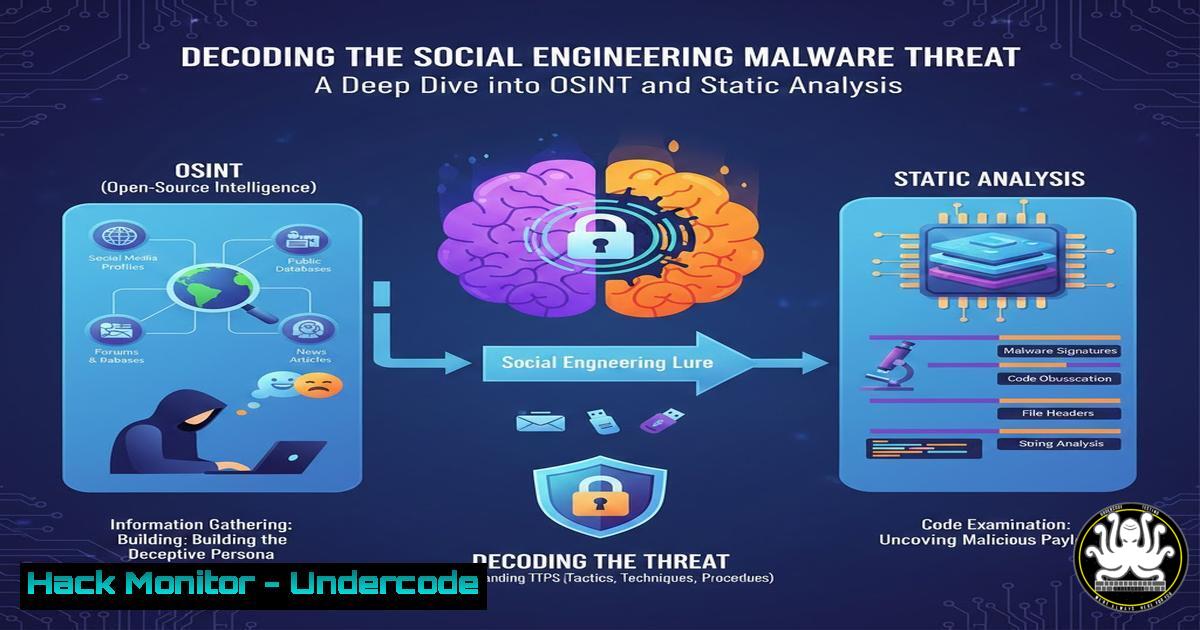
Introduction:
In a recent cyber incident, a threat actor employed social engineering to deliver a Trojan disguised as a bank statement, highlighting the evolving tactics of malware distribution. This attack underscores the critical need for robust threat intelligence practices, combining static malware analysis and Open-Source Intelligence (OSINT) to dissect and mitigate risks. Cybersecurity professionals must adapt by mastering these techniques to protect organizational assets from similar deceptive campaigns.
Learning Objectives:
- Understand the mechanics of social engineering-driven malware delivery and how to recognize phishing lures.
- Learn fundamental static analysis procedures to inspect suspicious files without execution.
- Apply OSINT methodologies to trace attack origins, uncover indicators of compromise (IOCs), and enhance threat hunting.
You Should Know:
1. Social Engineering: The Human Firewall’s Weakest Link
The attack began with a chat message urging the victim to download a “December statement file,” leveraging trust and urgency—a classic social engineering ploy. Attackers often impersonate legitimate entities like banks to bypass technical defenses, relying on human error. To combat this, education is key, but technical checks can also help.
Step-by-Step Guide to Identifying Social Engineering Attempts:
- Step 1: Scrutinize message metadata. Check sender addresses and URLs for spoofing. Use command-line tools to analyze email headers if the vector is email. For example, on Linux, save the email as a file and use `grep` to extract headers:
grep -i "from|to|subject|received" suspicious_email.eml
- Step 2: Look for linguistic red flags—urgency, grammatical errors, or unusual requests. Train teams to verify unexpected file requests via secondary channels (e.g., phone call to the bank).
- Step 3: Implement technical controls. Use email filters with DMARC, DKIM, and SPF. On Windows, configure Outlook rules to flag external emails; on Linux servers, use tools like `SpamAssassin` with custom rules.
2. Static Malware Analysis: Unveiling the Trojan
The post mentions static inspection of the malware sample, a non-execution method to examine file properties and code. This reveals IOCs like file signatures, embedded strings, and potential payloads without risking infection.
Step-by-Step Guide to Basic Static Analysis:
- Step 1: Determine file type. On Linux, use the `file` command to identify executables or disguised files:
file suspected_statement.rar
If it’s a Windows PE file, note it. On Windows, use PowerShell: `Get-FileHash -Algorithm SHA256 suspected_statement.exe` to get a hash for IOC sharing.
- Step 2: Extract strings to find URLs, IPs, or suspicious functions. On Linux, run
strings suspected_file.exe | grep -E "http|https|.exe|download". On Windows, use `Strings64.exe` from Sysinternals. - Step 3: Analyze PE headers with tools like `pecheck` on Linux or `PEview` on Windows. Check sections for anomalies, such as executable code in data sections. For example, using `objdump` on Linux:
objdump -x suspected_file.exe | head -50
3. OSINT: Tracing the Digital Footprint
OSINT techniques were used to trace the target, identified as “Ashish” from Mumbai. This involves gathering public data to profile attackers and map infrastructure, crucial for threat attribution and blocking IOCs.
Step-by-Step Guide to OSINT for Threat Hunting:
- Step 1: Start with the provided URL (e.g.,
http://bit.ly/4pQRBOx`). Use tools like `curl` to inspect redirects safely:curl -I http://bit.ly/4pQRBOx` to see headers without downloading. - Step 2: Query IP addresses or domains associated with the malware. Use `whois` on Linux: `whois example.com` or
nslookup malicious-domain.com. For broader reconnaissance, usetheHarvester:theHarvester -d example.com -b all. - Step 3: Leverage threat intelligence platforms. Search hashes from static analysis in VirusTotal via API: `curl -X GET https://www.virustotal.com/api/v3/files/{hash}` with an API key. On Windows, use PowerShell to automate queries.
4. Sandboxing: Safe Execution of Suspicious Files
The post recommends sandboxing to analyze malware behavior in isolation. Sandboxes simulate environments to observe network activity, file changes, and registry modifications without harming host systems.
Step-by-Step Guide to Setting Up a Sandbox:
- Step 1: Choose a sandbox tool. For Linux, Cuckoo Sandbox is open-source. Install it on an isolated VM:
sudo apt update
sudo apt install cuckoo
cuckoo init
- Step 2: Configure Cuckoo to monitor Windows guests. Modify `cuckoo.conf` to set the machine manager and network routing. Use VirtualBox or KVM for virtualization.
- Step 3: Submit the malware sample for analysis:
cuckoo submit suspected_file.exe. Review the generated report for IOCs like API calls or dropped files. On Windows, use Windows Sandbox for quick checks—enable it via Windows Features and copy files into the isolated session.
5. File Verification and Hash Analysis
Comments requested the sample with a hash, emphasizing its role in IOC sharing. Hashes provide unique fingerprints for blacklisting and tracking malware variants across systems.
Step-by-Step Guide to Hash Analysis:
- Step 1: Compute hashes. On Linux, use `sha256sum suspected_file.exe` or
md5sum. On Windows, use PowerShell:Get-FileHash suspected_file.exe -Algorithm SHA256. - Step 2: Compare hashes with threat databases. Use platforms like MalwareBazaar or MISP. Automate with scripts—e.g., a Python script to query APIs:
import requests hash_value = "your_hash_here" response = requests.get(f"https://mb-api.abuse.ch/api/v1/?query=get_info&hash={hash_value}") print(response.json()) - Step 3: Integrate hashes into security tools. Update SIEM rules or endpoint detection (EDR) to block known bad hashes. For example, in Windows Defender, use PowerShell to add indicators:
Add-MpPreference -AttackSurfaceReductionRules_Ids <rule_id> -AttackSurfaceReductionRules_Actions Block.
6. Reverse Engineering Malicious Executables
A comment noted the malware might be Rust-based, requiring advanced reverse engineering to understand obfuscation and functionality. This delves into code-level analysis for deeper insights.
Step-by-Step Guide to Basic Reverse Engineering:
- Step 1: Disassemble the binary. Use Ghidra (free) or IDA Pro. Load the executable and analyze functions. Look for Rust artifacts like `std::rt::lang_start` if Rust-based.
- Step 2: Debug dynamically with x64dbg on Windows or GDB on Linux. Set breakpoints at critical functions (e.g., file writes or network calls). For example, in GDB:
gdb suspected_file.exe
break 0x</li>
</ul>

<

address>
run
– Step 3: Extract configuration data. Use tools like `flare-floss` for strings decoding:
floss suspected_file.exe. Document findings for YARA rule creation to detect similar malware.7. Mitigation Strategies: Building a Resilient Defense
Beyond analysis, implementing proactive measures is vital. This includes hardening systems, training users, and deploying technical controls to prevent initial compromise.
Step-by-Step Guide to Mitigation Implementation:
- Step 1: Apply least privilege principles. On Windows, use Group Policy to restrict execution from temp directories: `gpedit.msc` → Computer Configuration → Windows Settings → Security Settings → Software Restriction Policies. On Linux, use `chmod` to limit permissions:
chmod 750 sensitive_directory. - Step 2: Deploy endpoint protection. Configure tools like ClamAV on Linux: `sudo freshclam` to update signatures, then
clamscan suspected_file.exe. On Windows, enable ASLR and DEP via system properties. - Step 3: Conduct regular training. Simulate phishing attacks using platforms like GoPhish; analyze results to improve awareness. Monitor networks with intrusion detection systems like Snort:
snort -A console -q -c /etc/snort/snort.conf -i eth0.
What Undercode Say:
- Key Takeaway 1: Social engineering remains a potent attack vector, often bypassing technical defenses by exploiting human psychology. Continuous education coupled with technical verification is essential to reduce success rates.
- Key Takeaway 2: Static analysis and OSINT form a powerful duo for threat intelligence, enabling rapid IOC extraction and attribution without exposing systems to live malware. Integrating these into incident response workflows enhances organizational resilience.
Analysis: The incident highlights a trend towards sophisticated social engineering where attackers use believable lures, like financial documents, to increase credibility. The use of Rust-based malware suggests a shift towards modern programming languages that offer better performance and obfuscation, challenging traditional reverse engineering. Moreover, the OSINT tracing to a CAB driver in Mumbai implies that attackers may use stolen identities or low-profile personas to avoid detection, emphasizing the need for depth in investigations. Organizations must adopt a layered defense, combining user awareness with automated technical controls, to mitigate such threats effectively. The sharing of detailed reports and IOCs, as seen in the post, fosters collective security, but caution is needed to avoid exposing sensitive data during disclosure.
Prediction:
Future attacks will likely leverage AI-generated social engineering content, making phishing messages more personalized and harder to detect. Malware families may increasingly adopt cross-platform capabilities and encryption to evade static analysis, requiring advancements in dynamic and heuristic-based detection. Cloud environments will become prime targets, with attackers using similar lures to compromise credentials and deploy cryptominers or ransomware. Proactive measures, such as AI-driven threat hunting and decentralized threat intelligence sharing, will be critical to stay ahead. The cybersecurity community must prioritize collaboration, as seen in this post’s engagement, to build resilient ecosystems against evolving social engineering malware campaigns.
▶️ Related Video (80% Match):
🎯Let’s Practice For Free:
IT/Security Reporter URL:
Reported By: Vaibhav Singh – Hackers Feeds
Extra Hub: Undercode MoN
Basic Verification: Pass ✅🔐JOIN OUR CYBER WORLD [ CVE News • HackMonitor • UndercodeNews ]
📢 Follow UndercodeTesting & Stay Tuned:
- Step 1: Apply least privilege principles. On Windows, use Group Policy to restrict execution from temp directories: `gpedit.msc` → Computer Configuration → Windows Settings → Security Settings → Software Restriction Policies. On Linux, use `chmod` to limit permissions:


