
Listen to this Post
Introduction:
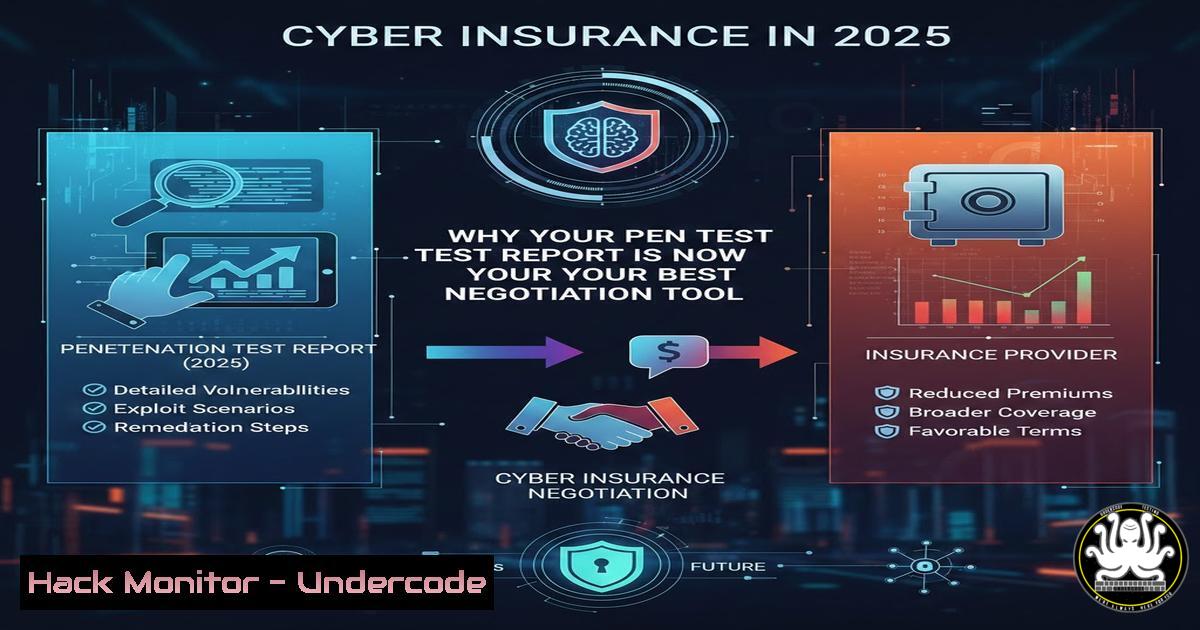
The relationship between cyber insurance and corporate security has fundamentally transformed. What was once a simple transactional process of paying a premium based on a checkbox questionnaire has evolved into a rigorous, evidence-based underwriting gauntlet. Insurers are no longer just selling a safety net; they are demanding proof of an active, resilient security posture. For businesses, this means that technical controls like Multi-Factor Authentication (MFA) and Endpoint Detection and Response (EDR) are no longer best practices but baseline requirements, and a fresh penetration test report has become the single most powerful document for securing coverage and controlling costs.
Learning Objectives:
- Objective 1: Identify the core technical security controls now mandated by cyber insurers as a condition for coverage.
- Objective 2: Understand the specific scenarios and organizational profiles that trigger mandatory penetration testing requirements.
- Objective 3: Learn how to implement, verify, and document key security controls to streamline the insurance application and renewal process.
You Should Know:
1. Implementing and Verifying Mandatory Multi-Factor Authentication (MFA)
Insurers now require MFA everywhere—email, VPNs, and administrative accounts. It’s not enough to have it enabled on some systems; they want proof it’s enforced universally. A common failing is having MFA optional or using SMS-based authentication, which is vulnerable to SIM-swapping attacks.
To verify your MFA posture on a Windows domain, you can run a PowerShell script to check Azure AD/Entra ID authentication methods for users:
 Install the module if needed: Install-Module -Name MSOnline
Connect-MsolService
Get-MsolUser -All | Where-Object {$_.StrongAuthenticationMethods -ne $null} | Select-Object UserPrincipalName, StrongAuthenticationMethods
On Linux systems using SSH, ensure key-based authentication with MFA (like Google Authenticator) is enforced. Check the SSH daemon config to ensure password authentication is disabled:
sudo grep "PasswordAuthentication" /etc/ssh/sshd_config
 Should return: PasswordAuthentication no
Step‑by‑step guide: For a Linux server requiring MFA, first install the Google Authenticator module (sudo apt install libpam-google-authenticator). Then, run `google-authenticator` for each user to generate a secret key. Finally, edit the PAM SSH configuration (/etc/pam.d/sshd) to add `auth required pam_google_authenticator.so` and modify `/etc/ssh/sshd_config` to set ChallengeResponseAuthentication yes. Restart the SSH service (sudo systemctl restart sshd). This provides the verifiable proof an insurer would look for.
- Deploying and Monitoring Endpoint Detection and Response (EDR)
“Endpoint protection” in an insurance questionnaire now implicitly means EDR, not just legacy antivirus. EDR solutions provide the telemetry and investigation capabilities that prove you can detect and respond to incidents.
To verify EDR agent deployment across your Windows fleet, you can query the installed applications via PowerShell:
Get-WmiObject -Class Win32_Product | Where-Object {$_.Name -match "CrowdStrike|SentinelOne|Microsoft Defender for Endpoint"} | Select-Object Name, Version, Vendor
For Linux servers, you can check for running EDR services using systemctl. For example, to check if the CrowdStrike Falcon sensor is running:
sudo systemctl status falcon-sensor
Step‑by‑step guide: To manually validate an EDR’s functionality, you can simulate an alert using a safe test string. For example, creating a file with an EICAR test string will trigger most EDR solutions. Run `echo ‘X5O!P%@AP[4\PZX54(P^)7CC)7}$EICAR-STANDARD-ANTIVIRUS-TEST-FILE!$H+H’ > ~/test_eicar.txt` on a Linux machine or create a similar .txt file on Windows. Immediately check your EDR console; it should show an alert, proving the agent is active and reporting correctly. This is the kind of evidence an insurer might request if they doubt your controls are active.
3. Configuring and Auditing Email Security & Anti-Phishing
Email remains the primary attack vector. Insurers want to see that you have technical controls in place to filter malicious emails and prevent spoofing. This goes beyond just having a spam filter.
Key technical controls are Sender Policy Framework (SPF), DomainKeys Identified Mail (DKIM), and Domain-based Message Authentication, Reporting, and Conformance (DMARC). You can check your domain’s configuration from the command line.
To check an SPF record for a domain (e.g., example.com):
nslookup -type=TXT example.com | grep "v=spf1"
Or using `dig` on Linux:
dig TXT example.com | grep "v=spf1"
Step‑by‑step guide: To set up a basic SPF record, you need access to your domain’s DNS settings. An SPF record identifying your authorized mail servers might look like this: v=spf1 ip4:192.0.2.0/24 include:_spf.google.com ~all. This tells receiving servers that mail from the specified IP range and Google’s servers is allowed, and to mark others as softfail. For DMARC, a policy of `v=DMARC1; p=quarantine; rua=mailto:[email protected]` instructs receivers to quarantine emails that fail SPF/DKIM and send aggregate reports to the provided email. Providing a screenshot of these DNS records to your insurer demonstrates a proactive email security posture.
4. Conducting and Documenting Vulnerability Management
Regular patching is a requirement, but insurers are increasingly looking for proof of a process—a vulnerability management program. This involves scanning for missing patches and prioritizing their remediation.
On a Windows network, you can generate a list of missing updates using PowerShell and the `PSWindowsUpdate` module:
Install-Module PSWindowsUpdate
Get-WUList
On a Linux (Ubuntu/Debian) system, you can simulate an update to see what security patches are available without installing them:
sudo apt update
sudo apt list --upgradable | grep -i security
Step‑by‑step guide: To create a defensible patch management log for an auditor or insurer, schedule a weekly task that runs a vulnerability scan using a tool like `lynis` on Linux. Run sudo lynis audit system > /var/log/lynis_audit_$(date +%Y-%m-%d).log. Then, use `grep` to extract warnings: grep "Warning" /var/log/lynis_audit_.log. For Windows, you can export the update history: Get-HotFix | Export-Csv -Path C:\patch_history.csv. Presenting a history file showing a trend of resolved vulnerabilities is stronger evidence than a one-time claim of being “fully patched.”
5. Performing a Simulated Ransomware Recovery (Backup Testing)
The requirement for “secure, tested backups” is explicit. This means you must prove you can restore from backups, not just that you have them. A common insurer request is for a copy of your latest disaster recovery test report.
To test the integrity of a Linux backup stored on a remote server, you can perform a checksum validation on a critical file and its backup:
 On the production server
md5sum /var/www/html/index.html
 On the backup server after restoration
md5sum /restore_test/index.html
 The output strings should match exactly.
Step‑by‑step guide: To simulate a ransomware recovery, isolate a test virtual machine from the network. Use a backup agent to perform a full restore of the machine’s operating system and data. After the restore, power on the machine and verify that key services (like Active Directory domain join, database connections, web server functionality) are operational. Document every step, including the time taken to complete the restore. This documented “Recovery Time Objective” (RTO) and “Recovery Point Objective” (RPO) is precisely the evidence an insurer wants to see to ensure you can actually recover from an attack.
- Simulating an External Penetration Test with Open-Source Tools
If an insurer requires a penetration test, it doesn’t always have to be a formal, paid engagement for initial validation. You can perform an internal, ethical external scan using tools like `nmap` and test scripts to identify low-hanging fruit before a formal test.
From a Linux machine with a static IP outside your firewall (or simulating external access), run a basic service discovery scan against your public-facing IP:
sudo nmap -sS -sV -p- <YOUR_PUBLIC_IP> -oN external_scan_prep.txt
This SYN scan (-sS) performs a fast, half-open scan. The `-sV` flag attempts to determine service versions, and `-p-` scans all 65535 ports. The output (external_scan_prep.txt) will list every open port and the software running on it.
Step‑by‑step guide: If the scan reveals an outdated service, like an old version of OpenSSH or a web server with a known vulnerability, this is a finding you must remediate immediately. Create a plan: either update the software via the package manager (sudo apt update && sudo apt upgrade openssh-server) or, if it’s critical, implement a firewall rule to restrict access to that port only from known IPs. Presenting a pre-remediation scan, followed by a remediation plan, and a post-remediation scan showing the port closed or the version updated, demonstrates a mature risk management process that insurers value.
What Undercode Say:
- Key Takeaway 1: Cyber insurance has pivoted from a financial product to a technical validation exercise. Your security stack’s configuration and logs are now the primary underwriting data.
- Key Takeaway 2: A penetration test is no longer just a compliance checkbox for large enterprises; it is becoming a mandatory financial instrument for mid-sized companies to prove their cyber resilience and justify their insurance premiums.
The era of self-attestation in cybersecurity is over. Insurers are acting as de-facto regulators, enforcing a baseline of security hygiene across entire industries. This shift compels organizations to move beyond performative security and adopt a posture of continuous verification. For the savvy business leader, this isn’t just a cost increase; it’s an opportunity to use the insurance application as a framework to harden their infrastructure. The companies that will thrive are those that view their insurer’s requirements not as a burden, but as a roadmap for operational resilience, turning what was once a back-office expense into a competitive advantage.
Prediction:
Within the next 24 months, we will see the emergence of “continuous underwriting,” where cyber insurance policies are dynamically priced based on real-time telemetry from an organization’s EDR and cloud security tools. A lapse in patching or a misconfiguration detected by the insurer’s monitoring API could trigger an immediate, temporary premium increase or a requirement for remediation, rather than waiting for the annual renewal to address the risk.
▶️ Related Video (78% Match):
🎯Let’s Practice For Free:
IT/Security Reporter URL:
Reported By: Jacqueline Burnham – Hackers Feeds
Extra Hub: Undercode MoN
Basic Verification: Pass ✅


