
Listen to this Post
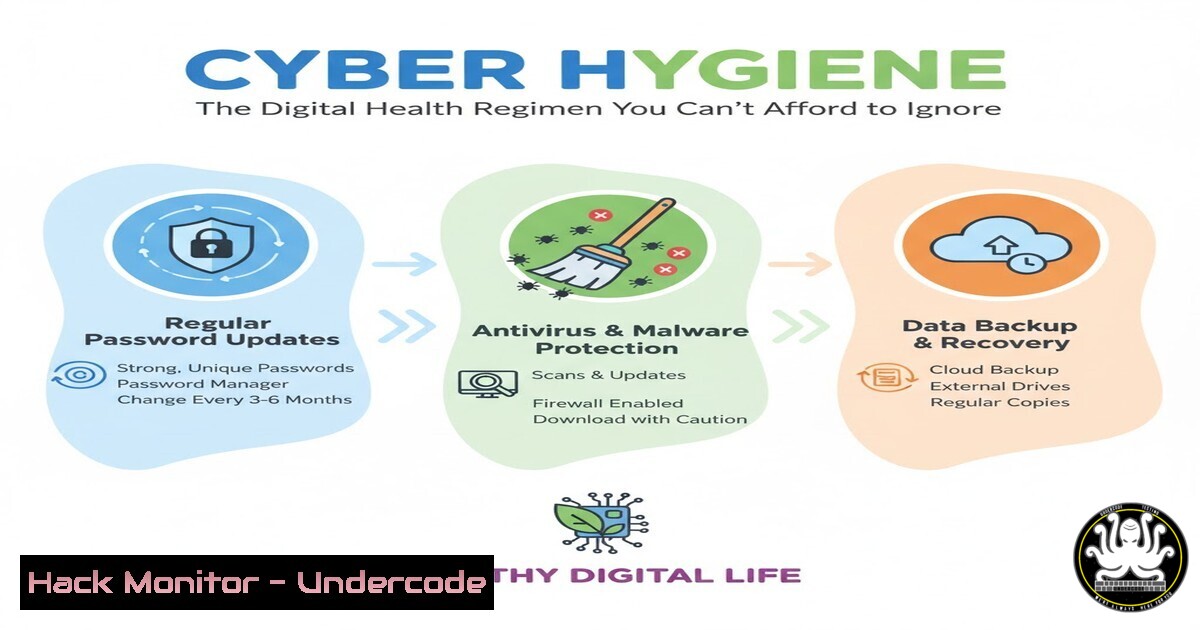
Introduction:
In the digital age, cybersecurity is no longer a niche technical concern but a fundamental aspect of daily life, analogous to personal physical health. Just as consistent hygiene practices prevent illness, proactive cyber hygiene defends individuals and organizations from the pervasive threats of malware, scams, and identity theft. This article deconstructs this critical analogy into actionable steps, providing a comprehensive guide to building your digital immune system.
Learning Objectives:
- Understand the core principles of cyber hygiene and their direct correlation to personal health practices.
- Implement practical, step-by-step security configurations across common operating systems and online accounts.
- Develop a proactive mindset for identifying and mitigating social engineering attacks and technical vulnerabilities.
You Should Know:
- The Foundation: Understanding the “Germs” of the Digital World
The first step in any health regimen is understanding what you are fighting. In cybersecurity, these are the digital pathogens: malware, phishing scams, and unpatched software vulnerabilities. Just as you wash your hands to remove germs, you must actively work to exclude these threats from your digital environment.
Step‑by‑step guide explaining what this does and how to use it.
Step 1: Install and Update Antivirus/Anti-Malware: This is your primary immune system. Use a reputable solution and ensure it updates its definitions daily.
Windows (Using Windows Security): It’s built-in. Regularly check for updates via Start > Settings > Update & Security > Windows Security > Virus & threat protection > Protection updates.
Linux (Using ClamAV): Install and run a manual update and scan.
sudo apt-get install clamav clamav-daemon  For Debian/Ubuntu
sudo freshclam  Update virus definitions
clamscan -r /home  Scan your home directory recursively
Step 2: Enable a Firewall: This acts as your skin, a barrier against unauthorized network traffic. Ensure it is always on.
Windows: Start > Settings > Update & Security > Windows Security > Firewall & network protection. Verify all networks are “Active.”
Linux (Using UFW – Uncomplicated Firewall):
sudo ufw enable  Enable the firewall
sudo ufw status verbose  Check its status and rules
2. The Daily Routine: Patching and Password Management
Consistency is key. Just as you brush your teeth daily, updating software and managing passwords must become habitual. Unpatched software is an open wound, and weak passwords are like leaving your keys under the doormat.
Step‑by‑step guide explaining what this does and how to use it.
Step 1: Automate Operating System Updates: This closes known security holes.
Windows: Start > Settings > Update & Security > Windows Update > Advanced options. Ensure “Automatically download updates” is on.
Linux (APT-based systems): Configure unattended upgrades.
sudo apt-get update && sudo apt-get upgrade  Manual update
sudo dpkg-reconfigure -plow unattended-upgrades  Configure auto-updates
Step 2: Implement a Password Manager and Multi-Factor Authentication (MFA): This is your digital lock and key. A password manager creates and stores strong, unique passwords for every account. MFA adds a second layer of verification.
Action: Choose a reputable password manager (e.g., Bitwarden, 1Password). For every online account, especially email and banking, enable MFA (also called 2FA) within the account’s security settings.
3. Recognizing Social Engineering: The Digital Con Artist
The most sophisticated technical defenses can be bypassed by manipulating human psychology. Social engineering, like phishing, is the digital equivalent of a scammer tricking you into drinking poisoned water. Learning to recognize these tactics is crucial.
Step‑by‑step guide explaining what this does and how to use it.
Step 1: Analyze Sender Information: Scrutinize the sender’s email address or phone number. Look for subtle misspellings or unusual domains.
Step 2: Hover Before You Click: Hover your mouse over any link to reveal the true destination URL in the browser’s status bar. If it looks suspicious or doesn’t match the context, do not click.
Step 3: Beware of Urgency and Secrecy: Scammers create a false sense of urgency (“Your account will be closed!”) or demand secrecy to prevent you from thinking critically or seeking a second opinion.
4. Data Health: The Digital Backup Diet
Ransomware is a digital heart attack that holds your data hostage. A robust backup strategy is the cure. The 3-2-1 rule is the gold standard: have at least 3 total copies of your data, on 2 different media, with 1 copy stored off-site.
Step‑by‑step guide explaining what this does and how to use it.
Step 1: Identify Critical Data: Determine which files are irreplaceable (e.g., family photos, important documents).
Step 2: Choose Your Backup Media:
Local Backup: Use an external hard drive. Use built-in tools like `File History` on Windows or `Time Machine` on macOS.
Cloud Backup: Subscribe to a service like Backblaze or iDrive for automated off-site backup.
Step 3: Automate and Verify: Schedule regular backups. Periodically test a restore process to ensure your backups are not corrupted.
5. Network Security: Sanitizing Your Digital Environment
Your home network is your personal digital space. An unsecured network is like having a contaminated water supply. Securing your Wi-Fi is a fundamental step in protecting all connected devices.
Step‑by‑step guide explaining what this does and how to use it.
Step 1: Change Default Router Credentials: The default username/password for routers is public knowledge. Change it immediately.
Step 2: Enable Strong Encryption: In your router’s admin panel, ensure the wireless security is set to WPA2 or, preferably, WPA3. Disable the older, insecure WEP and WPA.
Step 3: Create a Guest Network: This isolates your visitors’ devices from your primary network where your sensitive data resides, much like having a separate guest bathroom.
What Undercode Say:
- Cybersecurity is a Public Health Issue. The analogy to physical health is not just a teaching tool; it’s an accurate reflection of reality. Digital threats have direct, severe consequences on human well-being, from financial ruin to psychological trauma and worse.
- Proactive Defense is Non-Negotiable. Waiting for an attack to happen before taking action is as reckless as ignoring symptoms of a physical illness. The cost of prevention is always lower than the cost of recovery.
The post by Michel Wadangoye brilliantly demystifies a complex field by anchoring it in a universally understood concept: health. This approach is critical for broadening cybersecurity awareness beyond IT departments and into the general populace. The human impact highlighted—from elder scams to cyberbullying—correctly frames cybersecurity not as a technical obstacle, but as a humanitarian effort. The underlying analysis is that the “skills gap” in cybersecurity is not just a gap in technical talent, but a broader gap in public literacy. Empowering every individual with basic cyber hygiene is the most effective first line of defense against the escalating wave of cybercrime.
Prediction:
The future of cyber defense will see a deeper convergence of AI-driven security tools and human-centric awareness training. As AI automates technical defenses, attackers will increasingly pivot to exploiting human psychology through hyper-personalized social engineering attacks, making widespread cyber hygiene education not just beneficial, but absolutely essential for societal stability. We will see governments and health organizations formally adopt cybersecurity awareness as a component of public health and safety campaigns.
🎯Let’s Practice For Free:
IT/Security Reporter URL:
Reported By: Michel Wadangoye – Hackers Feeds
Extra Hub: Undercode MoN
Basic Verification: Pass ✅


