Listen to this Post
Introduction:
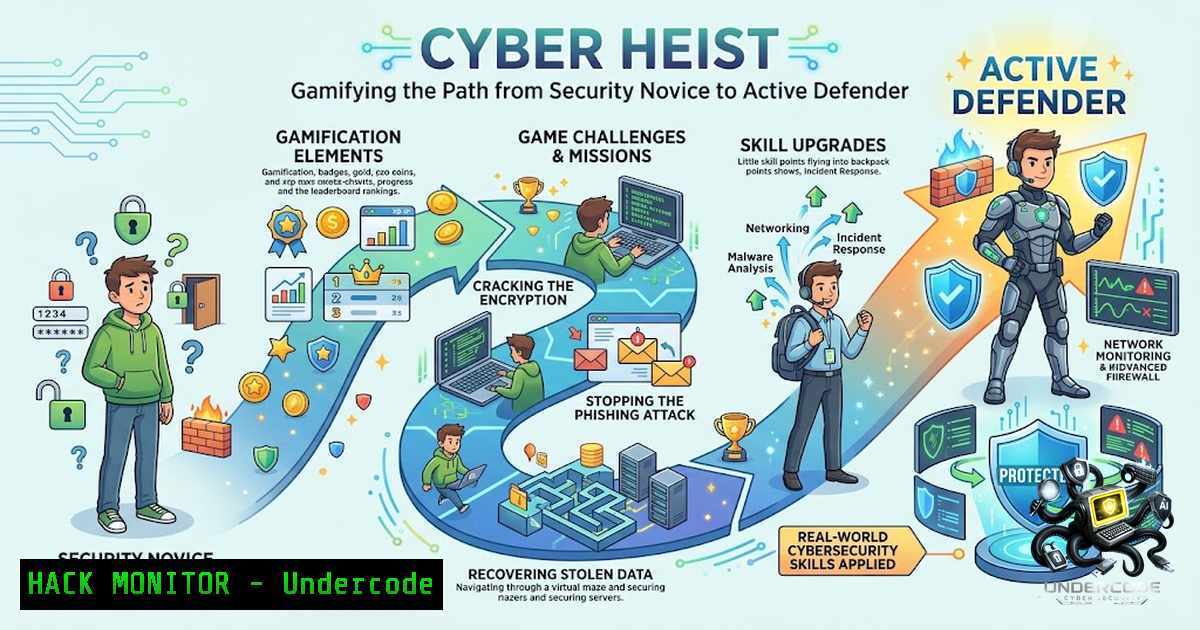
The disconnect between theoretical cybersecurity knowledge and practical, high-pressure defense is a critical vulnerability in the modern tech landscape. Traditional training methods often fail to cultivate the proactive, adversarial mindset required to effectively secure complex systems. Cyber Heist emerges as a direct response to this gap, leveraging gamification and immersive, terminal-driven scenarios to transform passive learning into active skill acquisition.
Learning Objectives:
- Understand and implement core Security Operations Center (SOC) methodologies for threat detection and response.
- Develop practical skills in network analysis, firewall configuration, and database security using command-line tools.
- Apply adversarial thinking to identify vulnerabilities and harden systems against potential exploits.
You Should Know:
1. Building a Terminal-Driven SOC Lab Environment
To emulate the Cyber Heist experience locally, you can construct a virtual SOC lab. This environment allows you to safely practice live threat contracts without risking production infrastructure. The core concept involves setting up isolated virtual machines to act as both attacker and defender systems.
A practical approach is to use VirtualBox or VMware to create a small network. Install a Linux distribution like Kali Linux as your “attack” machine and a target system like Ubuntu Server or Metasploitable 2 as your “victim” node. This setup mirrors the “Open Line” mission mentioned in the development process, where you must secure a compromised communication node.
Step-by-Step Guide:
- Install Virtualization Software: Download and install Oracle VirtualBox.
- Create a Virtual Network: In VirtualBox, go to
File > Preferences > Network. Create a new NAT Network (e.g.,NatNetwork). This allows your VMs to communicate internally. - Deploy the Attack Machine: Create a new VM, install Kali Linux. Configure its network adapter to use the `NatNetwork` you created.
- Deploy the Target Machine: Create a second VM and install a vulnerable OS like Metasploitable 2. Set its network adapter to the same
NatNetwork. - Verify Connectivity: Boot both VMs. Open a terminal on Kali and ping the target machine’s IP address (find it with
ifconfig). A successful response confirms your lab is ready.
2. Mastering Live Threat Contracts Through Port Scanning
A fundamental skill in any SOC is reconnaissance. Before you can patch a vulnerability, you must find it. Port scanning is a critical technique for discovering open services and potential entry points on a network. This directly relates to how a defender would approach the objective of “bypassing a firewall” or “patching a database exploit” by first understanding what is exposed.
Using a tool like Nmap from your Kali Linux machine provides a wealth of information about the target system’s open ports, running services, and even operating system details. This initial footprint is the first step in any threat hunting or incident response process.
Step-by-Step Guide:
- Open Terminal on Kali Linux: Launch the terminal application.
- Perform a Basic Scan: Use the command
nmap [target-IP]. For example,nmap 192.168.10.5. This performs a standard SYN scan on the 1000 most common ports. - Perform a More Aggressive Scan: For detailed information, use
nmap -A -T4 [target-IP]. The `-A` flag enables OS and version detection, while `-T4` speeds up the scan for a faster response. - Analyze the Output: The results will show a list of open ports (e.g., 22 SSH, 80 HTTP) and their associated services. This is your attack surface that needs to be secured.
- Service & Version Detection: To understand the exact software versions running, run
nmap -sV -p 22,80 [target-IP]. Knowing the version (e.g., Apache 2.2.8) allows you to check for known, exploitable vulnerabilities.
3. Patching Database Exploits
The Cyber Heist platform includes missions like patching a database exploit. A common but critical vulnerability is the use of default credentials or weak authentication mechanisms. For example, a MySQL instance might be running with a default username and password, or it might be vulnerable to brute-force attacks if weak passwords are allowed.
Here are commands to demonstrate securing a common database, MySQL, against a specific exploit: unauthorized access. This reinforces the developer-centric training goal of understanding how systems are broken to write more secure code.
Step-by-Step Guide (Linux Server):
1. Access the Database: `mysql -u root -p`
- Enforce Strong Password Policies: Change the password for the root user and other accounts. `ALTER USER ‘root’@’localhost’ IDENTIFIED BY ‘Str0ngP@ssw0rd!’;`
3. Remove Anonymous Users: `DELETE FROM mysql.user WHERE User=”;`
4. Disable Remote Root Access: `DELETE FROM mysql.user WHERE User=’root’ AND Host NOT IN (‘localhost’, ‘127.0.0.1’, ‘::1’);`
5. Flush Privileges: `FLUSH PRIVILEGES;`
6. Verify Changes: `SELECT User, Host FROM mysql.user;`
- Windows Equivalent: Using XAMPP or a standalone MySQL installation, you can use a similar command from the MySQL command-line client or via the `mysqladmin` utility:
mysqladmin -u root password "newpassword".
4. AI-Generated Challenges and User-Driven Scenarios
The integration of AI models to generate custom challenges is a forward-thinking aspect of Cyber Heist. This approach suggests a dynamic learning environment where the system can create unique scenarios on the fly. A practical way to begin implementing this concept is to use Large Language Models (LLMs) with APIs to generate training materials and simulate realistic attack patterns.
You can write a script that queries an AI for a specific vulnerability description and then generates a checklist or a set of commands to mitigate it. This bridges the gap between static content and adaptive learning, exactly as described in the platform’s development plan.
Step-by-Step Guide (Conceptual Scripting):
- Install Python and Required Libraries: `pip install openai` (or a library for your chosen AI provider).
- Set Up API Key: Store your API key securely as an environment variable: `export OPENAI_API_KEY=’your-api-key-here’` (Linux/macOS) or `set OPENAI_API_KEY=your-api-key-here` (Command Prompt on Windows).
3. Create a Python Script (e.g., `generate_scenario.py`):
import openai
import os

openai.api_key = os.getenv("OPENAI_API_KEY")
prompt = "Generate a realistic cybersecurity scenario for a web application firewall bypass and provide the specific Nmap commands to test for it."

response = openai.ChatCompletion.create(
model="gpt-4",
messages=[{"role": "user", "content": prompt}]
)
print(response.choices[bash].message.content)
4. Run the Script: python generate_scenario.py. The output will provide a new, dynamic challenge to work on, mimicking the AI-generated scenarios of the platform.
5. Hardening Cloud Instances
A critical component of modern defense is cloud security. To properly secure a deployed application, you must address common attack vectors such as misconfigured security groups and exposed APIs. Cyber Heist’s focus on “live threat contracts” logically extends to cloud environments where developers are often responsible for their own infrastructure security.
A common security oversight is having an overly permissive security group or firewall rule. The following steps demonstrate how to audit and harden an AWS instance by restricting access to only necessary IP ranges.
Step-by-Step Guide (AWS):
- Open the AWS Management Console: Navigate to the EC2 Dashboard.
- Select Your Instance: Click on your running instance and note its associated Security Group.
- Review Inbound Rules: Click on the Security Group name. Check the “Inbound rules” tab.
- Restrict SSH Access: If you see a rule with Type
SSH, ProtocolTCP, Port22, and Source0.0.0.0/0, it is a critical security flaw. This allows anyone in the world to try and brute-force your server. - Modify the Rule: Click “Edit inbound rules”. Change the Source for the SSH rule from `0.0.0.0/0` to `My IP` or a specific, trusted IP range (e.g.,
203.0.113.0/24). This drastically reduces your attack surface. - Add HTTPS Rule: Ensure your web server (ports 80/443) is open, but only to the necessary protocols. For HTTPS, the source should likely remain `0.0.0.0/0` to allow public web traffic.
- Windows Equivalent: In Azure or a Windows Server on-premise, you would use the Windows Firewall with Advanced Security. You can create a rule for port 22 (if using SSH) or 3389 (RDP) and restrict access by IP address under the “Scope” tab.
6. API Security Testing
With the increasing prevalence of microservices, API security is paramount. A common vulnerability is the exposure of sensitive data or the lack of proper authentication. Here is a step-by-step on how to use command-line tools to test for a simple API vulnerability: checking for an exposed `/api/keys` endpoint that could leak credentials.
Step-by-Step Guide:
- Use `curl` for Basic Checks: `curl -X GET http://[target-IP]/api/keys`
2. Check for Exposed Swagger/OpenAPI Documentation: `curl -X GET http://[target-IP]/swagger/v1/swagger.json` or `curl -X GET http://[target-IP]/api-docs`. If accessible, this reveals all your API endpoints, which is a significant information leak.
3. Test for Improper Bypass: Try to access an endpoint without the required token. `curl -X GET http://[target-IP]/api/user/1`. If it returns data, you have an authentication bypass vulnerability. - Use `httpie` for More Verbose Output: `http -v GET http://[target-IP]/api/keys`. This displays the full request and response headers, aiding in debugging potential security controls.
- Automate With a Script: Write a simple bash script to loop through common endpoints and check for non-200 status codes or unexpected JSON responses.
What Undercode Say:
- Gamification is the essential catalyst to transform cybersecurity training from a passive, forgettable chore into an active, memorable skills-building experience.
- The “build it to break it” philosophy, as advocated by platforms like Cyber Heist, is crucial for developers to internalize secure coding practices at their foundation.
- The dynamic nature of AI-generated challenges ensures that the learning material remains relevant and can adapt to the ever-evolving threat landscape.
Analysis:
The approach taken by Cyber Heist directly addresses the core problem in cybersecurity education: the lack of practical, hands-on application. By simulating a live SOC environment, it forces participants to engage with real-world tools (Nmap, terminal commands, etc.) and think critically under pressure. This is more effective than theoretical knowledge because muscle memory and problem-solving skills are cultivated through practice. The integration of AI for scenario generation is a novel method to prevent the training from becoming stale and to offer near-infinite variations of a single concept, which is a significant improvement over traditional, static labs. For companies, this could represent a more cost-effective way to upskill their engineering teams, as it reduces the need for expensive third-party bootcamps while fostering a security-first culture. The focus on developer-centric training is particularly astute; by teaching the “how” of an attack, developers gain a profound understanding of the “why” behind security rules, leading to more inherently secure applications from the outset.
Prediction:
- +1 The adoption of gamified and AI-driven training platforms like Cyber Heist will likely become an industry standard, transforming how corporate security training is conducted and driving a significant uptick in the average developer’s security acumen.
- -1 Without a dedicated content pipeline to ensure the AI-generated challenges are accurate and up-to-date with the latest CVE databases, there is a risk that the training material could become outdated or, worse, teach incomplete or incorrect mitigation strategies.
- +1 This model will democratize advanced security education, making high-quality, practical threat-hunting skills accessible to a wider audience of tech professionals who are currently underserved by traditional coursework.
▶️ Related Video (86% Match):
🎯Let’s Practice For Free:
🎓 Live Courses & Certifications:
Join Undercode Academy for Verified Certifications
🚀 Request a Custom Project:
Secure, high-velocity infrastructure and disruptive technological engineering. Contact our engineering team for high-tier development and proprietary systems:
[email protected]
💎 Smart Architecture | 🛡️ Secure by Design | ⭐ Trusted by Thousands
IT/Security Reporter URL:
Reported By: https://lnkd.in/p/e69h7AEQ – Hackers Feeds
Extra Hub: Undercode MoN
Basic Verification: Pass ✅


