
Listen to this Post
Introduction:
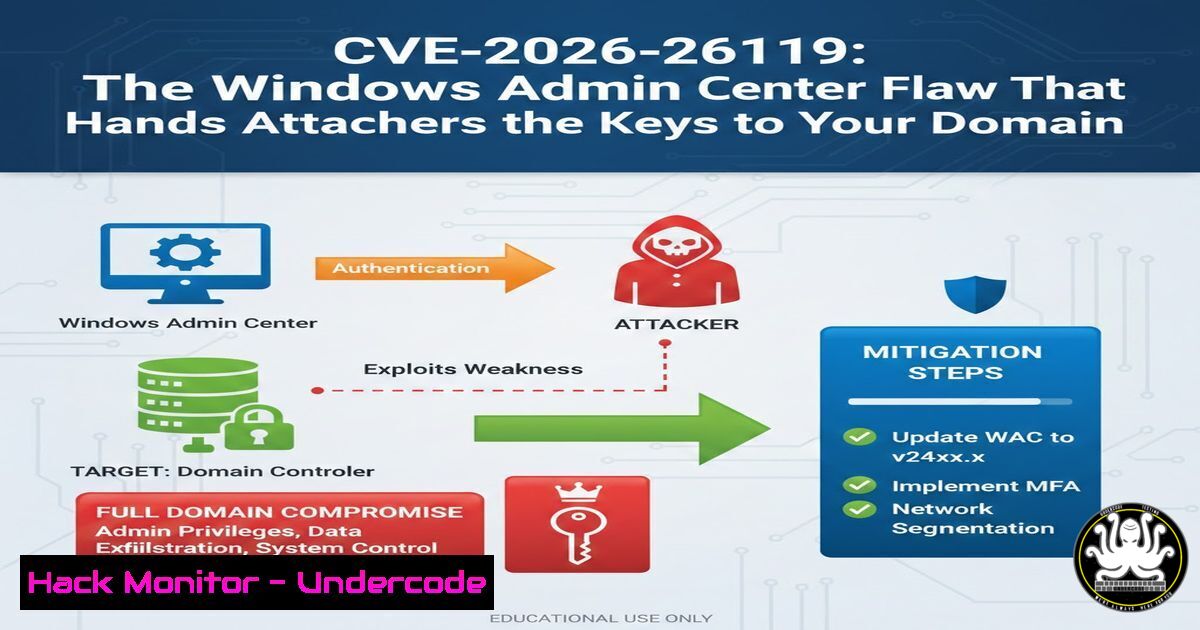
A newly disclosed critical vulnerability in Microsoft’s Windows Admin Center (WAC) poses a severe threat to enterprise networks, potentially allowing a standard, low-privileged user to orchestrate a full domain compromise . Discovered and reported by security researcher Andrea Pierini of Semperis, CVE-2026-26119 stems from an improper authentication mechanism within the widely-used server management tool . This flaw underscores a dangerous reality: centralized management consoles, designed for efficiency, have become prime targets for attackers seeking to escalate privileges laterally and seize control of an organization’s core identity infrastructure.
Learning Objectives:
- Understand the technical nature of CVE-2026-26119 and its potential attack chain leading to Active Directory compromise.
- Learn to identify vulnerable Windows Admin Center configurations and assess exposure using basic auditing commands.
- Master the step-by-step process for applying patches and implementing hardening measures to mitigate the risk of privilege escalation.
You Should Know:
- Anatomy of the Attack: From Standard User to Domain Admin
The discovery by Andrea Pierini highlights a vulnerability that is particularly alarming due to its potential to bypass critical security boundaries. While the exact exploitation mechanics of CVE-2026-26119 are pending full disclosure, its CVSS vector (AV:N/AC:L/PR:L/UI:N/S:U/C:H/I:H/A:H) tells a significant story . It requires network access and low privileges—meaning a standard domain user or a compromised workstation—but no user interaction. The “improper authentication” classification suggests the WAC gateway may incorrectly validate identities or session tokens . This could allow an attacker to impersonate a higher-privileged administrator actively using the console. Once impersonation is successful, the attacker inherits those privileges, potentially enabling them to create new domain admins, modify Group Policy, or deploy malware across all servers managed by the WAC instance. This is not merely a server compromise; it is a direct pipeline to Active Directory.
2. Identifying Your Exposure: Auditing Windows Admin Center
Before patching, administrators must identify all instances of Windows Admin Center in their environment, as they may be deployed on gateways, individual management workstations, or even inadvertently installed. Use the following commands to audit your environment. First, to check for the installed version on a local machine via PowerShell, run:
 Check if Windows Admin Center is installed by looking for the MSI
Get-WmiObject -Class Win32_Product | Where-Object {$_.Name -like "Windows Admin Center"}

Alternatively, check the specific version from the installed executable
(Get-Item "C:\Program Files\Windows Admin Center\ServerManagementGateway.exe").VersionInfo | Select-Object ProductVersion
For network-wide discovery, you can scan for the default WAC port (6516) using a simple Test-NetConnection command from a management host:
 Scan a subnet for hosts with port 6516 open (the default WAC port)
$subnet = "192.168.1."
1..254 | ForEach-Object {
$ip = $subnet + $_
if (Test-NetConnection -ComputerName $ip -Port 6516 -WarningAction SilentlyContinue -InformationLevel Quiet) {
Write-Host "Potential WAC instance found at: $ip"
}
}
Identifying these instances is the first critical step. Any machine running a vulnerable version of WAC (prior to the February 2026 patch) should be treated as a high-value asset requiring immediate remediation .
3. The Patch and Privilege: Applying the Fix
Microsoft has released a security update to address CVE-2026-26119. The remediation is not delivered via standard Windows Update and must be applied manually by downloading the latest version of Windows Admin Center. The patched version includes critical fixes to the authentication flow, ensuring that token validation and user impersonation attempts are blocked. To apply the update:
1. Navigate to the official Microsoft Windows Admin Center download page.
2. Download the latest MSI package (e.g., `WindowsAdminCenter.msi`).
- Before installation, close any open WAC browser sessions.
- Run the MSI as an administrator. The installer will automatically upgrade the existing installation, preserving your connections and extensions.
- Verify the installation was successful by checking the version number again, which should now reflect the patched build listed in the security advisory .
4. Hardening the Gateway: Beyond the Patch
Patching is mandatory, but defense-in-depth requires securing the WAC environment against future threats and potential zero-days. Implement strict network access controls. Since WAC is a web-based tool, it should never be exposed directly to the internet. On the gateway server itself, use Windows Firewall to restrict inbound access to port 6516 (or your custom port) to only authorized administrative subnets and jump boxes. Execute the following PowerShell command as an administrator to restrict access, replacing `x.x.x.x` with your management network:
 Remove the default "any" rule if it exists and create a locked-down rule
Remove-NetFirewallRule -DisplayName "Windows Admin Center" -ErrorAction SilentlyContinue

Create a new rule allowing only specific IPs
New-NetFirewallRule -DisplayName "Windows Admin Center - Restricted" -Direction Inbound -LocalPort 6516 -Protocol TCP -Action Allow -RemoteAddress "x.x.x.x/y"
Additionally, enforce the principle of least privilege for the WAC service account and ensure that administrators use dedicated, privileged accounts (separate from their day-to-day email accounts) to connect to the console.
- The Deeper Threat: Chaining WAC Flaws with Active Directory Vulnerabilities
CVE-2026-26119 does not exist in a vacuum. Its true danger is amplified when combined with other Active Directory misconfigurations, such as those exploited by the “BadSuccessor” technique . BadSuccessor abuses delegated Managed Service Accounts (dMSAs) in Windows Server 2025, allowing an attacker with minimal permissions over an Organizational Unit to impersonate any account, including Domain Admins. Imagine an attacker using CVE-2026-26119 to gain a foothold on a WAC server. From there, they could enumerate the domain and find a vulnerable dMSA configuration. With their new elevated privileges on the WAC server, they could execute the BadSuccessor attack to fully compromise the domain. The command to check for dMSA creation rights, which an attacker might run, is:PowerShell (Active Directory module) to find principals with control over OUs Get-ADOrganizationalUnit -Filter | Get-ACL | ForEach-Object { $<em>.Access | Where-Object { $</em>.ActiveDirectoryRights -like "CreateChild" -and $_.IdentityReference -notlike "Domain Admins" } }This demonstrates why WAC, as a bridge to core infrastructure, must be treated with the highest level of security scrutiny.
6. Logging and Detection: Spotting the Intrusion
Assuming an attacker attempts to exploit this flaw, robust logging is your best chance for detection. Focus on Windows Admin Center logs and security logs on managed nodes. Enable and monitor Event IDs related to WAC authentication and process creation. Specifically, look for signs of unusual process starts from the WAC service account (e.g., `smss.exe` or unusual PowerShell commands). Configure your SIEM to alert on logins to WAC from unexpected geographic locations or outside of business hours. The following advanced audit policy setting can help capture command lines of processes, revealing malicious intent:
 Enable command line in process creation events (4688)
auditpol /set /subcategory:"Process Creation" /success:enable /failure:enable
 Then configure the "Include command line in process creation events" GPO setting
By correlating WAC authentication logs with process creation data on managed servers, defenders can potentially identify the “low and slow” privilege escalation chain before the attacker achieves domain dominance.
What Undercode Say:
- The Era of Management Tool Exploitation: CVE-2026-26119 is a stark reminder that the tools we build to manage complexity become the high-value targets we must defend. A vulnerability in a console that bridges workstation, server, and cloud management is exponentially more dangerous than a flaw in an isolated application.
- Layered Defense is Non-Negotiable: The combination of a WAC authentication bypass with underlying AD flaws like BadSuccessor shows that attackers chain simple misconfigurations into catastrophic breaches. Patching is the foundation, but network segmentation and strict privilege management for both users and service accounts are the walls that contain a breach.
Prediction:
In the next 6-12 months, we will see an increase in “console-hopping” attacks where threat actors specifically target IT administration tools (like WAC, RMMs, and cloud management interfaces) as their primary initial access vector. The development of a reliable exploit for CVE-2026-26119 is highly likely, as the high-impact, low-complexity nature of the flaw makes it an attractive candidate for ransomware groups. Furthermore, researchers will begin to uncover similar authentication bypass flaws in the API layers of other popular server management tools, leading to a surge in disclosures and a frantic patch cycle for IT teams worldwide. Organizations that fail to isolate and aggressively patch their management infrastructure will find themselves at the epicenter of the next wave of domain-wide ransomware attacks.
▶️ Related Video (80% Match):
🎯Let’s Practice For Free:
IT/Security Reporter URL:
Reported By: Https: – Hackers Feeds
Extra Hub: Undercode MoN
Basic Verification: Pass ✅


