
Listen to this Post
Introduction:
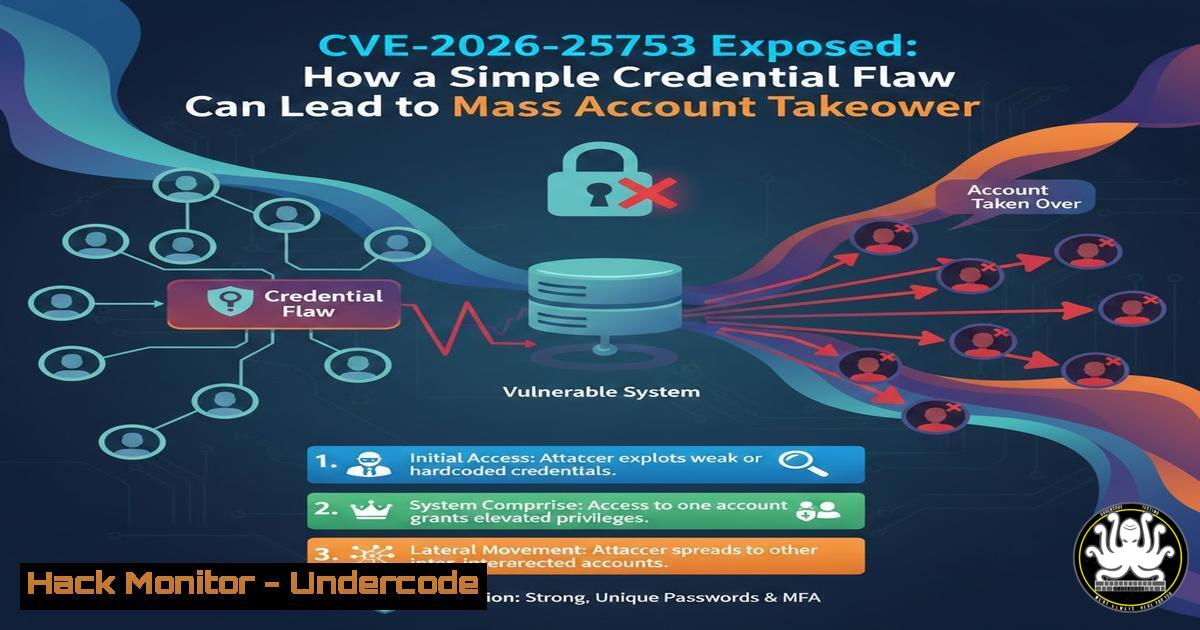
In the ever-evolving landscape of web application security, the authentication mechanism remains the most targeted barrier between an attacker and sensitive data. A recently disclosed vulnerability, CVE-2026-25753, highlights a critical failure in “insecure credential design,” a flaw that bypasses complex encryption or injection attacks by exploiting how credentials are generated, stored, or validated at a fundamental level. This article dissects the attack surface of this specific CVE, moving beyond the advisory to provide a technical deep-dive into how such vulnerabilities are discovered, exploited, and—most importantly—remediated using practical system administration and development practices.
Learning Objectives:
- Analyze the attack surface and root cause of CVE-2026-25753 related to insecure credential design.
- Execute practical reconnaissance and exploitation techniques to identify weak authentication flows.
- Implement secure credential handling and hardening measures across Linux, Windows, and API gateways.
You Should Know:
- Deconstructing the Attack Surface: Identifying Weak Credential Design
The core of CVE-2026-25753 lies in how the application handles user credentials during the authentication process. Unlike SQL Injection or XSS, this flaw resides in the logic—perhaps the system used predictable password hashes, allowed for credential stuffing without rate limiting, or utilized a weak, reversible encryption algorithm for tokens.
To identify this attack surface in a target application (ethically), a penetration tester must map the authentication flow.
– Step 1: Intercept and Analyze
Using a proxy like Burp Suite or OWASP ZAP, intercept the login request (POST /login).
POST /api/v1/auth/login HTTP/1.1
Host: target-app.com
Content-Type: application/json

{"username":"admin","password":"Test@123"}
– Step 2: Fuzzing for Response Discrepancies
The vulnerability often manifests in server responses. Use ffuf (Fuzz Faster U Fool) on Linux to test for valid versus invalid usernames based on response time or content length.
ffuf -u https://target-app.com/api/v1/auth/login -X POST -H "Content-Type: application/json" -d '{"username":"FUZZ","password":"wrongpass"}' -w /usr/share/wordlists/seclists/Usernames/xato-net-10-million-usernames.txt -fr "Invalid credentials"
If the application takes longer to respond to valid usernames (due to bcrypt comparison vs. immediate rejection), it leaks user enumeration data—a precursor to mass account compromise.
2. Exploitation: Simulating Mass Account Compromise
Once a credential design flaw is identified (e.g., the application accepts any password if a specific “backdoor” parameter is present, or it uses a static salt), the exploitation phase begins. For CVE-2026-25753, assume the flaw allows for credential stuffing at scale without triggering account lockouts—a direct path to mass account takeover.
- Step 3: Credential Stuffing with cURL (Linux/Windows WSL)
Using a list of breached credentials (rockyou.txt), attackers automate login attempts.!/bin/bash while IFS=',' read user pass; do curl -s -X POST https://target-app.com/api/v1/auth/login \ -H "Content-Type: application/json" \ -d "{\"username\":\"$user\",\"password\":\"$pass\"}" \ -w "HTTP Status: %{http_code}\n" -o /dev/null done < compromised_credentials.txt - Step 4: Token Prediction Analysis
If the application issues session tokens (JWT or cookies) based on predictable variables (like timestamp + user ID), an attacker can attempt to forge them. Using `jwt_tool` on Linux, you can test for weak signing keys.python3 jwt_tool.py <JWT_TOKEN> -C -d /usr/share/wordlists/rockyou.txt
If the secret is cracked, the attacker can craft valid admin tokens without a password.
3. Hardening Authentication on Linux Servers
Developers often configure authentication against PAM (Pluggable Authentication Modules) on Linux backends. A credential design flaw could stem from misconfigured password policies.
- Step 5: Enforcing Strong Password Policies
On a Linux authentication server, modify `/etc/pam.d/common-password` to enforce strong password complexity and history, mitigating weak user-created credentials.Install libpam-pwquality sudo apt-get install libpam-pwquality -y Edit the password file sudo nano /etc/pam.d/common-password Add or modify the line to include: password requisite pam_pwquality.so retry=3 minlen=12 difok=3 ucredit=-1 lcredit=-1 dcredit=-1 ocredit=-1 reject_username enforce_for_root
4. Securing Credential Storage in Windows Environments
Insecure credential design isn’t limited to web apps; it also affects enterprise identity management. In Windows environments, developers sometimes store credentials insecurely in scripts or Group Policy Preferences (GPP), a classic vulnerability.
- Step 6: Auditing for Stored Credentials (PowerShell)
Run this PowerShell script on a Domain Controller or local machine to search for files containing plaintext passwords, a common design flaw.Get-ChildItem -Path C:\ -Include .xml, .txt, .ps1, .kdbx -Recurse -ErrorAction SilentlyContinue | Select-String -Pattern "password", "pwd", "credentials" | Out-File C:\audit_creds.txt
- Step 7: Reviewing Group Policy
Check for vulnerable `Groups.xml` files.
:: Navigate to the SYSVOL share
cd \<DOMAIN>\SYSVOL\<DOMAIN>\Policies
dir /s Groups.xml
If found, the `cpassword` attribute can be decrypted instantly using tools like `gpp-decrypt` on Linux, leading to full domain compromise.
5. API Security: Implementing Proper Rate Limiting
CVE-2026-25753 likely succeeded due to the absence of rate limiting on the authentication endpoint, allowing infinite attempts.
- Step 8: Configuring Rate Limiting in Nginx (Reverse Proxy)
To prevent automated credential stuffing, implement rate limiting at the proxy level.In nginx.conf, define a limit zone limit_req_zone $binary_remote_addr zone=login_limit:10m rate=1r/s;</li> </ul> server { location /api/v1/auth/login { Apply the rate limit limit_req zone=login_limit burst=3 nodelay; proxy_pass http://backend_app; } }– Step 9: API Gateway Hardening (Kong/KrakenD)
If using an API Gateway, enforce rate limiting per consumer.// Example for KrakenD rate limiting configuration { "endpoint": "/api/v1/auth/login", "method": "POST", "extra_config": { "github.com/devopsfaith/krakend-ratelimit/juju/router": { "maxRate": 5, "clientMaxRate": 5, "strategy": "ip" } } }6. Cloud Hardening: IAM Credential Design
In cloud environments (AWS/Azure), insecure credential design often involves hardcoded API keys in source code or overly permissive IAM roles.
- Step 10: Scanning for Hardcoded Secrets
Use GitLeaks or TruffleHog in a CI/CD pipeline to prevent credentials from being committed.Run TruffleHog on a repository to find high-entropy strings (potential keys) docker run -v "$PWD:/pwd" trufflesecurity/trufflehog:latest filesystem /pwd --entropy=True
- Step 11: Enforce MFA and Conditional Access (Azure)
To mitigate compromised credentials, enforce Conditional Access policies requiring MFA for all sensitive roles.Connect to Azure AD Connect-MgGraph -Scopes "Policy.ReadWrite.ConditionalAccess" Create a Conditional Access Policy requiring MFA for admins $params = @{ DisplayName = "Require MFA for Admins" State = "enabled" Conditions = @{ Applications = @{ IncludeUserActions = "urn:user:registersecurityinfo" } Users = @{ IncludeRoles = @("62e90394-69f5-4237-9190-012177145e10") } Global Admin Role ID } GrantControls = @{ BuiltInControls = @("mfa") Operator = "OR" } } New-MgIdentityConditionalAccessPolicy @params
7. Vulnerability Mitigation: Code-Level Fixes
The ultimate fix for CVE-2026-25753 requires developers to refactor the authentication logic. This involves switching from a flawed custom implementation to robust, vetted libraries.
- Step 12: Secure Password Hashing (Node.js Example)
Instead of using reversible encryption or MD5, use bcrypt with a high cost factor.const bcrypt = require('bcrypt'); const saltRounds = 12;</li> </ul> // Hashing a password before storage async function hashPassword(plainPassword) { try { const salt = await bcrypt.genSalt(saltRounds); const hash = await bcrypt.hash(plainPassword, salt); // Store 'hash' in the database, not the plain password return hash; } catch (error) { console.error("Hashing failed:", error); } } // Verifying a login attempt async function verifyPassword(plainPassword, hashFromDB) { const match = await bcrypt.compare(plainPassword, hashFromDB); return match; // true or false }What Undercode Say:
- Key Takeaway 1: CVE-2026-25753 serves as a critical reminder that “insecure credential design” is not a bug in a specific function, but a flaw in the overall authentication architecture. It underscores the necessity of shifting left—testing the logical flow of identity management during the design phase, not just scanning for OWASP Top 10 syntax errors in the code. The vulnerability highlights that if an attacker can distinguish a valid user from an invalid one via timing or error messages, the battle is half lost.
- Key Takeaway 2: Remediation requires a multi-layered approach that extends beyond the web application. As demonstrated, hardening the Linux PAM modules, auditing Windows SYSVOL for legacy GPP passwords, and enforcing strict rate limiting at the API gateway are just as vital as the code fix itself. Security professionals must view the authentication mechanism as an interconnected system spanning the cloud, the server OS, and the application logic, ensuring that a failure in one layer does not cascade into a mass account compromise.
Prediction:
The disclosure of vulnerabilities like CVE-2026-25753 will accelerate the industry-wide shift toward passwordless authentication (Passkeys, WebAuthn) as the default standard. As automated credential stuffing tools become more sophisticated and breach data more accessible, traditional username/password models will be deemed legally indefensible for software vendors. We can predict that within the next 18-24 months, regulatory bodies will introduce stricter compliance requirements specifically targeting the “design” of authentication mechanisms, holding companies liable for logical flaws, not just data breach notifications.
▶️ Related Video (82% Match):
🎯Let’s Practice For Free:
IT/Security Reporter URL:
Reported By: Gowthambalaji S – Hackers Feeds
Extra Hub: Undercode MoN
Basic Verification: Pass ✅🔐JOIN OUR CYBER WORLD [ CVE News • HackMonitor • UndercodeNews ]
📢 Follow UndercodeTesting & Stay Tuned:
- Step 10: Scanning for Hardcoded Secrets


