Listen to this Post
Introduction:
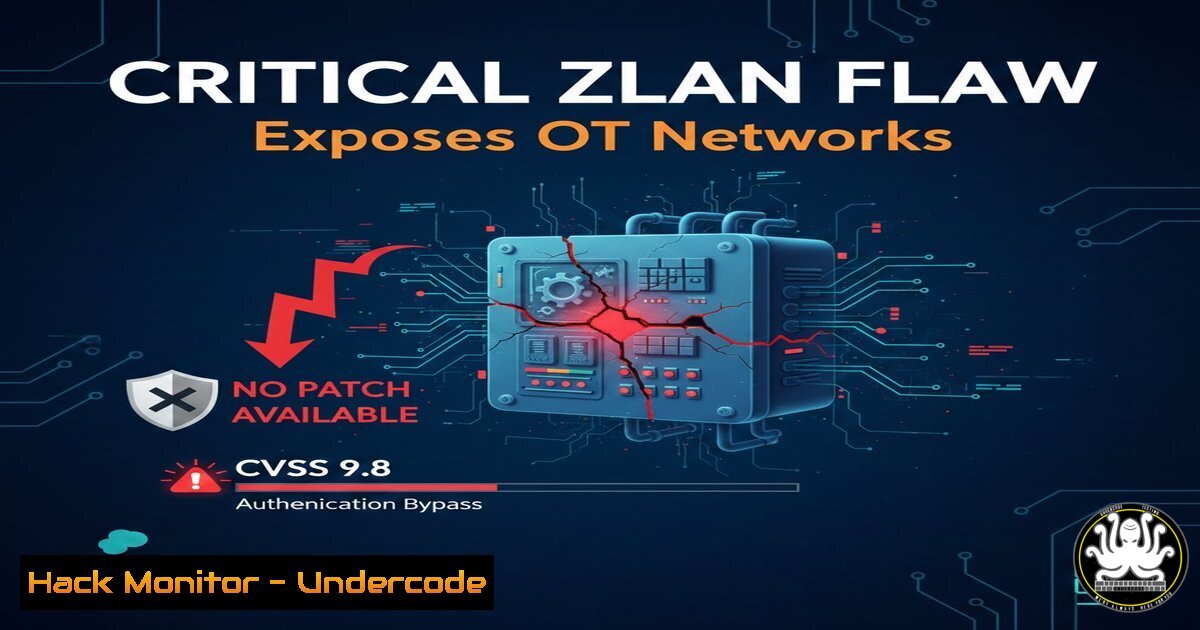
The convergence of operational technology (OT) with IP networks has created dangerous security blind spots, particularly in serial-to-Ethernet bridge devices that connect legacy industrial equipment to modern infrastructures. Recent responsible disclosure by KPMG researchers uncovered two critical vulnerabilities (CVE-2026-25084 and CVE-2026-24789) in the ZLAN5143D device server, which together allow unauthenticated remote attackers to achieve full administrative control without any user interaction . With a CVSS score of 9.8 and no vendor patch available, these flaws expose manufacturing and critical infrastructure environments to network pivoting, configuration tampering, and potential operational disruption .
Learning Objectives:
- Understand the technical mechanics of the ZLAN5143D authentication bypass and password reset vulnerabilities.
- Implement immediate network-based mitigations and host hardening techniques to compensate for the lack of a vendor patch.
- Develop passive monitoring and detection strategies to identify exploitation attempts in OT environments.
You Should Know:
1. Understanding the ZLAN5143D Attack Surface
The ZLAN5143D is an industrial-grade DIN-rail mounted RS485 to Ethernet converter and Modbus TCP gateway that enables seamless communication between serial devices and IP networks . The two vulnerabilities affect firmware version 1.600 and stem from fundamentally broken authentication logic .
CVE-2026-25084 – Missing Authentication for Critical Functions:
This vulnerability allows attackers to bypass the login screen entirely by directly accessing internal URLs. As the advisory notes, simply knowing specific paths within the web interface grants unauthenticated users access to sensitive administrative functions .
CVE-2026-24789 – Unprotected API Endpoint for Password Reset:
An unprotected API endpoint enables remote attackers to change the device password without any authentication. An attacker can send a crafted request to the vulnerable endpoint to overwrite the existing administrator password, effectively locking out legitimate users .
2. Network Isolation as Primary Compensating Control
With no official firmware update available from ZLAN Information Technology Co., network segmentation becomes the critical defense .
Step‑by‑step guide: Implementing strict network access controls
Linux (iptables) – Block all unauthorized access to ZLAN devices:
 Flush existing rules and set default policies
sudo iptables -P INPUT DROP
sudo iptables -P FORWARD DROP
sudo iptables -P OUTPUT ACCEPT

Allow established connections
sudo iptables -A INPUT -m state --state ESTABLISHED,RELATED -j ACCEPT

Allow management access ONLY from specific engineering workstation IP
sudo iptables -A INPUT -p tcp --dport 80 -s 192.168.10.100 -j ACCEPT  Web interface
sudo iptables -A INPUT -p tcp --dport 443 -s 192.168.10.100 -j ACCEPT  HTTPS if enabled
sudo iptables -A INPUT -p tcp --dport 502 -s 192.168.10.100 -j ACCEPT  Modbus TCP

Drop everything else
sudo iptables -A INPUT -j DROP

Persist rules
sudo iptables-save > /etc/iptables/rules.v4
Windows Firewall (PowerShell) – Block inbound threats to HMI communicating with ZLAN:
 Block all inbound Modbus TCP except from trusted OT subnet
New-NetFirewallRule -DisplayName "Block Modbus TCP from IT" -Direction Inbound -Protocol TCP -LocalPort 502 -Action Block

Allow specific engineering workstation
New-NetFirewallRule -DisplayName "Allow Engineering Access" -Direction Inbound -Protocol TCP -LocalPort 80,443,502 -RemoteAddress "192.168.10.100" -Action Allow

Enable firewall logging for monitoring
Set-NetFirewallProfile -Profile Domain,Public,Private -LogFileName %systemroot%\System32\LogFiles\Firewall\pfirewall.log -LogMaxSize 16384 -LogAllowed True -LogBlocked True
3. Passive Discovery and Asset Inventory
Before implementing controls, you must identify all ZLAN5143D devices on your network. Active scanning can disrupt fragile OT environments, so passive techniques are preferred.
Step‑by‑step guide: Detecting ZLAN devices passively
Linux (tcpdump) – Capture and analyze device traffic:
 Capture traffic and look for HTTP responses from ZLAN devices
tcpdump -i eth0 -nn -s 0 -A 'tcp port 80' | grep -i "ZLAN" -B 5 -A 5

Monitor for Modbus TCP communications (port 502)
tcpdump -i eth0 -nn 'tcp port 502' -w zlan_modbus_capture.pcap
Nmap (cautious, non-intrusive discovery during maintenance windows):
 Ping sweep to identify live hosts without port scanning
nmap -sn 192.168.1.0/24

Identify ZLAN devices by web server banner (use only during scheduled downtime)
nmap -sS -p 80,443 --script http-title,http-server-header --max-retries 1 -T2 192.168.1.0/24
4. Monitoring for Exploitation Attempts
Since exploitation requires accessing internal URLs or API endpoints, web server logs provide critical detection opportunities.
Step‑by‑step guide: Configuring and analyzing web logs
Enable detailed logging on the ZLAN device (if accessible):
– Navigate to Administration → Log Settings
– Enable “Access Log” and “Debug Log”
– Set syslog server IP for remote logging (if supported)
Linux log monitoring – Detect directory traversal or API abuse:
 Monitor real-time access logs for suspicious patterns
tail -f /var/log/zlan/access.log | grep -E "(../|..\|/etc/passwd|admin|setup|config)"

Search for password reset attempts
cat /var/log/zlan/access.log | grep -i "password" | grep -i "reset" | grep -E "HTTP 200"
Windows event log monitoring for HMI-side anomalies:
 Monitor for process creation related to unauthorized access tools
Get-WinEvent -FilterHashtable @{LogName='Security'; ID=4688} | Where-Object {$<em>.Message -match "nmap" -or $</em>.Message -match "wireshark"}
5. Implementing Secure Remote Access (Jump Host Architecture)
Remote vendor access is a common vector. Replace direct exposure with jump hosts that enforce authentication and logging.
Step‑by‑step guide: SSH jump box for secure tunneling
On the Linux jump host:
 Create dedicated user for OT access
sudo useradd -m -s /bin/bash ot-admin
sudo mkdir /home/ot-admin/.ssh
sudo chmod 700 /home/ot-admin/.ssh

Restrict SSH access to specific commands
echo 'command="/usr/bin/ssh [email protected]",no-agent-forwarding,no-port-forwarding ssh-rsa AAAAB3NzaC1yc2E...' >> /home/ot-admin/.ssh/authorized_keys
Client connection command (uses jump host):
ssh -J ot-admin@jump-host-public-ip [email protected]
6. Hardening Windows-Based HMIs Communicating with ZLAN
Human-Machine Interfaces (HMIs) are often the bridge between operators and vulnerable serial servers.
Step‑by‑step guide: PowerShell hardening script
 Disable unnecessary services
Set-Service -Name Spooler -StartupType Disabled
Stop-Service -Name Spooler
Set-Service -Name RemoteRegistry -StartupType Disabled
Stop-Service -Name RemoteRegistry

Enable Windows Defender real-time protection
Set-MpPreference -DisableRealtimeMonitoring $false
Set-MpPreference -PUAProtection Enabled

Configure audit policies for process creation and account logons
auditpol /set /subcategory:"Process Creation" /success:enable /failure:enable
auditpol /set /subcategory:"Logon" /success:enable /failure:enable

Block outbound SMB to prevent lateral movement
New-NetFirewallRule -DisplayName "Block Outbound SMB" -Direction Outbound -Protocol TCP -LocalPort 445 -Action Block
7. Linux Kernel Hardening for OT Gateways
If you control Linux-based devices on the same network segment, apply kernel-level protections.
Step‑by‑step guide: sysctl hardening
 Edit /etc/sysctl.conf and add these lines
 Prevent SYN flood attacks
net.ipv4.tcp_syncookies = 1

Ignore ICMP redirects
net.ipv4.conf.all.accept_redirects = 0
net.ipv6.conf.all.accept_redirects = 0

Ignore send redirects
net.ipv4.conf.all.send_redirects = 0

Log suspicious packets
net.ipv4.conf.all.log_martians = 1

Apply changes
sudo sysctl -p
8. Protocol-Aware Monitoring with Zeek (formerly Bro)
Zeek can parse Modbus traffic to detect anomalous function codes that might indicate exploitation.
Step‑by‑step guide: Deploying Zeek for Modbus monitoring
 Install Zeek (Ubuntu example)
sudo apt update && sudo apt install zeek

Load Modbus analyzer
echo '@load protocols/modbus/main.zeek' >> /usr/local/zeek/share/zeek/site/local.zeek

Deploy Zeek on SPAN port monitoring OT network
sudo zeekctl deploy

Check Modbus logs for unauthorized write commands
cat /usr/local/zeek/logs/current/modbus.log | grep -i "function_code: 16"  Write Multiple Registers
cat /usr/local/zeek/logs/current/modbus.log | grep -i "function_code: 6"  Write Single Register
9. Vulnerability Validation with Safe Scripts
Before investing significant effort in mitigations, validate if your devices are actually vulnerable.
Step‑by‑step guide: Python script for testing CVE-2026-24789 (password reset)
import requests
import sys

def test_zlan_password_reset(target_ip):
"""
Test for CVE-2026-24789 - Unprotected password reset endpoint
This is for authorized testing only
"""
 Common vulnerable endpoints from research
endpoints = [
"/goform/PasswordReset",
"/api/set_password",
"/cgi-bin/password_reset.cgi",
"/config/reset_admin"
]

for endpoint in endpoints:
url = f"http://{target_ip}{endpoint}"
try:
 Attempt password reset with no authentication
response = requests.get(url, timeout=5)
if response.status_code == 200 and "success" in response.text.lower():
print(f"[!] VULNERABLE: {url} returned {response.status_code}")
print(f"[!] Device allows unauthenticated password reset")
return True
else:
print(f"[-] Not vulnerable: {url} returned {response.status_code}")
except requests.exceptions.RequestException as e:
print(f"[] Error testing {url}: {e}")

return False

if <strong>name</strong> == "<strong>main</strong>":
if len(sys.argv) != 2:
print("Usage: python3 test_zlan.py <target_ip>")
sys.exit(1)

test_zlan_password_reset(sys.argv[bash])
10. Replacement Planning and Vendor Communication
With no patch available, affected organizations must consider long-term remediation .
Step‑by‑step guide: Vendor outreach template
Subject: Urgent: ZLAN5143D Security Vulnerabilities (CVE-2026-25084, CVE-2026-24789)

To: ZLAN Information Technology Co. Support

Our organization has identified that we are running ZLAN5143D devices with firmware version 1.600, which are affected by critical vulnerabilities disclosed in CISA advisory ICSA-26-041-02.

Please provide:
1. Expected timeline for firmware patches addressing these CVEs
2. Interim hardening guidance beyond network isolation
3. Confirmation of whether newer hardware revisions are affected
4. Contact for coordinated disclosure follow-up

We require this information to maintain secure operations in our critical infrastructure environment.
What Undercode Say:
- Key Takeaway 1: Compensating controls are essential when vendors fail. With ZLAN unresponsive to coordination attempts, OT teams must treat these devices as untrusted and enforce strict network segmentation using host-based firewalls, jump boxes, and protocol-aware monitoring . The commands provided—iptables restrictions, Windows Firewall rules, and Zeak protocol analysis—offer immediate risk reduction without vendor support.
- Key Takeaway 2: Passive defense trumps active patching in OT. The fragility of industrial environments means aggressive scanning or exploitation testing can cause production outages. The tcpdump and Zeek approaches outlined above enable detection without disruption, aligning with NIST SP 800-82 guidance for OT monitoring .
Analysis: The ZLAN vulnerabilities represent a systemic failure in IoT/OT device manufacturing: authentication logic is still treated as an afterthought despite years of high-profile industrial cyber incidents. The CVSS 9.8 score reflects not just technical severity but the reality that these devices bridge air-gapped expectations with IP connectivity. Until regulations mandate secure-by-design principles for industrial components, defenders must assume every serial-to-Ethernet converter is a potential entry point. The lack of vendor response is particularly troubling—it shifts the entire burden of protection to end users who lack visibility into the device’s internal workings. Organizations should accelerate replacement planning for unpatched devices while implementing the network-level controls detailed above. The OT community’s practice of sharing PoC code responsibly, as promised by the KPMG researchers, will enable better detection but also requires defensive preparation now.
Prediction:
The coming months will see threat actors weaponizing these ZLAN flaws in targeted attacks against manufacturing and critical infrastructure. Given the low attack complexity and publicly available technical details, we anticipate automated scanning for exposed ZLAN5143D devices within weeks. The vendor’s silence may prompt regulatory intervention, potentially leading to import restrictions or mandatory recalls for non-compliant industrial networking gear. More broadly, this incident will accelerate the shift toward Software Bill of Materials (SBOM) requirements for OT components and force insurers to demand proof of compensating controls before underwriting policies for organizations using unpatched serial server devices.
🎯Let’s Practice For Free:
IT/Security Reporter URL:
Reported By: Shorabh Karir – Hackers Feeds
Extra Hub: Undercode MoN
Basic Verification: Pass ✅


