Listen to this Post
Introduction
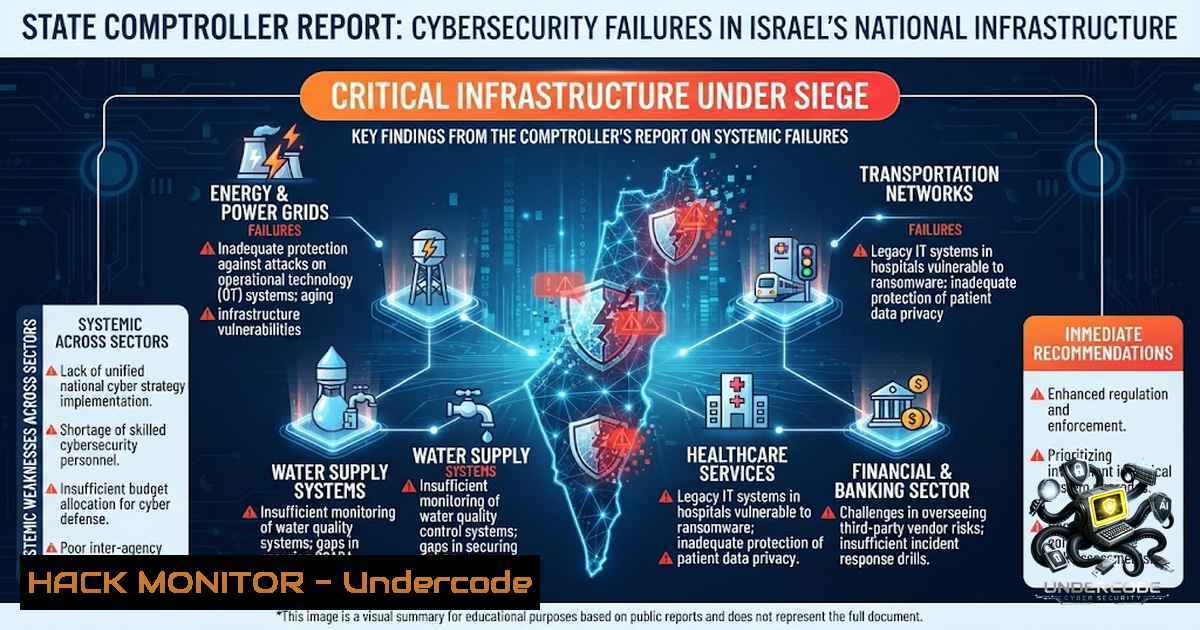
Israel’s State Comptroller released a sweeping audit in May 2026 revealing widespread cybersecurity deficiencies across the nation’s most sensitive government institutions and critical infrastructure. The report exposes a troubling reality: behind Israel’s reputation as a global high-tech powerhouse lies a fragmented, underfunded, and dangerously exposed digital defense apparatus. With hostile cyberattacks surging—from 1,600 incidents in June 2025 to nearly 4,800 in June 2026—and cumulative economic damage estimated at 12 billion shekels annually, the findings represent a comprehensive warning that national digital resilience is at a breaking point.
Learning Objectives
- Understand the scope and severity of cybersecurity gaps identified in Israel’s critical infrastructure and government systems.
- Learn practical mitigation strategies, including command-line tools, configuration hardening, and Zero Trust implementation.
- Develop the ability to audit and remediate common vulnerabilities in IT, OT, cloud, and remote work environments.
You Should Know
- The Remote Work Catastrophe: 10 Months of Known Vulnerabilities
Perhaps the most staggering finding in the report involves remote work infrastructure. After the National Cyber Directorate ordered the shutdown of a vulnerable remote-work platform, 65% of government ministries continued using it for ten full months—until January 2025. This delay occurred during active wartime, with Iranian cyber threats intensifying dramatically.
What This Means: Attackers had a prolonged window to exploit known vulnerabilities in a platform used to access sensitive government networks. The Fire and Rescue Authority had no business continuity plan for remote work and had never conducted penetration tests until the Comptroller’s Office performed them during the audit. The Israel Police went eight years without a single penetration test of its remote-work systems.
Step-by-Step Remediation Guide:
Step 1: Audit Remote Access Infrastructure
 Linux: Identify all active remote access services
sudo netstat -tulpn | grep -E "(ssh|openvpn|wireguard|rdp|anydesk|teamviewer)"
sudo ss -tulpn | grep -E "(3389|22|1194|51820)"

Windows (PowerShell): List all remote access configurations
Get-Service | Where-Object {$<em>.DisplayName -match "Remote|VPN|RDP"}
Get-1etFirewallRule | Where-Object {$</em>.Direction -eq "Inbound" -and $_.Enabled -eq "True"} | Format-Table DisplayName, Action
Step 2: Enforce Multi-Factor Authentication (MFA) for All Remote Access
 Linux: Configure SSH with public-key authentication only
sudo sed -i 's/^PasswordAuthentication yes/PasswordAuthentication no/' /etc/ssh/sshd_config
sudo sed -i 's/^ChallengeResponseAuthentication yes/ChallengeResponseAuthentication no/' /etc/ssh/sshd_config
sudo systemctl restart sshd

Windows: Enable MFA via NPS extension or conditional access policies
 Deploy Microsoft Entra ID (Azure AD) MFA registration campaign
Step 3: Implement Just-In-Time (JIT) Access
 Azure CLI: Configure JIT for VMs
az vm extension set --resource-group <RG> --vm-1ame <VM> --1ame justintime --publisher Microsoft.Security --settings '{"JitPolicy":"{\"rules\":[{\"maxRequestAccessDuration\":\"PT3H\"}]}"}'

AWS: Use Session Manager with IAM policies
aws ssm start-session --target <instance-id>
Step 4: Continuous Vulnerability Scanning
 Using OpenVAS for internal network scanning
sudo apt-get install openvas
sudo gvm-setup
sudo gvm-start
 Perform authenticated scan of remote access points
2. President’s Residence: 100,000 Unprotected Records
Until September 2024, the President’s Residence operated without a guiding cyber authority or steering committee. Its computer systems store highly sensitive information—medical, social, and financial records for nearly 100,000 pardon applicants. The audit found the database managed in violation of Israeli law: no information security officer appointed, employees using private email for work, and sensitive documents transferred to the Justice Ministry and Military Advocate General’s Office over the open internet without encryption. Additionally, endpoint stations ran expired software versions, and core systems had reached end-of-life without manufacturer support.
Step-by-Step Data Protection Guide:
Step 1: Discover and Classify Sensitive Data
 Linux: Find unencrypted sensitive files
sudo find / -type f ( -1ame ".csv" -o -1ame ".xlsx" -o -1ame ".docx" -o -1ame ".pdf" ) -exec grep -l "passport|ID|social security|credit card" {} \; 2>/dev/null

Windows PowerShell: Search for sensitive data patterns
Get-ChildItem -Path C:\ -Recurse -Include .csv,.xlsx,.docx,.pdf | Select-String -Pattern "(\d{9})|(SSN)|(passport)" | Export-Csv sensitive_files.csv
Step 2: Encrypt Data at Rest and in Transit
 Linux: Full disk encryption with LUKS
sudo cryptsetup luksFormat /dev/sdX
sudo cryptsetup open /dev/sdX encrypted_volume
sudo mkfs.ext4 /dev/mapper/encrypted_volume

Windows: Enable BitLocker
Manage-bde -on C: -RecoveryPassword -EncryptionMethod XtsAes256

Enforce TLS 1.2+ for all web applications
 IIS: Disable SSL 2.0/3.0 and TLS 1.0 in registry
New-ItemProperty -Path "HKLM:\SYSTEM\CurrentControlSet\Control\SecurityProviders\SCHANNEL\Protocols\TLS 1.2\Server" -1ame "Enabled" -Value 1 -PropertyType DWORD -Force
Step 3: Implement DLP (Data Loss Prevention) Controls
 Linux: Use auditd to monitor sensitive file access
sudo auditctl -w /path/to/sensitive/directory -p rwxa -k sensitive_access
sudo ausearch -k sensitive_access -ts today

Network-level: Block unencrypted protocols
sudo iptables -A OUTPUT -p tcp --dport 21 -j DROP  Block FTP
sudo iptables -A OUTPUT -p tcp --dport 23 -j DROP  Block Telnet
- Foreign Ministry: A 500% Surge in Attacks, Policy Frozen Since 2018
The Foreign Ministry, described as a “central cyber target,” experienced a roughly 500% increase in information-security incidents at Israeli missions abroad during the war. Despite this, its cyber and information-security policy had not been updated since 2018. The IT steering committee did not meet from 2021 to 2023. Budget shortfalls of at least NIS 20 million resulted in 14 critical projects frozen or delayed in 2024, including upgrades to the Merkava system, consular systems, and cloud migration. Shared folders across the ministry network were open to all users, containing tens of thousands of documents, some highly sensitive. Only three of the ministry’s dozens of databases were registered with the Justice Ministry’s database registry.
Step-by-Step Security Hardening:
Step 1: Harden Active Directory and Access Controls
 Windows PowerShell: Audit group memberships and remove excessive privileges
Get-ADGroupMember -Identity "Domain Admins" | Export-Csv domain_admins.csv
Get-ADGroupMember -Identity "Enterprise Admins" | Export-Csv enterprise_admins.csv

Identify stale accounts
Search-ADAccount -AccountInactive -TimeSpan 90 -UsersOnly | Disable-ADAccount -Confirm:$false

Enforce Least Privilege via Group Policy
Set-ADDefaultDomainPasswordPolicy -MaxPasswordAge 60.00:00:00 -MinPasswordLength 14 -ComplexityEnabled $true
Step 2: Network Segmentation and Microsegmentation
 Linux: Implement VLAN segmentation and firewall rules
 Create separate zones for different security levels
sudo iptables -A FORWARD -i eth0 -o eth1 -j DROP  Block inter-VLAN routing by default
sudo iptables -A FORWARD -i eth0 -o eth1 -p tcp --dport 443 -j ACCEPT  Allow specific services

Windows: Implement Windows Firewall with Advanced Security
New-1etFirewallRule -DisplayName "Block SMB to DMZ" -Direction Outbound -LocalPort 445 -Protocol TCP -Action Block

Zero Trust: Implement microsegmentation with NSX or Calico
 Example: Kubernetes network policy
apiVersion: networking.k8s.io/v1
kind: NetworkPolicy
metadata:
name: deny-all
spec:
podSelector: {}
policyTypes:
- Ingress
- Egress
Step 3: Database Security and Registry Compliance
-- PostgreSQL: Enable logging and audit
ALTER SYSTEM SET log_connections = 'on';
ALTER SYSTEM SET log_disconnections = 'on';
ALTER SYSTEM SET log_statement = 'ddl';
SELECT pg_reload_conf();

-- Enable column-level encryption for sensitive fields
CREATE EXTENSION pgcrypto;
UPDATE sensitive_table SET ssn = pgp_sym_encrypt(ssn, 'encryption_key');
- Construction and Housing Ministry: Eight Years of Regulatory Neglect
The Construction and Housing Ministry manages millions of sensitive records on citizens, housing beneficiaries, and contractors. Despite allocating approximately NIS 6.5 million to information and cyber security in 2025 (roughly 9% of its computing budget), the audit found serious weaknesses in access authorization controls, risk management procedures, database registration compliance, and alert mechanisms. These findings are particularly concerning given a roughly 130% increase in cyber alerts received by the ministry during 2024. Most critically, the ministry failed for eight years to properly register its nine large databases under privacy protection regulations.
Step-by-Step Access Control and Monitoring:
Step 1: Implement SIEM and Centralized Logging
 Deploy ELK Stack or Wazuh for centralized logging
 Install Wazuh agent on endpoints
curl -s https://packages.wazuh.com/key/GPG-KEY-WAZUH | sudo apt-key add -
echo "deb https://packages.wazuh.com/4.x/apt/ stable main" | sudo tee /etc/apt/sources.list.d/wazuh.list
sudo apt-get update && sudo apt-get install wazuh-agent

Configure audit rules for critical directories
sudo auditctl -w /etc/passwd -p wa -k passwd_changes
sudo auditctl -w /etc/shadow -p wa -k shadow_changes
sudo auditctl -w /var/log -p wa -k log_changes
Step 2: Implement PAM and Privileged Access Management
 Linux: Harden PAM configuration
 Edit /etc/pam.d/common-password
password requisite pam_pwquality.so retry=3 minlen=14 difok=3 ucredit=-1 lcredit=-1 dcredit=-1 ocredit=-1
password sufficient pam_unix.so use_authtok md5 shadow remember=5

Implement sudo logging
echo "Defaults log_output" >> /etc/sudoers
echo "Defaults logfile=/var/log/sudo.log" >> /etc/sudoers
Step 3: Database Activity Monitoring
-- MySQL: Enable general query log and audit log
SET GLOBAL general_log = 'ON';
SET GLOBAL log_output = 'TABLE';

-- Create audit triggers for sensitive tables
CREATE TRIGGER audit_sensitive_update
AFTER UPDATE ON sensitive_table
FOR EACH ROW
INSERT INTO audit_log (action, user, timestamp, old_data, new_data)
VALUES ('UPDATE', USER(), NOW(), OLD.data, NEW.data);
- National Preparedness: No Drills, No Oversight, No AI Readiness
The report reveals systemic governance failures at the highest levels. In the decade before the war and through mid-2025, prime ministers did not initiate or hold dedicated cyber discussions in the Security Cabinet, except for a single meeting in 2018. In the six years preceding the war, no national cyber drill was held. Only about a year into the fighting—in November 2024—was the first tabletop exercise held, and even then, no representative of the political echelon took part.
The report also highlights Israel’s “innovation paradox”: while the private sector leads globally in AI, the public sector lags far behind. Israel has yet to approve a long-term, binding national artificial intelligence plan with dedicated budget and oversight mechanisms. A huge gap exists between budgeting and implementation, especially in supercomputing infrastructure and infrastructure for training large language models.
Step-by-Step Incident Response and AI Security:
Step 1: Build and Test Incident Response Playbooks
 Create incident response directory structure
mkdir -p /opt/incident_response/{playbooks,scripts,logs,evidence}

Automate evidence collection (Linux)
cat > /opt/incident_response/scripts/collect_evidence.sh << 'EOF'
!/bin/bash
TIMESTAMP=$(date +%Y%m%d_%H%M%S)
EVIDENCE_DIR="/opt/incident_response/evidence/$TIMESTAMP"
mkdir -p $EVIDENCE_DIR

Collect system state
ps auxf > $EVIDENCE_DIR/processes.txt
netstat -tulpn > $EVIDENCE_DIR/network_connections.txt
last > $EVIDENCE_DIR/login_history.txt
sudo journalctl --since "24 hours ago" > $EVIDENCE_DIR/system_logs.txt
sudo tar -czf $EVIDENCE_DIR/evidence.tar.gz /var/log
echo "Evidence collected at $EVIDENCE_DIR"
EOF
chmod +x /opt/incident_response/scripts/collect_evidence.sh
Step 2: AI Model Security Hardening
 Python: Implement input validation for AI/ML models
import re
import html

def sanitize_input(user_input):
 Remove potential injection attempts
sanitized = re.sub(r'[<>"\'()&]', '', user_input)
sanitized = html.escape(sanitized)
return sanitized

def validate_model_input(data):
 Implement schema validation
required_fields = ['text', 'context']
for field in required_fields:
if field not in data:
raise ValueError(f"Missing required field: {field}")
 Length limits to prevent DoS
if len(data['text']) > 10000:
raise ValueError("Input exceeds maximum length")
return True
Step 3: Regular Security Drills and Tabletop Exercises
 Set up automated security testing pipeline
 Using OWASP ZAP for DAST
docker run -v $(pwd):/zap/wrk/:rw -t owasp/zap2docker-weekly zap-full-scan.py -t https://your-app.com -r report.html

Use Metasploit for controlled penetration testing
msfconsole -q -x "use auxiliary/scanner/portscan/tcp; set RHOSTS 192.168.1.0/24; run; exit"
- Digital Government Fragmentation: 4.6 Million Citizens, Only 16% Connected
Despite 4.6 million citizens registered in the national identification system, only 16% of mapped government services are connected to it. Just 23% of identified online forms are managed through the system, and only 233 government services have been integrated into the government personal area platform. Local government integration is particularly limited—only 15 out of 258 local authorities have connected to the national identification system. Key agencies including the Tax Authority, National Insurance Institute, and Defense Ministry continue to operate separate authentication systems, increasing fragmentation and raising cybersecurity risks.
Step-by-Step Identity and Access Management (IAM) Consolidation:
Step 1: Implement Federated Identity
 Azure AD: Configure SAML/OpenID Connect federation
 Register application for SSO
az ad app create --display-1ame "GovernmentPortal" --identifier-uris "https://gov.gov.il/app"

Configure conditional access policies
 Require MFA for all users except trusted locations
Step 2: API Security and Gateway Implementation
 Kong API Gateway configuration example
_format_version: "3.0"
services:
- name: citizen-service
url: http://citizen-api:8080
routes:
- name: citizen-route
paths: ["/api/v1/citizens"]
plugins:
- name: jwt
config:
secret_is_base64: false
run_on_preflight: true
- name: rate-limiting
config:
minute: 100
hour: 1000
- name: cors
config:
origins: ["https://gov.gov.il"]
methods: ["GET", "POST", "PUT", "DELETE"]
credentials: true
Step 3: Zero Trust Network Access (ZTNA)
 Implement mTLS for service-to-service communication
 Generate CA and certificates
openssl genrsa -out ca.key 4096
openssl req -1ew -x509 -days 3650 -key ca.key -out ca.crt

Generate server certificate
openssl genrsa -out server.key 4096
openssl req -1ew -key server.key -out server.csr
openssl x509 -req -days 3650 -in server.csr -CA ca.crt -CAkey ca.key -set_serial 01 -out server.crt

Configure nginx for mTLS
server {
listen 443 ssl;
ssl_certificate /etc/nginx/ssl/server.crt;
ssl_certificate_key /etc/nginx/ssl/server.key;
ssl_client_certificate /etc/nginx/ssl/ca.crt;
ssl_verify_client on;
location / {
proxy_pass http://backend;
}
}
What Undercode Say
- Governance is the weakest link. Technical vulnerabilities are symptomatic of deeper failures: no cabinet-level cyber discussions for a decade, no national drills, and political indifference while attacks tripled.
- Patch management is a national security imperative. The 10-month delay in shutting down a vulnerable remote platform during active warfare is inexcusable and represents a catastrophic failure of cyber hygiene.
- Budget gaps translate directly to exposure. The Foreign Ministry’s NIS 20 million shortfall resulted in 14 frozen security projects—including cloud migration and critical system upgrades—leaving attack surfaces wide open.
- Data protection is not optional. The President’s Residence transmitting pardon applications over unencrypted channels and the Construction Ministry’s eight-year database registration failure demonstrate systemic disregard for privacy and security regulations.
- AI readiness is a strategic vulnerability. While Israel’s private sector leads globally, the government’s lag in AI adoption and supercomputing infrastructure creates a dangerous asymmetry against adversaries investing billions.
Prediction
- -1 The 2026 State Comptroller report will likely trigger emergency legislative action, but implementation will take 18–24 months—during which Iranian cyberattacks, already tripled year-over-year, will continue to probe every uncovered gap.
-
-1 State-sponsored attackers have already mapped these vulnerabilities. The combination of exposed databases, unpatched remote access, and fragmented IAM creates a “perfect storm” for a catastrophic breach of critical infrastructure within the next 12 months.
-
-1 The political leadership’s historical indifference suggests that without a major successful attack causing physical or economic damage, meaningful reform will remain stalled. The Security Cabinet’s single cyber discussion in a decade is a damning indictment of prioritization.
-
-1 Israel’s “innovation paradox” will widen: private-sector cybersecurity excellence will contrast even more starkly with public-sector failures, creating a two-tier security posture that adversaries will ruthlessly exploit.
-
+1 The report’s public release may finally catalyze the binding legislation and national AI plan that have languished for years, potentially transforming Israel’s fragmented cyber defense into a unified, resilient architecture within 3–5 years.
-
+1 Emergency agencies are now on notice. The Comptroller’s explicit warnings about the Fire and Rescue Authority, Police, and Courts Administration will likely accelerate penetration testing, business continuity planning, and exercise cadence.
▶️ Related Video (78% Match):
https://www.youtube.com/watch?v=1Fx7LuPYohQ
🎯Let’s Practice For Free:
🎓 Live Courses & Certifications:
Join Undercode Academy for Verified Certifications
🚀 Request a Custom Project:
Secure, high-velocity infrastructure and disruptive technological engineering. Contact our engineering team for high-tier development and proprietary systems:
[email protected]
💎 Smart Architecture | 🛡️ Secure by Design | ⭐ Trusted by Thousands
IT/Security Reporter URL:
Reported By: Gilad Mor – Hackers Feeds
Extra Hub: Undercode MoN
Basic Verification: Pass ✅


