Listen to this Post
Introduction:
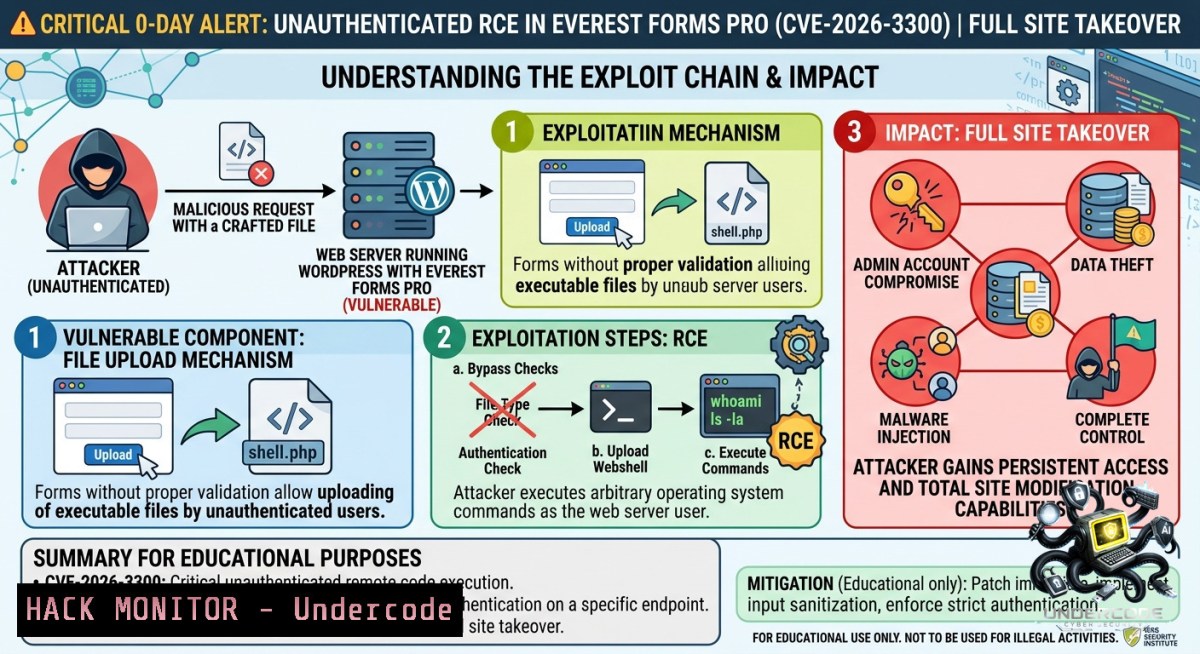
A critical Remote Code Execution (RCE) vulnerability, identified as CVE-2026-3300 with a CVSS score of 9.8 (Critical), is being actively exploited in the wild against the Everest Forms Pro WordPress plugin. The flaw resides in the `process_filter()` function of the Calculation Addon, where user-submitted form field values are concatenated into a PHP code string and passed to `eval()` without proper sanitization, allowing unauthenticated attackers to inject and execute arbitrary PHP code on the server, leading to complete site takeover.
Learning Objectives:
– Understand the technical root cause of CVE-2026-3300 and the exploitation methodology involving string injection via single quotes.
– Learn step-by-step detection, hardening, and incident response commands to identify compromised administrator accounts like “diksimarina” and purge malicious code.
– Master the application of virtual patching via WAF rules and server-level file integrity monitoring to prevent and mitigate similar PHP code injection vulnerabilities.
You Should Know:
1. Root Cause Analysis: The `eval()` Injection Chain in Everest Forms Pro
The Everest Forms Pro plugin for WordPress is vulnerable to Remote Code Execution via PHP Code Injection in all versions up to, and including, 1.9.12. This is due to the Calculation Addon’s `process_filter()` function concatenating user-submitted form field values into a PHP code string without proper escaping before passing it to `eval()`. The `sanitize_text_field()` function applied to input does not escape single quotes or other PHP code context characters.
This makes it possible for unauthenticated attackers to inject and execute arbitrary PHP code on the server by submitting a crafted value in any string-type form field (text, email, URL, select, radio) when a form uses the “Complex Calculation” feature.
Step‑by‑step guide explaining how this vulnerability works and how attackers exploit it:
The attacker submits a value for a text field that begins with a single quote to close the wrapping string literal, followed by a PHP statement that calls `wp_insert_user()` to create a new administrator account. The trailing `//` comment marker ensures the rest of the generated PHP code, including the closing quote, is treated as a comment and does not cause a syntax error. When the form is processed and the calculation is evaluated, the injected PHP code is executed, and the malicious administrator account is created.
Example vulnerable code snippet:
// Vulnerable code in the process_filter() function
$php_code = $field['php_code'];
$field_variable = array();
foreach ( $form_data['form_fields'] as $field_id => $form_field_data ) {
$field_id_arr = explode( '-', $field_id );
$var_name = '$FIELD_' . $field_id_arr[bash];
// The field value is concatenated without escaping
$field_value = ! empty( $entry['form_fields'][ $field_id ] ) ? $entry['form_fields'][ $field_id ] : 0;
// The eval() is called on the concatenated string
}
Attack vector example (Text field injection):
' . wp_insert_user(array('user_login' => 'diksimarina', 'user_email' => '[email protected]', 'user_pass' => 'hacked123', 'role' => 'administrator')) . //
2. Detection and Forensics: Uncovering the Breach
Given the widespread active exploitation, it is crucial to immediately verify if your site has been compromised. The most common observed payload attempts to create an administrator account named `diksimarina` (email address: `[email protected]`). However, attackers may use different names, so a thorough check is necessary.
Step‑by‑step guide for detecting compromise:
Linux / WordPress CLI (via WP-CLI):
 List all WordPress administrators
wp user list --role=administrator --fields=ID,user_login,user_email

 Search for suspicious user registrations after a specific date (e.g., April 13, 2026)
wp user list --role=administrator --date_query_after=2026-04-13

 Check for unknown users and delete them (replace USER_ID)
wp user delete USER_ID --yes

 Search for the known malicious string in the database
wp db query "SELECT  FROM wp_users WHERE user_login = 'diksimarina' OR user_email = '[email protected]'"
Linux / Server-side File Integrity Check:
 Search for recently modified PHP files (last 7 days) in the WordPress directory
find /var/www/html/wp-content/ -1ame ".php" -type f -mtime -7 -ls

 Search for web shells or suspicious code containing eval, system, or base64_decode
grep -rnw /var/www/html/ -e "eval(" -e "system(" -e "base64_decode" --include=".php"

 Check web server access logs for exploitation attempts
grep -E "202.56.2.126|209.146.60.26|15.235.166.18|185.78.165.153" /var/log/apache2/access.log
Windows / IIS Server (using PowerShell):
 Search for suspicious strings in PHP files within the WordPress directory
Get-ChildItem -Path "C:\inetpub\wwwroot\" -Recurse -Include ".php" | Select-String -Pattern "eval\(|system\(|base64_decode"

 Check IIS logs for the offending IP addresses
Select-String -Path "C:\inetpub\logs\LogFiles\\.log" -Pattern "202.56.2.126|209.146.60.26"
3. Containment and Mitigation: Virtual Patching and Hardening
Since a patch (version 1.9.13) is available, immediate updating is the primary remediation step. However, if you cannot update instantly, implementing a virtual patch via a Web Application Firewall (WAF) is critical.
Step‑by‑step guide for implementing virtual patches:
Option A: ModSecurity (Linux)
Add the following rule to your ModSecurity configuration to block the exploit:
SecRule ARGS "wp_insert_user|diksimarina|eval\(.\$" \
"id:10001,phase:2,deny,status:403,msg:'Everest Forms Pro RCE Exploit Attempt Blocked'"
Option B: .htaccess / Nginx Blocking
Block the known malicious IP addresses at the web server level:
For Apache (.htaccess):
<Limit GET POST>
order deny,allow
deny from 202.56.2.126
deny from 209.146.60.26
deny from 15.235.166.18
deny from 2402:1f00:8000:800::40db
deny from 185.78.165.153
allow from all
</Limit>
For Nginx:
location / {
deny 202.56.2.126;
deny 209.146.60.26;
deny 15.235.166.18;
deny 2402:1f00:8000:800::40db;
deny 185.78.165.153;
}
Option C: Update Plugin (Recommended)
 Using WP-CLI to update the plugin
wp plugin update everest-forms-pro

 Verify the version after update
wp plugin get everest-forms-pro --field=version
 Expected output: 1.9.13 or higher
4. Post-Exploitation Cleanup: Removing Web Shells and Backdoors
If exploitation was successful, attackers often install web shells to maintain persistent access. A compromised site requires a thorough cleanup.
Step‑by‑step guide for post-exploitation cleanup:
Linux Commands for web shell removal:
 List all files in wp-content/uploads that have execution permissions
find /var/www/html/wp-content/uploads/ -type f -1ame ".php" -exec ls -la {} \;

 Compare all WordPress core files against official repository
wp core verify-checksums

 Regenerate all core WordPress files (fixes modified core files)
wp core download --force

 Reinstall all plugins and themes from official sources
wp plugin list --status=active --format=json | jq '.[].name' | xargs -I {} wp plugin install {} --force
Check for suspicious processes and cron jobs:
 Check current running processes for unusual PHP processes
ps aux | grep -E "php|eval|base64"

 List user crontabs for persistent backdoors
crontab -l
 Check system-wide cron
cat /etc/crontab
Windows PowerShell for cleanup:
 Find all PHP files modified in the last 24 hours
Get-ChildItem -Path "C:\inetpub\wwwroot\wp-content\" -Recurse -Include ".php" | Where-Object {$_.LastWriteTime -gt (Get-Date).AddDays(-1)}

 Remove suspicious files (after verification)
Remove-Item -Path "C:\inetpub\wwwroot\wp-content\path\to\suspicious.php" -Force
5. Hardening Against Future PHP Code Injection Attacks
Beyond this specific vulnerability, hardening your server can prevent similar RCE attacks from succeeding.
Step‑by‑step hardening guide:
Disable dangerous PHP functions:
; Add to php.ini to block execution functions
disable_functions = exec,passthru,shell_exec,system,proc_open,popen,curl_exec,curl_multi_exec,parse_ini_file,show_source,eval
Implement strict file permissions (Linux):
 Set restrictive permissions on WordPress directories
find /var/www/html/ -type d -exec chmod 755 {} \;
find /var/www/html/ -type f -exec chmod 644 {} \;
chmod 600 /var/www/html/wp-config.php
Enable WordPress Security Headers (.htaccess):
 Prevent PHP execution in uploads directory
<Directory "/var/www/html/wp-content/uploads">
<FilesMatch "\.php$">
Require all denied
</FilesMatch>
</Directory>

 Security headers
Header set X-Content-Type-Options "nosniff"
Header set X-Frame-Options "SAMEORIGIN"
Header set X-XSS-Protection "1; mode=block"
6. Incident Response: Log Analysis and Audit Trails
Monitoring your logs for Indicators of Compromise (IOCs) is essential for both detection and post-incident analysis.
Key IOCs from active exploitation campaigns:
– Malicious Admin Account: Username `diksimarina`, Email `[email protected]`
– Offending IP Addresses: `202.56.2.126` (over 26,300 blocked attempts), `209.146.60.26`, `15.235.166.18`, `2402:1f00:8000:800::40db`, `185.78.165.153`
– Exploitation Spike: Major surge recorded on May 16, 2026 with over 17,900 blocked attempts in a single day
Step‑by‑step guide for log analysis:
Linux log analysis commands:
 Analyze Apache access logs for POST requests to form processing endpoints
grep "POST" /var/log/apache2/access.log | grep -E "wp-admin/admin-ajax|everest-forms" | cut -d' ' -f1 | sort | uniq -c | sort -1r

 Extract all POST requests containing PHP code injection attempts
grep -E "wp_insert_user|diksimarina|eval\(|\$FIELD_" /var/log/apache2/access.log

 Count unique attacking IPs targeting the vulnerability
grep -E "everest-forms" /var/log/apache2/access.log | awk '{print $1}' | sort | uniq -c | sort -1r | head -20
Implement file integrity monitoring (Linux):
 Install and configure AIDE for file integrity monitoring
sudo apt-get install aide -y
sudo aideinit
 Run initial scan
sudo aide --check
 Monitor daily for changes
sudo aide.wrapper --config /etc/aide/aide.conf --check
What Undercode Say:
Key Takeaway 1: The Everest Forms Pro RCE vulnerability (CVE-2026-3300) is a textbook example of the dangers of using `eval()` with unsanitized user input. Despite the presence of `sanitize_text_field()`, the failure to escape single quotes allowed complete bypass, enabling unauthenticated attackers to execute arbitrary code.
Key Takeaway 2: The active exploitation timeline—patch released on March 18, public disclosure on March 30, and active exploitation starting April 13—demonstrates the critical window of exposure when security teams delay applying available security updates. The surge on May 16 with over 17,900 attempts underscores how exploit attempts exponentially increase after initial mass-scanning.
Analysis: This incident highlights several cybersecurity lessons. First, input sanitization functions must be context-aware; `sanitize_text_field()` is insufficient for PHP code contexts. Second, WordPress site administrators must implement automated vulnerability scanning and patching workflows. Third, even low-volume plugins (only ~4,000 active installations) are attractive targets for attackers who scan the entire WordPress ecosystem. The attackers’ use of `wp_insert_user()` to create admin accounts demonstrates how RCE can be weaponized for persistent access. Finally, the availability of firewall rules 30 days before public disclosure for premium users versus free users creates a security divide that attackers exploit during the disclosure-to-patch gap.
Prediction:
– -1: Following this disclosure, attackers will increasingly target niche WordPress plugins and commercial add-ons with smaller user bases, banking on the lower likelihood of rapid incident response from small-to-medium site owners who may lack dedicated security monitoring.
– -1: The exploitation pattern—spiking over 17,900 attempts on a single day—indicates that automated mass-exploitation frameworks will incorporate this vulnerability, leading to widespread compromise of unpatched sites within 48 hours of public PoC release.
– +1: This incident will accelerate WordPress community efforts to deprecate the use of `eval()` in plugin development, leading to stricter code review standards and automated static analysis tools integrated into the WordPress plugin repository.
– -1: Web hosts and managed WordPress providers will face increased cleanup costs as they scramble to identify and remediate compromised sites, potentially leading to stricter plugin approval processes or increased security fees passed to customers.
– -1: The 30-day delay in providing firewall protection to free-tier users compared to premium users will intensify debates about equitable access to security protections, potentially prompting regulatory scrutiny of how security vendors prioritize threat intelligence distribution.
▶️ Related Video (80% Match):
🎯Let’s Practice For Free:
🎓 Live Courses & Certifications:
[Join Undercode Academy for Verified Certifications](https://undercode.co.uk/certifications/)
🚀 Request a Custom Project:
Secure, high-velocity infrastructure and disruptive technological engineering. Contact our engineering team for high-tier development and proprietary systems:
[[email protected]](mailto:[email protected])
💎 Smart Architecture | 🛡️ Secure by Design | ⭐ Trusted by Thousands
IT/Security Reporter URL:
Reported By: [Mohit Hackernews](https://www.linkedin.com/posts/mohit-hackernews_wordpress-share-7468582705128099840-zuMq/) – Hackers Feeds
Extra Hub: Undercode MoN
Basic Verification: Pass ✅
🔐JOIN OUR CYBER WORLD [ CVE News • HackMonitor • UndercodeNews ]
[💬 Whatsapp](https://undercode.help/whatsapp) | [💬 Telegram](https://t.me/UndercodeCommunity)
📢 Follow UndercodeTesting & Stay Tuned:
[𝕏 formerly Twitter 🐦](https://x.com/undercodeupdate) | [@ Threads](https://www.threads.net/@undercodetesting) | [🔗 Linkedin](https://www.linkedin.com/company/undercodetesting/) | [🦋BlueSky](https://bsky.app/profile/undercode.bsky.social)


