Listen to this Post
Introduction:
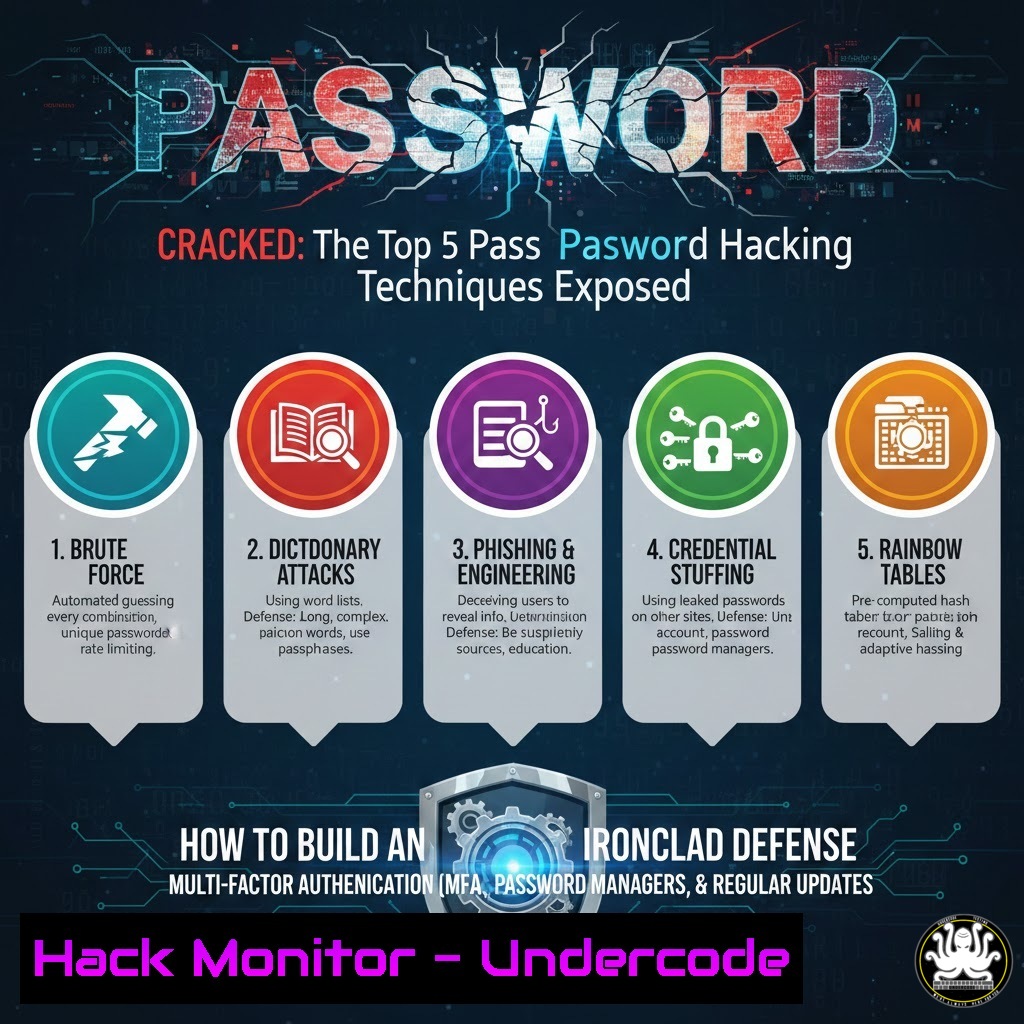
In the perpetual arms race of cybersecurity, password authentication remains a critical frontline. Understanding the offensive techniques employed by attackers is the first and most crucial step in constructing an effective defense. This article delves into the five most prevalent password cracking methodologies, transitioning from theoretical knowledge to practical, actionable hardening steps for systems and users.
Learning Objectives:
- Understand the mechanics behind brute force, rainbow table, dictionary, credential stuffing, and weak hash exploitation attacks.
- Implement defensive configurations and system hardening to mitigate each specific attack vector.
- Develop and enforce robust credential policies while utilizing modern tools for security validation.
- Neutralizing Brute Force Attacks with Rate Limiting and Lockout Policies
A brute force attack systematically tries every possible character combination to guess a password. While computationally expensive, it is guaranteed to succeed given enough time and resources, especially against short or simple passwords.
Step-by-Step Guide:
What it does: Defensive measures aim to dramatically slow down or completely block repeated login attempts.
How to implement it:
On Linux (using fail2ban): Fail2ban scans log files for excessive failed login attempts and bans the offending IP address.
 Install fail2ban
sudo apt-get install fail2ban -y  Debian/Ubuntu
sudo yum install fail2ban -y  RHEL/CentOS

Copy the default configuration file to make local changes
sudo cp /etc/fail2ban/jail.conf /etc/fail2ban/jail.local

Edit the SSH jail section in /etc/fail2ban/jail.local
 Set `enabled = true` and adjust `maxretry` and `bantime`
[bash]
enabled = true
port = ssh
filter = sshd
logpath = /var/log/auth.log
maxretry = 5
bantime = 600

Restart the service
sudo systemctl restart fail2ban
On Windows via Group Policy: Enforce account lockout thresholds.
1. Open `gpedit.msc`.
- Navigate to Computer Configuration > Windows Settings > Security Settings > Account Policies > Account Lockout Policy.
- Configure “Account lockout threshold” (e.g., 5 invalid attempts), “Account lockout duration” (e.g., 15 minutes), and “Reset account lockout counter after” (e.g., 15 minutes).
2. Rendering Rainbow Tables Useleless with Password Salting
Rainbow tables are precomputed databases of hash values for every possible plaintext password up to a certain length. Attackers compare a stolen hash against this table for an instant reversal. Salting defeats this by adding a unique, random string to each password before hashing.
Step-by-Step Guide:
What it does: A salt ensures that identical passwords result in completely different hash values, making precomputed tables ineffective.
How to implement it (Developer Focus):
Never store passwords as plaintext or with unsalted, fast hashes (MD5, SHA-1).
Use modern, adaptive hashing functions like bcrypt, Argon2, or PBKDF2 which incorporate salting and are computationally slow.
Example in Python using `bcrypt`:
import bcrypt

Hashing a password with a automatically generated salt
password = b"SuperSecretPassw0rd!"
hashed = bcrypt.hashpw(password, bcrypt.gensalt(rounds=12))  'rounds' controls the cost factor
 Store `hashed` in your database.

Verifying a password
login_attempt = b"SuperSecretPassw0rd!"
if bcrypt.checkpw(login_attempt, hashed):
print("Password correct.")
- Defeating Dictionary Attacks with Password Complexity and Screening
Dictionary attacks use wordlists containing common passwords, leaked credentials, and standard dictionary words. They are far more efficient than brute force as they target human-chosen patterns.
Step-by-Step Guide:
What it does: Defenses involve enforcing password creation policies that avoid predictable patterns and using tools to scan for and reject compromised passwords.
How to implement it:
Enforce a Strong Password Policy: Mandate minimum length (e.g., 12+ characters), and require a mix of character types. Avoid frequent forced rotation as it leads to predictable patterns (e.g., Password2024!, Password2025!).
Use Password Deny Lists: Integrate with APIs like Have I Been Pwned to check new passwords against known breaches.
For System Admins – Test Your Defenses with hashcat: Ethically test your password hashes against common wordlists.
 Identify the hash type (e.g., -m 0 for MD5, -m 1800 for sha512crypt)
 Attack using a wordlist (e.g., rockyou.txt)
hashcat -m 1800 -a 0 /path/to/hashes.txt /usr/share/wordlists/rockyou.txt
 This demonstrates how quickly weak passwords fall.
- Eliminating Credential Stuffing with Unique Passwords and MFA
Credential stuffing exploits the widespread user habit of password reuse. Attackers take credentials leaked from one breach and automatically “stuff” them into login forms on other sites.
Step-by-Step Guide:
What it does: The mitigation is twofold: ensuring password uniqueness and adding a second authentication factor.
How to implement it:
Mandate Password Manager Use: This is the single most effective user-level defense, enabling the creation and use of strong, unique passwords for every service without the need to memorize them.
Enforce Multi-Factor Authentication (MFA) Everywhere: MFA ensures that a stolen password alone is useless. Push notifications (Duo, Microsoft Authenticator) or FIDO2 security keys are preferred over less secure SMS-based codes.
Monitor for Credential Stuffing Attacks: Implement device fingerprinting and detect rapid login attempts from diverse geographic locations against multiple accounts.
- Phasing Out Weak Password Hashes with Algorithm Upgrades
Legacy systems often store passwords using cryptographically broken hashing algorithms like MD5 or SHA-1. These can be cracked rapidly, even with strong salts, using modern GPU rigs.
Step-by-Step Guide:
What it does: A proactive migration plan to retire weak hash storage in favor of modern, adaptive algorithms.
How to implement it:
Conduct a Hash Inventory: Audit your authentication database to identify hash types.
-- Example query to identify user entries (format varies)
SELECT username, password_hash FROM users WHERE password_hash LIKE '$1$%'; -- Looks for MD5 crypt
Plan a Migratory Upgrade: Upon next successful user login, re-hash the provided password with the new strong algorithm (e.g., bcrypt) and replace the old hash in the database. Have a fallback for legacy hashes during a transition period.
Set a Hash Strength Policy in Linux (/etc/login.defs):
 Ensure new user passwords use a strong method like SHA-512 (yescrypt is better on newer systems)
ENCRYPT_METHOD SHA512
What Undercode Say:
- Defense is a Stack, Not a Single Tool. No single technique is silver-bullet. Effective password security is a layered stack combining cryptographic strength (salting, slow hashes), policy enforcement (complexity, screening), user enablement (password managers), and secondary verification (MFA).
- Assume Breach of the Password. The modern paradigm shifts from “if the hash is stolen” to “when the hash is stolen.” Designs must prioritize resilience, ensuring that a stolen hash imposes maximum cost and time on the attacker, giving defenders time to detect and respond.
Prediction:
The future of authentication is steadily moving toward passwordless solutions utilizing FIDO2/WebAuthn standards, biometrics, and hardware security keys. However, legacy password-based systems will persist for decades. In this hybrid era, AI will play a dual role: dramatically accelerating offensive cracking patterns by generating smarter, context-aware wordlists and deepfake-powered phishing, while simultaneously powering defensive anomaly detection systems that identify credential stuffing and anomalous login behavior in real-time. The organizations that survive will be those that treat password hygiene not as a compliance checkbox but as a critical, evolving component of their identity and access management foundation.
▶️ Related Video (78% Match):
🎯Let’s Practice For Free:
IT/Security Reporter URL:
Reported By: Michael Tchuindjang – Hackers Feeds
Extra Hub: Undercode MoN
Basic Verification: Pass ✅


