
Listen to this Post
Introduction:
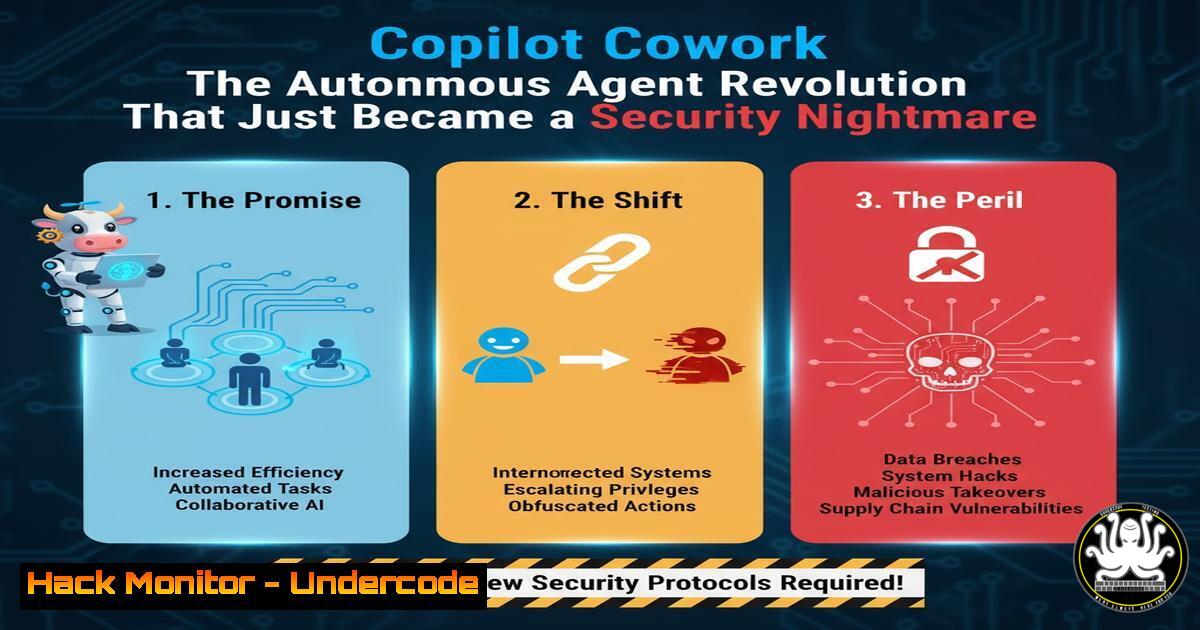
The tech world is pivoting from simple chatbots to autonomous agents that plan and execute complex tasks. Microsoft’s sudden shift towards a “Copilot Cowork” model—inspired by Anthropic’s capabilities—signals a future where AI doesn’t just suggest a reply but automates your entire inbox and workflow. For cybersecurity and IT professionals, this evolution introduces a new paradigm of risk, moving from securing static data to governing dynamic, self-directed digital entities that operate with user-level privileges.
Learning Objectives:
- Understand the architectural shift from reactive AI to proactive “agentic” systems.
- Identify the new attack surfaces introduced by autonomous AI coworkers.
- Learn practical security configurations and monitoring commands to govern AI agents.
You Should Know:
- The Shift from Copilot to Cowork: Understanding the Agentic Architecture
The core of the “Cowork” concept is agency. Unlike traditional Copilot, which assists a user in real-time, a Cowork agent receives a high-level goal (e.g., “organize the Q3 project files”) and creates a plan to execute it. It interacts with APIs, reads and writes data, and delegates sub-tasks. For a security engineer, this is akin to granting a service account with unpredictable behavior access to your sensitive systems.
Step‑by‑step guide to mapping an agent’s digital footprint:
To understand what a “Cowork” agent can access, you must audit the permissions of the identity it uses. In a Microsoft ecosystem, this is often tied to a user or a service principal.
– Linux/macOS command to enumerate API scopes (if using OAuth logs):
`grep -i “scope\|permission” /var/log/application_logs/api_audit.log | awk ‘{print $4}’ | sort | uniq -c`
– Windows PowerShell command to check effective permissions for an account (simulating agent access):
`Get-Acl -Path “\\share\finance\” | Format-List | Select-String “UserName”`
This helps simulate what an agent running under a user context could potentially read or modify.
2. Hardening the Inbox: Securing Automated Email Execution
The post highlights a critical scenario: full email automation. If an agent can read, sort, and reply to emails, it becomes a prime target for indirect prompt injection. An attacker could embed malicious instructions in an email that the agent processes, leading to data exfiltration.
Step‑by‑step guide to configuring transport rules to flag AI-processed mail:
You can use Exchange Online PowerShell to create rules that add a high-confidence header to emails processed by an automated agent, allowing for stricter filtering.
1. Connect to Exchange Online PowerShell:
`Connect-ExchangeOnline -UserPrincipalName [email protected]`
- Create a transport rule to append a header to messages processed by the agent’s IP or user agent:
`New-TransportRule -Name “Cowork Agent Processed” -FromScope InOrganization -HeaderContainsMessageHeader “X-MS-Office365-Filtering-Correlation-Id” -SetHeaderName “X-Processed-By-Agent” -SetHeaderValue “CopilotCowork”`
3. Monitor logs for emails with this header that are being sent to external domains unexpectedly:
`Search-MailboxAuditLog -Identity “SharedMailbox” -LogonTypes Delegate -ShowDetails | Where-Object {$_.Operation -eq “Send” -and $_.ClientInfoString -like “Agent”}` - API Security: Governing the “Open Claw” of Automation
The “open claw” analogy implies that these agents will reach into various SaaS platforms. Every API call an agent makes is a potential vector for abuse. Rate limiting and scope reduction are paramount.
Step‑by‑step guide to applying a Zero Trust policy for agent API calls using a Web Application Firewall (WAF) concept:
Assuming agents call back to a central gateway, you can use iptables (Linux) or a reverse proxy to restrict them.
– Linux (iptables) to rate-limit a specific agent’s IP range:
`sudo iptables -A INPUT -p tcp –dport 443 -m iprange –src-range 192.168.1.100-192.168.1.200 -m limit –limit 100/minute –limit-burst 200 -j ACCEPT`
`sudo iptables -A INPUT -p tcp –dport 443 -j DROP`
– API Key Restriction (Conceptual Code Snippet):
When issuing API keys for the agent, ensure they are restricted to specific IPs and resource scopes.
`{
“key”: “cowork_agent_key”,
“permissions”: [“mail.read”, “calendar.modify”],
“restrictions”: {
“allowed_ips”: [“10.10.1.0/24”],
“resource_constraints”: [“/users/agent-account/mail”]
}
}`
4. Monitoring for Anomalous Agent Behavior (Behavioral Analytics)
A compromised agent will behave differently than a human user. Sudden bursts of activity at 3 AM or mass downloads of files are red flags. You must monitor for these digital behavioral patterns.
Step‑by‑step guide to setting up a simple audit trail monitor on a Windows File Server:
Enable advanced audit policies to track what the agent is doing.
1. Enable auditing via Group Policy or command line:
`auditpol /set /subcategory:”File System” /success:enable /failure:enable`
- Search the Security Event Log for mass file access by the agent’s account (e.g., Account Name: “Cowork_Agent”):
`Get-WinEvent -FilterHashtable @{LogName=’Security’; ID=4663} | Where-Object {$_.Properties[bash].Value -like “Cowork_Agent”} | Group-Object {$_.Properties[bash].Value} | Sort-Object Count -Descending`
This command groups file accesses by the agent, highlighting which files it touched the most.
5. Prompt Injection Defense: The New XSS
The biggest vulnerability for these agents is prompt injection. An attacker hides instructions in a document or email that the agent reads, hijacking its control flow. We must treat untrusted text as executable code.
Step‑by‑step guide to sanitizing input before it reaches the agent’s planning engine:
While you can’t modify the internal LLM, you can filter the context provided to it.
– Use a proxy tool like ModSecurity to strip out potential prompt injection strings from incoming web content before it is fed to the agent via RAG.
– Example ModSecurity Rule (Conceptual):
`SecRule ARGS “@rx ignore previous instructions|system prompt|admin:” “id:10001,phase:2,deny,status:403,msg:’Potential Prompt Injection'”`
– Linux command to scan documents in a watched folder for injection patterns:
`grep -r -E “ignore previous instructions|forget your guidelines|now act as” /agent/input/documents/`
6. Securing the Model Context Protocol (MCP) Connections
The LinkedIn post hints at a protocol (likely Anthropic’s Model Context Protocol) that allows agents to plug into various data sources. This creates a new network layer that needs segmentation.
Step‑by‑step guide to isolating agent data traffic with network namespaces (Linux):
If the agent runs on a Linux host, isolate its network traffic.
1. Create a new network namespace for the agent:
`sudo ip netns add cowork_agent_ns`
- Create a virtual Ethernet pair and attach one end to the namespace:
`sudo ip link add veth0 type veth peer name veth1`
`sudo ip link set veth1 netns cowork_agent_ns`
- Assign IPs and configure iptables within the namespace to only allow connections to approved internal services (e.g., Graph API proxy) and block direct internet access.
`sudo ip netns exec cowork_agent_ns iptables -A OUTPUT -d graph.microsoft.com -j ACCEPT`
`sudo ip netns exec cowork_agent_ns iptables -A OUTPUT -j DROP`
What Undercode Say:
- Identity is the new perimeter: The “Cowork” agent is the user. If you don’t govern its identity with strict conditional access policies and just-in-time privileges, you are granting a malicious actor a tireless, scriptable intern with the keys to the kingdom.
- Data Leakage via Action: Traditional DLP focuses on data at rest or in transit. Agentic AI introduces data leakage via action—an agent can summarize a private database and post it to a public wiki because its “plan” deemed it necessary. We need “action-aware” monitoring, not just “data-aware.”
The democratization of automation is here, but it comes with the price of complexity. Security teams must pivot from securing static infrastructure to governing dynamic, intelligent processes. We are no longer just defending the castle; we are managing the behavior of the autonomous builders inside the walls.
Prediction:
In the next 12-18 months, we will see the emergence of “Agent EDR” (Endpoint Detection and Response for Agents). Just as EDR monitors process behavior on a host, these new tools will monitor the chain-of-thought and API call sequences of autonomous agents to detect malicious planning logic. The first major data breach caused by an exploited “Cowork” agent will be the catalyst for this new security category, forcing regulatory bodies to classify autonomous AI actions under strict data handling policies.
▶️ Related Video (84% Match):
🎯Let’s Practice For Free:
IT/Security Reporter URL:
Reported By: Joellindstrom Meet – Hackers Feeds
Extra Hub: Undercode MoN
Basic Verification: Pass ✅


