Listen to this Post
Introduction:
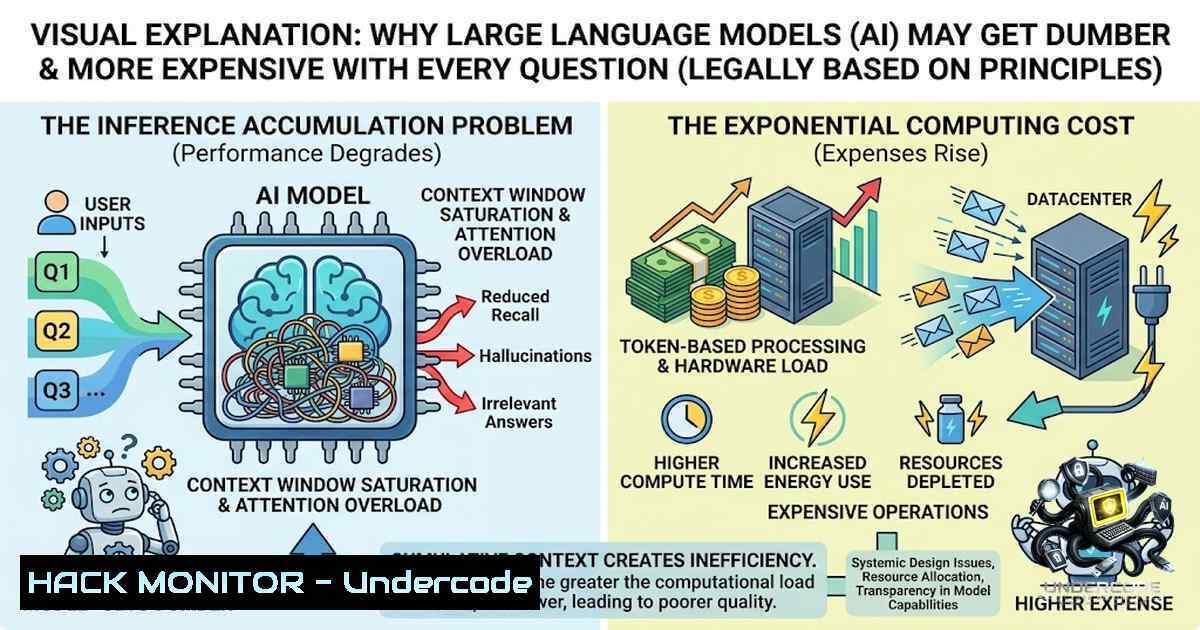
Every conversation with a large language model like Claude carries an invisible price tag—one that compounds with each exchange. Unlike human memory, which selectively retains information, AI context windows reload the entire conversation history, every file read, and every tool result on every single turn. This architectural choice doesn’t just drain your budget; it actively degrades the model’s reasoning ability. A 66,000-character HTML file read once costs roughly 19,000 tokens per question thereafter, while the same answer retrieved via grep costs just 400 tokens. That’s a 50x difference with the same result—and it explains why “Claude seems to be losing the thread” isn’t random. It’s carrying weight it never put down.
Learning Objectives:
- Understand how LLM context windows function and why every message resends the entire session history
- Master targeted retrieval techniques (grep, semantic search) to reduce token consumption by up to 50x
- Implement prompt caching, context compression, and session management strategies to maintain model performance across long conversations
- The Context Tax: Why Every Word You’ve Ever Said Still Costs You
The fundamental misunderstanding most developers have about AI assistants is the assumption of incremental memory. There is none. Between messages, there’s no selective retention—every turn resends the entire history back to the model. Every file it’s read, every tool result, every side conversation. Nothing is forgotten until the session ends.
This creates a compounding cost problem. When you ask Claude to read one file—say, a 66,000-character HTML page from an app you’re developing—that single tool call costs about 19,000 tokens. But here’s the kicker: that file now sits in the conversation permanently. Every question you ask afterward, even ones completely unrelated to that file, resends it. Read once, paid for on every turn that follows.
The math is brutal. At Claude Sonnet 5’s standard pricing of $3 per million input tokens and $15 per million output tokens, a single 19,000-token file read that gets re-sent across 50 follow-up questions costs roughly $2.85 in input tokens alone—for a single file. Multiply that across the dozens of files a typical coding session touches, and you’re looking at hundreds of dollars in wasted inference.
But the cost isn’t just financial. Every token sitting in context is something the model weighs against everything else when deciding what matters right now. A bloated context doesn’t just cost more—it reasons worse. Models degrade well before advertised limits; sessions at 90% capacity produce more code but lower quality.
Step-by-Step: Measuring Your Session’s Token Footprint
- Enable token tracking in Claude Code or your API client. Most providers don’t expose per-call usage by default, but you can approximate by counting characters (roughly 4 characters per token for English text).
-
Audit your context by reviewing what’s loaded. Claude Code’s context window contains your instructions, every previous message, every file read, and every command output.
-
Calculate the compounding cost: For each file in your session, multiply its token size by the number of subsequent turns. A 10,000-token file re-sent 100 times = 1,000,000 tokens = $3 at Sonnet 5 rates.
-
Identify waste: Look for files read early in a session that are never referenced again. Each one is dead weight dragging down both performance and your budget.
-
Grep Doesn’t Load the Haystack to Hand You the Needle
The solution is deceptively simple: don’t load what you don’t need. When you ask Claude to find one function inside a large file using grep instead of a full read, the estimated cost drops from 19,000 tokens to about 400 tokens. Same answer, roughly 50x fewer tokens.
Grep reads from disk, matches the pattern, and returns only the matching lines with context. The other 65,996 characters never enter the model’s context at all. This isn’t just about cost—it’s about keeping the model sharp. A lean context means the model can focus on what actually matters, not wade through irrelevant markup.
Linux Grep Commands for Targeted Retrieval
 Basic search - returns only matching lines
grep "functionName" src/app.js

Search recursively with context (2 lines before and after)
grep -B 2 -A 2 "functionName" -r src/

Search for exact word match only (not partial)
grep -w "handleSubmit" -r src/

Case-insensitive search
grep -i "error" -r logs/

Search with line numbers
grep -1 "TODO" -r src/

Count occurrences
grep -c "import React" -r src/

Search only specific file types
grep "apiKey" --include=".js" --include=".ts" -r config/

Exclude certain directories
grep "password" -r --exclude-dir=node_modules --exclude-dir=.git .
Windows Equivalent (PowerShell)
 PowerShell's Select-String is the grep equivalent
Select-String -Pattern "functionName" -Path .\src.js

With context lines
Select-String -Pattern "functionName" -Path .\src.js -Context 2,2

Recursive search
Get-ChildItem -Recurse -Include .js,.ts | Select-String "apiKey"

Case-insensitive (default)
Select-String -Pattern "error" -Path .\logs\ -CaseSensitive:$false
Using FINDSTR (Command Prompt)
 Basic search
findstr "functionName" src\app.js

Recursive with context
findstr /S /C:"functionName" .js

Case-insensitive
findstr /I "error" .log
The principle extends beyond grep. Semantic search tools that index your codebase once and query on demand provide the same benefit: files are read from disk when needed and return only the four lines you asked for, not 19,000 tokens of markup sitting in context for the rest of your session.
- Prompt Caching: The 90% Discount You’re Probably Not Using
Anthropic offers prompt caching that can reduce costs by up to 90%. The concept is straightforward: frequently used prefixes—system instructions, tool definitions, large file contexts—can be cached and reused across multiple calls without being re-sent.
How to Implement Prompt Caching
 Anthropic API - Python example
import anthropic

client = anthropic.Anthropic()

Mark cacheable content with cache_control
response = client.messages.create(
model="claude-3-5-sonnet-20241022",
max_tokens=1024,
system=[
{
"type": "text",
"text": "You are a code reviewer...",
"cache_control": {"type": "ephemeral"}  Cache this
}
],
messages=[{"role": "user", "content": "Review this function"}]
)

Cache hit = 10% of input price
 Cache miss = full input price
Cacheable Content Types:
- System prompts and instructions
- Tool/function definitions
- Large file contents that are read frequently
- Project context and CLAUDE.md files
Cache Limitations:
- Cache TTL varies by provider (typically 5-60 minutes)
- Not all content is cacheable—dynamic content still costs full price
- Cache hits are transparent—you don’t control what gets cached beyond the `cache_control` marker
The difference is substantial. At Sonnet 5 rates, cache hits cost just $0.30 per million input tokens (10% of $3) versus $3 per million for cache misses. For a typical developer using Claude daily, caching can cut input costs by 75% or more.
4. Context Compression: Distill Facts, Not Transcripts
When context is tight, the solution isn’t to cram more in—it’s to compress what’s already there. Context compression techniques reduce input length while preserving key information.
Manual Compression Strategies
- Summarize, don’t paste: Instead of dropping entire error logs or build outputs, summarize the key facts. “Build failed with 3 TypeScript errors in src/auth” is ~10 tokens versus thousands for the full log.
-
Distill memory: Keep facts, not transcripts. Instead of retaining every message in a debugging session, retain only what was learned—”The API key was missing from headers” rather than the full back-and-forth.
-
Use symbol-level references: Instead of reading entire files, reference specific functions or classes by name. Claude can retrieve symbol definitions without loading the whole file.
-
Compact at 50%: Don’t wait for auto-compaction. Manual compact when you’re halfway through the context window preserves more useful context in the summary.
Automated Compression Tools
 TokenMiser - NPM package for Claude Code token optimization
npm install -g tokenmiser
tokenmiser analyze  Shows where tokens are being wasted
tokenmiser compact  Compresses session context

Claude Context Saver - MCP server
 Cuts token usage through log compression and smart file reading
npx @dongnh311/claude-context-saver
When to Use Each Strategy
| Strategy | Best For | Token Savings |
|-|-||
| Grep/Select-String | Finding specific code patterns | 50-100x |
| Prompt Caching | Repeated system instructions | 90% |
| Manual Summarization | Long error logs, build output | 80-95% |
| Symbol-level reading | Function/class lookups | 90%+ |
| Session Compaction | Long-running conversations | 40-60% |
5. Session Management: One Session, One Concern
The most overlooked optimization is session structure. Most best practices stem from one constraint: the context window fills up fast, and performance degrades as it fills.
The Principle of Separation
Don’t let one session do everything. Use separate agents or sessions for separate concerns. A session that starts with backend API work, moves to frontend debugging, then pivots to database optimization will carry dead weight from each phase into every subsequent turn.
Practical Session Boundaries
- One feature per session: Debug authentication in one session, optimize queries in another
- One file type per session: Work on backend code separately from frontend
- One concern per agent: Use subagents for detailed work while the main agent holds only instructions, decisions, and summaries
Claude Code Session Management Commands
 Start a fresh session
claude --1ew-session

View current context usage
claude status

Compact the session manually
claude compact

List all files in context
claude context list

Clear specific files from context
claude context clear --file src/large-file.js
Recommended Session Workflow
- Plan phase: Enter plan mode. Claude reads files and answers questions without making changes.
- Execute phase: Work on a single, well-defined task.
- Verify phase: Review changes, then compact or start a new session.
- Repeat: Don’t let sessions sprawl beyond 50-75% of the context window.
-
The Economics of Inference: Today’s Subsidies Won’t Last Forever
A lot of current inference cost is subsidized. Compute is cheap right now because someone in the value chain is absorbing the difference. That won’t last forever.
Current Pricing Landscape (2026)
| Model | Input (per 1M tokens) | Output (per 1M tokens) | Context Window |
|-|-|-|-|
| Claude Sonnet 5 (intro) | $2 | $10 | 1M |
| Claude Sonnet 5 (standard) | $3 | $15 | 1M |
| Claude Opus 5 | $5 | $25 | 1M |
| Gemini 3.6 Flash | $1.50 | $7.50 | — |
| GPT-5.6 Terra | $2.50 | $15 | — |
| DeepSeek V4 Flash | ~$0.28 | — | — |
Input tokens are typically 70-85% of your bill. Cutting them by 60% means cutting total costs by 42-51%. The habits you build today—targeted retrieval, prompt caching, session discipline—aren’t just optimizations. They’re survival skills for a world where inference isn’t subsidized.
7. Inspector Premium: Building for Scale
When your codebase—or your context window—has outgrown basic tools, specialized solutions become necessary. Inspector Premium applies the grep philosophy at scale: grep and semantic search over your entire codebase, indexed once, queried on demand, run entirely on your machine.
How It Works
- Index once: Your codebase is indexed locally—no cloud uploads, no privacy concerns.
- Query on demand: When Claude needs information, it queries the index instead of reading files.
- Return only what’s needed: Files are read from disk and returned as the four lines you asked for, not 19,000 tokens of markup.
Why This Matters
The differentiator isn’t “cheaper.” It’s a model that’s still sharp on message two hundred, because it isn’t dragging around every file it’s ever glanced at. For teams building production applications, this isn’t optional—it’s the difference between an AI that accelerates development and one that actively hinders it.
What Undercode Say:
- Context is a tax, not a feature: Every token in context costs money and reasoning quality. Treat it like a limited resource, not free real estate.
- Targeted retrieval beats brute force: Grep isn’t just for the terminal—it’s a philosophy. Read only what you need, when you need it.
- Session discipline is non-1egotiable: One session, one concern. Compact at 50%. Start fresh when switching contexts.
- Today’s subsidies won’t last: Build habits that don’t assume free abundance. The economics will shift.
- The model’s degradation is predictable: It’s not “losing the thread”—it’s carrying weight it never put down. Give it a lighter load.
Analysis:
The post exposes a fundamental architectural truth about LLMs that most users intuit but few measure: context is not memory, it’s baggage. The 50x cost differential between grep and full-file reads isn’t an edge case—it’s a signal that the default behavior of AI coding assistants is pathologically inefficient. What’s striking is that Claude (and other models) don’t warn users about this compounding cost. A file read on turn 1 silently inflates the cost of every subsequent turn, degrading both performance and budget with zero feedback.
The implication is clear: the winning strategy for AI-assisted development isn’t better prompts—it’s better context engineering. Tools that index and retrieve on demand will outperform those that dump everything into the context window. And as inference subsidies evaporate, this isn’t just a best practice—it’s a competitive necessity.
Prediction:
- +1 The next wave of AI coding tools will prioritize context efficiency as a core feature, not an afterthought. Expect “token-aware” IDEs that surface context costs in real-time.
-
+1 Prompt caching will become standard across all major providers, with transparent cache-hit indicators and programmable cache control.
-
-1 Developers who don’t adopt context discipline will see their AI costs balloon 3-5x as introductory pricing expires and usage scales.
-
+1 Local-first indexing (like Inspector Premium) will emerge as the default pattern for enterprise AI development, shifting the economics back toward the user.
-
-1 The “context degradation” problem will worsen as models support larger windows—bigger contexts mean more room for waste, not better reasoning.
-
+1 Expect open-source tooling for context optimization to explode in 2026-2027, mirroring the early days of Kubernetes for container orchestration.
▶️ Related Video (80% Match):
https://www.youtube.com/watch?v=2Pjas4HoVJo
🎯Let’s Practice For Free:
🎓 Live Courses & Certifications:
Join Undercode Academy for Verified Certifications
🚀 Request a Custom Project:
Secure, high-velocity infrastructure and disruptive technological engineering. Contact our engineering team for high-tier development and proprietary systems:
[email protected]
💎 Smart Architecture | 🛡️ Secure by Design | ⭐ Trusted by Thousands
IT/Security Reporter URL:
Reported By: Soul Driver – Hackers Feeds
Extra Hub: Undercode MoN
Basic Verification: Pass ✅


