
Listen to this Post
Introduction:
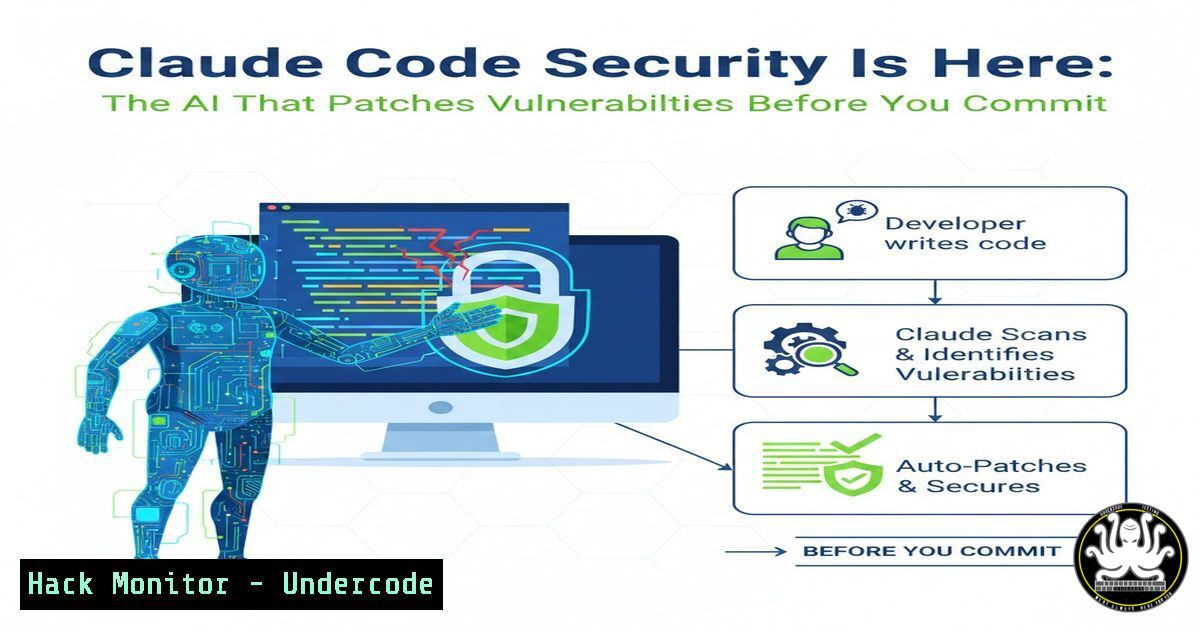
The lines between development and security are blurring. Anthropic has officially launched Claude Code Security, a new capability now in research preview for Enterprise and Team customers that fundamentally shifts how we find and fix vulnerabilities. Unlike traditional Static Application Security Testing (SAST) tools that rely on rigid pattern matching and often drown teams in false positives, Claude Code reads and reasons about code the way a human security researcher would—analyzing context, understanding logic, and catching complex, multi-step vulnerabilities that scanners typically miss .
This tool operates on a “multi-stage verification” model. Every finding is cross-checked, and any recommended fix undergoes human review before application, ensuring developers remain in complete control of their codebase. By integrating directly into the CLI and CI/CD pipelines (via GitHub Actions), Claude Code treats security not as a final checkpoint, but as an intrinsic part of the coding process .
Learning Objectives:
- Understand how to integrate AI-driven security reviews into local development workflows using the `/security-review` command.
- Learn to configure and deploy automated security scanning in CI/CD pipelines using the official Claude Code GitHub Action.
- Master the use of Linux-based sandboxing and custom PreToolUse hooks to create isolated, secure environments for AI agents .
You Should Know:
1. Running Ad-Hoc Security Reviews via CLI
Claude Code introduces a powerful slash command designed for the inner development loop: /security-review. Before you push code or open a pull request, you can invoke this command to analyze your current state. It scans for a wide array of vulnerabilities, including SQL injection (SQLi), Cross-Site Scripting (XSS), hardcoded secrets, and authentication flaws .
Step‑by‑step guide:
First, ensure you have the latest version of Claude Code installed and are authenticated.
 Navigate to your project directory
cd /path/to/your/project

Start an interactive Claude Code session
claude

Once inside the CLI, run the security review on the current state
/security-review
Claude will analyze the codebase. If vulnerabilities are found, it provides an explanation. You can then ask it to fix them directly:
 Following the review, you can prompt
Please fix the SQL injection vulnerability found in database.js
Claude will propose code changes, which you must review and approve before they are written to disk, ensuring you maintain the “human in the loop” .
2. Automating Security in GitHub Actions
To scale security across a team, Claude Code integrates directly into pull requests. By adding a simple workflow file, you can ensure every PR is automatically analyzed, with comments posted inline regarding potential risks .
Step‑by‑step guide:
Create a workflow file in your repository.
 .github/workflows/security-review.yml
name: Claude Code Security Review

permissions:
pull-requests: write
contents: read

on:
pull_request:

jobs:
security-review:
runs-on: ubuntu-latest
steps:
- name: Checkout code
uses: actions/checkout@v4
with:
ref: ${{ github.event.pull_request.head.sha || github.sha }}
fetch-depth: 2

<ul>
<li>name: Run Claude Code Security Review
uses: anthropics/claude-code-security-review@main
with:
comment-pr: true
claude-api-key: ${{ secrets.CLAUDE_API_KEY }}
Commit this file. Now, every new pull request triggers an AI security review. If issues are found, the action posts comments directly on the code lines, explaining the vulnerability and suggesting a fix .
3. Implementing OS-Level Sandboxing for Autonomous Agents
To safely allow Claude to run more autonomously (e.g., executing tests or bash commands), Anthropic has introduced native sandboxing built on OS primitives. This prevents a compromised agent from accessing SSH keys or phoning home to an attacker .
Step‑by‑step guide (Linux):
Claude Code uses `bubblewrap` on Linux to enforce filesystem and network isolation.
 To start a session with the new sandboxed bash tool enabled
claude --sandbox
You can configure the sandbox boundaries. For example, to restrict network access to only internal APIs, you would configure the proxy settings in your Claude config. The sandbox ensures:
– Filesystem Isolation: Write access is confined to the current working directory and subdirectories; modifications to `/etc` or `~/.ssh` are blocked.
– Network Isolation: Outbound traffic is routed through a proxy that enforces domain allowlists .
If Claude attempts an action outside these boundaries, the session is paused, and you are prompted to allow or deny the operation.
4. Hardening Agents with Custom PreToolUse Hooks
For teams needing granular control beyond basic allow/deny, Claude Code supports “PreToolUse” hooks. These are scripts that intercept every tool call (like Bash execution) before it runs, allowing you to programmatically enforce security policies .
Step‑by‑step guide:
Create a hook script (e.g., in TypeScript using Bun) to validate commands.
// .claude/hooks/index.ts
import type { PreToolUseHookInput } from "@anthropic-ai/claude-agent-sdk";

interface BashToolInput {
command: string;
}

const input: PreToolUseHookInput = await Bun.stdin.json();

if (input.tool_name === "Bash") {
const toolInput = input.tool_input as BashToolInput;
const command = toolInput.command;

// Block any command trying to access .env files
if (command.includes(".env")) {
console.error("Blocked: Attempt to access .env file");
process.exit(2); // Exit code 2 blocks the command
}

// Only allow scripts from a specific directory
const allowedPattern = /^bun\s+run\s+scripts\//;
if (!allowedPattern.test(command)) {
process.exit(2);
}
}

// Allow the command
process.exit(0);
Then, configure the hook in your `.claude/settings.json`:
{
"hooks": {
"PreToolUse": [
{
"matcher": "",
"hooks": [
{
"type": "command",
"command": "bun run .claude/hooks/index.ts"
}
]
}
]
}
}
This creates a powerful, rule-based firewall around your AI agent’s capabilities .
5. Installation and Environment Setup (Ubuntu/Debian)
To leverage these features, you need Claude Code installed. Here is the verified method for Linux environments .
Step‑by‑step guide:
 Update system and install dependencies
sudo apt update && sudo apt upgrade -y
sudo apt install -y curl wget gnupg2 software-properties-common

Install Node.js (v20 or later required)
curl -fsSL https://deb.nodesource.com/setup_20.x | sudo -E bash -
sudo apt install -y nodejs

Verify installation
node -v
npm -v

Install Claude Code globally
npm install -g @anthropic-ai/claude-code

Start Claude Code (first run will prompt for API key)
claude
During the first run, you will be prompted to paste your Anthropic API key and confirm workspace trust settings .
What Undercode Say:
- Context is King: Claude Code Security represents a leap beyond traditional SAST because it understands context. It doesn’t just look for
eval(); it analyzes whether user input actually reaches that `eval()` in a dangerous way, drastically reducing false positives and surfacing vulnerabilities that matter . - The “Shift Left” Evolution: By embedding security reviews into the CLI (
/security-review) and the PR process (GitHub Actions), security becomes an instant, frictionless part of the developer workflow. It catches issues when they are cheapest to fix—before they ever reach production . - Agent Autonomy Requires Boundaries: The introduction of OS-level sandboxing and custom hooks is critical. As AI agents gain the ability to edit files and run commands, we must build digital “containment rooms” for them. This dual approach of permission prompts (for control) and sandboxing (for safety) is the blueprint for secure agentic AI .
Prediction:
This release signals the beginning of the end for “checkbox” security tools. In the next 12-18 months, we will see a market consolidation where standalone SAST vendors struggle to compete against AI-native tools that offer higher accuracy and lower noise. The future of AppSec lies not in writing more rules, but in teaching AI models to “think” like security engineers—understanding business logic, data flow, and exploitability in real-time.
▶️ Related Video (82% Match):
🎯Let’s Practice For Free:
IT/Security Reporter URL:
Reported By: Stanislav Bajer – Hackers Feeds
Extra Hub: Undercode MoN
Basic Verification: Pass ✅


