Listen to this Post
Introduction
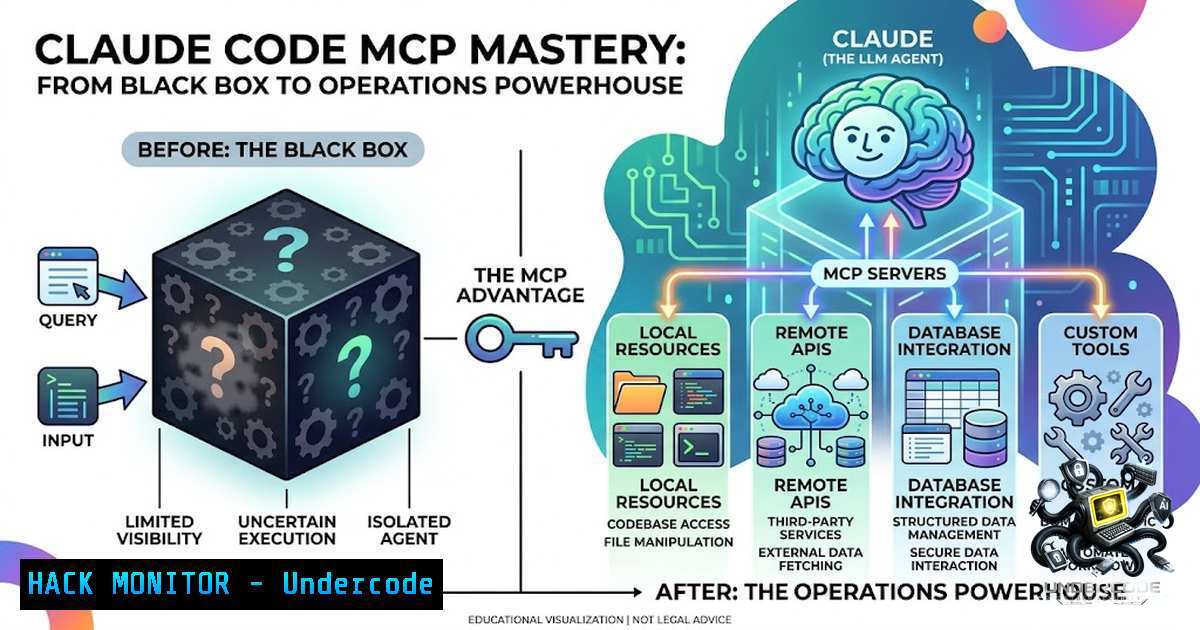
The Model Context Protocol (MCP) represents a fundamental shift in how AI tools interface with external systems—transforming what was once a complex web of bespoke integrations into a unified, plug-and-play ecosystem. While many developers treat MCP connectors as mysterious black boxes that either work or fail through trial and error, understanding its underlying architecture unlocks the true potential of AI-assisted development, turning Claude Code from a simple code editor into a comprehensive operations platform that can interact with databases, APIs, and version control systems through a standardized interface.
Learning Objectives
- Master the MCP architecture and understand its dual nature as both a protocol and service connector
- Implement strategic scope management to optimize MCP configurations across local, project, and user environments
- Leverage Tool Search capabilities to dramatically reduce token consumption and improve performance
- Differentiate between MCP capabilities and Skills conventions to build comprehensive AI workflows
- Deploy and troubleshoot MCP connectors across multiple platforms with practical configuration examples
You Should Know
- Demystifying MCP: The USB Standard for AI Integration
Before MCP, integrating AI tools with external services was a nightmare of custom development—each combination of AI product and target tool required its own unique integration layer. This created an exponential complexity problem: X products multiplied by Y tools equaled X×Y separate integrations to maintain. MCP solves this by establishing a single, open standard that any AI system or tool can implement, reducing the complexity to X+Y—a linear relationship that scales efficiently.
The concept operates on two distinct levels that are often confused. The MCP protocol itself is the open standard released by Anthropic in 2024—think of it as the rules of communication, similar to how HTTP defines how web browsers and servers interact. The MCP service or connector is the concrete implementation—actual tools like GitHub connectors, Notion integrations, or PostgreSQL adapters that speak this protocol. Understanding this distinction is crucial for troubleshooting, as protocol issues require different solutions than connector-specific problems.
For Linux users setting up their first MCP connector, a typical installation might look like:
 Install the Claude Code CLI tool
npm install -g @anthropic-ai/claude-code

Configure a PostgreSQL MCP connector
claude mcp add postgres --command "npx" --args "-y @modelcontextprotocol/server-postgres postgresql://localhost:5432/mydb"

Verify the connector is properly registered
claude mcp list
Windows users can achieve the same via PowerShell:
 Install using npm on Windows
npm install -g @anthropic-ai/claude-code

Add PostgreSQL connector with Windows paths
claude mcp add postgres --command "cmd" --args "/c npx -y @modelcontextprotocol/server-postgres postgresql://localhost:5432/mydb"
- Strategic Scope Management: Local, Project, and User Contexts
One of the most overlooked aspects of MCP deployment is scope selection, yet it dramatically impacts team collaboration and workflow efficiency. MCP supports three distinct scopes: local (machine-specific experiments), project (team-shared configurations), and user (personal tools used everywhere). The resolution priority follows local > project > user, meaning if the same service name appears in multiple scopes, the local configuration takes precedence.
Project scope configurations should be committed to Git, enabling team members to share identical tooling setups without manual intervention. This is particularly valuable for standardizing database connections, API endpoints, and linting configurations across development teams. User scope is ideal for personal productivity tools that you want available across all your projects without redundant configuration.
To implement scope-specific configurations:
 Add a GitHub connector at project scope
claude mcp add github --scope project --command "npx" --args "-y @modelcontextprotocol/server-github"

Add a Notion connector at user scope
claude mcp add notion --scope user --command "npx" --args "-y @modelcontextprotocol/server-1otion"

View all configurations with their scopes
claude mcp list --verbose
The configuration files are stored in:
- Local: `~/.claude/mcp/local/`
– Project: `./.claude/mcp/project/`
– User: `~/.claude/mcp/user/`
For Windows environments, these paths would be:
- Local: `%USERPROFILE%\.claude\mcp\local\`
– Project: `.\\.claude\mcp\project\`
– User: `%USERPROFILE%\.claude\mcp\user\`
- The Tool Search Revolution: Breaking the 5-MCP Limit
The old conventional wisdom that you should limit MCP connectors to five tools stemmed from a fundamental architectural limitation: every tool definition was loaded into the context window at startup, consuming precious tokens regardless of whether those tools were actually used. This created a painful tradeoff between functionality and context efficiency, forcing developers to make tough decisions about which connectors to keep active.
Tool Search has completely transformed this landscape. Instead of loading full tool definitions upfront, Claude now loads only tool names during initialization. Full definitions, including parameter schemas and function signatures, are fetched on-demand only when a particular tool is actually referenced in a request. In real-world testing, this approach saves approximately 50,000 tokens of context per session—a massive improvement that allows you to install every connector you need without performance penalties.
To maximize the benefits of Tool Search:
 Verify Tool Search is enabled
claude config get toolSearch

Enable if not already active
claude config set toolSearch true

Add multiple connectors without concern
claude mcp add postgres --command "npx" --args "-y @modelcontextprotocol/server-postgres"
claude mcp add github --command "npx" --args "-y @modelcontextprotocol/server-github"
claude mcp add slack --command "npx" --args "-y @modelcontextprotocol/server-slack"
claude mcp add aws --command "npx" --args "-y @modelcontextprotocol/server-aws"
claude mcp add jira --command "npx" --args "-y @modelcontextprotocol/server-jira"
The context savings can be quantified by monitoring token usage:
 Monitor token usage before Tool Search
claude --debug --trace "List my GitHub repositories"

Check the context window size after enabling Tool Search
claude --debug --trace "Check database schema for users table"
4. MCP vs. Skills: Capability versus Convention
The MCP versus Skills comparison represents one of the most consequential architectural decisions in building AI-powered workflows, yet it’s frequently misunderstood. MCP provides Claude with entirely new capabilities it didn’t possess—the ability to connect to a database, call external APIs, or interact with version control systems. Skills, conversely, establish conventions—the rules of engagement for how your team writes SQL, formats commit messages, conducts code reviews, or structures project documentation.
This distinction is critical because MCP opens doors (capability), while Skills set house rules (convention). An effective implementation uses both in harmony: MCP connectors provide the raw access to external systems, while Skills ensure that access is exercised according to organizational standards and best practices.
For example, to implement both an MCP connector and a corresponding Skill:
 MCP connector configuration (.claude/mcp/project/postgres.json)
{
"name": "postgres",
"command": "npx",
"args": ["-y", "@modelcontextprotocol/server-postgres", "postgresql://localhost:5432/mydb"]
}

Skill definition (.claude/skills/sql-conventions.md)

name: sql-conventions
description: Team standards for database queries

SQL Query Rules
- Always use parameterized queries to prevent SQL injection
- Include EXPLAIN ANALYZE for all SELECT queries
- Use snake_case for column names
- Add table aliases for all joins
- Limit result sets to 1000 rows by default
- Include error handling for connection failures
5. Practical MCP Server Configuration and Security Hardening
Deploying MCP connectors in production environments requires careful attention to security, particularly when dealing with sensitive data or external API access. The most common attack vector involves improperly secured authentication tokens stored in plaintext configuration files. Implementing robust security measures ensures your MCP deployment remains resilient against unauthorized access.
For enhanced security, consider these configuration patterns:
 Use environment variables for sensitive credentials
export POSTGRES_PASSWORD="secure_password"
export GITHUB_TOKEN="ghp_xxxxxxxxxxxx"

Configure MCP server with environment variable substitution
claude mcp add postgres --command "npx" --args "-y @modelcontextprotocol/server-postgres postgresql://user:${POSTGRES_PASSWORD}@localhost:5432/mydb"

Implement rate limiting for API calls
claude mcp add github --config-rate-limit "100/minute" --command "npx" --args "-y @modelcontextprotocol/server-github"

Enable audit logging for all MCP operations
claude config set auditLogging true
claude config set auditLogPath "/var/log/claude/mcp-audit.log"
For enterprise deployments, consider implementing a dedicated MCP gateway that centralizes authentication and provides logging:
 Example Docker deployment for MCP gateway
docker run -d \
--1ame mcp-gateway \
-p 8080:8080 \
-e AUTH_TYPE=oauth2 \
-e AUTH_ENDPOINT=https://auth.company.com/oauth2/token \
-v /etc/mcp/gateway-config:/config \
company/mcp-gateway:latest
What Undercode Say
- Capability versus Convention is the critical distinction: Most teams fail because they try to use MCP for convention enforcement and Skills for capability expansion, exactly backwards. Understanding which problem each tool solves prevents architectural confusion and ensures both are used where they provide maximum value.
-
Tool Search is a game changer for adoption: The 5-MCP limit was a self-imposed constraint based on outdated architecture. Organizations should aggressively adopt Tool Search and immediately expand their MCP footprint, as the token savings enable comprehensive tool access without performance degradation.
-
Scope strategy impacts team velocity more than connector choice: Teams that treat scope as an afterthought waste hours on configuration drift. Committing project-scoped configurations to Git and standardizing across the organization eliminates the “it works on my machine” problem common in AI tooling.
The evolution from bespoke integrations to MCP represents a fundamental maturation of the AI ecosystem. What we’re seeing is analogous to the transition from custom serial cables to USB—a standardization that unlocks exponential growth in tooling options while reducing complexity. The organizations that understand the protocol versus service distinction, implement appropriate scoping strategies, and leverage Tool Search will pull ahead of competitors who continue treating MCP connectors as black boxes.
Prediction
+1: MCP adoption will accelerate dramatically through 2027 as enterprises recognize that standardization reduces integration costs by 70-80% compared to custom AI-to-tool connections, making AI operations accessible to mid-market companies previously priced out of custom development.
+1: Tool Search technology will inspire similar optimizations across the AI industry, with competing platforms implementing equivalent capabilities and creating a “context efficiency” arms race that benefits end users with more capable, performant AI assistants.
-1: Organizations failing to implement proper scope management will experience configuration drift and technical debt as individual developers create siloed configurations, leading to inconsistent AI behavior and reduced team productivity.
+1: The distinction between MCP and Skills will drive a new category of AI governance tools that help organizations define and enforce conventions, creating a multi-billion dollar market for AI workflow management platforms.
-1: Security vulnerabilities in improperly configured MCP connectors will emerge as a significant attack vector, particularly in environments where developers hardcode credentials or fail to implement proper rate limiting and audit logging.
▶️ Related Video (88% Match):
🎯Let’s Practice For Free:
🎓 Live Courses & Certifications:
Join Undercode Academy for Verified Certifications
🚀 Request a Custom Project:
Secure, high-velocity infrastructure and disruptive technological engineering. Contact our engineering team for high-tier development and proprietary systems:
[email protected]
💎 Smart Architecture | 🛡️ Secure by Design | ⭐ Trusted by Thousands
IT/Security Reporter URL:
Reported By: Singh Shikher0021 – Hackers Feeds
Extra Hub: Undercode MoN
Basic Verification: Pass ✅


