Listen to this Post
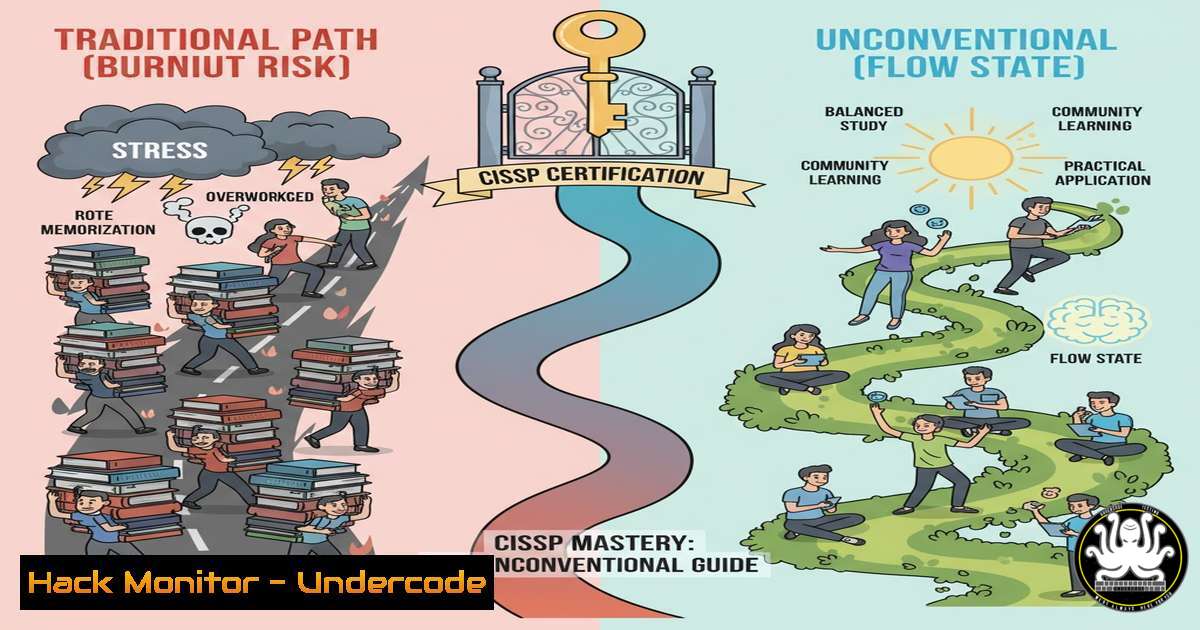
Introduction:
The Certified Information Systems Security Professional (CISSP) certification is the gold standard in cybersecurity credentials, but its vast scope often leads to candidate burnout. Moving beyond traditional, exhaustive study methods, a strategic approach focused on understanding core concepts and practical application can streamline the path to success. This guide outlines a tactical framework for efficient preparation, ensuring you leverage your time effectively to master the eight domains of the (ISC)² CISSP Common Body of Knowledge (CBK).
Learning Objectives:
- Develop a strategic study plan that prioritizes high-yield topics and avoids information overload.
- Translate theoretical security concepts into practical commands and configurations relevant to the exam.
- Implement resilience techniques to maintain consistency and mental acuity throughout the preparation journey.
You Should Know:
- Architecting Your Study Plan with the Pareto Principle
The Pareto Principle, or the 80/20 rule, is critical for efficient CISSP preparation. Instead of trying to memorize every detail, identify the 20% of concepts that will likely appear in 80% of the exam questions. Focus heavily on domains like Security and Risk Management (Domain 1), which forms the foundation, and Asset Security (Domain 2).
Verified Command/Tutorial:
Concept: Use a command-line tool like `curl` to understand API security, a key topic in Domain 6 (Security Assessment and Testing).
Command:
 Test for a common security misconfiguration: HTTP methods allowed on a web server.
curl -X OPTIONS http://example.com -I
Step-by-step guide:
- Open your terminal (Linux/macOS) or command prompt/PowerShell (Windows, with `curl` installed).
- The `-X OPTIONS` flag asks the server which HTTP methods (e.g., GET, POST, PUT, DELETE) it supports.
- The `-I` flag fetches only the HTTP headers.
- Analyze the `Allow` header in the response. If it includes potentially dangerous methods like `PUT` or `DELETE` that are not needed, this indicates a misconfiguration you must understand for the exam.
2. Mastering Access Control Models with Practical Commands
A deep understanding of Discretionary Access Control (DAC), Mandatory Access Control (MAC), and Role-Based Access Control (RBAC) is non-negotiable. Relate these models to actual operating system implementations.
Verified Command/Tutorial:
Concept: DAC on a Linux system using `chmod` and setfacl.
Commands:
 1. Set Read/Write/Execute for owner, Read/Execute for group, and No access for others on a file.
chmod 750 secret_file.txt

<ol>
<li>View the detailed access control list (ACL) of a file.
getfacl secret_file.txt</p></li>
<li><p>Add write permission for a specific user ('bob') to the file without changing the group.
setfacl -m u:bob:w secret_file.txt
Step-by-step guide:
1. `chmod 750` is a fundamental command. The numbers represent permissions for owner (7=rwx), group (5=r-x), and others (0=).
2. `getfacl` displays the file’s ACL, which may include extended permissions beyond the standard `chmod` settings.
3. `setfacl -m` modifies the ACL. This command specifically grants write (w) permission to user bob, a classic example of fine-grained DAC.
3. Implementing Windows Security Policy for RBAC
On Windows, security principals and group policies are the embodiment of RBAC and policy enforcement, crucial for Domain 3 (Identity and Access Management).
Verified Command/Tutorial:
Concept: Using the Local Security Policy editor and PowerShell to manage user rights.
Commands (PowerShell as Administrator):
 1. Open the Local Security Policy editor (GUI)
secpol.msc

<ol>
<li>Use PowerShell to audit user accounts (e.g., find accounts that never expire)
Get-LocalUser | Where-Object -Property PasswordNeverExpires -eq $True</p></li>
<li><p>Force a group policy update on a client machine
gpupdate /force
Step-by-step guide:
- Running `secpol.msc` opens the GUI where you can navigate to “Local Policies” > “User Rights Assignment” to see policies like “Allow log on locally” or “Back up files and directories.” This visually reinforces RBAC.
- The PowerShell command `Get-LocalUser` is a practical tool for security assessment, identifying accounts with non-expiring passwords—a common finding in security audits.
3. `gpupdate /force` immediately applies any new Group Policy settings, a key administrative action for enforcing security configurations.
4. Cloud Hardening for IAM and Network Security
Domains 3 (IAM) and 4 (Communication and Network Security) are deeply integrated into cloud platforms. Understanding how to harden cloud deployments is essential.
Verified Command/Tutorial:
Concept: Using AWS CLI to analyze an S3 bucket’s security posture.
Commands (AWS CLI required):
 1. Check if an S3 bucket is publicly accessible
aws s3api get-bucket-acl --bucket my-bucket-name

<ol>
<li>Check the bucket policy for overly permissive statements
aws s3api get-bucket-policy --bucket my-bucket-name</p></li>
<li><p>Enable default encryption on the bucket
aws s3api put-bucket-encryption --bucket my-bucket-name --server-side-encryption-configuration '{"Rules": [{"ApplyServerSideEncryptionByDefault": {"SSEAlgorithm": "AES256"}}]}'
Step-by-step guide:
- The `get-bucket-acl` command retrieves the access control list, showing which AWS accounts or groups have permissions.
2. `get-bucket-policy` fetches the resource-based policy, where you might find a statement with `”Effect”: “Allow”` and"Principal": "", indicating it is publicly open—a major security risk. - The `put-bucket-encryption` command mandates encryption-at-rest for all objects uploaded to the bucket, a core data protection mitigation.
5. Vulnerability Exploitation and Mitigation with Log Analysis
Understanding attack vectors is key to Domains 7 (Security Operations) and 8 (Software Development Security). Simulating an attack and reviewing logs solidifies this knowledge.
Verified Command/Tutorial:
Concept: Scanning for vulnerabilities with `nmap` and correlating the activity in system logs.
Commands:
 1. Perform a basic SYN scan on a target to discover open ports
nmap -sS 192.168.1.100

<ol>
<li>Check the Linux auth logs for authentication attempts (often where scan logs appear)
sudo tail -f /var/log/auth.log</p></li>
<li><p>On Windows, use PowerShell to query the firewall log for blocked connections
Get-NetFirewallRule | Where-Object { $<em>.Enabled -eq 'True' -and $</em>.Action -eq 'Block' } | Format-Table Name, Enabled, Action
Step-by-step guide:
- The `nmap -sS` command is a default, stealthy TCP scan. Running this against a test machine simulates a reconnaissance phase.
- Simultaneously, `tail -f` on the auth log allows you to see, in real-time, how the target system logs the connection attempts, often from services like
sshd. - The PowerShell command helps audit the active Windows Firewall rules, demonstrating how access controls are implemented and monitored to mitigate such scans.
6. Cryptography in Practice: Hashing and Key Management
Domain 3 (Cryptography) requires more than theory. You must understand the practical differences between algorithms and their uses.
Verified Command/Tutorial:
Concept: Using OpenSSL to generate hashes and create a self-signed certificate.
Commands:
 1. Generate an SHA-256 hash of a file (for integrity verification)
openssl dgst -sha256 important_document.pdf

<ol>
<li>Generate a 2048-bit RSA private key
openssl genrsa -out my_private_key.pem 2048</p></li>
<li><p>Generate a self-signed certificate using that private key
openssl req -new -x509 -key my_private_key.pem -out my_certificate.crt -days 365
Step-by-step guide:
1. `openssl dgst` is a standard tool for verifying file integrity. Compare the hash output before and after file transfer to ensure it hasn’t been tampered with.
2. `genrsa` generates the private key, the foundational component of asymmetric cryptography. The `2048` bit-length is a current best practice.
3. The `req -new -x509` command creates a certificate, which is a public key signed by itself. This process illustrates the relationship between private keys and public certificates, a core PKI concept.
7. Automating Security Configuration with Scripts
Automation is a force multiplier in security operations (Domain 7). A simple script can check multiple systems for a common misconfiguration.
Verified Command/Tutorial:
Concept: A Bash script to check for accounts with empty passwords—a critical finding.
Code Snippet:
!/bin/bash
 Script to check for users with empty passwords
echo "Checking for users with empty passwords..."

Use getent to get all users and check their password field in /etc/shadow
for user in $(getent passwd | cut -d: -f1); do
passwd_field=$(sudo getent shadow $user | cut -d: -f2)
if [ -z "$passwd_field" ]; then
echo "ALERT: User '$user' has an empty password!"
fi
done
Step-by-step guide:
1. Save this code as `check_empty_passwords.sh`.
2. Give it execute permission: `chmod +x check_empty_passwords.sh`.
- Run it with
sudo ./check_empty_passwords.sh. The script iterates through all users, checks the encrypted password field in/etc/shadow, and alerts you if it’s empty. This demonstrates proactive security auditing, a key role of a CISSP.
What Undercode Say:
- Strategy Trumps Brute Force: The CISSP is a test of managerial and engineering judgment, not just factual recall. A targeted, concept-driven approach is significantly more effective and sustainable than attempting to memorize the entire CBK.
- Context is King: Isolated facts are easily forgotten. Anchoring abstract security models to real-world commands and scenarios creates the deep, contextual understanding needed to answer the exam’s challenging scenario-based questions.
The traditional path to the CISSP is paved with overwhelmed candidates who mistake volume for effectiveness. The methodology outlined here, which integrates practical technical verification with strategic study, aligns with the cognitive demands of the exam itself. It builds a resilient knowledge framework that can adapt to novel scenarios, which is the true mark of a CISSP. This approach doesn’t just prepare you to pass a test; it reinforces the analytical mindset required to excel as a security leader.
Prediction:
The future of cybersecurity certification will increasingly diverge from pure theoretical knowledge. As AI-driven tools automate basic tasks, the value of human professionals will lie in their strategic judgment and ability to translate policy into practice. The CISSP, while foundational, will be the first step. We will see a surge in demand for specialized, hands-on certifications and continuous, micro-learning assessments that validate practical skills in cloud security, AI security governance, and automated threat response, forcing professionals to adopt more integrated and practical learning methodologies from the outset.
🎯Let’s Practice For Free:
IT/Security Reporter URL:
Reported By: Biren Bastien – Hackers Feeds
Extra Hub: Undercode MoN
Basic Verification: Pass ✅


