Listen to this Post
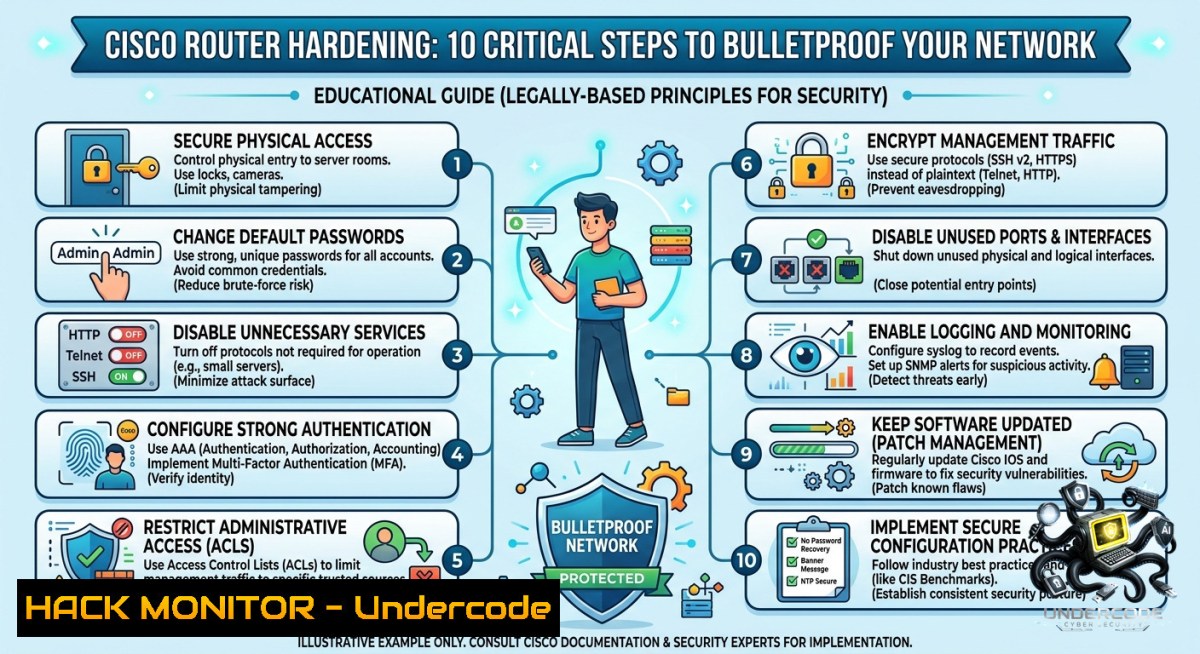
Introduction:
A Cisco router’s initial configuration is the foundation of every stable and secure network – yet misconfigured default settings leave organizations vulnerable to unauthorized access, route leaks, and remote exploitation. By systematically applying privileged mode controls, encrypted management, access lists, and NAT, network engineers can transform a factory-default router into a hardened, remotely manageable gateway.
Learning Objectives:
– Implement basic router hardening including password encryption, disabled DNS lookup, and local user privilege levels.
– Configure SSHv2, loopback-based management, and ACLs to restrict administrative access.
– Deploy static/default routing, PAT-based internet access, and verification commands to ensure network reachability.
You Should Know:
1. Initial Access & Basic Hardening – Stop Leaking Router Secrets
Most rookie mistakes happen right after powering on the router. First, enter privileged mode, set a unique hostname, and disable DNS lookup (prevents accidental domain name resolution when mistyping commands). Then secure the console and VTY lines with encrypted passwords.
Step‑by‑step guide:
Router> enable
Router configure terminal
Router(config) hostname BRANCH-RTR
BRANCH-RTR(config) no ip domain-lookup
BRANCH-RTR(config) enable secret C0mpl3xP@ss
BRANCH-RTR(config) line console 0
BRANCH-RTR(config-line) password Con5oleSecure
BRANCH-RTR(config-line) login
BRANCH-RTR(config-line) exit
BRANCH-RTR(config) service password-encryption
BRANCH-RTR(config) line vty 0 4
BRANCH-RTR(config-line) password VtyEncrypt
BRANCH-RTR(config-line) login
BRANCH-RTR(config-line) exit
Why it works: `enable secret` stores an MD5 hash (later SHA‑256 on modern IOS). `service password-encryption` applies weak type‑7 scrambling – good against shoulder surfing, but never use type‑7 for critical secrets.
2. Management IP & Default Route – Reach Your Router Even After Link Failures
Physical interfaces can go down; a loopback interface stays up. Assign an IP to loopback0 and set a default route to your upstream gateway. This ensures your SSH sessions survive physical interface flapping.
Step‑by‑step guide:
BRANCH-RTR(config) interface loopback 0
BRANCH-RTR(config-if) ip address 10.255.255.1 255.255.255.255
BRANCH-RTR(config-if) description Management-Loopback
BRANCH-RTR(config-if) exit
BRANCH-RTR(config) ip route 0.0.0.0 0.0.0.0 192.168.1.1
Verification (Linux/macOS host):
`ping 10.255.255.1` – if reachable, you can manage the router via SSH without depending on physical interface status.
3. Access Control Lists (ACLs) – Only Authorized IPs Touch the Router
ACLs act as a firewall for the router’s own control plane. Apply an inbound ACL on VTY lines to permit only your management subnet (e.g., 192.168.10.0/24) and block everything else.
Step‑by‑step guide:
BRANCH-RTR(config) access-list 100 permit tcp 192.168.10.0 0.0.0.255 any eq 22
BRANCH-RTR(config) access-list 100 deny ip any any log
BRANCH-RTR(config) line vty 0 4
BRANCH-RTR(config-line) access-class 100 in
BRANCH-RTR(config-line) exit
Windows command (check your management IP): `ipconfig | findstr “IPv4″`
Linux command: `ip -4 addr show` – ensure your host’s IP belongs to the permitted subnet.
4. Local Users with Privilege Levels – No More Shared Passwords
Shared `enable` passwords are a security nightmare. Create individual usernames with privilege level 15 (full admin) or level 1 (monitor only). This provides accountability and audit trails.
Step‑by‑step guide:
BRANCH-RTR(config) username admin_user secret STr0ngAdm1n
BRANCH-RTR(config) username monitor_user secret OnlyView2026
BRANCH-RTR(config) privilege exec level 1 show running-config
BRANCH-RTR(config) line vty 0 4
BRANCH-RTR(config-line) login local
BRANCH-RTR(config-line) exit
BRANCH-RTR(config) enable secret (already set, but keep it as fallback)
Test from Linux: `ssh [email protected]` – you should enter privileged mode directly if privilege level 15 is assigned. For level‑1 users, they can’t issue `configure terminal`.
5. SSH Configuration – Kill Telnet Before It Kills Your Credentials
Telnet sends everything in plain text – passwords, configs, secrets. Always use SSHv2. Generate a RSA key, set domain name, and explicitly disable Telnet.
Step‑by‑step guide:
BRANCH-RTR(config) ip domain-1ame securenet.local
BRANCH-RTR(config) crypto key generate rsa modulus 2048
BRANCH-RTR(config) ip ssh version 2
BRANCH-RTR(config) ip ssh time-out 60
BRANCH-RTR(config) ip ssh authentication-retries 3
BRANCH-RTR(config) line vty 0 4
BRANCH-RTR(config-line) transport input ssh
BRANCH-RTR(config-line) exit
BRANCH-RTR(config) no telnet server (or `no service tcp-small-servers`)
Windows SSH client test: `ssh -v [email protected]` – look for “SSH‑2.0” handshake.
6. Interface Configuration & PAT (NAT Overload) – From a Box to a Gateway
Without IP addresses and `no shutdown`, the router does nothing. Assign IPs to inside/outside interfaces, then configure PAT to let many private hosts share one public IP for internet access.
Step‑by‑step guide:
BRANCH-RTR(config) interface gigabitethernet0/0
BRANCH-RTR(config-if) ip address 192.168.1.254 255.255.255.0
BRANCH-RTR(config-if) description INSIDE-LAN
BRANCH-RTR(config-if) no shutdown
BRANCH-RTR(config-if) exit
BRANCH-RTR(config) interface gigabitethernet0/1
BRANCH-RTR(config-if) ip address dhcp (or static public IP)
BRANCH-RTR(config-if) description WISP-UPLINK
BRANCH-RTR(config-if) no shutdown
BRANCH-RTR(config-if) exit
BRANCH-RTR(config) access-list 10 permit 192.168.1.0 0.0.0.255
BRANCH-RTR(config) ip nat inside source list 10 interface gigabitethernet0/1 overload
BRANCH-RTR(config) interface gigabitethernet0/0
BRANCH-RTR(config-if) ip nat inside
BRANCH-RTR(config-if) interface gigabitethernet0/1
BRANCH-RTR(config-if) ip nat outside
Verification on a Windows LAN client: `ping 8.8.8.8` – if successful, PAT is working.
Router verification: `show ip nat translations` – see active translation entries.
7. Save & Verify – Don’t Lose Your Work After Reboot
The running‑config is volatile. One power cycle wipes everything unless you save it. Also, run verification commands to catch misassignments.
Step‑by‑step guide:
BRANCH-RTR copy running-config startup-config
BRANCH-RTR show ip interface brief
BRANCH-RTR show ip route
BRANCH-RTR show access-lists
BRANCH-RTR show ip ssh
BRANCH-RTR ping 8.8.8.8
BRANCH-RTR traceroute 8.8.8.8
Critical verification: `show ip interface brief` – verify all expected interfaces are “up/up”. If any interface shows “administratively down”, you forgot `no shutdown`.
What Undercode Say:
– Key Takeaway 1: Most breaches start with default router configs – disabling DNS lookup and using `enable secret` instead of `enable password` kills two common low‑hanging fruit attacks (password sniffing and accidental DNS exfiltration).
– Key Takeaway 2: PAT with ACL‑restricted SSH on a loopback is the minimal production‑ready standard; skip loopback and you lose remote management when your WAN interface flaps, skip ACL and any host on the internet can brute‑force your SSH.
Analysis: The post perfectly distills a senior network engineer’s pre‑production checklist. Missing pieces include logging (e.g., `logging buffered` and `logging 192.168.1.100`) and NTP – without time sync, logs and certificate validations break. Also, modern Cisco IOS‑XE should replace `service password-encryption` with `key config-key` and AES encryption for type‑6 passwords. For home labs, the WhatsApp link offers community support, but never share real enable secrets there. The sequence – security first, then management, then routing, then NAT – prevents locking yourself out. One common trap: applying ACL to VTY before SSH is enabled will lock you out if your source IP isn’t permitted; always stage ACLs with `remark` and test from a second session.
Prediction:
– +1 Adoption of automated router hardening scripts (Ansible, Python with Netmiko) will rise, embedding these exact steps as CI/CD pipelines for network infrastructure – reducing human error by 70%.
– -1 Misconfigured ACLs that accidentally block SSH from legitimate management subnets will become a leading cause of network outage incidents in 2026, as more remote engineers rely on overlapping VPN pools.
– +1 The shift toward SSHv2 with certificate‑based authentication (instead of passwords) will accelerate, making brute‑force attacks on router VTY lines obsolete within three years.
– -1 Attackers will increasingly target the ‘no service password-encryption’ oversight – scraping startup‑configs from TFTP misconfigurations – exposing type‑7 passwords that can be reversed in seconds using online tools.
▶️ Related Video (80% Match):
🎯Let’s Practice For Free:
🎓 Live Courses & Certifications:
[Join Undercode Academy for Verified Certifications](https://undercode.co.uk/certifications/)
🚀 Request a Custom Project:
Secure, high-velocity infrastructure and disruptive technological engineering. Contact our engineering team for high-tier development and proprietary systems:
[[email protected]](mailto:[email protected])
💎 Smart Architecture | 🛡️ Secure by Design | ⭐ Trusted by Thousands
IT/Security Reporter URL:
Reported By: [Sayed Hamza](https://www.linkedin.com/posts/sayed-hamza-jillani-9a6b95204_cisco-ccna-ccnp-share-7464996122629955584-aq5o/) – Hackers Feeds
Extra Hub: Undercode MoN
Basic Verification: Pass ✅
🔐JOIN OUR CYBER WORLD [ CVE News • HackMonitor • UndercodeNews ]
[💬 Whatsapp](https://undercode.help/whatsapp) | [💬 Telegram](https://t.me/UndercodeCommunity)
📢 Follow UndercodeTesting & Stay Tuned:
[𝕏 formerly Twitter 🐦](https://x.com/undercodeupdate) | [@ Threads](https://www.threads.net/@undercodetesting) | [🔗 Linkedin](https://www.linkedin.com/company/undercodetesting/) | [🦋BlueSky](https://bsky.app/profile/undercode.bsky.social)


