Listen to this Post
Introduction:
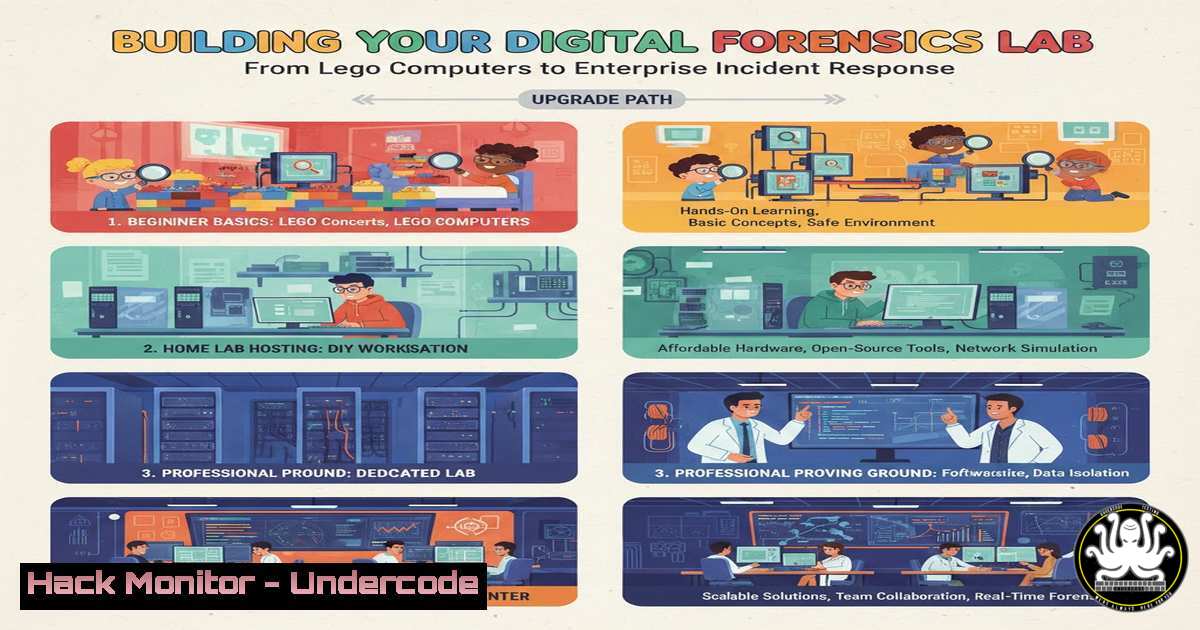
When a Digital Forensics Examiner like Alexis B. receives a Lego computer set as a holiday gift, it’s more than a nostalgic toy—it’s a metaphor for the modular, building-block approach required in modern cybersecurity investigations. In 2026, the ability to construct a robust forensic analysis environment from discrete, reliable tools is paramount for responding to breaches, investigating insider threats, and hunting for advanced persistent threats (APTs). This guide translates that foundational mindset into a practical blueprint for building and operating a forensic capability.
Learning Objectives:
- Assemble a scalable digital forensics toolkit using open-source and commercial building blocks.
- Execute critical evidence acquisition and memory analysis procedures on both Linux and Windows systems.
- Harden your forensic environment and analysis processes against evidence tampering and anti-forensics techniques.
You Should Know:
1. Laying the Foundation: Building Your Forensic Workstation
The first step is constructing a secure, isolated, and powerful analysis platform. Think of this as assembling the chassis of your Lego computer before installing components.
Step-by-step guide:
- Base Operating System: Start with a clean installation of a Linux distribution like Ubuntu LTS or the dedicated forensic OS, SIFT Workstation. Isolate this machine from your production network.
- Hardware Considerations: Ensure sufficient RAM (32GB minimum) and storage. Use multiple high-speed external drives—one for tools, others for evidence storage.
3. Secure Configuration: Harden the OS immediately.
 Update and remove unnecessary services
sudo apt update && sudo apt upgrade -y
sudo apt purge telnet rsh-client rsh-server -y

Enable firewall and only allow SSH from a management jump host
sudo ufw enable
sudo ufw allow from <JUMP_HOST_IP> to any port 22
sudo ufw default deny incoming
4. Tool Installation: Use package managers and Git to install core tools.
 Install core forensic packages
sudo apt install sleuthkit autopsy plaso timeshift guymager -y

Clone and install volatility3 for memory analysis
git clone https://github.com/volatilityfoundation/volatility3.git
cd volatility3
pip3 install -r requirements.txt
- The First Brick: Forensic Imaging and Evidence Integrity
Acquiring a forensically sound image is the most critical step. Any flaw here compromises the entire investigation.
Step-by-step guide:
- Write-Blocking: Always use a hardware write-blocker when connecting a suspect’s drive. Software write-blocking is a secondary option on Linux.
Check connected block devices BEFORE connecting the evidence drive
lsblk
Connect the evidence drive via write-blocker and identify it (e.g., sdb)
lsblk
Use dd or dc3dd to create a raw image, hashing for integrity
sudo dc3dd if=/dev/sdb hash=sha256 log=/mnt/evidence/imaging.log hof=/mnt/evidence/case_001.img
- Windows Alternative: Use FTK Imager Lite (GUI) or `dd` for Windows via Cygwin. Always generate and verify the hash (MD5, SHA256) of the image.
- Chain of Custody: Document everything: the hash, time, operator, and hardware serial numbers.
-
Analyzing the Blueprint: File System Timeline with The Sleuth Kit
Construct a timeline of file system activity to identify malicious actions, data exfiltration, or suspicious user behavior.
Step-by-step guide:
- Generate a Super Timeline: Use `fls` and `mactime` from The Sleuth Kit to create a body file, then sort it.
Create a body file from the forensic image
fls -r -m / -p /mnt/evidence/case_001.img > /mnt/evidence/bodyfile
Generate the timeline
mactime -b /mnt/evidence/bodyfile -d -y > /mnt/evidence/timeline.csv
-
Analysis: Import the CSV into a spreadsheet or use tools like `timeshift` to filter for key timestamps around the incident, looking for prefetch file execution, document access, or creation of persistence mechanisms.
-
Snapshot of Volatility: Memory Forensics with Volatility 3
Live memory (RAM) contains running processes, network connections, and malware artifacts that never touch the disk.
Step-by-step guide:
- Acquire Memory: On a live Windows system, use `DumpIt.exe` or
WinPmem. On Linux, use `LiME` oravml. - Analyze with Volatility 3: Profile the memory dump and run key plugins.
Identify the correct profile (OS)
python3 vol.py -f /mnt/evidence/memory.dmp windows.info
List running processes
python3 vol.py -f /mnt/evidence/memory.dmp windows.pslist
Scan for potential rogue processes and network connections
python3 vol.py -f /mnt/evidence/memory.dmp windows.malfind
python3 vol.py -f /mnt/evidence/memory.dmp windows.netscan
- Extract Executables: Dump suspicious processes for static analysis in a sandbox.
5. Hardening the Build: Anti-Anti-Forensics and API Security
Modern malware attempts to detect and evade forensic tools. Secure your environment and look for evasive tactics.
Step-by-step guide:
- Detect Sandbox Evasion: In your memory analysis, look for signs of virtualized environments, checking process list for forensic tools, or user interaction delays.
- Cloud & API Forensics: For cloud incidents, immediately secure API keys and audit logs. In AWS:
Use AWS CLI to capture critical logs, ensuring your credentials are not compromised
aws cloudtrail lookup-events --start-time "2025-12-24T00:00:00Z" --end-time "2025-12-26T23:59:59Z" --max-items 1000 > cloudtrail_events.json
- Harden Your Analysis API: If using a tool with a web API (like Autopsy), ensure it’s not exposed.
Bind Autopsy to localhost only, not all interfaces
sudo autopsy -d /mnt/evidence -p 9999 -l 127.0.0.1
Use SSH tunneling for secure remote access if needed
ssh -L 9999:localhost:9999 user@forensic-workstation
6. Automating the Bricklaying: Orchestration with Scripts
Repetitive tasks must be automated to ensure consistency and save time during an incident.
Step-by-step guide:
- Create an Acquisition Script: A Bash script can automate imaging and hashing.
!/bin/bash
image_acquisition.sh
EVIDENCE_DRIVE=$1
CASE_NUMBER=$2
OUTPUT_PATH="/mnt/evidence/$CASE_NUMBER"
mkdir -p $OUTPUT_PATH
dc3dd if=$EVIDENCE_DRIVE hash=sha256 log=$OUTPUT_PATH/imaging.log hof=$OUTPUT_PATH/disk.img
echo "Acquisition complete. SHA256: $(tail -n 1 $OUTPUT_PATH/imaging.log)"
- Automate Triage: Use `osquery` or `KAPE` on endpoints to quickly collect triage data (process list, prefetch, logs) before full imaging.
What Undercode Say:
- Modularity is Resilience: A forensic lab built from interoperable, well-understood tools is more adaptable and less prone to single-point failure than a monolithic black-box solution.
- Integrity Over Everything: The forensic process itself must be defensible. Meticulous logging, write-blocking, and hash verification are non-negotiable bricks in your wall of evidence.
The shift from viewing forensic tools as standalone applications to seeing them as integrable components of a larger, automated pipeline is the key evolution. The “Lego mindset” fosters deeper understanding, customization, and the ability to adapt to novel attack techniques that off-the-shelf suites might miss.
Prediction:
By 2026, the manual processes outlined here will be increasingly augmented by AI co-pilots. AI will rapidly correlate timelines, memory objects, and network logs to propose investigative hypotheses, drastically reducing time-to-detection (TTD). However, this will create a new attack surface: adversarial AI designed to poison forensic data sets and generate deceptive artifacts. The future forensic examiner will need dual expertise in investigative principles and machine learning model validation to discern true threats from AI-generated noise, making the foundational skills of evidence integrity more critical than ever.
▶️ Related Video (84% Match):
🎯Let’s Practice For Free:
IT/Security Reporter URL:
Reported By: Abrignoni Happyholidays – Hackers Feeds
Extra Hub: Undercode MoN
Basic Verification: Pass ✅


