Listen to this Post
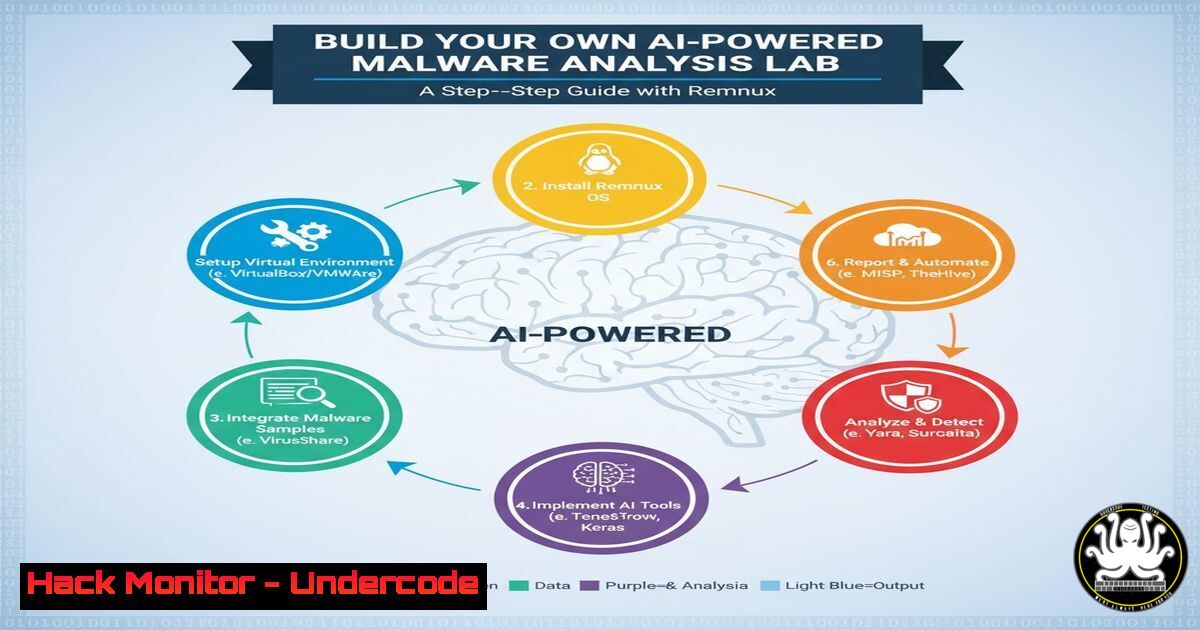
Introduction:
The integration of Large Language Models (LLMs) into malware analysis is no longer a futuristic concept but a present-day necessity. As malicious code becomes more sophisticated and obfuscated, analysts are turning to Artificial Intelligence to automate the initial triage, deobfuscate scripts, and summarize complex behaviors. Following recent research by experts like Karsten Hahn, this guide provides a comprehensive walkthrough for setting up your own AI-assisted malware analysis lab using Remnux, allowing you to harness the power of local LLMs for reverse engineering in a safe, isolated environment.
Learning Objectives:
- Understand how to deploy a local LLM (like Ollama) within a Remnux virtual machine for secure, offline analysis.
- Learn to configure and use tools such as `llama.cpp` or `Ollama` to interface with malware analysis frameworks.
- Master the process of using AI to deobfuscate PowerShell scripts, analyze disassembled code, and generate human-readable summaries of malware functionality.
You Should Know:
1. Preparing Your Isolated Analysis Environment
Before introducing AI, you must have a secure sandbox. Remnux, a Linux toolkit for reverse-engineering malware, is the ideal base. It comes pre-packed with debuggers, disassemblers, and network forensics tools.
– Step 1: Download and install VirtualBox or VMware.
– Step 2: Download the latest Remnux OVA file from the official website and import it into your hypervisor.
– Step 3: Configure the network adapter to “Host-Only” or “NAT with strict filtering” to prevent the malware from accidentally escaping onto your network. Snapshot this clean state.
2. Installing the Local AI Engine (Ollama)
To analyze code without sending sensitive samples to the cloud, we install a local LLM. Ollama is user-friendly and supports various models suitable for code analysis, such as CodeLlama or Mistral.
– Step 1: Open a terminal in Remnux. Install Ollama using the official script:
curl -fsSL https://ollama.com/install.sh | sh
– Step 2: Start the Ollama service:
systemctl start ollama
– Step 3: Pull a model optimized for code understanding. For a balance of performance and resource usage, start with a smaller model:
ollama pull codellama:7b-instruct
Note: Ensure your VM has at least 8GB of RAM allocated for smooth operation.
- Extracting and Preparing Malicious Code for AI Analysis
Let’s simulate an analysis. Assume you have an obfuscated PowerShell script. First, extract the relevant code.
– Step 1: Use a hex editor or `cat` to view the file. If it’s a binary, use `strings` to extract potential script content:
strings suspicious_sample.exe | grep -i "powershell" > extracted_script.ps1
– Step 2: Open the script. It might look like gibberish: $var=('{1}{0}'-f'x','e').... We need the AI to deobfuscate this.
- Using the AI to Deobfuscate and Analyze Scripts
Now, we pass the script to the local LLM via the command line. We will use a prompt engineered specifically for security analysis.
– Step 1: Create a prompt file or send a direct request. We will feed the content of the script to the model.
cat extracted_script.ps1 | ollama run codellama:7b-instruct "Deobfuscate this PowerShell script and explain what it does step by step. Focus on IOC extraction:"
– Step 2: The AI will process and return a cleaned-up version of the code, explaining that it downloads a payload from a specific URL and executes it in memory. This analysis, which might have taken 10 minutes manually, is completed in seconds.
5. Integrating AI with Static Analysis (Radare2)
You can combine AI with disassemblers. For example, use Radare2 to disassemble a function and pipe the output to the AI for summarization.
– Step 1: Open the binary in Radare2:
r2 -A malicious_binary
– Step 2: Seek to the main function and print the disassembly:
s main
pdf > /tmp/disassembly.txt
– Step 3: Exit Radare2 and analyze the disassembly with the LLM:
cat /tmp/disassembly.txt | ollama run codellama:7b-instruct "Summarize the functionality of this assembly code. Identify any anti-debugging tricks or crypto routines."
6. Automating Analysis with Custom Scripts
To streamline the process, you can create a bash script that automates the extraction and querying.
– Step 1: Create a file ai_analyze.sh:
!/bin/bash
echo "[] Extracting strings from $1"
strings $1 > /tmp/strings.txt
echo "[] Asking AI to analyze strings..."
cat /tmp/strings.txt | ollama run codellama:7b-instruct "Based on these strings extracted from a malware sample, what are the potential domains, IPs, and registry keys? Also, guess the malware family."
– Step 2: Make it executable and run it against your sample:
chmod +x ai_analyze.sh
./ai_analyze.sh unknown_sample.exe
What Undercode Say:
- Key Takeaway 1: Local LLMs provide a privacy-preserving and infinitely scalable method to augment human analysis, handling the “grunt work” of deobfuscation and allowing analysts to focus on behavioral logic.
- Key Takeaway 2: The effectiveness of the analysis is directly proportional to the quality of the prompt. “Prompt engineering” for security contexts is becoming a critical skill for modern reverse engineers, bridging the gap between raw data and actionable intelligence.
The integration of AI into malware analysis represents a paradigm shift. By offloading pattern recognition and code translation to LLMs, analysts can achieve a depth and speed of analysis previously unattainable. While AI won’t replace the intuition of a seasoned reverse engineer, it serves as the ultimate force multiplier, turning tedious triage into a rapid, interactive dialogue with the code itself.
Prediction:
As AI labs like the one built above become standard, we will see a surge in “AI vs. AI” warfare. Malware authors will begin embedding adversarial prompts and logic bombs designed to confuse or disable analysis LLMs, while defenders will develop fine-tuned models trained specifically on malware mutation patterns. The cat-and-mouse game will accelerate, moving from the binary level to the semantic level.
▶️ Related Video (84% Match):
🎯Let’s Practice For Free:
IT/Security Reporter URL:
Reported By: Karsten Hahn – Hackers Feeds
Extra Hub: Undercode MoN
Basic Verification: Pass ✅


