
Listen to this Post
Introduction:
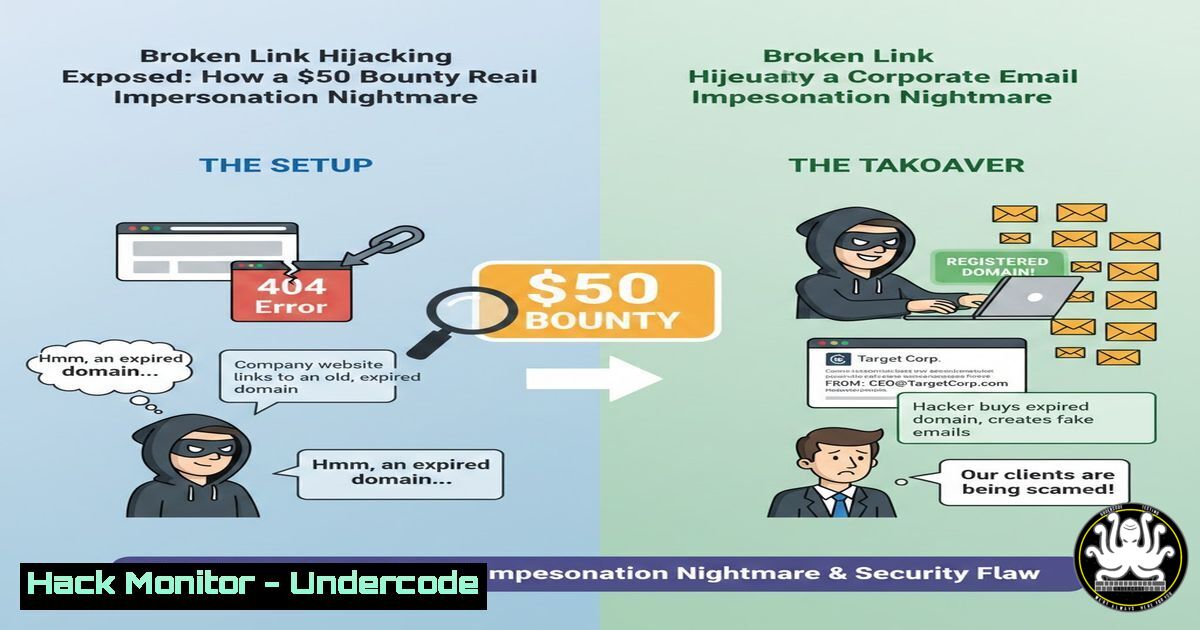
In the digital landscape, trust is often anchored by a single pixel—a social media icon in a corporate email. A recent bug bounty discovery by researcher Aditya Kota has cast a stark light on Broken Link Hijacking (BLH), a vulnerability where expired or unclaimed URLs in automated emails become weapons for brand impersonation and phishing. This incident, resolved for a $50 bounty, underscores a critical oversight in digital supply chain security, where seemingly minor assets can gatecrash an organization’s trusted communication channels.
Learning Objectives:
- Understand the mechanics and business impact of Broken Link Hijacking (BLH) in mass communication systems.
- Learn a proactive methodology to audit and secure static assets, especially social icons, in HTML email templates and web pages.
- Implement automated detection scripts and monitoring to prevent BLH and similar subdomain/takeover vulnerabilities.
You Should Know:
- The Anatomy of a Broken Link Hijack: From Dead URL to Active Threat
A Broken Link Hijack occurs when a resource referenced in an email or webpage (like an image hosted atassets.social-icons.example.com) has its domain or subdomain expire or become misconfigured. An attacker can then register this domain or claim the subdomain on a vulnerable cloud service (like AWS S3, GitHub Pages, Azure Blob Storage) and host malicious content. When the original email is viewed, the recipient’s client fetches the now-hostile image, enabling brand impersonation, credential phishing, or malware distribution.
Step-by-Step Guide:
- Reconnaissance: Use tools to spider target websites and email archives for external resources.
Linux Command (Using `grep` & `curl`):
 Extract all image URLs from an HTML file or email source
grep -Eo 'src="[^"]"' target_email.html | cut -d'"' -f2 | grep -E '^http' > urls.txt
 Check HTTP status for each
while read url; do echo "$url: $(curl -s -o /dev/null -w "%{http_code}" "$url")"; done < urls.txt
2. Identify Candidates: Look for URLs returning 404 (Not Found), 403 (Forbidden—sometimes misconfigured), or domain registration errors.
3. Claim Verification: Manually attempt to access the domain/subdomain via browser and DNS lookup tools (nslookup, dig) to see if it’s unclaimed.
2. The Attacker’s Playbook: Hosting the Malicious Payload
Once a vulnerable asset is identified, the attacker claims it. For a subdomain takeover on a service like GitHub Pages, the process mirrors legitimate setup.
Step-by-Step Guide (Attacker Simulation for Educational Purposes):
- Claim the Namespace: If `assets.company.com` points to a CNAME record for
company.github.io, and the GitHub repository is deleted, an attacker can:Create a new repository with the exact name the CNAME expects. git clone https://github.com/your-account/company.github.io cd company.github.io echo "Hijacked Content" > index.html Add a convincing fake social icon logo cp malicious_logo.png ./linkedin-icon.png
- Create a CNAME file in the repository root containing
assets.company.com. - Push the repository. GitHub Pages will now serve your content from the victim’s subdomain, making malicious icons load in previously sent emails.
-
The Defender’s Audit: Proactive Hunting for Broken Assets
Security teams must shift left, auditing assets before deployment and continuously monitoring.
Step-by-Step Guide (Defensive Audit):
- Static Analysis of Email Templates: Use a script to parse all HTML templates in your CMS or marketing platform.
Python Script Snippet:
import requests, re
from urllib.parse import urlparse
def check_url(url):
try:
resp = requests.head(url, timeout=5, allow_redirects=True)
if resp.status_code >= 400:
print(f"[bash] {url} - Status: {resp.status_code}")
except:
print(f"[bash] Failed to reach {url}")
 Example extraction from HTML
html_content = open("email_template.html").read()
urls = re.findall(r'src=<a href="http[bash]?://[^"\']+">"\'</a>["\']', html_content)
for url in urls: check_url(url)
2. Dynamic Testing with Automated Tools: Employ subdomain takeover scanners.
Linux Command (Using `subzy`):
 Enumerate subdomains first with assetfinder/amass, then test
assetfinder --subs-only target.com | subzy run --targets -
- Securing the Supply Chain: Hardening CDN and External Resource Configurations
The root cause often lies in misconfigured cloud storage and CDN settings.
Step-by-Step Guide (Cloud Hardening – AWS S3 Example):
- Prevent Deletion of Critical Buckets: Enable S3 Bucket Versioning and MFA Delete.
AWS CLI Command:
aws s3api put-bucket-versioning --bucket assets-brand --versioning-configuration Status=Enabled,MFADelete=Enabled
2. Lock Down Bucket Policies: Ensure no bucket is publicly writable and has restrictive CORS policies. Use bucket policies that explicitly deny actions if the `aws:Referer` header is not from your domain (though not foolproof for emails).
3. Monitor Configuration Drift: Use AWS Config rules like `s3-bucket-public-write-prohibited` to get alerts on misconfigurations.
- The Permanent Fix: Moving from External Links to Embedded Assets
The most robust mitigation is to eliminate the external dependency.
Step-by-Step Guide (Embedding Assets in Email):
- Convert social icons and other graphics to Base64-encoded data URIs.
Linux Command (Using `base64`):
 Encode an image
base64 -w 0 icon.png > icon.b64
 Then use in HTML: <img src="data:image/png;base64,PASTE_CONTENTS_OF_icon.b64_HERE" alt="LinkedIn">
2. Warning: This increases email size but guarantees the asset is delivered. Use strategically for critical, small icons.
3. Alternative: Internalization: Host all email assets on a tightly controlled, non-expiring subdomain (e.g., static-secure.company.com) with immutable infrastructure rules.
- Building Continuous Monitoring: Detecting Takeovers in the Wild
Assume some broken links will slip through. Implement monitoring to detect when they are claimed.
Step-by-Step Guide (Setting Up a Canary Monitor):
- Deploy Canary Tokens: Use a service like Canarytokens.org to generate unique image URLs. Place these in little-used sections of old email templates or websites.
- Monitor Access: If the token URL is accessed, you receive an alert, indicating the resource has been discovered and potentially claimed.
- Scripted Periodic Checks: Write a cron job that weekly checks the health of all critical external assets from your infrastructure.
Windows PowerShell Script Idea:
$urls = Import-Csv critical_assets.csv
foreach ($asset in $urls) {
$status = (Invoke-WebRequest -Uri $asset.Url -Method Head -UseBasicParsing).StatusCode
if ($status -ne 200) { Send-MailMessage -To "[email protected]" -Subject "Broken Asset Alert" -Body $asset.Url }
}
What Undercode Say:
- Key Takeaway 1: The attack surface extends far beyond application code to include every digital asset in your communication supply chain. A single forgotten icon URL is a land grant for an attacker.
- Key Takeaway 2: The disparity between a $50 bounty and the potentially massive brand/reputational damage highlights a critical valuation gap in bug bounty programs for “non-critical” visual/UX vulnerabilities.
The fix implemented—removing the hijacked icons—is a tactical win but points to a strategic necessity. Modern cybersecurity must encompass brand integrity channels with the same rigor as network perimeters. This vulnerability thrives in the “set-and-forget” automation of marketing and notification systems, making continuous asset governance non-negotiable. The researcher’s find is a microcosm of a larger problem: our digital ecosystems are littered with unmaintained, trust-anchored artifacts.
Prediction:
Broken Link Hijacking will evolve into a primary vector for large-scale, AI-powered phishing campaigns. As organizations generate more automated, personalized communication, the volume of static asset references will explode. Attackers will employ AI to systematically crawl the web and archived emails (from public leaks) to build massive maps of expiring asset links, automatically claiming them the moment they become available. Future mitigation will rely on blockchain-like integrity verification for digital assets or the widespread adoption of signed, encapsulated email formats that bundle resources, moving away from live fetches entirely. The $50 bounty today may prevent a $50 million brand impersonation crisis tomorrow.
▶️ Related Video (80% Match):
🎯Let’s Practice For Free:
IT/Security Reporter URL:
Reported By: Aditya Kota – Hackers Feeds
Extra Hub: Undercode MoN
Basic Verification: Pass ✅


