Listen to this Post
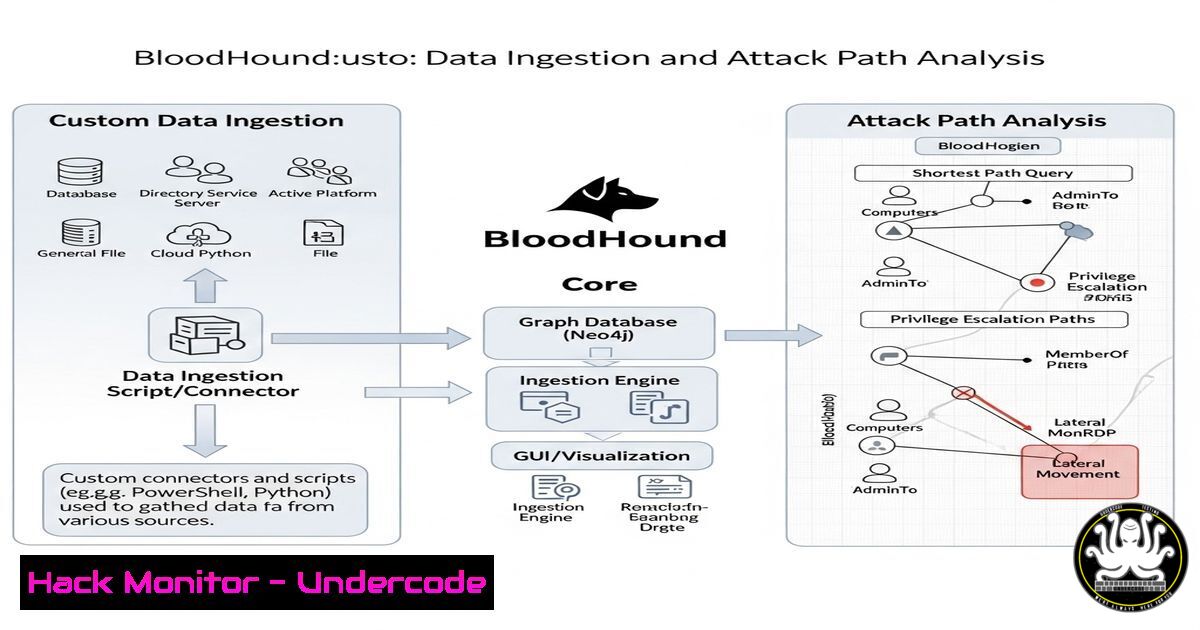
Introduction:
BloodHound has long been the de facto standard for mapping attack paths in Active Directory environments. However, its new OpenGraph data ingestion framework shatters these boundaries, transforming it into a universal relationship analysis engine capable of mapping anything from cloud infrastructure to fictional universes, as demonstrated by a recent Star Wars-themed proof-of-concept.
Learning Objectives:
- Understand the core components of BloodHound’s new OpenGraph framework.
- Learn how to ingest and analyze custom datasets for bespoke attack path mapping.
- Apply these techniques to modern IT environments beyond traditional Active Directory.
You Should Know:
1. The OpenGraph Data Ingestion Framework
The core of this evolution is the OpenGraph data ingestion framework, which allows for the creation of custom node and relationship types. Data is ingested via a standardized JSON format.
{
"nodes": [
{
"labels": ["Character"],
"properties": {
"name": "Master Yoda",
"type": "Jedi Master"
},
"objectid": "YODA-001"
}
],
"relationships": [
{
"startnodeid": "YODA-001",
"endnodeid": "LUKE-002",
"type": "TRAINED",
"properties": {}
}
]
}
Step-by-step guide: This JSON structure defines custom nodes (e.g., Character) with specific properties and establishes relationships (TRAINED) between them. The `objectid` must be unique. To ingest, save this to a `.json` file and use the new BloodHound PowerShell module: Import-BloodHoundData -FileFormat OpenGraph -Path .\customdata.json.
2. The BloodHound PowerShell Cmdlet Suite
SpecterOps has released a new PowerShell module to facilitate data ingestion, moving beyond the traditional SharpHound collector.
 Install the new BloodHound module
Install-Module -Name BloodHound-PS

Import custom data (as shown in the JSON example)
Import-BloodHoundData -FileFormat OpenGraph -Path .\starwars_data.json

Ingest data from a CSV and map it to a custom schema
$Mapping = @{
"SourceNode" = "CharacterName"
"TargetNode" = "ApprenticeName"
"Relationship" = "TRAINED"
}
Import-BloodHoundCsv -Path .\trainer_apprentice.csv -Mapping $Mapping
Step-by-step guide: The `Import-BloodHoundCsv` cmdlet is particularly powerful for operational use. It allows you to take structured data from a CSV file and map its columns to node names and relationship types, dynamically building the graph without manual JSON creation.
3. Cypher Querying for Custom Analysis
With custom data ingested, you leverage BloodHound’s Cypher interface to perform sophisticated path analysis.
// Find paths from a Padawan to a Sith Lord
MATCH (p:Character {name: "Darth Vader"}), (s:Character {faction: "Sith"})
MATCH path = shortestPath((p)-[:TRAINED_BY|ALLIED_WITH1..5]-(s))
RETURN path
Step-by-step guide: This Cypher query demonstrates searching for the shortest path of “TRAINED_BY” or “ALLIED_WITH” relationships (up to 5 hops) between two nodes. The syntax `[1..5]` defines the minimum and maximum number of hops to search for. This is directly applicable to security, e.g., finding a path from a low-privilege user to a cloud admin role.
4. Mapping AWS IAM Relationships
Apply OpenGraph to cloud environments by mapping AWS IAM roles and policies.
{
"nodes": [
{"labels": ["AWSUser"], "properties": {"name": "dev-user"}, "objectid": "USER-A"},
{"labels": ["AWSRole"], "properties": {"name": "admin-role"}, "objectid": "ROLE-B"},
{"labels": ["AWSPolicy"], "properties": {"name": "AdministratorAccess"}, "objectid": "POLICY-C"}
],
"relationships": [
{"startnodeid": "USER-A", "endnodeid": "ROLE-B", "type": "CAN_ASSUME", "properties": {}},
{"startnodeid": "ROLE-B", "endnodeid": "POLICY-C", "type": "HAS_ATTACHED", "properties": {}}
]
}
Step-by-step guide: This JSON models a critical cloud attack path: a user (dev-user) who can assume a role (admin-role) which has a powerful policy (AdministratorAccess) attached. Ingesting this data allows BloodHound to visualize and query these dangerous privilege chains.
5. Ingesting Kubernetes RBAC Data
Extend analysis to container orchestration by mapping Kubernetes Role-Based Access Control.
 Use kubectl to extract RBAC data and format it for OpenGraph
kubectl get roles,clusterroles --all-namespaces -o json | jq -f k8s-to-opengraph.jq > k8s_rbac.json

Then ingest into BloodHound
Import-BloodHoundData -FileFormat OpenGraph -Path ./k8s_rbac.json
Step-by-step guide: This process requires a custom `jq` filter script (k8s-to-opengraph.jq) to transform the native Kubernetes API output into the correct OpenGraph JSON schema. The goal is to map relationships between ServiceAccounts, Roles/ClusterRoles, and permissions, revealing paths to cluster admin.
6. Automating Data Collection with Python
Build a custom Python collector to pull data from a SaaS API and format it for BloodHound.
import requests
import json

def get_saas_data():
api_url = "https://api.example-saas.com/users"
headers = {"Authorization": "Bearer <TOKEN>"}
response = requests.get(api_url, headers=headers)
return response.json()

def transform_to_opengraph(data):
nodes = []
relationships = []
for user in data['users']:
nodes.append({"labels": ["SaaSUser"], "properties": user, "objectid": user['id']})
if user['manager_id']:
relationships.append({"startnodeid": user['id'], "endnodeid": user['manager_id'], "type": "REPORTS_TO", "properties": {}})
return {"nodes": nodes, "relationships": relationships}

data = get_saas_data()
opengraph_data = transform_to_opengraph(data)
with open('saas_data.json', 'w') as f:
json.dump(opengraph_data, f)
Step-by-step guide: This Python script demonstrates a common pattern: 1) Query a REST API for data, 2) Transform the returned JSON into the OpenGraph schema, creating nodes and defining relationships between them (e.g., a `REPORTS_TO` hierarchy), and 3) Output a file ready for ingestion into BloodHound.
7. Visualizing and Analyzing Custom Paths
Once data is ingested, the final step is analysis within the BloodHound UI.
// Query for all users who can assume a privileged role within 3 hops
MATCH (n:AWSUser)
MATCH (r:AWSRole {name: "admin-role"})
MATCH path = shortestPath((n)-[:CAN_ASSUME|HAS_ATTACHED1..3]-(r))
WHERE n.name <> r.name
RETURN path
Step-by-step guide: This Cypher query finds the shortest path from any AWS user to the coveted “admin-role”. The `[1..3]` syntax limits the search to a maximum of 3 hops for performance. The results are displayed graphically, allowing you to instantly visualize and prioritize the most critical attack paths in your custom environment.
What Undercode Say:
- Universal Attack Path Modeling: The paradigm shift is monumental. BloodHound is no longer an AD tool; it’s a graph-based security platform. Any system with entities and relationships—cloud, SaaS, CI/CD, physical access—can be modeled for path analysis.
- The Power of Standardization: The OpenGraph JSON schema provides a simple yet powerful lingua franca for security data. This standardization will catalyze the development of a ecosystem of custom collectors and analysts.
- Proactive Defense: This technology is not just for red teams. Blue teams can now proactively map intended vs. actual privilege relationships in their hybrid environments, identifying and remediating toxic combinations before they are exploited.
The demonstration using Star Wars is far from a gimmick; it is a brilliant didactic tool that proves the model’s flexibility. If you can map the relationships between Jedi, Sith, and droids, you can certainly map the complex, interconnected privileges of a modern multi-cloud enterprise. This moves security from siloed, point-in-time assessments to a holistic, continuous understanding of organizational risk.
Prediction:
The adoption of graph-based analysis for custom data will explode, becoming the primary method for understanding risk in complex, hybrid environments. Within two years, we predict that major cloud providers and SaaS platforms will begin offering native “Export to OpenGraph” functionality, and compliance frameworks will increasingly require evidence of automated attack path analysis across an organization’s entire digital estate. BloodHound’s OpenGraph is the first step toward a future where security is defined not by perimeter defense, but by the continuous analysis of relationships and privileges.
🎯Let’s Practice For Free:
IT/Security Reporter URL:
Reported By: Specterops Bloodhound – Hackers Feeds
Extra Hub: Undercode MoN
Basic Verification: Pass ✅


