Listen to this Post
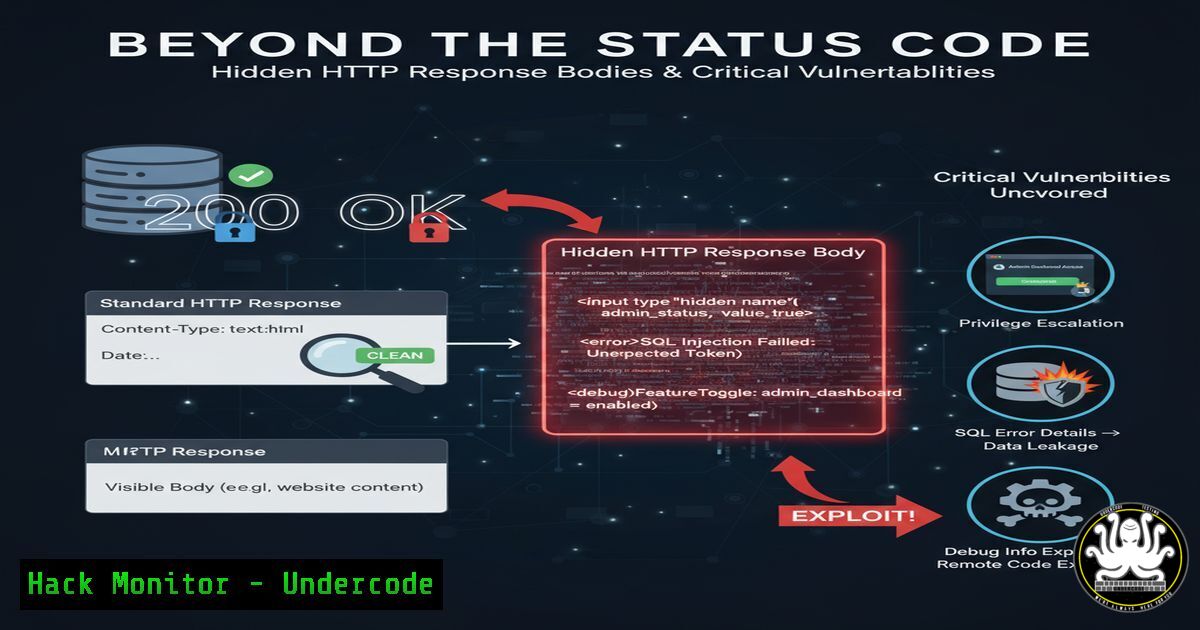
Introduction:
In the relentless pursuit of web application vulnerabilities, security professionals often operate on autopilot, interpreting HTTP status codes at face value. A 302 Found response is typically seen as a simple redirect, prompting an immediate move to the next test case. However, this automated response can be a critical mistake. As highlighted by a real-world bug bounty case yielding over $800, the true vulnerability often lies not in the status code itself, but in the overlooked data within the response body, which can leak tokens, debug information, or sensitive error messages.
Learning Objectives:
- Understand why HTTP response bodies must be analyzed independently of their status codes.
- Learn practical command-line and tool-based techniques to intercept and inspect full HTTP responses.
- Develop a methodology for testing endpoints that return redirection status codes (3xx) for hidden data leaks.
You Should Know:
1. Intercepting and Analyzing HTTP Traffic with cURL
`curl -i -L -k “https://target-api.com/v1/sensitive-action”`
The `cURL` command is an indispensable tool for any security tester. The flags used here are crucial for a deep inspection:
-i: Includes the HTTP response headers in the output, giving you the full context, including the status code.
-L: Follows redirects. This is important because you want to see where the 302 leads, but more importantly, you want to capture the initial response before the redirect happens.
-k: Allows connections to SSL sites without certificate verification, useful for testing internal or development environments.
Step-by-step guide:
1. Run the command against your target endpoint.
- Carefully examine the entire output. The first block of text will be the initial response from the server you directly queried. Look for the `HTTP/1.1 302 Found` status line.
- Immediately below the headers, scrutinize the response body for any content. This is where developers might mistakenly leave JSON data, HTML comments with debug information, or even session tokens.
- After this initial response, `cURL` will then follow the `Location` header and display the response from the redirected page.
2. Automating Discovery with Burp Suite’s Repeater Module
While `cURL` is powerful for scripting, Burp Suite provides a graphical and more controlled environment. There is no single “command,” but the process is a fundamental skill.
Step-by-step guide:
- Configure your browser to use Burp Suite as its proxy.
- Browse the web application normally. All HTTP traffic will be captured in the Proxy > Intercept tab. You can forward traffic or send it to other modules.
- Right-click on an interesting request in the Proxy history and select “Send to Repeater.”
- In the Repeater tab, you now have full control over the request. You can modify parameters, headers, and paths.
- Send the request. The right-hand pane will show the full response from the server, completely decoupled from your browser’s automatic redirect behavior.
- This allows you to meticulously inspect every byte of the response body, regardless of the status code, for hidden data leaks.
-
Fuzzing for Endpoints with Hidden Responses using ffuf
`ffuf -w /usr/share/wordlists/common.txt -u “https://target.com/FUZZ” -mc 302 -s`Fuzzing is key to discovering hidden endpoints that might exhibit this vulnerable behavior. `ffuf` is a fast web fuzzer. This command specifically searches for endpoints that return a 302 status code.
-w /usr/share/wordlists/common.txt: Specifies the wordlist to use for fuzzing.
-u "https://target.com/FUZZ": The target URL, where `FUZZ` is the placeholder replaced by words from the wordlist.
-mc 302: Tells `ffuf` to only display results that return a “302” status code. This helps narrow down the results to potential redirects.
-s: Displays a progress bar, useful for long wordlists.
Step-by-step guide:
1. Run the command against your target.
2. `ffuf` will output a list of paths (e.g., /admin, /logout, /api/old-endpoint) that return a 302.
3. Take this list of endpoints and manually probe each one using the `cURL -i -L` or Burp Repeater method described above to inspect their response bodies for leaks.
- Parsing JSON Responses in the CLI with jq
`curl -s -L -k “https://target-api.com/redirect” | jq .`If the hidden response body contains JSON data, it might be minified and difficult to read. The `jq` command is a powerful JSON processor.
-s: SilencescURL‘s progress meter for cleaner output.
| jq .: The pipe (|) sends the `cURL` output tojq. The dot (.) is a `jq` filter that simply pretty-prints the JSON.
Step-by-step guide:
- Use this command after a basic `cURL` call reveals a JSON-like string in the response body of a 302.
-
The tool will format the JSON with proper indentation, making it easy to spot keys like
"debug_token","internal_error", or `”user_id”` that shouldn’t be exposed. -
Scripting a Basic Redirect Body Scanner in Bash
!/bin/bash
while read url; do
echo "Scanning: $url"
response=$(curl -i -L -k -s "$url")
status_code=$(echo "$response" | grep "HTTP/" | head -1 | awk '{print $2}')
body=$(echo "$response" | awk '/^\r$/{body=1;next} body')
if [[ "$status_code" =~ 30[bash] ]] && [ -n "$body" ]; then
echo "[!] Potential Issue: $url returns a $status_code with a body."
echo "$body" | head -c 500
echo -e "\n\n"
fi
done < urls.txt
This simple Bash script automates the process of checking a list of URLs for this specific vulnerability.
Step-by-step guide:
1. Save the script as `redirect_scanner.sh`.
- Create a file `urls.txt` with one target URL per line.
- Run `chmod +x redirect_scanner.sh` to make it executable.
4. Execute it with `./redirect_scanner.sh`.
- The script will check each URL. If it finds a 301 or 302 response that also contains a non-empty body, it will print the first 500 characters of that body for your review.
6. Windows PowerShell Equivalent for Response Inspection
`Invoke-WebRequest -Uri “https://target-api.com/v1/sensitive-action” -MaximumRedirection 0`
On a Windows system, PowerShell’s `Invoke-WebRequest` cmdlet (often aliased as iwr) is the native tool of choice.
-MaximumRedirection 0: This is the key parameter. It prevents PowerShell from automatically following redirects, allowing you to inspect the initial 302 response.
Step-by-step guide:
1. Open PowerShell.
- Run the command. The result will be stored in a variable, typically
$response. - You can then inspect the properties of this object:
`$response.StatusCode` will show `302`.
`$response.Content` will contain the full response body, which you can search for sensitive data.
`$response.Headers[‘Location’]` will show the redirect destination.
- Mitigation Command: Sanitizing Responses in a Node.js/Express App
app.get('/sensitive-action', (req, res) => {
// ... logic ...
if (needsRedirect) {
// VULNERABLE: Sending a body with a redirect
// res.status(302).send({ error: "Debug: User ID 12345 unauthorized" });</li>
</ol>

// SECURE: Only set location header and end response
res.status(302).location('/login').end(); // Correct way
}
});
This code snippet contrasts vulnerable and secure coding practices in a Node.js/Express environment.
Step-by-step guide:
1. For developers, the mitigation is straightforward.
- When a redirect is necessary, use the `.location()` method to set the `Location` header and the `.status()` method to set the 302 code.
- Crucially, end the request with
.end(). Do not use `.send()` with a body, as this will create the exact vulnerability discussed in this article.
What Undercode Say:
Automation Blindness is the Real Vulnerability: The $800 bounty wasn’t for a complex algorithm break; it was for manually reviewing what automated tools often ignore. Scanners and scripts are programmed to follow redirects, treating a 302 as a terminal state. The human eye, trained to be skeptical, is the most effective tool for spotting these logical flaws.
Context Over Code: This vulnerability is a classic example of a developer’s mental model flaw. The intent was “redirect the user,” but the implementation accidentally included leftover data from a debug cycle or an earlier function call. Pentesters must learn to infer developer intent and identify where reality diverges.The analysis here underscores a critical shift in application security. As frameworks and libraries become more secure by default, the attack surface moves towards logical flaws and erroneous assumptions. This specific issue sits at the intersection of developer oversight and tester complacency. It’s a low-hanging fruit that persists precisely because it’s so easy for both parties to overlook. The lesson for security teams is to explicitly add checks for “non-empty bodies on 3xx responses” into their manual testing playbooks and automated scanning rules. For developers, it’s a reminder to use framework methods as intended and to conduct thorough code reviews focused on HTTP semantics.
Prediction:
This class of vulnerability will see a sharp increase in reported cases over the next 2-3 years, not because it’s new, but because awareness is spreading through content like the cited video. As bug bounty hunters and AppSec professionals refine their methodologies to include these “gray area” checks, organizations will be forced to scrutinize their own redirect handling logic. Furthermore, we predict the development of dedicated plugins for major security tools (like Burp and ZAP) that will actively flag responses where the status code and body content are semantically mismatched (e.g., a 404 Not Found containing a full stack trace, or a 302 Found with a JSON payload). This will move the finding from a manual discovery to an automated one, ultimately raising the baseline security of web applications.
🎯Let’s Practice For Free:
IT/Security Reporter URL:
Reported By: Faiyaz Ahmad – Hackers Feeds
Extra Hub: Undercode MoN
Basic Verification: Pass ✅🔐JOIN OUR CYBER WORLD [ CVE News • HackMonitor • UndercodeNews ]
📢 Follow UndercodeTesting & Stay Tuned:


