Listen to this Post
Introduction:
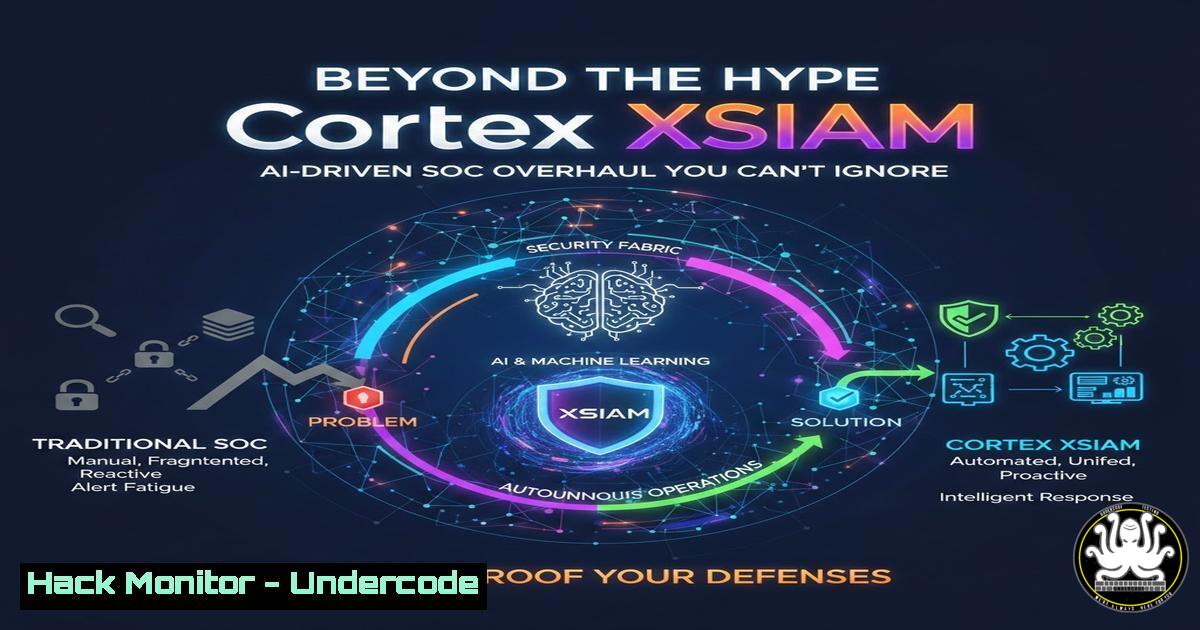
The modern Security Operations Center (SOC) is drowning in alerts and struggling with siloed tools, while adversaries move faster than ever. Palo Alto Networks’ Cortex XSIAM (Extended Security Intelligence and Automation Management) represents a paradigm shift, converging SIEM, SOAR, EDR, and AI into a single platform to autonomously prevent, detect, and respond to threats. This article deconstructs the core technical capabilities of XSIAM, moving from theory to actionable implementation for security engineers.
Learning Objectives:
- Understand the architectural components of Cortex XSIAM and how they integrate to replace traditional SOC tool stacks.
- Learn to deploy and configure key elements, including data ingestion, automation playbooks, and AI-driven analytics.
- Develop practical skills to create automated investigation and response workflows, reducing Mean Time to Respond (MTTR).
You Should Know:
1. Architectural Foundation: Data Ingestion and Normalization
The power of XSIAM is predicated on its ability to ingest and normalize data from any source—cloud, network, endpoint, identity—into a unified data lake. This process, fueled by the Cortex Data Lake, is the prerequisite for all subsequent AI and automation.
Step‑by‑step guide:
Step 1: Access the XSIAM Administrator Console. Navigate to your XSIAM instance and authenticate with administrator privileges.
Step 2: Configure a Data Source. Go to Settings > Data Sources. Click “Add Data Source.” For a Linux syslog source (e.g., a critical application server), select “Syslog” as the type.
Step 3: Define Collection Parameters.
Name: `prod-app01-auth-logs`
Protocol: TCP (for reliability over UDP)
Port: Specify a free port, e.g., `8514`.
Format: Select “Unix” and map the log fields to the XSIAM Common Information Model (CIM).
Step 4: Apply a Parsing Rule. Use XQL (Cortex Query Language) to define a parsing rule if the log format is custom. Example to extract failed login attempts:
| dataset = syslog_raw
| filter source_ip == "prod-app01" and event_id contains "Failed"
| fields timestamp, source_ip, user, event_id, message
| limit 100
Step 5: Deploy Forwarder Configuration. On your Linux source server, configure rsyslog to forward logs. Add this line to /etc/rsyslog.conf:
. @@<your_xsiam_ingest_ip>:8514;RSYSLOG_SyslogProtocol23Format
Restart the service: `sudo systemctl restart rsyslog`.
2. The Engine Room: Building No-Code/Low-Code Automation Playbooks
Cortex XSOAR, integrated within XSIAM, is its automation heart. Playbooks transform alerts into investigated incidents with minimal analyst intervention.
Step‑by‑step guide:
Step 1: Playbook Designer. Navigate to Automation > Playbooks and click “Create New Playbook.” Name it Phishing Email - Initial Triage & Containment.
Step 2: Trigger and Inputs. Set the trigger to “Cortex XSIAM Alert” and define the alert type (e.g., “Suspicious Email Reported”). Map alert fields like sender_ip, attachment_hash, and `recipient` as playbook inputs.
Step 3: Build the Workflow. Drag and drop automation tasks:
1. Email Investigation: Use the built-in “Check Email Authenticity” task to analyze SPF, DKIM, DMARC.
2. Indicator Enrichment: Use a sub-playbook to query the attachment hash against VirusTotal API.
3. Containment: If the VT score is >7, add a conditional task to isolate the affected endpoint using the Cortex XDR integration. The command sent to XDR would be:
xdr-run-script-isolate endpoint_id=${affected_endpoint_id}
4. Notification: Use the “Slack Send Message” task to alert the SOC channel with findings.
Step 4: Test and Deploy. Use the built-in debugger with a simulated alert. Once validated, set the playbook to “Active” and assign it to the relevant alert rule.
- AI in Action: Leveraging XQL for Proactive Hunting
Cortex XSIAM’s AI is accessed through its powerful query language, XQL, which allows you to search across normalized data in near real-time to hunt for threats or investigate incidents.
Step‑by‑step guide:
Scenario: Hunt for potential lateral movement using PsExec-like behavior.
Step 1: Open the XQL Query Console. Go to Investigate > Advanced Hunting.
Step 2: Construct the Query. This query looks for processes spawned from services or unusual parent-child relationships common in PsExec attacks:
| dataset = endpoints_events
| filter event_type = PROCESS_START and
(parent_process_name contains "services.exe" or
parent_process_path ilike "%psexec%") and
actor_process_name != "svchost.exe"
| fields timestamp, endpoint_id, actor_process_command_line, parent_process_name
| comp count = count() by endpoint_id
| filter count > 3
Step 3: Schedule the Query. Click “Schedule as Alert.” Set a daily schedule and configure it to trigger a medium-severity alert if results are found. This creates a proactive, AI-assisted detection rule.
- Endpoint Security Integration: Closing the Loop with Cortex XDR
XSIAM’s tight integration with Cortex XDR (Extended Detection and Response) enables seamless data flow and response actions directly from the SOC platform.
Step‑by‑step guide:
Step 1: Verify Integration. In Settings > Integrations, ensure “Cortex XDR” is configured and the status is “Active.” The API key should be stored securely.
Step 2: Initiate Remote Response. From an alert in XSIAM, open the incident and navigate to the “Endpoints” tab. Select a compromised endpoint and choose “Run Action.”
Step 3: Execute a Forensic Action. Select “Collect Forensic File.” In the dialog box, specify the path of a suspicious file, e.g., C:\Users\Public\badscript.ps1. XSIAM will issue the API call to XDR to pull the file for analysis.
Step 4: Retrieve Results. The collected file will appear in the incident’s evidence locker, ready for further manual or automated analysis (e.g., sandbox detonation).
- Cloud Hardening: Integrating CSPM Findings into the SOC Workflow
A modern SOC must see misconfigurations in AWS, Azure, and GCP as active security events. XSIAM can ingest Cloud Security Posture Management (CSPM) findings.
Step‑by‑step guide:
Step 1: Ingest CloudTrail & CSPM Data. Configure an AWS S3 bucket as a data source in XSIAM to pull CloudTrail logs. For Prisma Cloud or native CSPM findings, use the respective API-based data source.
Step 2: Create a Critical Misconfiguration Alert. Write an XQL query to find publicly accessible S3 buckets:
| dataset = aws_cloudtrail
| filter eventName = "PutBucketAcl" and requestParameters.bucketName != null
| json _raw_log, field=requestParameters
| filter requestParameters.AccessControlPolicy.AccessControlList.Grant contains "http://acs.amazonaws.com/groups/global/AllUsers"
| fields timestamp, aws_region, sourceIPAddress, userIdentity.arn, requestParameters.bucketName
Step 3: Automate Remediation. Link this query to a playbook that:
1. Enriches the finding with asset owner data from CMDB.
2. Creates a Jira ticket for the cloud team.
3. As a last resort, if the bucket contains “public” in its name and is non-production, executes a Lambda function via AWS integration to apply a private ACL.
What Undercode Say:
- Key Takeaway 1: Cortex XSIAM is not merely an upgrade but a consolidation platform that eliminates traditional SOC tool sprawl. Its true value is unlocked not by using it as a glorified SIEM, but by aggressively implementing automation playbooks for Tier-1 alerts, freeing human analysts for complex threat hunting.
- Key Takeaway 2: The platform’s AI is not a magic black box; it is a force multiplier for security engineers who master XQL. Proactive hunting and custom detection rules written in XQL are where the transition from reactive to proactive security truly happens.
Analysis: The post from an MDR provider highlights a critical trend: advanced partners are investing deeply in platform-specific expertise. XSIAM’s integrated nature reduces context-switching and data latency, which are primary killers of SOC efficiency. However, its complexity is non-trivial. Success hinges on a structured rollout: flawless data ingestion first, followed by basic automation, and only then advancing to AI-driven analytics. Organizations that skip to AI without laying the automation groundwork will fail to realize the ROI. The “hands-on labs” mentioned are essential—the platform requires practical, iterative testing to tailor its vast capabilities to a specific environment’s threat model.
Prediction:
The integration of SIEM, SOAR, EDR, and AI under a single pane of glass, as pioneered by Cortex XSIAM, will become the minimum viable architecture for enterprise SOCs within five years. This convergence will render best-of-breed, disjointed stacks obsolete due to their inherent operational inefficiency and high total cost of ownership. Consequently, the cybersecurity skills market will pivot dramatically. High demand will emerge for “platform engineers” with deep, holistic expertise in a primary platform like XSIAM, capable of coding custom automations and queries, over analysts skilled in multiple discrete tools. MDR providers that achieve mastery in these unified platforms will gain a significant competitive edge, offering faster, more scalable services than those managing a patchwork of solutions.
🎯Let’s Practice For Free:
IT/Security Reporter URL:
Reported By: May Abarbanel – Hackers Feeds
Extra Hub: Undercode MoN
Basic Verification: Pass ✅


