Listen to this Post
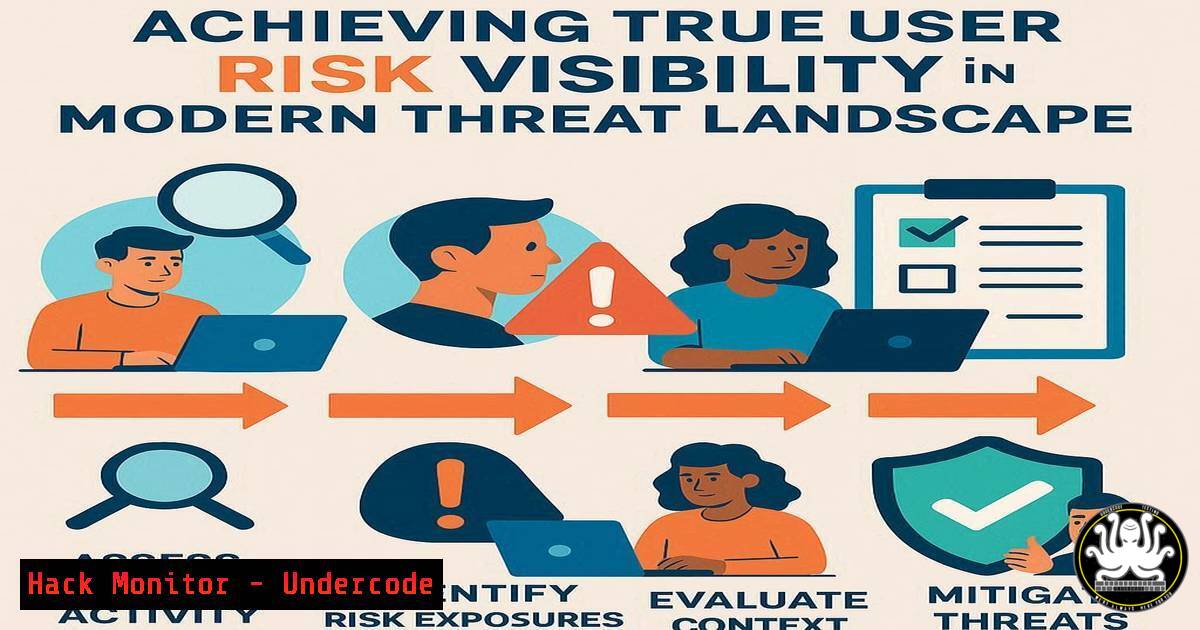
Introduction:
Traditional Security Awareness Training (SAT) has long focused on completion rates as a primary metric, leaving a critical gap in understanding actual user risk. This article explores the paradigm shift from tracking training activity to achieving 360-degree user risk visibility, detailing the technical controls and intelligence-driven strategies needed to pinpoint and remediate human-centric vulnerabilities effectively.
Learning Objectives:
- Understand the limitations of legacy SAT and the critical components of a user risk scoring model.
- Learn to implement technical commands and scripts for monitoring user behavior and identifying high-risk activities.
- Develop a strategy for targeted, data-driven interventions based on actionable user risk intelligence.
You Should Know:
1. The Foundation: User Risk Scoring with PowerShell
A user risk score aggregates various signals to quantify an individual’s potential to become a security incident vector. The following PowerShell script queries Windows Event Logs for failed logon attempts, a key risk indicator.
 PowerShell: Aggregate Failed Logon Attempts by User
Get-WinEvent -FilterHashtable @{LogName='Security'; ID=4625} |
Group-Object -Property @{Expression={$_.Properties[bash].Value}} |
Select-Object Name, Count |
Sort-Object Count -Descending
Step-by-step guide:
1. Open Windows PowerShell as an Administrator.
- Copy and paste the script. This command filters the Security log for Event ID 4625 (failed logon).
- The results are grouped by the username (found in the event’s properties) and a count is displayed for each user.
- Analyze the output to identify users with anomalously high failure counts, which could indicate password spray attacks or account lockout attempts.
2. Assessing Email-Based Threat Exposure with Get-TransportRule
Phishing remains a top threat vector. Security teams can use Exchange Online PowerShell to audit mail flow rules and identify if users are being targeted by specific, known malicious campaigns.
 Exchange Online PowerShell: Check for Emails Bypassing Filters
Get-TransportRule | Where-Object {$<em>.State -eq "Enabled" -and $</em>.Name -like "Bypass"} | Ft Name, Description, State
Step-by-step guide:
1. Connect to Exchange Online using `Connect-ExchangeOnline`.
- Execute the command. It lists all enabled transport rules with “Bypass” in the name.
- Scrutinize these rules. While some are legitimate, they can be exploited by attackers or misconfigured to allow dangerous emails through, increasing user risk. Regular auditing is essential.
3. Linux User Auditing for Insider Threat Indicators
Monitoring user activity on Linux systems is crucial for detecting potential insider threats or compromised accounts. The `last` and `lastb` commands provide a quick audit trail.
 Linux: Audit User Login History and Failed Attempts
last -i -n 20  Shows last 20 successful logins with IP addresses
lastb -i -n 10  Shows last 10 failed login attempts with IP addresses
Step-by-step guide:
- Open a terminal on the Linux system in question.
- Run `last -i -n 20` to see a list of recent successful logins. Look for logins from unfamiliar IP ranges or at unusual times.
- Run `lastb -i -n 10` to review failed attempts. A high volume of failures for a single user account is a significant risk indicator.
4. Network-Level Reconnaissance with Nmap
Understanding what an attacker can see from your network is fundamental to risk assessment. Nmap is the industry-standard tool for network discovery and security auditing.
 Nmap: Basic TCP SYN Scan and Service Version Detection
nmap -sS -sV -T4 192.168.1.0/24
Step-by-step guide:
- Install Nmap on your Linux or Windows machine.
2. Replace `192.168.1.0/24` with your target network range.
- The `-sS` flag performs a stealthy SYN scan. `-sV` probes open ports to determine service/version info. `-T4` sets the timing template for faster execution.
- The output reveals all live hosts and open services, allowing you to identify unauthorized or vulnerable systems that increase the network’s overall risk profile.
5. Cloud Security Posture Monitoring with AWS CLI
Misconfigured cloud storage (S3 buckets) is a common source of data breaches. Regularly checking bucket policies is a non-negotiable security practice.
 AWS CLI: Check S3 Bucket Policies for Public Read Access
aws s3api get-bucket-policy --bucket YOUR-BUCKET-NAME --query Policy --output text | python -m json.tool
Step-by-step guide:
- Ensure the AWS CLI is installed and configured with appropriate credentials.
- Replace `YOUR-BUCKET-NAME` with the name of the bucket you want to audit.
- This command retrieves the bucket’s policy and formats it for readability.
- Manually inspect the `Principal` and `Action` fields in the JSON output. Look for overly permissive statements like `”Principal”: “”` which grant public access, a critical risk finding.
6. API Endpoint Security Testing with cURL
APIs are a prime target. Testing for common misconfigurations, such as missing rate limiting or insecure headers, is a key technical control.
 cURL: Test for Missing Security Headers
curl -I -X GET https://api.yourcompany.com/v1/users
Step-by-step guide:
- From a command line, run the command against your API endpoint.
- The `-I` flag fetches the HTTP headers only.
- Analyze the response for critical security headers like:
`Strict-Transport-Security:`
`X-Content-Type-Options: nosniff`
`X-Frame-Options: DENY`
`Content-Security-Policy: …`
Their absence indicates a higher risk of client-side attacks.
7. Automating Suspicious Process Detection
Malware and unauthorized software often reveal themselves through running processes. This PowerShell command helps identify potentially malicious processes.
 PowerShell: Find Processes with Unusual High CPU or Network Activity
Get-Process | Where-Object {$<em>.CPU -gt 50 -or $</em>.WorkingSet -gt 500MB} | Format-Table ProcessName, CPU, WorkingSet, Id -AutoSize
Step-by-step guide:
- Run this command in PowerShell to list processes using more than 50% CPU or more than 500MB of working set memory.
- Investigate any unknown processes. Cross-reference the Process Name and PID with threat intelligence feeds or your approved software list.
- This provides a simple, automated way to get a snapshot of resource-hungry processes that may indicate compromise or misuse.
What Undercode Say:
- Visibility Precedes Action: You cannot effectively mitigate a risk you cannot see. Generic training is a cost center; targeted intervention based on user-level risk intelligence is a strategic investment.
- Quantify to Qualify: Moving from completion rates to quantifiable risk scores transforms security culture. It replaces vague concerns with actionable data, enabling precise resource allocation and demonstrable ROI to the board.
The industry is moving beyond the “train and pray” model. The future belongs to platforms that integrate behavioral analytics, threat intelligence, and technical telemetry to generate a dynamic, 360-degree risk score for every user. This intelligence allows for a surgical approach to security—automatically routing high-risk users to specific training modules, flagging them for additional MFA prompts, or triggering incident response protocols. The organizations that master this shift will not just check compliance boxes; they will build a genuinely resilient human firewall, turning their greatest vulnerability into a measurable defensive strength.
Prediction:
The convergence of AI-driven behavioral analytics and automated security orchestration will render legacy SAT obsolete. Within five years, user risk visibility platforms will become the central nervous system for human-centric security, proactively predicting user-centric breaches before they occur and automatically deploying calibrated countermeasures, fundamentally changing the CISO’s role from reactive auditor to proactive risk manager.
🎯Let’s Practice For Free:
IT/Security Reporter URL:
Reported By: Daviddellapelle Cisos – Hackers Feeds
Extra Hub: Undercode MoN
Basic Verification: Pass ✅


