Listen to this Post
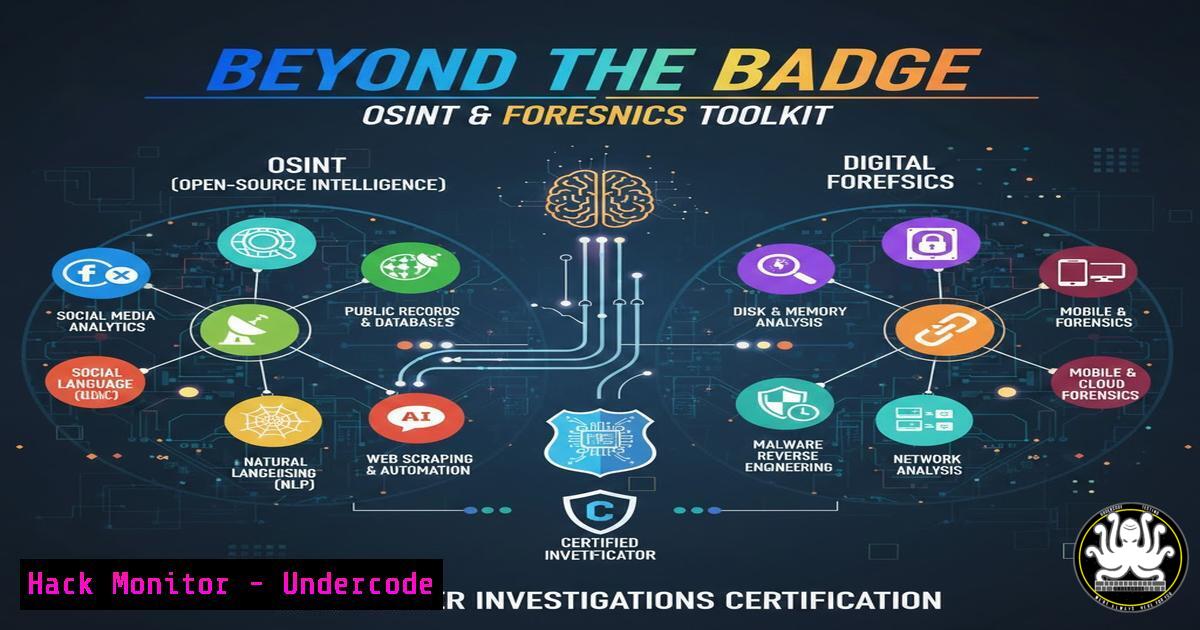
Introduction:
In today’s hyper-connected digital landscape, traditional perimeter security is insufficient. The announcement of a professional pursuing McAfee Institute’s Cyber Investigations Certification highlights the critical shift towards proactive threat hunting, digital forensics, and Open-Source Intelligence (OSINT). This certification path represents the frontline skills required to investigate fraud, cyber-terrorism, and organized crime in the digital realm, moving from defense to intelligence-driven cyber operations.
Learning Objectives:
- Understand and apply advanced OSINT techniques for social media, deep web, and chat application investigations.
- Execute professional-grade digital forensics procedures for both computer and mobile devices.
- Implement cyber counterintelligence principles to identify deception and mitigate threats from sophisticated actors.
You Should Know:
- Advanced OSINT: From Social Media to the Deep Web
OSINT is the cornerstone of modern cyber investigations. It involves systematically collecting and analyzing publicly available information to build a target profile or uncover malicious activity.
Step‑by‑step guide explaining what this does and how to use it.
Tool Setup: Begin with a secure, isolated virtual machine (e.g., using VirtualBox or VMware). Install a Linux distribution like Kali Linux, which comes pre-loaded with OSINT tools.
Social Media Recon: Use tools like `Sherlock` to find usernames across platforms.
 Install and use Sherlock on Kali Linux
git clone https://github.com/sherlock-project/sherlock.git
cd sherlock
python3 -m pip install -r requirements.txt
python3 sherlock.py --targetusername
Deep Web Searching: Understand that the “deep web” refers to unindexed content. Use specialized search engines like `Ahmia` for Tor onion services. Always use the Tor Browser Bundle for anonymity and never access sites without proper legal authority.
Data Correlation: Use a tool like Maltego to visually link data points (emails, social profiles, domains) gathered from OSINT. This builds relationship graphs crucial for investigations.
2. The Art of Digital Deception Detection
Identifying deception in social media and digital communications is key to investigating fraud and social engineering attacks. This involves analyzing metadata, linguistic patterns, and digital artifacts for inconsistencies.
Step‑by‑step guide explaining what this does and how to use it.
Image & Metadata Analysis: Use tools like `exiftool` to extract metadata from profile pictures or shared images, which can reveal location, device, and editing history.
 Install and use exiftool on Linux
sudo apt install libimage-exiftool-perl
exiftool suspect_image.jpg
Reverse Image Search: Employ both traditional (Google Images) and specialized reverse image search engines to check for stolen or stock photos used in fake profiles.
Linguistic Analysis: Look for inconsistencies in writing style, timezone mismatches in post times, and use of virtual phone number or email providers. Tools like `Social-Engineer Toolkit (SET)` can demonstrate how phishing lures are crafted.
3. Professional Computer Forensics: Acquiring & Analyzing Evidence
Advanced computer forensics ensures evidence is admissible in court. The process involves creating a forensically sound bit-for-bit copy of storage media and analyzing it without altering the original.
Step‑by‑step guide explaining what this does and how to use it.
Evidence Acquisition: Use the `dd` command in Linux to create a forensic image. Always hash the output to verify integrity (e.g., using md5sum).
 Image a drive (/dev/sdb) to a file, showing progress
sudo dd if=/dev/sdb of=/evidence/disk_image.dd bs=4M status=progress
 Generate hash of the original drive and the image for verification
sudo md5sum /dev/sdb > /evidence/original_hash.md5
md5sum /evidence/disk_image.dd
Analysis with Autopsy: Load the disk image into a graphical tool like Autopsy. Navigate the file system timeline, recover deleted files, extract web artifacts, and generate automatic reports.
Memory Forensics: For live system analysis, capture RAM using `LiME` (Linux) or `WinPMEM` (Windows). Analyze the memory dump with `Volatility` to find running processes, open network connections, and injected malware.
 Example Volatility command to list processes from a Windows memory dump
volatility -f memory_dump.raw --profile=Win10x64 pslist
4. Mobile Forensics: Beyond the Smartphone
Mobile devices are treasure troves of evidence, containing chats, location data, and app artifacts. Forensics involves physical, filesystem, or logical extraction depending on device security.
Step‑by‑step guide explaining what this does and how to use it.
Isolation & Preparation: Immediately place the device in a Faraday bag to prevent network remote wiping. Document the device state photographically.
Logical Extraction: For basic access, use tools like `Mobiledit Forensic Express` or `Oxygen Forensics` to pull data via USB. This extracts contacts, call logs, messages, and some app data.
File System/Physical Extraction: For more in-depth analysis, jailbreaking (iOS) or rooting (Android) may be required to access the full file system. Tools like `Cellebrite UFED` or `Magnet AXIOM` can parse extracted data, decrypting and visualizing chat backups (e.g., from WhatsApp) and location history.
5. Cyber Counterintelligence & Securing the Investigation
While investigating, you become a target. Cyber counterintelligence involves protecting your operational security (OPSEC), detecting if you’re being watched, and hardening your own systems.
Step‑by‑step guide explaining what this does and how to use it.
Infrastructure Hardening: Use cloud VMs for research with strict firewall rules (e.g., AWS Security Groups, Azure NSG). Allow SSH access only from your IP and use key-based authentication.
 Example: Configure UFW firewall on Linux research VM
sudo ufw default deny incoming
sudo ufw allow from 192.0.2.100 to any port 22
sudo ufw enable
Network Monitoring: Run an Intrusion Detection System (IDS) like `Wazuh` or `Security Onion` on your investigation network to alert on suspicious connection attempts or port scans.
Deception Technology: Set up honeypots (e.g., T-Pot) or canary tokens to detect if adversaries are attempting to probe or retaliate against your investigation infrastructure.
What Undercode Say:
- The Investigator is the New Perimeter: This certification underscores that skilled human analysts, armed with OSINT and forensics tools, are the critical layer for uncovering threats that evade automated security systems.
- Legal Rigor is as Vital as Technical Skill: The “advanced” nature of these courses implies a heavy focus on evidence handling and legal procedures. A technically brilliant investigation is useless if evidence is ruled inadmissible.
The pursuit of this certification reflects a mature understanding of the cybersecurity battlefield. It’s not just about keeping attackers out; it’s about hunting them, understanding their tactics, and building a case. The technical skills listed—from deep web searching to mobile forensics—are the practical toolkit for this mission. As cybercrime becomes more organized, the industry’s demand for professionals who can operate like digital detectives, with both technical precision and legal acuity, will only surge. This path represents a strategic investment in becoming that hybrid expert, capable of transitioning from incident response to intelligence-led prosecution.
Prediction:
The formalization of these “investigative” skills into mainstream certifications signals a future where enterprise cybersecurity teams will increasingly operate like internal law enforcement and intelligence agencies. We will see tighter integration between Security Operations Centers (SOCs) and digital forensics/incident response (DFIR) teams, with a growing emphasis on cross-training in OSINT and cyber counterintelligence. Furthermore, as regulations around data breaches evolve, the ability to conduct court-ready investigations will become a compliance requirement, making this skillset indispensable for organizational resilience and legal protection.
▶️ Related Video (80% Match):
🎯Let’s Practice For Free:
IT/Security Reporter URL:
Reported By: Mihaigforlafu I – Hackers Feeds
Extra Hub: Undercode MoN
Basic Verification: Pass ✅


