Listen to this Post
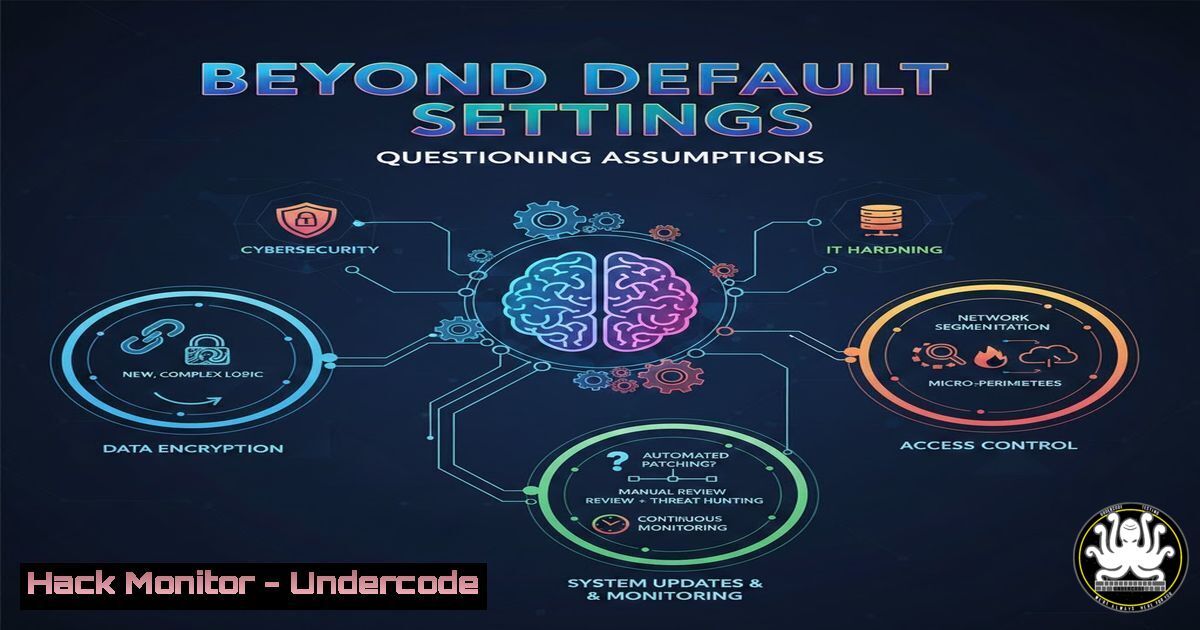
Introduction:
In cybersecurity and IT operations, we are often governed by silent defaults: default configurations, default passwords, default security policies, and default tool settings. These pre-configured states, while convenient, create the most significant attack surface for organizations. Just as the LinkedIn post challenges workplace norms like mandatory 5-day office weeks and 30-minute meetings, security professionals must actively interrogate and dismantle dangerous technical defaults to build resilient systems. This mindset shift from passive acceptance to active configuration is the cornerstone of modern security hygiene.
Learning Objectives:
- Understand the critical security risks posed by unchanged defaults in software, cloud services, and network infrastructure.
- Learn practical, step-by-step methods to audit and harden default configurations across operating systems, cloud platforms, and applications.
- Develop a framework for cultivating a “default-questioning” culture within IT and DevOps teams to enable proactive risk management.
You Should Know:
1. The Peril of Default Credentials and Permissions
Default credentials are the low-hanging fruit for attackers. From admin/admin on routers to well-documented SaaS platform backdoors, these are the first entry points scanned in an attack.
Step‑by‑step guide explaining what this does and how to use it.
- Audit: Use tools like `nmap` with the `-sV` flag to scan for services (SSH, Telnet, web interfaces) and then employ credential brute-forcing tools like `hydra` (for ethical, authorized penetration testing only) to test for defaults.
Example nmap scan for open SSH ports
nmap -p 22 --open 192.168.1.0/24
Example hydra command (use only on systems you own)
hydra -l admin -P /usr/share/wordlists/common_passwords.txt ssh://192.168.1.105
- Remediate: Change all default passwords immediately upon installation. Implement a credential vault (e.g., HashiCorp Vault, Azure Key Vault) and use complex, machine-generated secrets.
- Harden: Apply the principle of least privilege (PoLP). On Linux, use `sudo` policies instead of root logins. On Windows, use Local Security Policy (
secpol.msc) to restrict administrator accounts. -
Cloud Security: The Shared Responsibility Model’s Default Trap
Major cloud providers (AWS, Azure, GCP) operate on a shared responsibility model: they secure the cloud, you secure in the cloud. Default configurations for storage buckets, databases, and compute instances are often public-facing.
Step‑by‑step guide explaining what this does and how to use it.
- Audit: Use cloud-native tools like AWS Config, Azure Security Center, or GCP Security Command Center. Run checks for publicly accessible S3 buckets, SQL instances with no SSL enforcement, or storage accounts with “AllowAll” network rules.
- Remediate: Enforce encryption at rest and in transit. Make all storage private by default and use presigned URLs for necessary access. Enable database SSL/TLS connections.
- Automate: Use Infrastructure as Code (IaC) with security scanners. A Terraform plan scanned by `checkov` or `tfsec` can block deployment of a publicly accessible security group before it ever reaches production.
3. Operating System Hardening: Disabling Unnecessary Services
Fresh installs of Windows and Linux run numerous services not required for a server’s specific role, each representing a potential vulnerability.
Step‑by‑step guide explaining what this does and how to use it.
Linux (Ubuntu/Debian):
 List all running services
systemctl list-units --type=service --state=running
 Disable and stop an unnecessary service (e.g., avahi-daemon)
sudo systemctl stop avahi-daemon
sudo systemctl disable avahi-daemon
 Use a hardening framework like Lynis
sudo lynis audit system
Windows Server:
 List all services
Get-Service
 Disable a service via PowerShell (e.g., Telnet)
Stop-Service Telnet
Set-Service Telnet -StartupType Disabled
 Use the Security Configuration Toolkit to apply hardened baselines.
4. Application Security: Securing Default Config Files
Web applications (WordPress, Jenkins, etc.) have sample configuration files, debug modes enabled, and verbose error messages turned on by default, leaking sensitive information.
Step‑by‑step guide explaining what this does and how to use it.
- Locate: Find configuration files (e.g.,
web.config,php.ini,wp-config.php). - Harden: Disable debug and trace modes. Turn off verbose error messages in production. Remove sample files and default installation scripts.
3. Example for Apache (`httpd.conf` or `.htaccess`):
 Disable directory listing
Options -Indexes
 Hide server signature
ServerSignature Off
ServerTokens Prod
5. API Security: The Default “Permissive” Endpoint
Modern applications rely on APIs, which often have default settings that lack rate limiting, thorough authentication, and input sanitization.
Step‑by‑step guide explaining what this does and how to use it.
- Audit: Use API scanners like OWASP ZAP or dedicated tools to fuzz endpoints. Check for missing authentication on “internal” API routes.
- Implement: Enforce strict API schemas (OpenAPI/Swagger) with validation. Apply rate limiting using API gateway features (AWS WAF, Azure API Management policies). Use tokens (JWT) with short lifespans instead of static API keys.
3. Code Snippet (Node.js/Express – adding rate limiting):
const rateLimit = require('express-rate-limit');
const apiLimiter = rateLimit({
windowMs: 15  60  1000, // 15 minutes
max: 100, // Limit each IP to 100 requests per window
standardHeaders: true,
legacyHeaders: false,
});
app.use('/api/', apiLimiter);
What Undercode Say:
- Security is an Active State, Not a Default Setting. True security is achieved through intentional, ongoing configuration and review, not by deploying software in its vanilla state. Complacency with defaults is an open invitation to threat actors.
- Cultural Shift is Technical Control. The most powerful tool isn’t a specific software, but a team culture that constantly asks, “Why is this the default, and does it serve our security posture?” This mindset must be embedded in DevOps (DevSecOps) and cloud migration strategies.
Prediction:
The future of cybersecurity will be dominated by autonomous AI-driven attackers that systematically and relentlessly scan for and exploit default configurations at a scale and speed impossible for humans. The mitigation will be equally automated: AI-powered security posture management tools that continuously audit environments, predict misconfigurations based on evolving tactics, and auto-remediate defaults before they can be exploited. Organizations that fail to evolve from a “set-and-forget” default mentality to a culture of continuous, automated hardening will face existential breaches. The battle will be won not by closing gaps after they’re found, but by ensuring they are never opened in the first place.
▶️ Related Video (80% Match):
🎯Let’s Practice For Free:
IT/Security Reporter URL:
Reported By: Marcoandre We – Hackers Feeds
Extra Hub: Undercode MoN
Basic Verification: Pass ✅


