
Listen to this Post
Introduction:
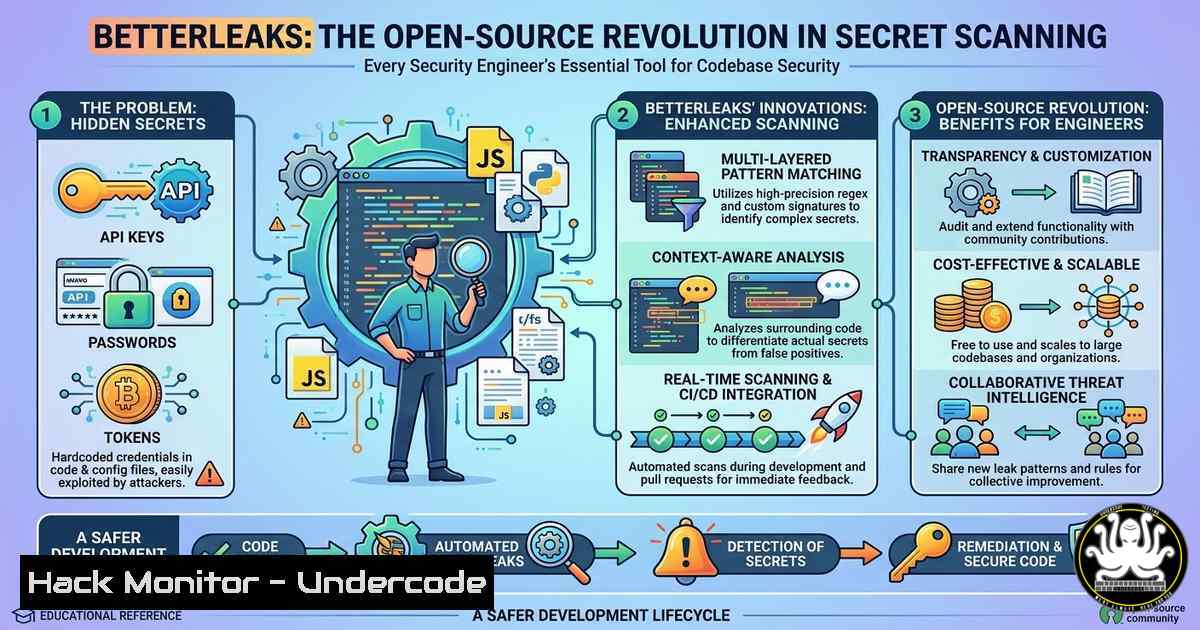
In the high-stakes game of cybersecurity, exposed secrets—API keys, passwords, and tokens—remain the leading cause of data breaches. Legacy tools often struggle with performance and accuracy, leaving security holes in codebases and directories. Enter Betterleaks, a newly launched open-source tool built by veterans from Red Hat and Amazon, designed to overhaul how professionals scan for leaks. By offering a complete engine overhaul while maintaining backward compatibility, it sets a new standard for speed and precision in digital forensics and DevSecOps pipelines.
Learning Objectives:
- Understand the architectural improvements of Betterleaks over its predecessor and how to deploy it for immediate security gains.
- Master the command-line techniques to scan local directories, specific file types, and Git repositories for exposed credentials.
- Learn to integrate Betterleaks into automated CI/CD workflows to prevent secret leaks before they reach production.
- Getting Started: Installing BetterLeaks on Linux and macOS
Betterleaks is designed as a drop-in replacement, meaning if you have used similar tools like `truffleHog` orgitleaks, the transition is seamless. The project is hosted on GitHub and can be installed via Go or Docker for maximum compatibility.
Step-by-step guide:
To install the binary directly from the source, ensure you have Go installed (version 1.19+). Open your terminal and run:
git clone https://github.com/betterleaks/betterleaks.git
cd betterleaks
go build -o betterleaks main.go
sudo mv betterleaks /usr/local/bin/
Alternatively, for a quick test using Docker:
docker pull betterleaks/scanner:latest
docker run --rm -v $(pwd):/scan betterleaks/scanner:latest /scan
What this does: The commands clone the official repository, compile the engine, and make it globally accessible. The Docker method mounts your current directory into the container, allowing you to scan without installing dependencies on your host machine.
2. Basic Scanning: Hunting for Secrets in Directories
The core functionality of Betterleaks revolves around entropy analysis and regex matching to detect high-entropy strings that resemble passwords or API keys.
Step-by-step guide:
Navigate to the directory you wish to scan. To perform a basic scan of all files:
betterleaks scan ./my-project
For a more targeted approach, scanning only `.env` and configuration files:
betterleaks scan --include ".env,.config,.json" ./my-project
What this does: The engine recursively walks through the directory tree. It ignores binary files by default and highlights findings with context, showing the exact line where a potential secret resides. This is crucial for penetration testers auditing a codebase quickly.
3. Deep Dive: Scanning Git History and Branches
Secrets often hide not in the current code, but in the historical commit log. Betterleaks excels at digging through Git metadata.
Step-by-step guide:
To scan the entire history of a local Git repository:
betterleaks git scan --repo-path ./target-repo --since "6 months ago"
For scanning a specific branch:
betterleaks git scan --repo-path ./target-repo --branch main
What this does: These commands leverage the tool’s ability to parse Git objects. It checks every commit, diff, and tag for patterns, effectively acting as a forensic time machine. The `–since` flag limits the scan to recent activity, which is useful for continuous integration checks.
4. Windows Deployment and PowerShell Integration
Windows users are not left behind. Betterleaks runs natively on Windows Subsystem for Linux (WSL) or as a standalone executable.
Step-by-step guide (PowerShell):
First, download the pre-compiled Windows binary from the releases page. Then, open PowerShell as Administrator and navigate to the download location:
.\betterleaks.exe scan C:\Projects\LegacyCode
For integration into a Windows build pipeline, you can pipe results to a log file:
.\betterleaks.exe scan C:\Projects\LegacyCode --format json | Out-File -FilePath .\scan_results.json
What this does: The Windows binary functions identically to its Linux counterpart. The `–format json` flag structures the output, making it parsable by other tools like Splunk or custom security dashboards.
5. Customizing Rules and Reducing False Positives
Out-of-the-box, Betterleaks includes a comprehensive rule set. However, enterprise environments require customization to ignore internal false positives (e.g., example.com keys).
Step-by-step guide:
Create a configuration file named `.betterleaks.toml` in your project root:
[bash]
aws_key = "AKIA[0-9A-Z]{16}"
github_token = "ghp_[A-Za-z0-9]{36}"

[bash]
paths = ["vendor/", "node_modules/"]
entropy_threshold = 4.5
Then run the scan with the config:
betterleaks scan --config .betterleaks.toml ./my-project
What this does: This tells the engine to only use specified regex patterns and to skip dependency directories, which drastically speeds up scans and reduces noise by filtering out low-entropy strings.
6. Integrating BetterLeaks into CI/CD (GitHub Actions)
To prevent secrets from ever being committed, integrating Betterleaks into a CI/CD pipeline is the gold standard.
Step-by-step guide (GitHub Actions):
Create a file `.github/workflows/secret-scan.yml`:
name: Secret Scan
on: [push, pull_request]
jobs:
scan:
runs-on: ubuntu-latest
steps:
- uses: actions/checkout@v3
with:
fetch-depth: 0
- name: Run BetterLeaks
uses: docker://betterleaks/scanner:latest
with:
args: git scan --repo-path . --since "1 month ago"
What this does: This workflow checks out the entire repository history and runs a Git scan. If any secrets are found, the pipeline fails, preventing the merge. This ensures that no hardcoded credentials slip into the main branch.
- Advanced: Creating a Custom Entropy Scanner for Incident Response
During incident response, you may need to scan a memory dump or a compromised server for specific indicators.
Step-by-step guide:
Betterleaks can operate on stdin, allowing it to be chained with other tools:
cat /var/log/apache2/access.log | betterleaks scan --stdin --entropy-only
Or to scan a tarball without extracting it first:
tar -xzOf backup.tar.gz | betterleaks scan --stdin --format json
What this does: This technique pipes data directly into the scanner, bypassing the need to write files to disk. It is incredibly useful for forensic analysts who need to process evidence without altering timestamps or file metadata.
What Undercode Say:
- Performance with Compatibility: Betterleaks proves that you can overhaul an engine without breaking the user experience, making it the ideal upgrade for existing security scripts.
- Community-Driven Security: With maintainers from Amazon and RBC, the project is poised for long-term stability, shifting secret scanning from a “nice-to-have” to a reliable, enterprise-grade standard.
The launch of Betterleaks represents a significant step forward in proactive defense. By lowering the barrier to entry with a drop-in replacement and MIT licensing, it empowers small teams and large enterprises alike to audit their digital footprints. The ability to scan not just code, but Git history and log streams, turns it into a versatile tool for both development and incident response. In a landscape where credential leaks are the number one attack vector, adopting tools like this is no longer optional—it is a baseline requirement for cyber hygiene.
Prediction:
Within the next 12 months, Betterleaks or its derivatives will become the default engine embedded in major cloud provider’s secret management services. As the open-source community contributes more signatures and the engine becomes AI-assisted for zero-day pattern detection, manual secret scanning will become obsolete, shifting the focus entirely to automated, pre-commit remediation.
▶️ Related Video (82% Match):
🎯Let’s Practice For Free:
IT/Security Reporter URL:
Reported By: Cybersecuritynews Share – Hackers Feeds
Extra Hub: Undercode MoN
Basic Verification: Pass ✅


