Listen to this Post
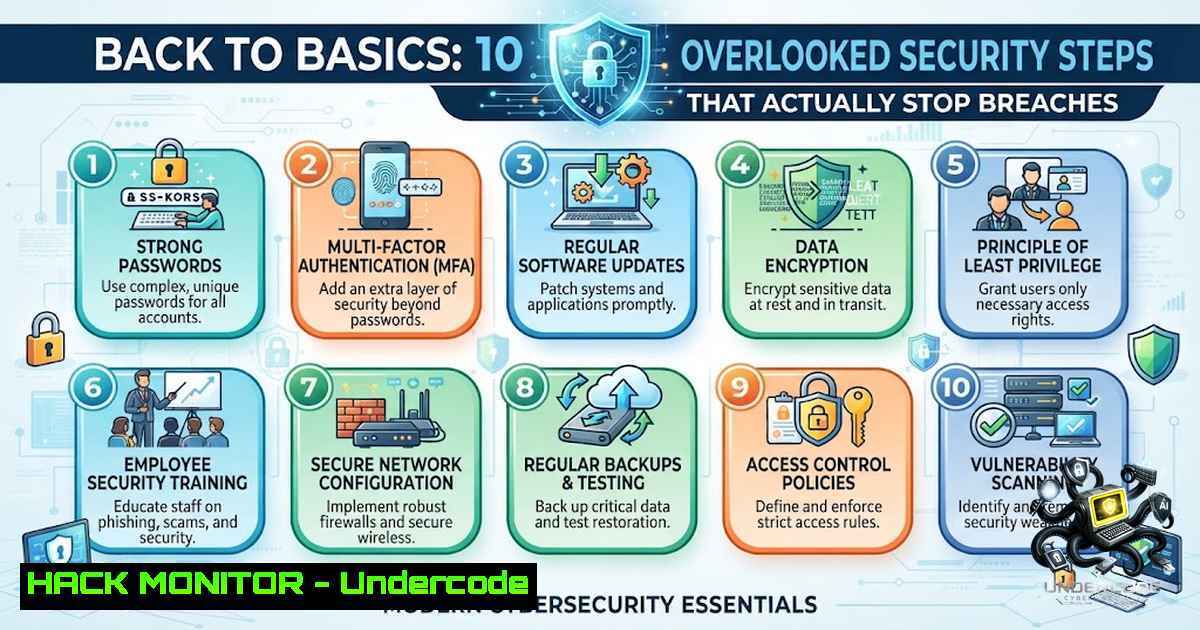
In cybersecurity, the industry often chases the next shiny object—AI-driven threat detection, zero-trust architectures, and cloud-1ative security meshes. Yet, despite billions spent on advanced defenses, the majority of successful breaches still exploit the same fundamental weaknesses: weak passwords, unpatched systems, and human error. According to Verizon’s 2026 Data Breach Investigations Report, organizations fully remediated only 26% of identified vulnerabilities, leaving massive gaps that attackers routinely exploit. This article revisits ten simple, often-overlooked security steps that every individual and organization should implement immediately—not as a one-time initiative, but as consistent, everyday practices.
Learning Objectives:
- Understand the ten foundational security controls that prevent the majority of breaches
- Learn practical Linux and Windows commands to audit, enforce, and monitor these controls
- Implement step‑by‑step guides for MFA, patch management, access review, and backup strategies
You Should Know:
1. Enforce Multi-Factor Authentication (MFA) Everywhere
Multi-factor authentication remains one of the simplest yet most effective ways to reduce account compromise risk. MFA ensures that even if a password is stolen, an attacker cannot access an account without an additional verification factor, such as a TOTP code or hardware token. Yet many organizations still treat MFA as optional rather than mandatory.
Step‑by‑step guide for Linux MFA enforcement (SSH with Google Authenticator):
1. Install the Google Authenticator PAM module:
sudo apt-get install libpam-google-authenticator  Ubuntu/Debian
sudo yum install google-authenticator  RHEL/CentOS
2. Run the initial setup for your user:
google-authenticator
Follow the prompts to generate a secret key, emergency scratch codes, and time-based tokens.
3. Configure PAM to require MFA for SSH:
sudo nano /etc/pam.d/sshd
Add the line:
auth required pam_google_authenticator.so
4. Edit SSH configuration:
sudo nano /etc/ssh/sshd_config
Set:
ChallengeResponseAuthentication yes
AuthenticationMethods publickey,password publickey,keyboard-interactive
5. Restart SSH service:
sudo systemctl restart sshd
Step‑by‑step guide for Windows MFA enforcement (via PowerShell and Conditional Access):
- Enable MFA for all users in Azure AD/Entra ID:
Require MFA for all users via Conditional Access policy
New-AzureADMSConditionalAccessPolicy -DisplayName "Require MFA for All Users" `
-State "enabled" `
-Conditions @{Applications=@{IncludeApplications=@("All")}} `
-GrantControls @{BuiltInControls=@("Mfa")}
2. For on-premises environments, enforce smart card or Windows Hello for Business through Group Policy.
2. Automate Patch Management—Don’t Delay
Many attacks exploit vulnerabilities that already have available patches. With CVE submissions surging from 28,818 in 2023 to over 48,000 in 2025—a 67% increase—manual patching simply cannot scale. Attackers now exploit new CVEs within hours of public disclosure.
Step‑by‑step guide for automated patching on Linux:
1. Enable unattended security updates on Ubuntu/Debian:
sudo apt-get install unattended-upgrades
sudo dpkg-reconfigure --priority=low unattended-upgrades
Select “Yes” to automatically download and install security updates.
2. For RHEL/CentOS/Fedora, enable automatic updates:
sudo dnf install dnf-automatic
sudo systemctl enable --1ow dnf-automatic.timer
3. Verify patch status:
 List pending security updates
sudo apt list --upgradable  Ubuntu
sudo yum list-security  RHEL
Step‑by‑step guide for automated patching on Windows:
1. Configure Windows Update via Group Policy or PowerShell:
 Set Windows Update to auto-install
Set-ItemProperty -Path "HKLM:\SOFTWARE\Policies\Microsoft\Windows\WindowsUpdate\AU" `
-1ame "AUOptions" -Value 4
2. Use PowerShell to check missing patches:
Get-HotFix | Sort-Object InstalledOn -Descending
- Deploy patches via WSUS or Intune for enterprise-scale management.
3. Use a Password Manager—No Exceptions
Password reuse across multiple accounts is a primary entry vector for credential-stuffing attacks. If your team is reusing passwords or storing them in spreadsheets, you’re already compromised—you just don’t know it yet.
Step‑by‑step guide for deploying a password manager:
- Select a business-grade password manager (e.g., 1Password, Bitwarden, Keeper).
- Enforce organization-wide adoption through Group Policy or MDM.
- Require generated passwords with minimum 16 characters, including uppercase, lowercase, numbers, and symbols.
4. Enable MFA for the password manager itself.
- Conduct regular audits of password health and reuse.
4. Implement Backups That Survive Ransomware
A reliable backup can mean the difference between recovery and disaster. However, backups must be immutable and offline to withstand ransomware encryption attempts.
Step‑by‑step guide for resilient backup strategy:
- Follow the 3-2-1 rule: 3 copies, 2 different media, 1 offsite.
- Implement immutable backups (e.g., AWS S3 Object Lock, Azure Blob immutable storage).
3. Regularly test restore procedures:
 Linux: Test restore from tar backup
tar -xzvf /backup/home.tar.gz -C /restore/test/
4. Automate backup verification with scripts that checksum critical files.
- Treat Phishing as a Race—Not a Training Exercise
Phishing remains one of the most effective attack methods. Treat it as a race: users must report suspicious emails faster than attackers can exploit them.
Step‑by‑step guide for phishing defense:
- Deploy email filtering with SPF, DKIM, and DMARC:
Linux: Check DMARC record
dig _dmarc.example.com TXT
2. Implement a “Report Phishing” button in Outlook/Gmail.
- Conduct frequent simulated phishing campaigns with immediate feedback.
- Create a no-blame culture where reporting false alarms is encouraged.
6. Remove Unused Accounts and Permissions
Remove accounts and permissions that are no longer needed. The principle of least privilege must be actively enforced, not assumed.
Step‑by‑step guide for access review on Linux:
1. Identify inactive user accounts:
 List users who haven't logged in for 90+ days
lastlog -b 90
2. Disable or remove inactive accounts:
sudo usermod -L username  Lock account
sudo userdel -r username  Delete account and home directory
3. Audit sudo privileges:
grep -r "ALL=(ALL)" /etc/sudoers.d/
Step‑by‑step guide for access review on Windows:
1. Find inactive domain accounts with PowerShell:
Search-ADAccount -AccountInactive -TimeSpan 90.00:00:00
2. Disable stale accounts:
Disable-ADAccount -Identity "username"
3. Review privileged group memberships:
Get-ADGroupMember "Domain Admins"
7. Don’t Ignore Small Warnings—They Escalate Fast
Small warnings today can become major incidents tomorrow. Implement centralized logging and alerting to catch anomalies early.
Step‑by‑step guide for Linux audit logging with auditd:
1. Install and configure auditd:
sudo apt-get install auditd audispd-plugins  Ubuntu
sudo yum install audit  RHEL
2. Add audit rules for critical files:
sudo auditctl -w /etc/passwd -p wa -k identity
sudo auditctl -w /etc/shadow -p wa -k identity
sudo auditctl -w /etc/sudoers -p wa -k sudoers
3. Review audit logs:
sudo ausearch -k identity
8. Validate Security—Don’t Assume It
Security should be validated, not assumed. Regular vulnerability scanning and penetration testing are essential.
Step‑by‑step guide for Linux security audit:
1. Use Lynis for comprehensive system auditing:
sudo apt-get install lynis
sudo lynis audit system
2. Check open ports and listening services:
sudo netstat -tulpn | grep LISTEN
3. Scan for vulnerabilities with OpenVAS or Nessus.
Step‑by‑step guide for Windows security audit:
1. Use PowerShell to check security configurations:
 Check password policy
net accounts
 Check firewall rules
Get-1etFirewallRule | Where-Object {$_.Enabled -eq "True"}
2. Run Microsoft Baseline Security Analyzer (MBSA) or equivalent.
9. Build Security Awareness—Technology Alone Isn’t Enough
Technology alone won’t stop every attack. Awareness is just as important. Regular, engaging training sessions that reflect real-world threats are critical.
Step‑by‑step guide for building a security awareness program:
1. Conduct baseline phishing susceptibility assessments.
2. Deliver monthly micro-training sessions (5–10 minutes).
3. Use real-world examples from recent breaches.
- Reward positive security behaviors (reporting phishing, using MFA).
5. Measure and report on program effectiveness quarterly.
- Make Security a Daily Habit, Not a One-Time Project
The strongest security posture comes from consistent, everyday practices—not one-time initiatives. Embed security into DevOps pipelines, daily operations, and organizational culture.
Step‑by‑step guide for embedding security into daily operations:
1. Implement “security champions” in each team.
2. Include security checks in daily stand-ups.
3. Automate compliance scanning in CI/CD pipelines.
- Conduct weekly “security five-minute” reviews of recent incidents.
What Undercode Say:
- Key Takeaway 1: The fundamentals—MFA, patching, password hygiene, and phishing defense—remain the most cost-effective controls against the majority of breaches. Organizations that master these basics consistently outperform those chasing complex solutions.
- Key Takeaway 2: Security is not a destination but a continuous journey. The basics aren’t exciting, but they’re often what prevent the biggest incidents. Consistency beats complexity every time.
Analysis: The cybersecurity industry faces a paradox: while billions are poured into advanced AI-driven defenses, the simplest controls remain neglected. Attackers aren’t winning through sophisticated zero-days alone—they’re winning through credential reuse, unpatched vulnerabilities, and human error. The 2026 threat landscape, with its 48,000+ annual CVEs and AI-assisted exploit development, demands that organizations first secure their foundations before layering on advanced defenses. The basics aren’t a checkbox—they’re a discipline.
Prediction:
- +1 Organizations that prioritize foundational security will see a measurable reduction in breach costs and incident response overhead by 2027, as regulators increasingly mandate basic controls like MFA and patching.
- +1 The convergence of AI with security operations will amplify the effectiveness of basic controls, enabling automated patch deployment and phishing detection at scale.
- -1 Organizations that continue to overlook these ten steps will face escalating ransomware demands and regulatory fines, as attackers increasingly target weak fundamentals rather than complex defenses.
- -1 The gap between security-aware and security-1egligent organizations will widen, creating a two-tier market where only the prepared survive major incidents.
- +1 Security awareness training will evolve from annual compliance exercises to continuous, behavior-based programs that measurably reduce human error.
- -1 The 67% increase in CVE submissions means that without automated patching, organizations will remain permanently exposed to known vulnerabilities.
- +1 Cloud providers will increasingly bake these fundamental controls into default configurations, reducing the attack surface for misconfigured environments.
▶️ Related Video (86% Match):
🎯Let’s Practice For Free:
🎓 Live Courses & Certifications:
Join Undercode Academy for Verified Certifications
🚀 Request a Custom Project:
Secure, high-velocity infrastructure and disruptive technological engineering. Contact our engineering team for high-tier development and proprietary systems:
[email protected]
💎 Smart Architecture | 🛡️ Secure by Design | ⭐ Trusted by Thousands
IT/Security Reporter URL:
Reported By: Michael Eru – Hackers Feeds
Extra Hub: Undercode MoN
Basic Verification: Pass ✅


