Listen to this Post
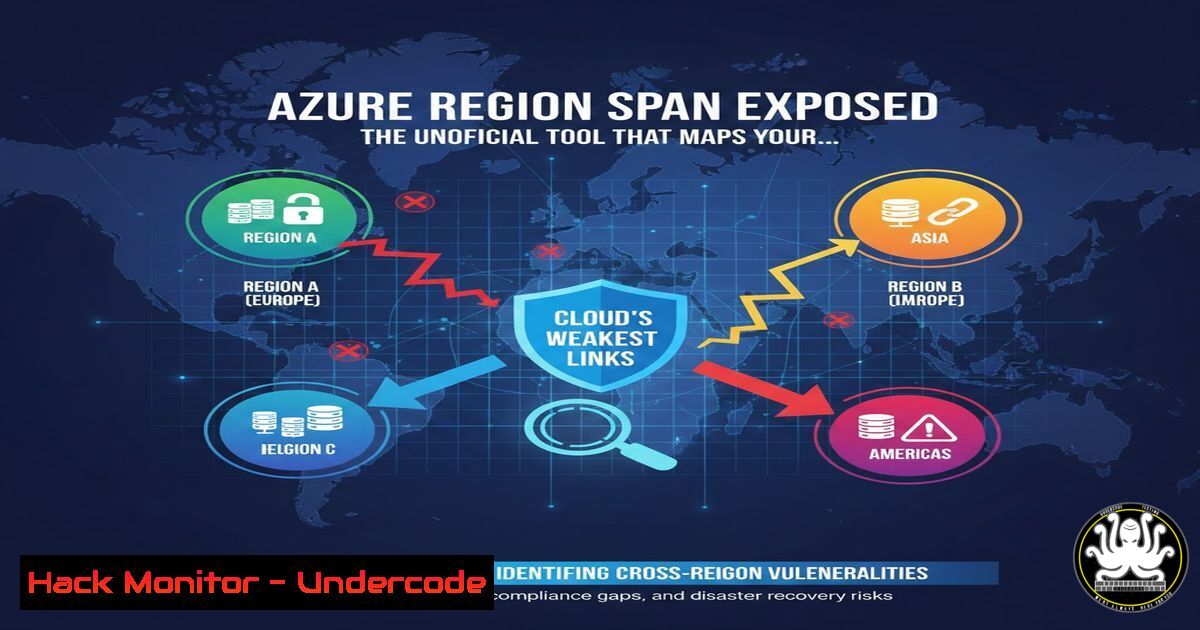
Introduction: In today’s interconnected cloud ecosystems, geographical distance is the silent architect of performance and the hidden vulnerability in your disaster recovery plan. A new open-source tool, Azure Region Span, has emerged to visually map the latency between Microsoft Azure regions, providing architects with critical data to design resilient, secure, and high-performance multi-region architectures. This tool transforms abstract network metrics into actionable intelligence for preventing data loss, avoiding compliance pitfalls, and hardening cloud deployments against region-level failures.
Learning Objectives:
- Understand how to leverage the Azure Region Span tool to quantify and visualize inter-region latency for architectural planning.
- Learn to apply latency data to make informed decisions for disaster recovery, active/active setups, and data replication strategies.
- Integrate geographical span analysis into security and compliance frameworks to mitigate risks associated with data sovereignty and synchronous processing.
1. Accessing and Interpreting the Live Latency Dashboard
Step‑by‑step guide explaining what this does and how to use it.
The core of the project is its live dashboard, which provides an immediate visual representation of Azure’s global infrastructure. This map is crucial for identifying potential single points of failure and understanding the real-world latency that impacts encryption handshakes, database synchronization, and user experience.
1. Navigate to the Dashboard: Open your browser and go to `https://lnkd.in/d2y6T8Zw`. You will see a world map populated with Azure region nodes.
2. Interpret the Visualization: Each line between regions represents a calculated span. Shorter, greener lines indicate lower-latency pairs ideal for synchronous communication. Longer, redder lines highlight high-latency spans to avoid for latency-sensitive operations.
3. Gather Data for Design: Use this visual to answer critical design questions: Which paired regions offer the lowest latency for my active/active application? Which distant pair would impose too great a replication lag for my Recovery Point Objective (RPO)?
2. Deploying and Contributing to the Open-Source Codebase
Step‑by‑step guide explaining what this does and how to use it.
As an open-source project hosted on GitHub, the tool can be audited, customized, and run locally. This is essential for security-conscious organizations that need to verify calculations or integrate them into internal pipelines.
1. Access the Repository: The source code is available at `https://github.com/vmisson/azure-region-span`. Use `git` to clone it for local examination or deployment.
git clone https://github.com/vmisson/azure-region-span.git
cd azure-region-span
2. Review the Stack: Examine the code to understand the latency calculation methodology. This transparency allows you to validate its accuracy for your specific compliance or technical requirements.
3. Run Locally or Contribute: Follow the `README.md` instructions to set up the project locally. You can also fork the repository to propose enhancements, such as adding new region-specific compliance data (like GDPR, HIPAA) or integrating with Azure’s own network performance benchmarks.
3. Designing a Geographically-Aware Disaster Recovery Plan
Step‑by‑step guide explaining what this does and how to use it.
A Disaster Recovery Plan (DRP) is only as strong as its weakest geographical link. This tool helps you architect a DRP that meets your Recovery Time Objective (RTO) by ensuring failover regions are within an acceptable latency envelope.
1. Define Latency Thresholds: Determine the maximum acceptable latency for your replication technology (e.g., SQL Always On, storage geo-replication).
2. Identify Candidate Pairs: Using the dashboard, filter for region pairs where the visualized span is below your threshold. For example, pairing East US 2 with Central US will typically show a much shorter span than with West Europe.
3. Document and Validate: Document the chosen DR pair and its associated latency. Validate this choice by conducting a failover test and measuring the actual data sync time and application performance in the secondary region.
4. Hardening Multi-Region API Security with Latency Awareness
Step‑by‑step guide explaining what this does and how to use it.
APIs spanning multiple regions are vulnerable to new attack vectors. Understanding latency helps implement security controls like geo-fencing and detect anomalies indicative of attacks.
1. Establish a Baseline: Use the tool to document the expected round-trip time (RTT) for legitimate API calls between your primary and secondary regions.
2. Implement Geo-Fencing Rules: In your API Management solution or Web Application Firewall (WAF), create allow-list rules that only accept management or sync traffic from IP ranges corresponding to your authorized, low-latency region pairs.
3. Configure Anomaly Detection: Set up alerts in Azure Monitor or your SIEM tool to trigger if inter-region API traffic latency deviates significantly from the baseline, which could indicate routing hijacks or DDoS attacks targeting your replication paths.
- Scripting Automated Region Validation for Infrastructure as Code
Step‑by‑step guide explaining what this does and how to use it.
To enforce geographical best practices, you can integrate span checking into your CI/CD pipeline for Infrastructure as Code (IaC) using Terraform or Azure Bicep. - Query the Tool’s Data: The project may expose latency data via an API or structured file. You can write a script to fetch this data.
Example using curl to fetch region data (if an API endpoint is available)
curl -s https://api.azure-region-span.com/data | jq '.regions[]'
- Create a Validation Script: Write a Python or PowerShell script that cross-references the regions defined in your IaC templates against a list of approved low-latency pairs from the tool.
Python pseudo-code for validating a Terraform variable approved_pairs = [("East US 2", "Central US"), ("West Europe", "North Europe")] if (primary_region, secondary_region) not in approved_pairs: print("ERROR: High-latency DR pair detected. Deployment blocked.") sys.exit(1) - Integrate into Pipeline: Run this validation script as a pre-deployment gate in Azure DevOps, GitHub Actions, or GitLab CI to prevent the provisioning of architectures with suboptimal or high-risk region spans.
What Undercode Say:
- Key Takeaway 1: Proximity is a Security and Compliance Control. The geographical distance between cloud regions is not just a performance metric; it is a direct factor in data residency compliance (like GDPR) and the risk of data exposure during transit. Architectures must treat latency data as a key input for security design.
- Key Takeaway 2: Open-Source Intelligence Democratizes Cloud Resilience. By making complex geo-latency data visual and accessible, this tool empowers all engineers, not just network specialists, to build more robust systems. Its open-source nature invites scrutiny and improvement, fostering a community-driven approach to cloud hardening.
Analysis (approx. 10 lines): Azure Region Span fills a critical gap in the cloud architect’s toolkit by translating opaque network concepts into clear, visual intelligence. Its true value extends beyond performance tuning into the realms of risk management and regulatory adherence. For cybersecurity, it highlights the often-overlooked “blast radius” of a region failure and provides data to contain it. The tool underscores a modern paradigm: in the cloud, geography is destiny. Ignoring the physical and network distance between resources can lead to failed recoveries, breached SLAs, and compliance violations. As cloud providers add more regions, the complexity of making the right pairing choice grows exponentially, making such automated, data-driven tools indispensable for sustainable and secure scaling.
Prediction: The functionality of tools like Azure Region Span will become deeply integrated into major cloud providers’ native consoles and IaC services within the next 2-3 years. We will see the rise of “Geographical Policy as Code,” where latency, compliance boundaries, and carbon footprint become enforceable attributes in deployment pipelines. Furthermore, AI will leverage this data to recommend and auto-configure optimal global deployments based on dynamic performance, cost, and real-time security threat models, making geographically aware architecture the default standard for enterprise cloud.
▶️ Related Video (82% Match):
🎯Let’s Practice For Free:
IT/Security Reporter URL:
Reported By: Thierry Bollet – Hackers Feeds
Extra Hub: Undercode MoN
Basic Verification: Pass ✅


