Listen to this Post
Introduction:
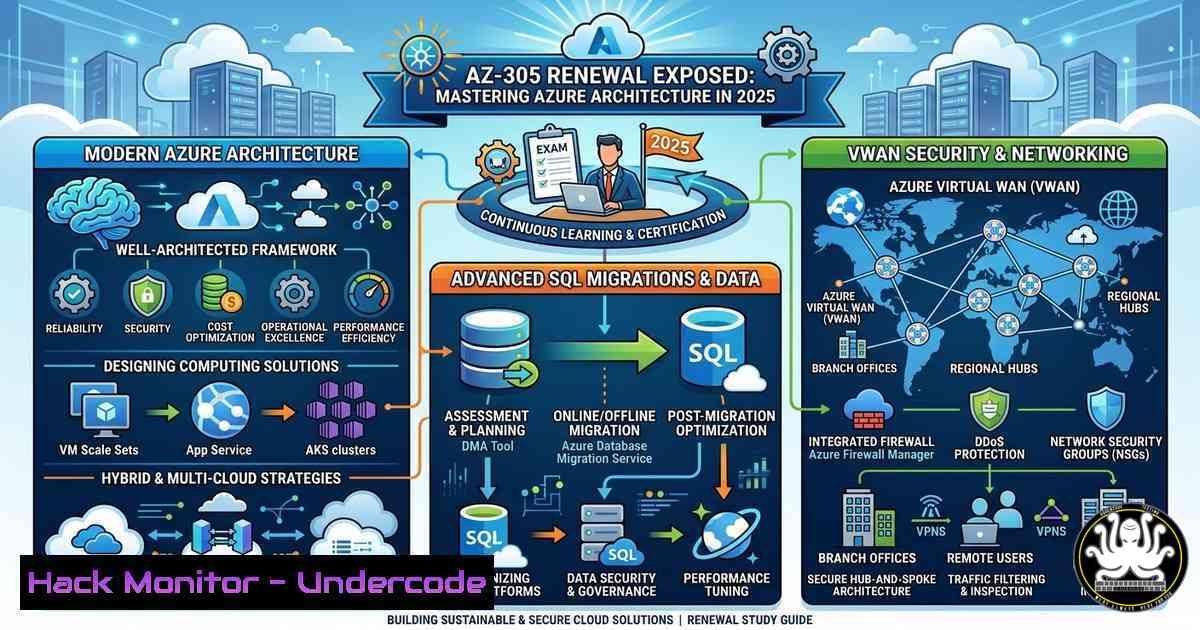
As organizations accelerate cloud adoption, renewing advanced certifications like Microsoft’s Azure Solutions Architect Expert (AZ-305) has become a critical milestone for IT professionals. The recent AZ-305 renewal exam placed heavy emphasis on SQL offerings, virtual machine architecture, App Services, Data Lake configurations, and even a surprising Virtual WAN question. Beyond exam preparation, understanding these pillars is essential for designing secure, scalable, and cost-effective solutions. This article dissects the core technical domains covered in the renewal, provides hands-on configuration steps, and highlights security best practices that every Azure architect must implement today.
Learning Objectives:
- Compare and secure Azure SQL deployment options, including migration paths.
- Implement hardened configurations for VMs, App Services, and Data Lake Storage.
- Design and protect hybrid networks using Azure Virtual WAN and Firewall.
- Apply big data security controls in Hadoop-based services (HDInsight).
- Execute secure workload migrations using Azure Migrate and DMS.
You Should Know:
- Azure SQL Offerings: Choosing and Securing the Right Deployment
The renewal exam stresses the differences between Azure SQL Database, SQL Managed Instance, and SQL Server on Azure VMs. Each has unique security considerations.
Step‑by‑step: Secure an Azure SQL Database with Advanced Threat Protection
1. Create a logical SQL server and database (or use existing).
2. Enable Microsoft Defender for SQL to detect anomalous activities:
Set-AzSqlServerAdvancedThreatProtectionSetting -ResourceGroupName "MyRG" -ServerName "mysqlserver" -Enable $true
3. Configure auditing to log events to a storage account:
az sql server audit-policy update --resource-group MyRG --server mysqlserver --state Enabled --blob-storage-target-state Enabled --storage-account /subscriptions/.../storageAccounts/myauditstore
4. Enable Transparent Data Encryption (TDE) with customer-managed keys (CMK) for extra control:
az sql server tde-key set --server mysqlserver --resource-group MyRG --server-key-type AzureKeyVault --kid "https://myvault.vault.azure.net/keys/mykey"
5. Set firewall rules to restrict access to specific IPs or Azure services.
2. Virtual Machine Architecture: Hardening IaaS Workloads
Azure VMs remain a core focus. Security misconfigurations are common, so applying defense-in-depth is crucial.
Step‑by‑step: Configure Just-in-Time (JIT) VM Access
1. Enable JIT in Microsoft Defender for Cloud:
az security jit-policy create --resource-group MyRG --location eastus --name MyVMJIT --virtual-machines myVM --ports protocol=TCP,number=3389,maxRequestAccessDuration=PT3H
2. Request access when needed:
az security jit-policy request-access --resource-group MyRG --location eastus --name MyVMJIT --virtual-machines myVM --ports protocol=TCP,number=3389,allowedSourceAddressPrefix=203.0.113.0/24,endTimeUtc=2025-03-14T12:00Z
3. Apply Network Security Groups (NSGs) with application security groups to micro-segment traffic.
4. Enable Azure Disk Encryption for OS and data disks using Azure Disk Encryption (ADE) with Key Vault.
3. Securing App Services: Identity and Network Isolation
App Services are a prime target for web attacks. Hardening involves authentication, TLS, and VNet integration.
Step‑by‑step: Implement End-to-End TLS and IP Restrictions
- Enforce HTTPS only in the App Service configuration:
az webapp update --resource-group MyRG --name mywebapp --set httpsOnly=true
- Bind a custom domain and upload a TLS/SSL certificate (App Service Managed Certificate is free).
3. Restrict inbound traffic with IP access rules:
az webapp config access-restriction add --resource-group MyRG --name mywebapp --rule-name "AllowCorp" --ip-address 203.0.113.0/24 --priority 100
4. Enable Managed Identity and use it to access Key Vault or databases without secrets.
5. Integrate with VNet for outbound traffic to on‑premises resources:
az webapp vnet-integration add --resource-group MyRG --name mywebapp --vnet myVNet --subnet mySubnet
- Data Lake Storage Gen2: Securing Big Data at Scale
Azure Data Lake Storage Gen2 combines blob storage with a hierarchical namespace. Security relies on RBAC, ACLs, and network controls.
Step‑by‑step: Set Up Fine-Grained Access and Diagnostic Logging
- Enable diagnostic settings to send logs to Log Analytics:
az storage logging update --account-name mydatalake --services b --log rwd --retention 30
- Assign RBAC roles (e.g., Storage Blob Data Contributor) at the container level.
3. Set POSIX-like ACLs for directories/files:
az storage fs access set --account-name mydatalake --file-system mycontainer --path /finance --permissions rwxr-x --owner '$superuser'
4. Configure firewall and virtual network rules to limit access to specific subnets.
5. Enable encryption scopes to isolate data with different keys per container.
- Virtual WAN and Network Security: Designing Secure Hybrid Connectivity
Though only one VWAN question appeared, it signals Microsoft’s push toward centralized networking. Virtual WAN simplifies branch-to-branch and branch-to-Azure connectivity but requires careful security design.
Step‑by‑step: Deploy a Secure Virtual WAN with Azure Firewall
1. Create a Virtual WAN:
az network vwan create --resource-group MyRG --name MyVWAN --location eastus --branch-to-branch-traffic true
2. Create a Secure Virtual Hub (includes Azure Firewall):
az network vhub create --resource-group MyRG --name MyHub --vwan MyVWAN --address-prefix 10.0.0.0/24 --sku Standard
az network firewall create --resource-group MyRG --name MyFirewall --location eastus
az network vhub connection create --resource-group MyRG --name MyConn --vhub MyHub --remote-vnet MySpokeVNet
3. Route inspection traffic through the firewall by setting up routing intent.
4. Configure firewall policies to allow/deny traffic between branches and VNets.
5. Enable VPN or ExpressRoute gateways in the hub for secure site-to-site connectivity.
- Hadoop and Big Data Security: Securing HDInsight Clusters
The mention of Hadoop likely refers to HDInsight clusters. Security includes Enterprise Security Package (ESP) and network isolation.
Step‑by‑step: Create a Secure HDInsight Cluster with ESP
- Prerequisites: Azure AD DS, VNet, and a domain joined subnet.
2. Create an ESP-enabled cluster (example for Hadoop):
az hdinsight create --resource-group MyRG --name myhadoopcluster --location eastus --cluster-type hadoop --workernode-count 2 --version 4.0 --esp true --domain mydomain.com --ldaps-urls ldaps://...
3. Enable Ranger for fine-grained authorization on Hive and HDFS.
4. Restrict cluster access using VNet service endpoints or private link.
5. Encrypt data in transit by enabling TLS for cluster endpoints.
- Migration Strategies: Tools and Security for Moving Workloads
Migrating workloads into Azure is a recurring theme. Secure migration requires planning for data encryption, identity continuity, and minimal downtime.
Step‑by‑step: Secure Migration Using Azure Migrate and DMS
1. Assess on‑premises VMs with Azure Migrate appliance.
- Replicate VMs with encrypted disks using Azure Site Recovery:
az site-recovery protected-item create --resource-group MyRG --vault-name MyVault --fabric-name MyFabric --protection-container MyContainer --name MyVM --policy-name MyPolicy
- For SQL migrations, use Azure Database Migration Service with TLS 1.2 and source‑side encryption.
- During migration, enable Azure Defender for all target resources.
- Post‑migration, validate security baselines using Azure Policy and Microsoft Defender for Cloud.
What Undercode Say:
- Key Takeaway 1: Azure certification renewals are not just about passing exams—they reflect real‑world architectural shifts toward integrated security (e.g., VWAN, Defender for Cloud) and hybrid scenarios.
- Key Takeaway 2: Hands‑on proficiency with Azure CLI and PowerShell is non‑negotiable; the commands above demonstrate how security controls are operationalized, from JIT VM access to Data Lake ACLs.
- Analysis: The inclusion of a VWAN question and Hadoop references signals Microsoft’s intent to push architects beyond basic IaaS/PaaS into complex, secure networking and big data governance. Architects must now treat security as code—embedding it into every deployment script. Ignoring these layers leaves organizations vulnerable to data exfiltration, lateral movement, and compliance failures. The future Azure architect will be a hybrid of network engineer, security analyst, and data engineer.
Prediction:
By 2026, Azure certifications will integrate AI security and zero‑trust network access (ZTNA) as core domains. Virtual WAN will become the default hub for all enterprise networks, with automated firewall policies enforced by machine learning. Expect exam questions to focus on securing AI workloads (like Azure ML) and automated threat response using Microsoft Sentinel, shifting the architect’s role from manual configuration to policy‑as‑code orchestration.
▶️ Related Video (82% Match):
🎯Let’s Practice For Free:
IT/Security Reporter URL:
Reported By: Curtis Milne – Hackers Feeds
Extra Hub: Undercode MoN
Basic Verification: Pass ✅


