Listen to this Post
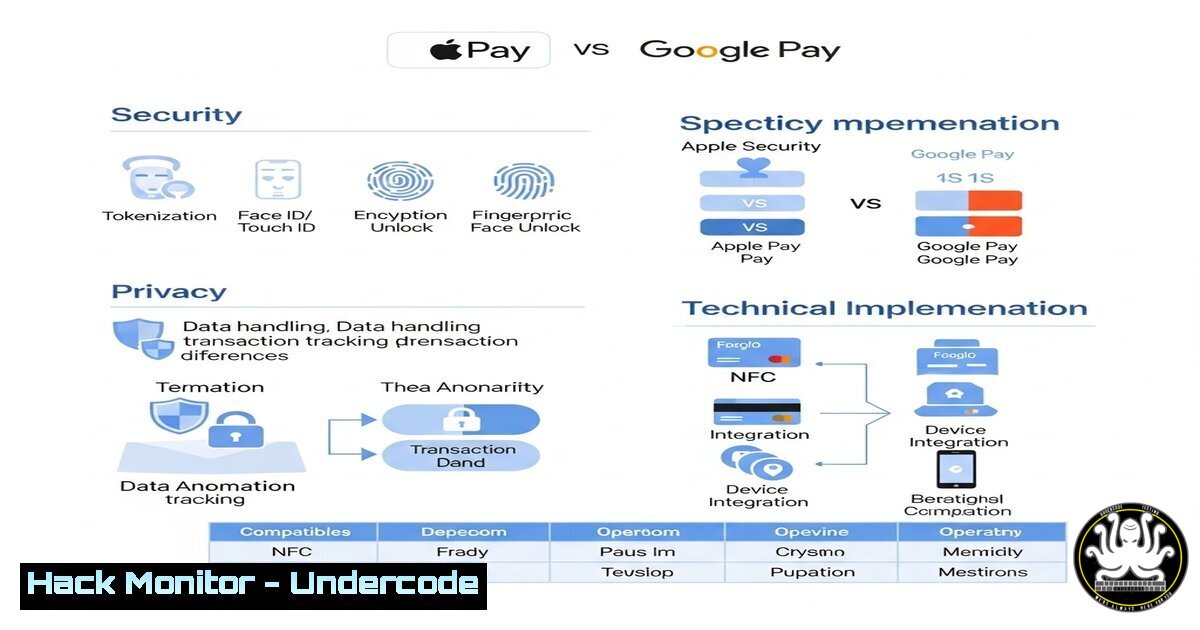
Introduction
Digital wallets like Apple Pay and Google Pay have revolutionized payment security with tokenization, biometric authentication, and encryption. However, their approaches to data storage, privacy, and compliance differ significantly. This article explores their security mechanisms, technical implementations, and key considerations for users and enterprises.
Learning Objectives
- Understand how tokenization and biometric authentication secure digital payments.
- Compare Apple Pay’s device-centric security model with Google Pay’s cloud-based approach.
- Learn key commands and configurations to audit and secure digital wallet transactions.
1. Tokenization: How It Works Under the Hood
Tokenization replaces sensitive card details with a unique, randomized token for each transaction. Here’s how to verify tokenization on different platforms:
Apple Pay (iOS/macOS)
 Check Secure Enclave status (macOS Terminal)
ioreg -l | grep "Secure Enclave"

Verify tokenization via Wallet logs (requires device logs)
log show --predicate 'process == "passd"' --last 1h
What This Does:
– `ioreg` checks if the Secure Enclave (dedicated hardware for cryptographic operations) is active.
– `log show` filters Wallet app logs to confirm token generation.
Google Pay (Android)
 Check tokenization status via Android Debug Bridge (ADB)
adb shell dumpsys nfc | grep "HCE"

View Google Pay transaction tokens (requires root)
cat /data/data/com.google.android.apps.walletnfcrel/files/tokens.json
What This Does:
– `dumpsys nfc` confirms Host Card Emulation (HCE), which Google Pay uses for tokenized transactions.
– The `tokens.json` file (root-only) stores generated tokens locally.
2. Biometric Authentication: Security vs. Convenience
Both wallets require biometrics, but implementations vary.
Apple Pay (Face ID/Touch ID)
 Audit biometric policies on macOS/iOS
sudo bioutil -r  Reset biometric database (debug)
security list-keychains  Verify Wallet keychain access
Google Pay (Android Biometric API)
 Check biometric strength via ADB
adb shell settings get secure biometric_authentication_enabled

Test StrongBox hardware-backed keystore (Android 9+)
adb shell pm list features | grep "strongbox"
Key Takeaway:
Apple’s biometrics are hardware-bound (Secure Enclave), while Android’s depend on device manufacturers’ implementations.
3. Data Storage: Local vs. Cloud Risks
Apple Pay (Local-Only Storage)
 Verify Secure Enclave isolation (macOS)
csrutil status  Check System Integrity Protection

Dump Wallet app data (requires jailbreak)
strings /var/mobile/Library/Passes/.pkpass
Google Pay (Cloud-Synced Data)
 Monitor Google Pay’s cloud sync (Android)
adb logcat | grep "CloudTokenService"

Block Google Pay telemetry (via firewall)
iptables -A OUTPUT -p tcp -d google.com --dport 443 -j DROP
Risk Note: Google Pay’s cloud storage exposes metadata to Google’s analytics, while Apple Pay isolates data locally.
4. Compliance & Auditing
PCI-DSS Validation
 Scan for PCI compliance gaps (Linux)
nmap --script pci-compliance -p 443,8443 <merchant-IP>

Check Apple Pay’s PCI attestation (macOS)
openssl s_client -connect apple-pay-gateway.apple.com:443 | openssl x509 -text
Google Pay’s Data Sharing
 Extract Google Pay’s privacy flags (Android)
adb shell dumpsys package com.google.android.apps.walletnfcrel | grep "permission"
5. Mitigating Wallet Vulnerabilities
MITM Protection (SSL Pinning)
 Bypass pinning for testing (Frida)
frida -U -f com.google.android.apps.walletnfcrel -l ssl-pinning-bypass.js
Token Theft Prevention
 Monitor NFC transactions (Android)
adb logcat | grep "NfcService"

Revoke compromised tokens (Apple Pay)
sudo defaults write /Library/Preferences/com.apple.security.revocation CRLStyle -string "Require"
What Undercode Say
- Key Takeaway 1: Apple Pay’s hardware-bound tokens and local storage offer superior privacy, but Google Pay’s flexibility suits Android ecosystems.
- Key Takeaway 2: Tokenization alone isn’t enough—audit biometrics, cloud sync, and compliance to prevent breaches.
Analysis:
While Apple Pay leads in privacy-by-design, Google Pay’s open ecosystem enables broader fintech integrations. Enterprises must enforce device-level controls (e.g., Android Enterprise, iOS MDM) to mitigate risks like NFC skimming or token replay attacks.
Prediction
Future digital wallets will integrate post-quantum cryptography (e.g., NIST’s CRYSTALS-Kyber) to counter quantum computing threats. Meanwhile, regulatory scrutiny (e.g., EU’s Digital Markets Act) will force transparency in cloud-based payment data handling.
Final Tip:
Use hardware wallets (e.g., YubiKey) for high-value transactions, and always audit your wallet’s logs:
 Apple Pay (macOS)
log stream --predicate 'senderImagePath contains "PassKit"'

Google Pay (Android)
adb logcat -s "WalletService"
Ready to harden your digital payments? Share your preferred wallet and security tweaks below!
🎯Let’s Practice For Free:
IT/Security Reporter URL:
Reported By: Flaviusplesu Digital – Hackers Feeds
Extra Hub: Undercode MoN
Basic Verification: Pass ✅


