Listen to this Post
Introduction:
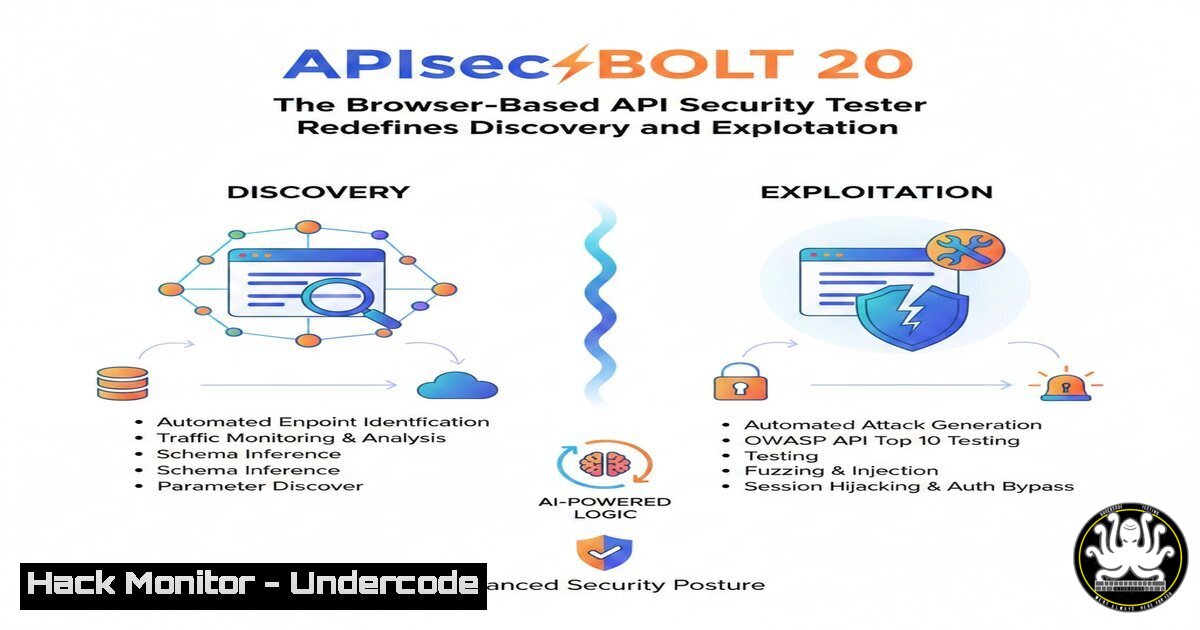
Modern web applications are complex ecosystems communicating through numerous APIs, creating a massive attack surface that traditional scanners often miss. APIsec BOLT 2.0 addresses this by shifting API discovery and security testing directly into the browser, the very environment where these transactions occur. This article dissects the new features of BOLT 2.0, providing a technical roadmap for penetration testers and bug bounty hunters to leverage automatic service dissection, auth token harvesting, and manual manipulation for critical vulnerability detection like BOLA and Mass Assignment.
Learning Objectives:
- Understand how to deploy and utilize browser extensions for passive and active API discovery.
- Master the extraction and reuse of authentication tokens (JWT, API keys) for identity-switching attacks.
- Execute manual API manipulation techniques to test for Insecure Direct Object References (IDOR/BOLA) and parameter-based flaws.
You Should Know:
1. Automatic API Discovery and Service Mapping
When you browse a modern web application, it rarely communicates with just one backend service. BOLT 2.0 acts as a Man-in-the-Middle proxy living inside your browser. It intercepts traffic and intelligently groups requests into distinct services based on URL structures and response patterns.
– What it does: Instead of presenting a flat list of requests, it splits traffic into logical API collections (e.g., auth.service.com, api.payments.com, data.cdn.com).
– How to use it:
1. Install the BOLT 2.0 extension on Chrome or Firefox.
2. Navigate to your target application and perform standard user actions (login, browse, click).
3. Open the BOLT dev tools panel. You will see your traffic automatically sorted by “Service.”
4. Click on a specific service to view its dedicated endpoints. This allows you to focus on the payment API logic without being distracted by analytics calls.
2. Auth Discovery and Token Harvesting
Modern APIs are stateless and rely on tokens for authorization. BOLT 2.0 automatically catalogs every authentication credential it observes in transit.
– What it does: It parses HTTP headers and cookies to identify JWTs, Basic Auth strings, API keys in query parameters, and session cookies. It stores them for reuse.
– Step‑by‑Step Guide (Token Extraction and Replay):
– After logging into a site, check the BOLT “Auth” tab.
– You will see a list of discovered tokens. Locate a JWT.
– Linux/macOS Command (Decoding JWT for analysis): You can copy this JWT and decode its payload to understand the user context.
 Decode JWT (Header.Payload.Signature) without verification
echo "eyJhbGciOiJIUzI1NiIsInR5cCI6IkpXVCJ9.eyJzdWIiOiIxMjM0NTY3ODkwIiwidXNlciI6InRlc3RAdW5kZXJjb2RlLmNvbSIsInJvbGUiOiJhZG1pbiJ9.SflKxwRJSMeKKF2QT4fwpMeJf36POk6yJV_adQssw5c" | cut -d "." -f2 | base64 --decode 2>/dev/null | jq .
– In BOLT, right-click a request and select “Send to Manipulate.” BOLT will automatically attach the relevant auth token for that specific API.
3. Manipulate: The IDOR/BOLA Testing Playground
The “Manipulate” feature is a built-in API client that allows you to take a captured request, modify it, and send it immediately. This is crucial for finding Broken Object Level Authorization (BOLA) flaws.
– What it does: It allows you to edit the HTTP method, path parameters, headers, and body before re-transmitting the request from your browser context.
– Step‑by‑Step Guide (IDOR Testing):
1. Find a request that fetches user data, e.g., GET /api/v3/user/12345/profile.
2. In BOLT, flag this request and open “Manipulate.”
3. The path parameter `12345` will be editable. Change it to 12346.
4. Click “Send.” If the API returns the profile for user 12346 without escalating privileges, you have found an IDOR.
5. Windows Command (PowerShell Equivalent for API Testing): While BOLT does this in-browser, you can replicate the logic externally using `curl` in PowerShell to validate if the vulnerability is browser-agnostic.
 Ensure you replace the token and URL
$headers = @{ Authorization = "Bearer <JWT_TOKEN_HERE>" }
$response = Invoke-WebRequest -Uri "https://target.com/api/v3/user/12346/profile" -Headers $headers
$response.Content
4. Flag and Filter: Noise Reduction
Penetration testing generates significant noise (CSS files, images, analytics). BOLT 2.0 introduces a visual “Flag and Filter” system.
– What it does: It lets you right-click irrelevant endpoints or entire domains and click “Exclude.” These requests are immediately removed from the view and will not appear in future scans.
– How to use it: When testing an application, immediately filter out third-party telemetry domains (e.g., analytics.google.com, sentry.io). Flag interesting endpoints (e.g., api/graphql, /admin, /internal) with colors (Red for High Value, Yellow for Suspicious) to organize your testing workflow.
5. APIsec.ai Integration for Continuous Assessment
Once you discover an API in BOLT, you can onboard it directly to APIsec.ai for heavy-duty, automated scanning.
– What it does: It exports the discovered OpenAPI specification (or the raw requests) to the APIsec.ai platform, which then runs thousands of attack variations for OWASP API Top 10 vulnerabilities.
– Step‑by‑Step Guide (Exporting for Cloud Hardening):
1. After browsing, go to the BOLT “Services” view.
2. Select the API service you want to test deeply.
3. Click “Send to APIsec.ai.”
- In APIsec.ai, configure the scan to test for “Mass Assignment.” This involves sending unexpected parameters in POST/PUT requests.
- Conceptual Code (Mass Assignment Test): If the original request was `POST /api/user/update` with
{"email":"[email protected]"}, a mass assignment test would add{"email":"[email protected]", "role":"admin"}. BOLT helps you discover the endpoint; the integration automates the fuzzing.
6. Advanced Workflow: Combining Discovery and Exploitation
A realistic workflow combines all the above.
- Scenario: You log into an admin panel. BOLT discovers an internal API
admin.internal.com. - Auth Discovery: BOLT captures a
Cookie: admin_session=.... - Manipulation: You find an endpoint
POST /internal/user/delete. - Exploitation: Using BOLT’s Manipulate, you change the user ID in the body. Since your session is valid, the API deletes the other user.
- Mitigation Commands (Linux Sysadmin): To prevent this on the server, ensure authorization checks are not just based on the token’s validity but on the token’s context.
Example: Check nginx logs for IDOR patterns (sequential IDs)
grep "user/delete" /var/log/nginx/access.log | awk '{print $7}' | sort | uniq -c
What Undercode Say:
APIsec BOLT 2.0 represents a paradigm shift from proxy-based testing to integrated development environment (IDE)-style workflows. By bringing discovery, authentication management, and manual exploitation into the browser console, it removes the friction of context-switching for security researchers. The key differentiator is “Auth Discovery,” which allows testers to seamlessly switch between user identities (e.g., Admin vs. User) without re-authenticating, making privilege escalation testing instantaneous. However, testers must remember that in-browser tools are subject to CORS and browser security policies; complex TCP-level attacks still require dedicated proxies like Burp Suite or OWASP ZAP. BOLT is best utilized for rapid, initial reconnaissance and immediate validation of logic flaws during active browsing sessions.
Prediction:
As APIs continue to outpace web front-ends in complexity, security testing will inevitably shift left into the browser and CI/CD pipeline. The integration of tools like BOLT with automated scanners (APIsec.ai) will give rise to “Continuous Discovery” platforms. In the next 12 months, we predict an increase in zero-day API vulnerabilities discovered through automated token-switching and service-mapping techniques, forcing organizations to adopt real-time API behavior analysis rather than relying on static, pre-production scans alone.
▶️ Related Video (82% Match):
🎯Let’s Practice For Free:
IT/Security Reporter URL:
Reported By: Https: – Hackers Feeds
Extra Hub: Undercode MoN
Basic Verification: Pass ✅


