Listen to this Post
Introduction:
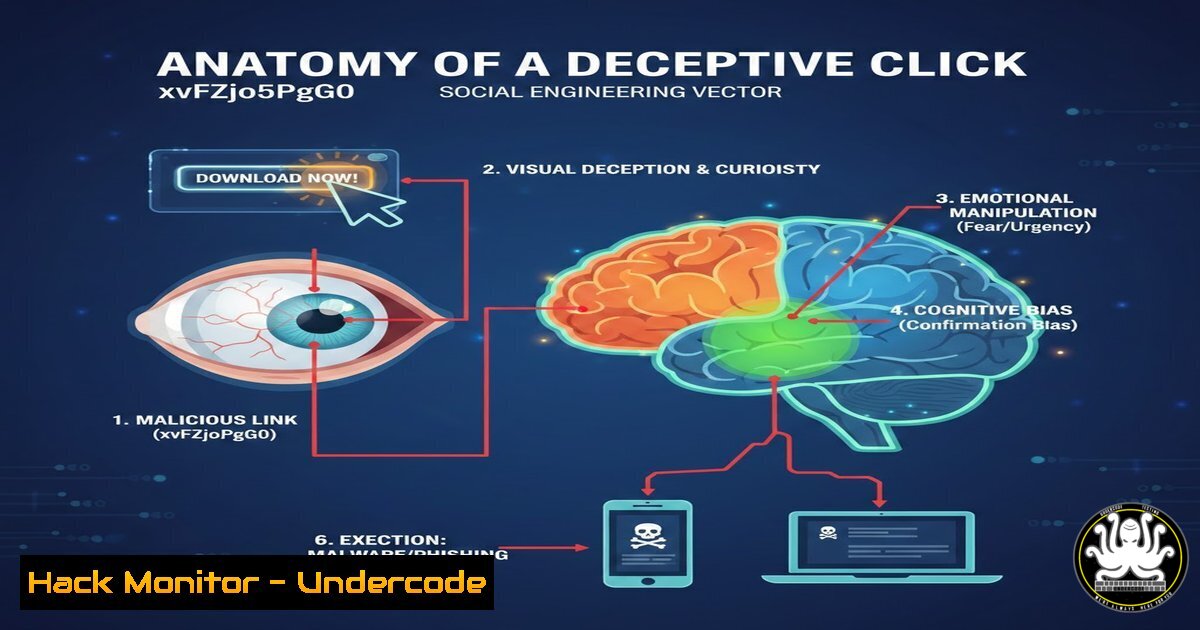
In the landscape of modern cybersecurity, the simplest attacks are often the most effective. The URL `https://www.youtube.com/watch?v=xvFZjo5PgG0` serves as a masterclass in social engineering, representing a “Rickroll”—a bait-and-switch technique where a user expecting specific content is redirected to a harmless music video. While this specific instance is benign, the methodology mirrors sophisticated phishing campaigns used to deliver malware, harvest credentials, and establish initial access in corporate networks. Understanding the mechanics of this URL, its potential for malicious abuse via link shorteners, and how to analyze such threats is foundational for IT and security professionals.
Learning Objectives:
- Analyze the structure of a YouTube URL and identify query parameters for potential manipulation.
- Understand how link obfuscation techniques (URL shorteners, preview text spoofing) are used in social engineering.
- Execute command-line and GUI-based analysis to verify the safety of a link before clicking.
- Simulate a real-world phishing scenario using this “harmless” example to demonstrate user awareness gaps.
- Implement browser security configurations to mitigate the risks of deceptive links.
You Should Know:
- Deconstructing the URL: Anatomy of a YouTube Parameter
The URL in question follows a standard YouTube format: `https://www.youtube.com/watch?v={VIDEO_ID}`. The `v` parameter is a query string that tells YouTube which video file to retrieve. In this case, `xvFZjo5PgG0` is a hardcoded identifier pointing to Rick Astley’s “Never Gonna Give You Up.”
In a malicious context, a threat actor would not link directly to a malware site using this domain. Instead, they might exploit this trust by using a YouTube redirect URL. For example, old or deprecated Google services occasionally used `www.youtube.com/redirect?q=http://malicious.site`. A user sees `youtube.com` in the link preview and assumes it is safe, not realizing the `redirect` parameter sends them elsewhere.
Step‑by‑step guide to parameter analysis:
- Identify the Domain: The domain is
youtube.com. This is a trusted major platform, which lowers the victim’s guard. - Identify the Path: `/watch` is the standard video player endpoint.
- Parse the Query String: The `?` separates the path from parameters. `v=` is the parameter name, and `xvFZjo5PgG0` is the value.
- Test for Injection: In a security lab, a professional might test if the parameter is vulnerable by modifying it (e.g.,
watch?v=</code>). While YouTube is secure, custom web apps often mishandle these parameters, leading to XSS (Cross-Site Scripting).</p></li> <li><p>URL Obfuscation and Previews (The Social Engineering Hook) The power of this attack lies in the disconnect between what the user sees and where they go. In a corporate phishing simulation, this link would be hidden behind a link shortener (like bit.ly) or a "friendly link" in a collaboration tool (Slack, Teams) that displays a misleading preview.</p></li> </ol> <h2 style="color: yellow;">Step‑by‑step guide to simulating a deceptive link:</h2> <h2 style="color: yellow;">1. Create the Context (Email Simulation):</h2> <ul> <li>Subject: "Urgent: Q3 Financial Report Review"</li> <li>Body: "Team, please review the recorded walkthrough of the new budget allocations here: [Download Video]"</li> </ul> <h2 style="color: yellow;">2. Obfuscate the Link (Windows Command Prompt):</h2> <ul> <li>You can create a shortcut (.lnk) file pointing to the URL. [bash] This creates a shortcut that opens the URL. The user sees the filename "Q3_Report", not the destination. powershell -Command "$WS = New-Object -ComObject WScript.Shell; $SC = $WS.CreateShortcut('%USERPROFILE%\Desktop\Q3_Report.lnk'); $SC.TargetPath = 'https://www.youtube.com/watch?v=xvFZjo5PgG0'; $SC.Save()" - Before clicking, a security-aware user would use `curl` or `wget` to inspect the headers.
Using curl to check the final destination without downloading the video
curl -I "https://www.youtube.com/watch?v=xvFZjo5PgG0"
Look for the HTTP 200 OK response and the Content-Type: text/html; charset=utf-8
- To prevent the page from loading, you can redirect the main domain to localhost for testing.
sudo nano /etc/hosts
Add the following line to redirect youtube.com to localhost
127.0.0.1 www.youtube.com youtube.com
- Open Developer Tools (F12) -> Network Tab.
- Navigate to the URL.
- Observe the hundreds of requests made to
.googlevideo.com. This demonstrates why whitelisting is difficult: blocking the video requires blocking the entire CDN. - Use `Resolve-DnsName` to check the domain's IP reputation.
Check the DNS record of a suspicious domain (example: malicious-site[.]com)
Resolve-DnsName malicious-site[.]com
Cross-reference the IP with VirusTotal or other threat intel feeds.
- Under Scope, add the remote IP address of the YouTube server (impractical due to load balancing) OR use the URL via Windows Defender Application Control (more complex).
- A simpler method is to block via the Hosts File (as shown in Section 3) pushed via Group Policy:
Batch script to append to hosts file via GPO echo 0.0.0.0 www.youtube.com >> C:\Windows\System32\drivers\etc\hosts
3. Analyze the Destination (Linux Command Line):
3. Browser Security and Content Filtering
Organizations can mitigate the risk of such social engineering by implementing strict browser security policies and content filtering. While blocking YouTube is often impractical, blocking specific video IDs or categories related to "entertainment" during work hours can reduce distractions and the attack surface.
Step‑by‑step guide to blocking specific YouTube videos via DNS (Pi-hole example):
1. Identify the Block Target: The specific video ID is xvFZjo5PgG0. However, YouTube serves video content from multiple domains (e.g., googlevideo.com). Blocking the URL itself is ineffective as the video is a stream.
2. Block the Referring Domain (Linux /etc/hosts):
3. Browser Developer Tools Analysis:
4. Exploitation Potential: From Rickroll to Ransomware
The transition from a benign Rickroll to a malicious attack involves swapping the video ID for a link to a drive-by download or a credential harvesting page. Attackers clone legitimate login pages (e.g., Office 365, Google Sign-In) and host them on lookalike domains.
Step‑by‑step guide to inspecting a suspicious link (Windows PowerShell):
1. Do not click the link.
3. Use `Invoke-WebRequest` to inspect headers safely.
 Attempt to grab the headers from a potentially malicious site
try {
$Response = Invoke-WebRequest -Uri "http://malicious-site[.]com" -Method Head -TimeoutSec 5
$Response.Headers
} catch {
Write-Host "Connection failed or site is down." -ForegroundColor Red
}
Note: Be extremely careful with this; simply connecting to a malicious site can sometimes trigger a payload.
5. API Security Implications
This URL also touches on API security. The `v` parameter is an API key for accessing a specific resource. Insecurely designed APIs often expose similar IDs in GET requests. If an API uses predictable IDs (/api/user/1, /api/user/2), it is vulnerable to Insecure Direct Object References (IDOR).
Step‑by‑step guide to testing for IDOR (Burp Suite concept):
1. Intercept Request: Capture a legitimate request to an API endpoint, e.g., `https://api.example.com/document/12345`.
2. Modify Parameter: Change the ID to `12346` and forward the request.
3. Analyze Response: If the API returns data for user 12346 without authorization checks, an IDOR vulnerability exists.
- The YouTube `v=` parameter is not an IDOR vulnerability because the content (the video) is intended to be public. However, the structure is identical to a vulnerable API.
6. Mitigation via Group Policy (Windows Environment)
Administrators can block access to known malicious URLs or even specific YouTube videos to enforce Acceptable Use Policies.
Step‑by‑step guide to blocking a URL via Windows Firewall:
1. Open Windows Defender Firewall with Advanced Security.
2. Click Outbound Rules -> New Rule.
3. Select Custom -> Next.
4. Select All programs -> Next.
5. Under Protocol type, leave as "Any".
What Undercode Say:
The `xvFZjo5PgG0` link is a cultural artifact repurposed as a cybersecurity training tool. Its genius lies in its harmlessness, which perfectly demonstrates the user's trust in familiar domains. Key takeaways include the critical need to verify shortened links, the importance of hovering over links to reveal true destinations, and the understanding that context (an urgent email) is the primary weapon in a social engineer's arsenal.
Analysis suggests that human psychology remains the most vulnerable attack surface. While endpoint detection and response (EDR) and next-gen firewalls can catch known malware, they cannot easily stop a user from voluntarily typing their credentials into a perfect replica of a login page linked from what appeared to be a legitimate YouTube URL. Security awareness training must therefore evolve from simple "don't click bad links" to "analyze the context and intent of every digital interaction."
Key Takeaway 1: The structure of a URL is the first line of defense; always inspect the full path and query parameters before clicking.
Key Takeaway 2: Trust in major domains (like YouTube) is a primary attack vector; implement browser isolation or URL filtering to inspect traffic to these domains.
Prediction:
As browser-based isolation technology becomes cheaper and more ubiquitous, the future of this attack vector will shift. Instead of relying on the user to avoid the link, the browser itself will render the page in a sandboxed container. The Rickroll of the future will not lead to a video, but to a fully interactive, isolated web session that captures user input without ever exposing the corporate endpoint to the underlying malicious code. The "click" will become obsolete as a threat, forcing attackers to pivot to entirely new social engineering paradigms based on trusted communication channels rather than web links.
▶️ Related Video (86% Match):
🎯Let’s Practice For Free:
IT/Security Reporter URL:
Reported By: Rachelmitchell333 Businessdevelopment - Hackers Feeds
Extra Hub: Undercode MoN
Basic Verification: Pass ✅


