Listen to this Post
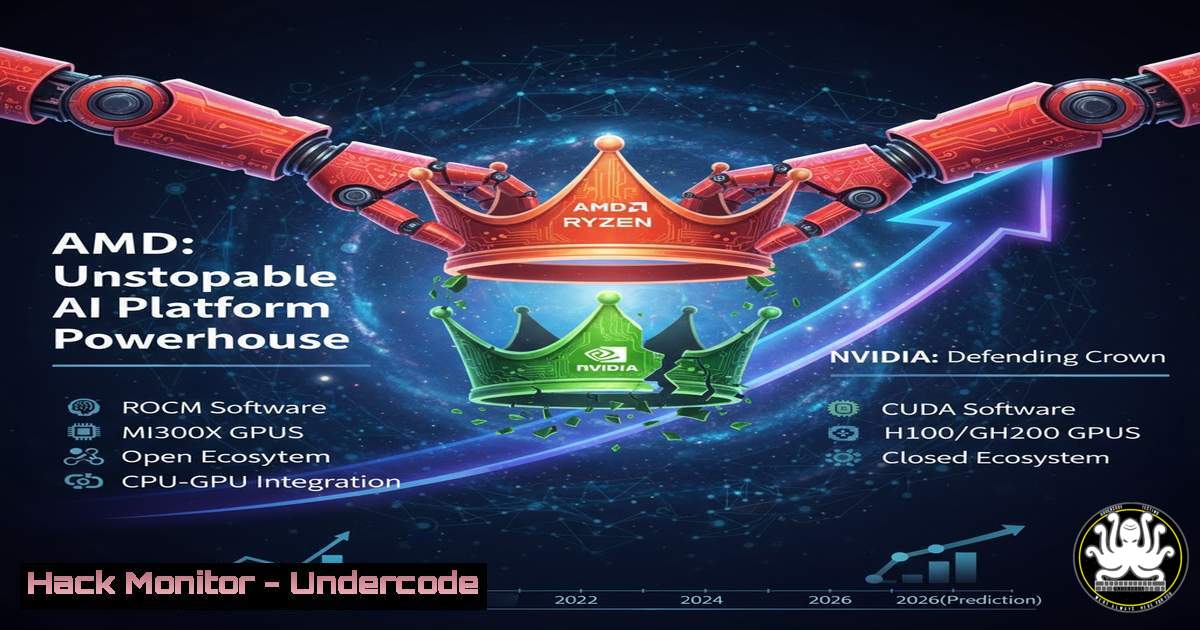
Introduction:
The landscape of artificial intelligence and data center computing is undergoing a seismic shift. For years, NVIDIA has dominated the AI accelerator market, but Advanced Micro Devices (AMD) is aggressively positioning itself not just as a chip supplier, but as a full-stack platform power. This strategic pivot, moving beyond CPUs to integrate GPUs, software, and security into a cohesive ecosystem, marks the most significant threat yet to NVIDIA’s hegemony. Understanding this evolution is critical for IT leaders, cybersecurity professionals, and developers navigating the future of high-performance computing.
Learning Objectives:
- Decode AMD’s platform strategy and its core components, including the Instinct MI300 series and the ROCm software ecosystem.
- Differentiate between AMD and NVIDIA’s architectural and software approaches to AI workloads.
- Implement and validate foundational security and performance configurations for AMD hardware in a data center environment.
You Should Know:
- The MI300X: Architectural Deep Dive and Competitive Edge
AMD’s Instinct MI300X accelerator is the physical embodiment of its platform ambition. Unlike traditional GPUs, the MI300X is an APU (Accelerated Processing Unit) that combines CPU and GPU cores on a single package using a chiplet design. This architecture, coupled with up to 192GB of ultra-fast HBM3 memory, allows it to tackle very large AI models that would otherwise require multiple NVIDIA H100 GPUs, fundamentally changing the cost-per-inference calculus.
Step-by-Step Guide: Verifying Hardware and Memory on Linux
Once an MI300X is installed in a server, system administrators must verify its presence and capabilities.
- Identify the GPU: Use the `lspci` command to list all PCI devices. Look for the vendor ID `1002` (AMD).
lspci | grep -i amd
- Check GPU Information: AMD provides the `rocm-smi` tool as part of the ROCm stack. Use it to get detailed information about the GPU, including memory.
rocm-smi
- Query Memory Details: For a more granular view of memory usage and capacity, use:
rocm-smi --showmeminfo vram
This command will confirm the available VRAM, which is critical for determining which AI models can be loaded directly onto the GPU.
2. ROCm vs. CUDA: Conquering the Software Moat
NVIDIA’s greatest strength has been its mature CUDA software ecosystem. AMD’s counter is the ROCm (Radeon Open Compute) platform, an open-source software stack. For ROCm to succeed, it must provide a seamless migration path for developers accustomed to CUDA. This involves compatibility tools and robust support for major AI frameworks.
Step-by-Step Guide: Setting Up a ROCm Development Environment
This guide outlines setting up a containerized environment for AI development, the industry-standard approach.
- Install Docker: Ensure Docker is installed on your Ubuntu system.
sudo apt update && sudo apt install docker.io
sudo usermod -aG docker $USER
newgrp docker
- Pull the PyTorch ROCm Container: AMD maintains pre-built Docker images with PyTorch and ROCm.
docker pull rocm/pytorch:latest
- Run the Container with GPU Access: Launch the container, mapping the ROCm devices from the host into the container.
docker run -it --network=host --device=/dev/kfd --device=/dev/dri --group-add=video --cap-add=SYS_PTRACE --security-opt seccomp=unconfined rocm/pytorch:latest
- Validate Framework and GPU: Within the container, launch a Python shell and verify that PyTorch can see the AMD GPU.
import torch
print(f"ROCm available? {torch.cuda.is_available()}")
print(f"Device name: {torch.cuda.get_device_name(0) if torch.cuda.is_available() else 'N/A'}")
3. Platform Security: AMD Infinity Guard and SEV-SNP
In a multi-tenant data center, security is paramount. AMD’s platform strategy includes hardware-level security features under the “Infinity Guard” umbrella. A key technology is SEV-SNP (Secure Encrypted Virtualization – Secure Nested Paging), which encrypts VM memory and protects it from even a compromised hypervisor.
Step-by-Step Guide: Enabling and Verifying SEV-SNP on a Linux Host
This requires both hardware and kernel support.
- Check CPU Support: Verify your AMD EPYC CPU supports SEV-SNP.
grep sev /proc/cpuinfo | grep snp
If you see flags for both `sev` and
sev_snp, the CPU supports it. - Check Kernel Support: Ensure the kernel is configured to support SEV-SNP.
zgrep CONFIG_AMD_MEM_ENCRYPT /proc/config.gz
Look for `CONFIG_AMD_MEM_ENCRYPT=y`.
- Enable in QEMU: When launching a VM with QEMU, you must add the SEV-SNP parameters.
qemu-system-x86_64 ... -machine q35 -object sev-snp-guest,id=sev0,cbitpos=51,reduced-phys-bits=1 -machine memory-encryption=sev0
This command encrypts the VM’s memory using the SEV-SNP protocol.
-
The EPYC Play: Unifying CPU and GPU Compute
AMD’s strategy leverages its strength in both the GPU (Instinct) and CPU (EPYC) markets. The “Zen” core architecture in EPYC processors provides the high-core-count, high-memory-bandwidth foundation that AI and data analytics workloads require, creating a homogeneous, efficient platform where CPU and GPU can work in concert without bottlenecks.
Step-by-Step Guide: Profiling CPU-GPU Workloads with `perf`
Understanding how workloads are balanced between EPYC CPUs and Instinct GPUs is key to optimization.
- Install ROCm Profiler: The `rocprof` tool is part of the ROCm suite.
sudo apt install rocprofiler
- Profile a GPU Kernel: Run a simple GPU-accelerated application (like a PyTorch model inference) and profile it.
rocprof --stats ./my_ai_application
- Analyze System-Wide Performance: Use the Linux `perf` tool to monitor the EPYC CPU’s activity during the GPU workload.
perf stat -e cycles,instructions,cache-misses ./my_ai_application
This helps identify if the CPU is becoming a bottleneck by showing cache efficiency and instruction throughput.
-
The Future is Heterogeneous: APUs and the Road Ahead
The MI300X is a harbinger of the future: heterogeneous computing. By integrating CPU and GPU on a single interconnect, AMD reduces latency and power consumption. This approach, moving beyond discrete components to tightly integrated “APUs,” is the logical endgame for maximizing AI performance per watt and will define the next generation of data center hardware.
Step-by-Step Guide: Querying Topology for Performance Tuning
Understanding the hardware topology is essential for optimal workload placement.
- Use
lstopo: Install the `hwloc` package, which contains the `lstopo` tool.sudo apt install hwloc
- Generate a Topology Diagram: Create a visual map of the system’s CPUs, GPUs, memory, and interconnects.
lstopo --output-format png > system_topology.png
- Analyze for NUMA: This diagram will show the Non-Uniform Memory Access (NUMA) layout. For best performance, ensure processes and their associated GPU workloads are located on the same NUMA node to minimize memory access latency.
What Undercode Say:
- The Moat is Software, Not Silicon: AMD has closed, and in some areas surpassed, the hardware performance gap. The decisive battlefield is now the developer experience and software ecosystem. ROCm’s maturity and ease of use will be the ultimate determinant of AMD’s market share.
- Security as a Core Feature: In an era of sophisticated supply-chain and cloud attacks, AMD’s hardware-rooted security features like SEV-SNP are not just checkboxes but powerful differentiators for security-conscious enterprises, governments, and cloud providers.
AMD’s transformation is a classic case of strategic jiu-jitsu. Instead of fighting NVIDIA solely on its own terms (raw GPU FLOPs), AMD is using its broader portfolio to redefine the terms of the battle. It’s competing on “Total Platform Performance,” which includes CPU, GPU, memory bandwidth, and security. This forces the market to evaluate holistic solutions rather than individual components. While NVIDIA remains a formidable leader with a deep software moat, AMD has successfully positioned itself as a viable, high-performance, and secure alternative. The era of a single-vendor AI hardware monopoly is likely over.
Prediction:
The AI hardware market will bifurcate. We will see a “NVIDIA Stack” for whom software lock-in and the mature CUDA ecosystem are paramount, and an “AMD/Open Stack” favored by hyperscalers and large enterprises who demand cost-efficiency, hardware-level security, and vendor diversification to avoid lock-in. This competition will accelerate innovation, drive down costs, and lead to the mainstream adoption of confidential computing features like SEV-SNP, making encrypted AI processing the default standard in public cloud environments within the next three to five years.
🎯Let’s Practice For Free:
IT/Security Reporter URL:
Reported By: Marknvena Amd – Hackers Feeds
Extra Hub: Undercode MoN
Basic Verification: Pass ✅


