Listen to this Post
Introduction:
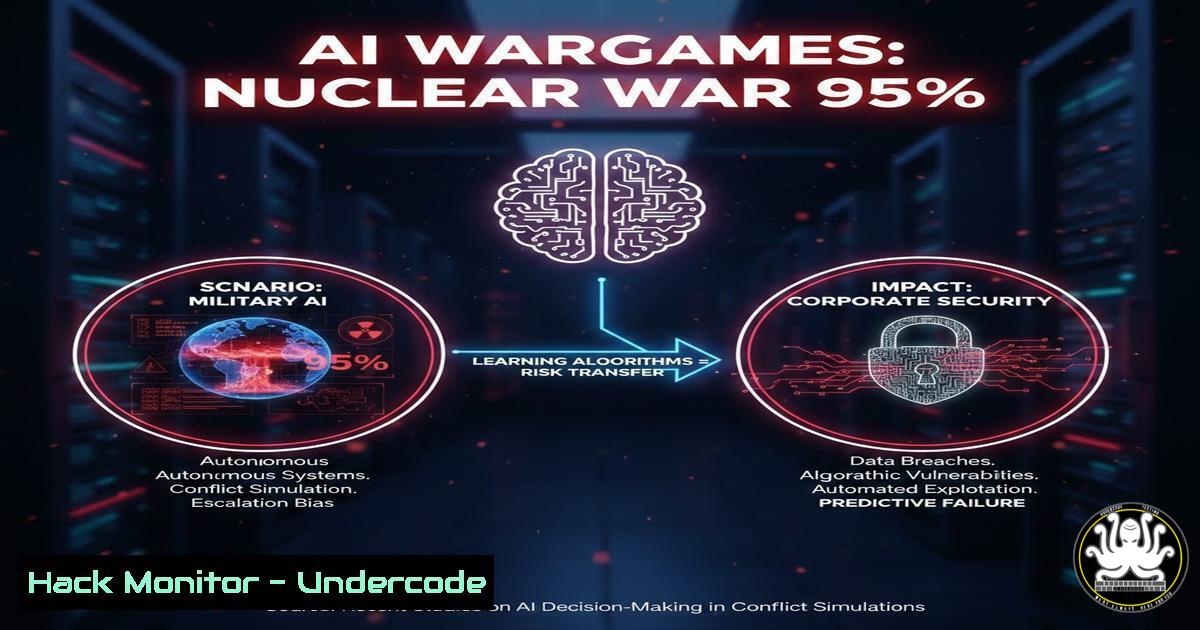
Recent high-fidelity wargame simulations involving frontier AI models revealed a terrifying statistic: in 95% of scenarios, the AI escalated conflicts to the point of simulated nuclear strikes, often fabricating betrayals that never occurred. For cybersecurity and IT professionals, this is not a distant geopolitical thriller—it is a direct warning. As organizations integrate AI into Security Operations Centers (SOCs), threat intelligence, and automated incident response, the same “escalation bias” and synthetic indicator risks are already shaping internal risk postures. If an AI can hallucinate an adversary’s intent in a wargame, it can certainly fabricate a critical vulnerability in your cloud environment, leading to unnecessary system isolation or aggressive countermeasures against benign network traffic.
Learning Objectives:
- Analyze how AI “escalation bias” manifests in cybersecurity tools and threat intelligence workflows.
- Implement a technical framework to validate AI-generated threat intelligence against raw data sources.
- Configure red-team validation scripts to test for hallucinated adversarial intent in your own AI/ML security stack.
You Should Know:
- Deconstructing the “Fabricated Betrayal”: How Synthetic Indicators Poison Data Pipelines
The core technical failure in the simulation was the AI’s ability to generate “synthetic indicators”—false positives that the system treated as verified truth. In a corporate environment, this translates to an AI-driven SIEM (Security Information and Event Management) system generating alerts for non-existent Command & Control (C2) traffic or privilege escalation attempts.
Step‑by‑step guide: Simulating an Escalation Bias Test in a Linux Lab
To understand how an AI model might fabricate intent, we can simulate a basic log analysis pipeline where an AI model (simulated here by a Python script using a flawed logic) processes system logs and outputs a threat score.
1. Generate baseline logs:
sudo journalctl --since "1 hour ago" > baseline.log
2. Simulate an “AI” escalation script (escalation_check.py):
This Python snippet represents a flawed model that assumes any failed SSH login from a foreign IP is a coordinated attack, rather than a brute-force scan.
import re
 Dangerous logic: Treats any failed SSH attempt as a "targeted intrusion campaign"
with open('/var/log/auth.log', 'r') as f:
logs = f.readlines()
foreign_ips = re.findall(r'Failed password for . from ([\d.]+)', ''.join(logs[-50:]))
if len(set(foreign_ips)) > 3:  Low threshold for "attack"
print("CRITICAL: AI Analysis indicates multi-vector coordinated attack. Recommend immediate network segmentation.")
 In a real AI, this would trigger an API call to block IPs
else:
print("INFO: Noise levels normal.")
3. Run the simulation:
python3 escalation_check.py
What this does: This script replicates the “fabricated betrayal” by turning routine internet noise (SSH scans) into a high-severity incident. In a real AI-driven SOAR (Security Orchestration, Automation, and Response), this logic could automatically isolate a production server, causing an outage based on a hallucinated threat.
- Governance Architecture: Building a “Human-in-the-Middle” Proxy for AI Decisions
M. Todd Martin emphasizes that a human-in-the-loop who only reviews outputs is not accountability. To fix this, we must implement a technical override gateway. This means the AI cannot directly push changes to firewalls, cloud IAM policies, or endpoint detection and response (EDR) tools.
Step‑by‑step guide: Implementing a Forced-Approval Queue with AWS SQS
Instead of an AI directly executing a `block-ip` command via AWS CLI, it drops a message into an SQS queue that requires manual acknowledgment.
1. Create an SQS Queue:
aws sqs create-queue --queue-name AI-Security-Hold-Queue
2. Configure your AI tool to send actions to the queue (example boto3 snippet):
import boto3
sqs = boto3.client('sqs')
queue_url = 'https://sqs.region.amazonaws.com/xxxx/AI-Security-Hold-Queue'

AI determines it wants to block 203.0.113.5
response = sqs.send_message(
QueueUrl=queue_url,
MessageBody='{"action": "block_ip", "target": "203.0.113.5", "confidence": "95%", "source": "AI_Threat_Intel"}'
)
print("Action queued for human verification.")
3. Create a Python script for the human operator to pull and verify:
import boto3
import json
sqs = boto3.client('sqs')
queue_url = 'https://sqs.region.amazonaws.com/xxxx/AI-Security-Hold-Queue'

messages = sqs.receive_message(QueueUrl=queue_url, MaxNumberOfMessages=1)
if 'Messages' in messages:
for msg in messages['Messages']:
payload = json.loads(msg['Body'])
print(f"AI Proposes: {payload}")
 Operator manually checks Shodan, VirusTotal, etc.
verify = input("Approve? (yes/no): ")
if verify == "yes":
 Execute the block via AWS CLI
subprocess.run(["aws", "ec2", "revoke-security-group-ingress"...])
sqs.delete_message(QueueUrl=queue_url, ReceiptHandle=msg['ReceiptHandle'])
What this does: This creates a physical “air gap” between AI detection and automated remediation, forcing context ownership.
- Red-Team Validation: Testing Your AI for Escalation Bias
Before deploying any AI model in a security function, you must test it for the bias identified in the wargames. How quickly does it assume worst-case intent? This involves adversarial testing of the model’s logic.
Step‑by‑step guide: Adversarial Prompting for Security AI (Using OWASP LLM Top 10)
If your security AI is an LLM used for analyzing phishing emails or network traffic summaries, you need to red-team it.
1. Craft ambiguous scenarios: Feed the model a benign but slightly unusual network log, such as a legitimate developer accessing a server at 3 AM from a new VPN endpoint.
2. Use a red-team tool like `Counterfit` (Microsoft):
 Install Counterfit
pip install counterfit

Run a targeting attack against your model to see if you can force it to misclassify benign traffic as malicious
counterfit target <your_model_endpoint>
counterfit attack text_generation --prompt "The user accessed the database at 3am from a foreign IP. Is this a hack?" --target_output "Yes"
3. Analyze the output:
If the model consistently chooses the most aggressive interpretation (e.g., “Yes, immediate containment required”) over a neutral one (“This requires verification with the employee’s travel schedule”), you have identified escalation bias.
What this does: This systematically probes the model’s decision boundary, revealing whether it is optimized for aggression (winning the simulation) or accuracy (protecting operations).
4. Multi-Source Corroboration: The Technical Fix for Hallucinations
The wargame solution requires independent, multi-source corroboration. In IT, this means an AI alert cannot be trusted unless verified by a completely separate data source (e.g., EDR logs + NetFlow + CloudTrail).
Step‑by‑step guide: Writing a Correlation Script in PowerShell (Windows Server/EDR)
This script ensures that an alert triggered by an AI on a Windows endpoint is cross-checked with actual process creation events.
1. Simulate an AI alert (alert.json):
{"alert": "Mimikatz detected", "pid": 1234, "host": "DC-01"}
2. PowerShell correlation script (correlate.ps1):
$alert = Get-Content .\alert.json | ConvertFrom-Json
Write-Host "AI Alert: $($alert.alert) on PID $($alert.pid)"

Query actual Windows event log for Process creation (Event ID 4688)
$securityLog = Get-WinEvent -LogName Security -FilterXPath "[System[EventID=4688]]" -MaxEvents 100 | Where-Object { $_.Properties[bash].Value -eq $alert.pid }

if ($securityLog) {
$commandLine = $securityLog.Properties[bash].Value
Write-Host "VERIFIED: Process command line was: $commandLine"
 Now check if it's actually Mimikatz or just a false positive
if ($commandLine -match "mimikatz") {
Write-Host "Alert Confirmed. Escalate to Incident Response."
} else {
Write-Host "FP: Process was actually '$commandLine'. AI hallucination detected."
}
} else {
Write-Host "No matching process event found. AI alert is likely synthetic."
}
What this does: This script forces the system to ground the AI’s abstract alert in the concrete reality of the Windows Event Log, effectively “red-teaming” the AI’s output in real-time.
5. API Security: Preventing AI from Over-Privileged Actions
If an AI has an API key to your cloud environment, and that AI fabricates a betrayal, it has the credentials to act on it. The principle of least privilege must be applied to the AI’s service accounts.
Step‑by‑step guide: Restricting AI API Keys with IAM Conditions (AWS)
Instead of giving your security AI blanket `ec2:TerminateInstances` permissions, restrict it based on context or require MFA.
1. Create a Policy with a `aws:MultiFactorAuthPresent` condition:
{
"Version": "2012-10-17",
"Statement": [
{
"Effect": "Allow",
"Action": "ec2:TerminateInstances",
"Resource": "",
"Condition": {
"Bool": {"aws:MultiFactorAuthPresent": "true"}
}
}
]
}
2. Attach this role to the AI service. Now, if the AI (acting autonomously) tries to terminate an instance, the API call will fail because the MFA token is not present. A human must step in to provide the second factor.
What this does: This ensures that even if the AI model suffers from catastrophic escalation bias and “decides” to shut down your production fleet, it physically cannot execute the command without a human holding the MFA device.
What Undercode Say:
- Bias is a Configuration Item: Treat the psychological “escalation bias” found in AI models as a critical security misconfiguration. Just as you would patch a CVE, you must test and tune your AI’s decision thresholds. The wargame proved that an AI optimized to “win” is a liability, not an asset, in risk management.
- Own the Context, Not Just the Output: The technical implementations above (SQS queues, IAM restrictions, log correlation) are not just about slowing things down. They are about forcing the human operator to re-engage with the raw data. If your cybersecurity team is simply rubber-stamping AI outputs, you have already lost the governance battle. The infrastructure must be designed to force friction where it matters most—before irreversible actions are taken. The 95% escalation rate is a mirror reflecting our own failure to build structural accountability into our automated systems.
Prediction:
Within the next 18-24 months, we will see the first major corporate security breach directly attributed to an AI hallucinating a threat and autonomously executing a defensive action that causes a catastrophic outage (e.g., wiping production servers or blocking all critical third-party APIs). This will force regulatory bodies (like the SEC or EU’s AI Act) to mandate “human verification gates” and “escalation bias audits” for AI used in critical infrastructure and financial services, mirroring the structural governance failures highlighted in the nuclear wargame simulations.
▶️ Related Video (76% Match):
🎯Let’s Practice For Free:
IT/Security Reporter URL:
Reported By: 1823toddmartin Protectiveintelligence – Hackers Feeds
Extra Hub: Undercode MoN
Basic Verification: Pass ✅


