
Listen to this Post
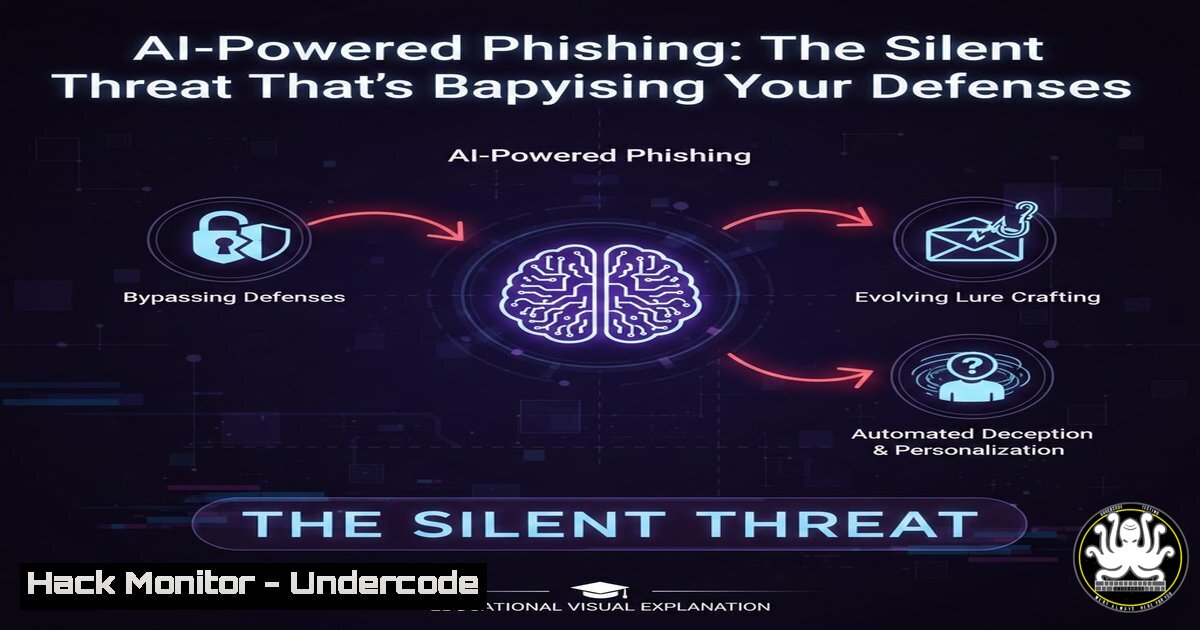
Introduction:
Artificial Intelligence has revolutionized cyber threats, enabling phishing attacks that are highly personalized and difficult to detect. This article explores how attackers leverage AI like GPT models to craft deceptive emails and outlines defensive strategies using machine learning, API security, and cloud hardening to protect your organization.
Learning Objectives:
- Understand the mechanics of AI-generated phishing campaigns and their evolving tactics.
- Learn to deploy a machine learning-based phishing detection system with practical code examples.
- Implement robust API security and cloud hardening measures to safeguard AI-driven infrastructures.
You Should Know:
1. The Anatomy of an AI-Generated Phishing Email
Attackers use AI models such as OpenAI’s GPT or similar open-source alternatives to analyze victim data from social media and past breaches, generating convincing phishing emails that mimic legitimate communication. This process often involves fine-tuning models on datasets of genuine emails to avoid triggering spam filters.
Step‑by‑step guide explaining what this does and how to use it:
– Step 1: Attackers gather data using tools like `theHarvester` on Linux: `theHarvester -d example.com -b google` to collect email addresses and names.
– Step 2: They use Python scripts with transformers libraries to generate text. For example, a basic script using the `transformers` library:
from transformers import pipeline
generator = pipeline('text-generation', model='gpt2')
prompt = "Urgent email from CEO: Please verify your account credentials immediately."
phishing_text = generator(prompt, max_length=100, num_return_sequences=1)
print(phishing_text)
– Step 3: The output is refined to include malicious links, often obfuscated using URL shorteners or domains that resemble legitimate ones (e.g., `examp1e.com` instead of example.com).
2. Setting Up a Machine Learning Phishing Detector
Deploy a phishing email classifier using machine learning to analyze email content, headers, and metadata. This detector can use natural language processing (NLP) to identify suspicious patterns, such as urgency cues or mismatched sender addresses.
Step‑by‑step guide explaining what this does and how to use it:
– Step 1: Collect a dataset of phishing and legitimate emails from sources like the “Enron Dataset” for legitimate emails and “Phishing Corpus” from GitHub. Use Python to preprocess the data:
import pandas as pd
from sklearn.feature_extraction.text import TfidfVectorizer
data = pd.read_csv('emails.csv')
vectorizer = TfidfVectorizer(stop_words='english')
X = vectorizer.fit_transform(data['content'])
y = data['label']
– Step 2: Train a model like Logistic Regression or Random Forest. Example:
from sklearn.ensemble import RandomForestClassifier
from sklearn.model_selection import train_test_split
X_train, X_test, y_train, y_test = train_test_split(X, y, test_size=0.2)
model = RandomForestClassifier(n_estimators=100)
model.fit(X_train, y_train)
– Step 3: Deploy the model using Flask API for real-time detection. Secure the API with authentication (see Section 4).
- Hardening Your Email Security with DMARC, DKIM, and SPF
Configure DNS records to authenticate email senders, preventing domain spoofing in phishing attacks. DMARC (Domain-based Message Authentication, Reporting & Conformance), DKIM (DomainKeys Identified Mail), and SPF (Sender Policy Framework) work together to validate emails.
Step‑by‑step guide explaining what this does and how to use it:
– Step 1: Set up SPF on your DNS server. For a domain like example.com, add a TXT record: `v=spf1 include:_spf.google.com ~all` (for G Suite). On Linux, use tools like `bind9` to manage DNS.
– Step 2: Configure DKIM by generating a public-private key pair. Use OpenSSL on Linux:
openssl genrsa -out dkim_private.pem 2048
openssl rsa -in dkim_private.pem -pubout -out dkim_public.pem
Add the public key to DNS as a TXT record under selector._domainkey.example.com.
– Step 3: Implement DMARC by adding another TXT record: `_dmarc.example.com` with value: v=DMARC1; p=quarantine; rua=mailto:[email protected]. This tells receivers to quarantine failed emails and send reports.
- API Security: Protecting Your AI Models from Exploitation
APIs used for AI model inference can be targeted for data poisoning or unauthorized access. Harden them with authentication, rate limiting, and input validation.
Step‑by‑step guide explaining what this does and how to use it:
– Step 1: Use OAuth 2.0 for API authentication. In a Python Flask app, integrate with authlib:
from authlib.integrations.flask_client import OAuth
oauth = OAuth(app)
oauth.register('myapi', client_id='YOUR_CLIENT_ID', client_secret='YOUR_SECRET')
– Step 2: Implement rate limiting with `flask-limiter` to prevent brute-force attacks:
from flask_limiter import Limiter
limiter = Limiter(app, key_func=lambda: request.remote_addr)
@app.route('/predict', methods=['POST'])
@limiter.limit("10 per minute")
def predict():
 model inference code
– Step 3: Validate input data to avoid injection attacks. Use schema validation with marshmallow:
from marshmallow import Schema, fields
class InputSchema(Schema):
email_text = fields.String(required=True)
schema = InputSchema()
data = schema.load(request.json)
5. Cloud Hardening for AI Workloads
Secure cloud environments (e.g., AWS, Azure) where AI models are trained and deployed. This involves configuring network security, encryption, and access controls.
Step‑by‑step guide explaining what this does and how to use it:
– Step 1: On AWS, use IAM roles to limit permissions. Create a policy for least privilege:
{
"Version": "2012-10-17",
"Statement": [{
"Effect": "Allow",
"Action": "s3:GetObject",
"Resource": "arn:aws:s3:::my-ai-models/"
}]
}
– Step 2: Encrypt data at rest and in transit. Enable AWS KMS for S3 buckets: aws s3api put-bucket-encryption --bucket my-bucket --server-side-encryption-configuration '{"Rules": [{"ApplyServerSideEncryptionByDefault": {"SSEAlgorithm": "aws:kms"}}]}'.
– Step 3: Set up VPC endpoints and security groups to restrict traffic. Use AWS CLI to configure: aws ec2 create-security-group --group-name AI-SG --description "Security group for AI instances".
6. Vulnerability Exploitation and Mitigation in AI Systems
AI systems can have vulnerabilities like model inversion attacks, where attackers extract training data. Mitigate by auditing models and using differential privacy.
Step‑by‑step guide explaining what this does and how to use it:
– Step 1: Conduct regular penetration testing with tools like `Metasploit` on Linux to simulate attacks: msfconsole -q -x "use auxiliary/scanner/http/phpmyadmin_login; set RHOSTS target.com; run".
– Step 2: Implement differential privacy in training with TensorFlow Privacy:
import tensorflow as tf
from tensorflow_privacy.privacy.optimizers import dp_optimizer
optimizer = dp_optimizer.DPGradientDescentGaussianOptimizer(l2_norm_clip=1.0, noise_multiplier=0.5, num_microbatches=1, learning_rate=0.1)
– Step 3: Monitor logs for anomalies using ELK Stack (Elasticsearch, Logstash, Kibana). On Linux, install and configure: sudo apt-get install elasticsearch logstash kibana.
7. Training Courses for AI Cybersecurity Skills
Enhance your team’s skills with courses from reputable sources. Extracted URLs and resources:
– Coursera: “AI For Everyone” by Andrew Ng (https://www.coursera.org/learn/ai-for-everyone)
– SANS Institute: “SEC595: Machine Learning for Cybersecurity” (https://www.sans.org/courses/machine-learning-cybersecurity/)
– MIT OpenCourseWare: “Introduction to Deep Learning” (https://ocw.mit.edu/courses/6-s191-introduction-to-deep-learning/)
– Pluralsight: “Cybersecurity with AI” (https://www.pluralsight.com/paths/cybersecurity-with-ai)
– GitHub Repositories: “Awesome AI Security” (https://github.com/RandomAdversary/Awesome-AI-Security)
Step‑by‑step guide explaining what this does and how to use it:
– Step 1: Enroll in courses via the provided URLs. For self-paced learning, use platforms like Coursera with `coursera-dl` CLI tool on Linux: coursera-dl -u your_email -p your_password course_name.
– Step 2: Practice with hands-on labs from platforms like TryHackMe (https://tryhackme.com) for phishing simulations.
– Step 3: Integrate learning into daily workflows by setting up a lab environment with Docker: `docker run -it kalilinux/kali-rolling /bin/bash` for security testing.
What Undercode Say:
Key Takeaway 1: AI-driven phishing attacks are increasingly sophisticated, requiring advanced detection methods that leverage machine learning and email authentication protocols.
Key Takeaway 2: Security must be embedded at every layer, from API endpoints to cloud infrastructure, to protect AI systems from exploitation.
Analysis: The fusion of AI and cybersecurity is a double-edged sword; while attackers use AI to automate and personalize threats, defenders can harness it for proactive mitigation. However, the rapid evolution demands continuous education and adaptation. Organizations that fail to integrate AI into their security posture risk falling behind, as traditional defenses become obsolete. Investing in training and robust frameworks is no longer optional but critical for resilience against next-generation attacks.
▶️ Related Video (90% Match):
🎯Let’s Practice For Free:
IT/Security Reporter URL:
Reported By: Jonrosemberg If – Hackers Feeds
Extra Hub: Undercode MoN
Basic Verification: Pass ✅


