Listen to this Post
Introduction:
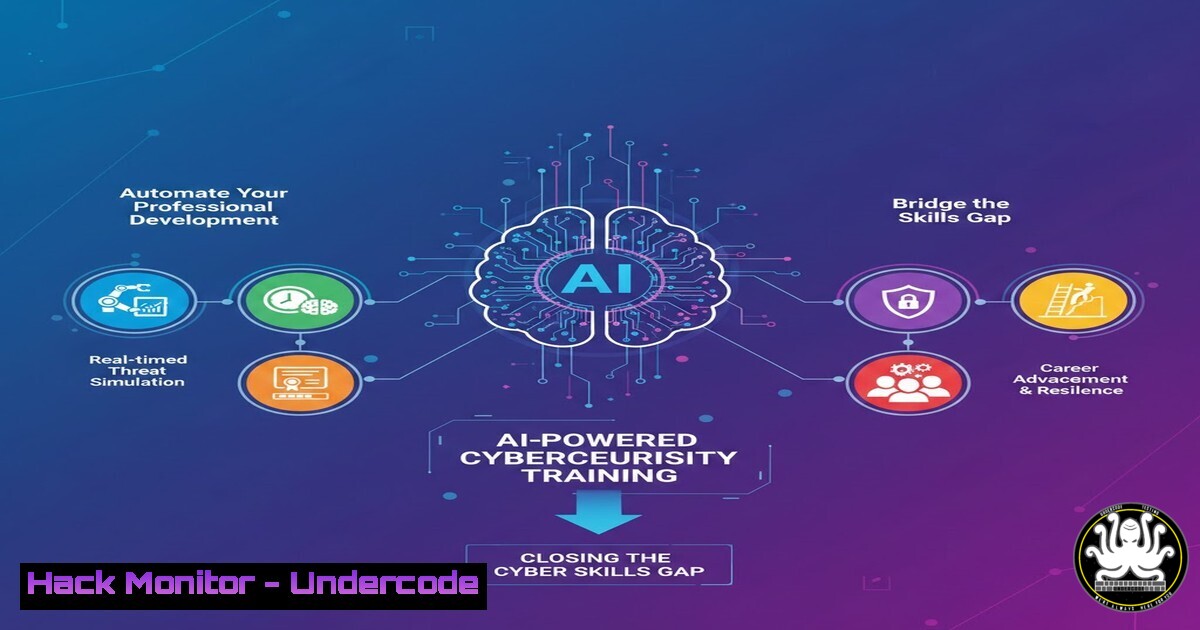
In an era where cyber threats evolve faster than the human workforce can adapt, the traditional model of accumulating certifications is becoming obsolete. Modern cybersecurity professionals are now turning to Artificial Intelligence to automate their learning paths, simulate real-world attack scenarios, and identify critical skills gaps. This convergence of AI and IT training is not just about convenience; it is a strategic necessity for defending complex cloud and on-premises infrastructures.
Learning Objectives:
- Understand how to leverage AI tools to curate personalized cybersecurity training curricula.
- Learn to automate the configuration of virtual labs for penetration testing and blue-team exercises.
- Identify methods to integrate AI-driven analytics into your continuous professional development (CPD) strategy.
You Should Know:
1. Automated Skills Gap Analysis with AI
The first step in modernizing your training is identifying what you don’t know. Instead of manually browsing course catalogs, AI tools can analyze your current skill set against real-time job market demands and emerging threat landscapes.
Step‑by‑step guide:
- Export Your Current Skills: List your existing certifications and tools (e.g., CEH, CISSP, Metasploit, Wireshark).
- Use an AI Aggregator: Utilize a tool like `ChatGPT` or a specialized platform (e.g.,
IBM SkillsBuild) with the prompt: “Compare my profile: [Paste Skills] against the top 10 required skills for a Cloud Security Architect in 2024. Output the gaps in a table format with priority levels.” - Validate with Threat Intelligence: Cross-reference the AI output with live threat feeds. For example, use `curl` to fetch the latest CVE list and see if your “gap” aligns with a current exploit.
Fetch recent critical CVEs to validate learning priority
curl -s "https://services.nvd.nist.gov/rest/json/cves/2.0?startIndex=0&resultsPerPage=5" | jq '.vulnerabilities[].cve.descriptions[].value'
2. Building an AI-Powered Hacking Lab (Linux/Kali)
Hands-on practice is non-negotiable. AI can now generate vulnerable machines and attack scripts tailored to the specific weaknesses identified in your gap analysis.
Step‑by‑step guide:
- Provision the Environment: Install VirtualBox or VMware, then download and import a Kali Linux ISO.
- Generate a Vulnerable Target: Instead of downloading a pre-made lab (like DVWA), ask an AI to generate a specific vulnerable script. For instance, prompt an AI: “Generate a simple Python Flask web application vulnerable to SQL Injection on port 5000, including the database setup script.”
3. Deploy the AI-Generated Code:
 Save the AI-generated code to a file (e.g., vuln_app.py) on your Kali machine.
 Install required dependencies
pip install flask sqlite3
 Run the intentionally vulnerable application
python3 vuln_app.py
4. Simulate the Attack: Use `sqlmap` to automate the exploitation of the AI-generated vulnerability.
sqlmap -u "http://localhost:5000/login" --data="user=admin&pass=test" --dbs --batch
3. Automating Windows Defense Configurations (PowerShell)
For blue-team members, AI can draft complex PowerShell scripts to harden a Windows Server against the latest threats, saving hours of manual research.
Step‑by‑step guide:
- Identify the Threat Vector: Suppose the AI gap analysis highlighted “Weak Active Directory Security.”
- Request AI Script Generation: Prompt an AI: “Write a PowerShell script to audit all Active Directory users for accounts with non-expiring passwords and disable them if they haven’t been used in 90 days. Include verbose logging.”
3. Execute the Hardening Script:
 Run PowerShell as Administrator
 Paste the AI-generated script or use a refined version like the example below:
Search-ADAccount -AccountInactive -TimeSpan 90.00:00:00 -UsersOnly |
Where {$_.Enabled -eq $true} |
Disable-ADAccount -Verbose
4. Log Analysis: Set up a scheduled task to run this script weekly and forward logs to a SIEM tool for continuous compliance monitoring.
4. AI-Enhanced API Security Testing
APIs are the backbone of modern applications and a primary attack vector. AI can assist in reverse-engineering API documentation to find logic flaws that automated scanners miss.
Step‑by‑step guide:
- Capture API Traffic: Use Burp Suite or OWASP ZAP to intercept traffic from a web application. Save the history as a JSON file.
- Analyze with AI: Upload the JSON export to an AI with the prompt: “Analyze this API call history. Identify potential business logic flaws, such as IDOR (Insecure Direct Object Reference) or lack of rate limiting. Provide specific cURL commands to test these hypotheses.”
3. Execute the AI-Generated Test:
 Example of an AI-generated command to test IDOR
curl -X GET "https://target-app.com/api/user/profile/1234" -H "Authorization: Bearer VALID_TOKEN"
curl -X GET "https://target-app.com/api/user/profile/1235" -H "Authorization: Bearer VALID_TOKEN"
 If 1235 returns data without authorization, the IDOR vulnerability is confirmed.
5. Cloud Environment Hardening (AWS CLI)
Misconfigured cloud storage (S3 buckets) remains a top cause of data breaches. AI can audit your cloud infrastructure and generate remediation commands instantly.
Step‑by‑step guide:
- Run an Initial Audit: Use the AWS CLI to list buckets and their permissions.
aws s3api list-buckets --query 'Buckets[].Name' --output text | xargs -I {} aws s3api get-bucket-acl --bucket {} - Ingest Data into AI: Paste the output of the above command into an AI prompt: “Analyze this AWS S3 ACL output. If any bucket grants ‘READ’ access to ‘AllUsers’ (Authenticated or public), provide the AWS CLI command to revoke that public access and apply a private ACL.”
3. Apply the Remediation:
 Example command generated by AI to block public access
aws s3api put-public-access-block --bucket vulnerable-bucket-name --public-access-block-configuration BlockPublicAcls=true,IgnorePublicAcls=true,BlockPublicPolicy=true,RestrictPublicBuckets=true
What Undercode Say:
- AI is the Ultimate Training Assistant, Not the Trainer: The role of AI in cybersecurity education is to curate, simulate, and test, but the critical thinking and ethical judgment must remain human-led. Blindly trusting AI-generated scripts can introduce new vulnerabilities if not reviewed.
- Context is King: Automated learning paths are only as good as the data they are trained on. Professionals must ground their AI-driven development in real-world organizational context and current threat intelligence, ensuring that training translates directly to defensive capability.
Prediction:
Within the next two years, continuous, AI-driven micro-credentialing will replace the traditional multi-year certification cycle. We will see the rise of “Adaptive Security Coaches”—AI agents that live on a security professional’s device, monitoring their daily work and suggesting real-time, bite-sized training modules to fix mistakes as they happen, effectively merging the work environment with the learning environment. This will create a workforce that is perpetually up-to-date but will also place a premium on the human ability to synthesize disparate information into strategic defense.
▶️ Related Video (80% Match):
🎯Let’s Practice For Free:
IT/Security Reporter URL:
Reported By: Lorenzo Diaz – Hackers Feeds
Extra Hub: Undercode MoN
Basic Verification: Pass ✅


