
Listen to this Post
Introduction:
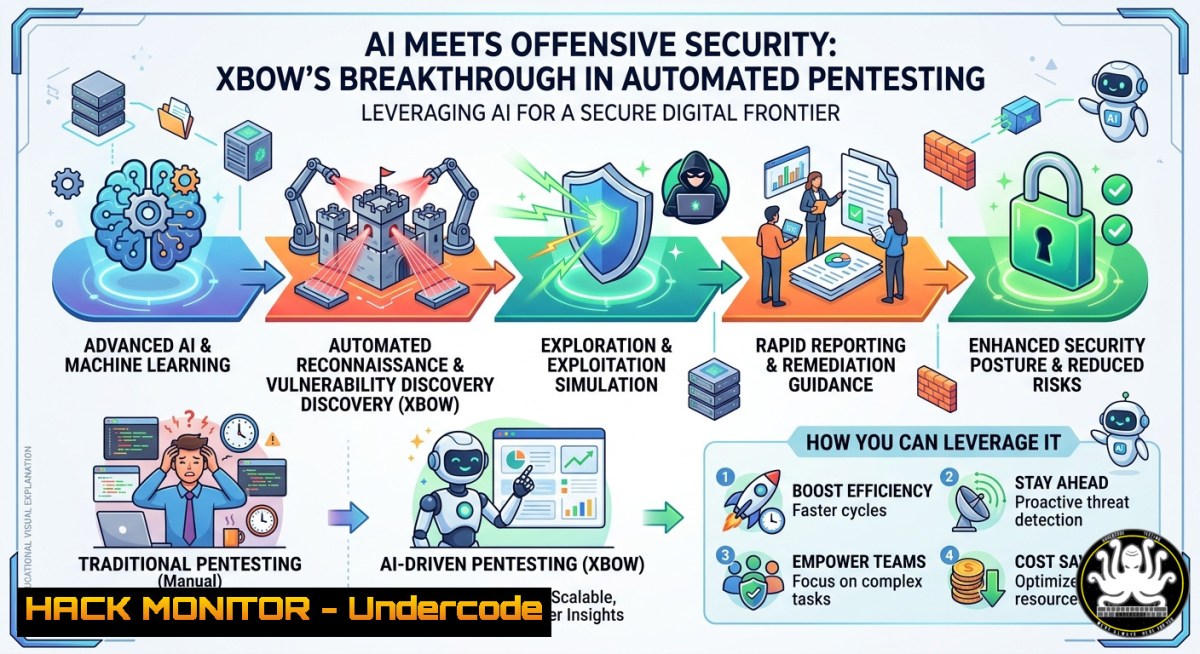
Large language models (LLMs) are rapidly transforming ethical hacking from a manual, time‑intensive craft into a scalable, AI‑powered discipline. XBOW’s latest blog (https://lnkd.in/ebfvMm_E) explores how AI can serve as a force multiplier for penetration testing – accelerating reconnaissance, vulnerability discovery, and exploitation – while honestly addressing its current weaknesses. This article extracts the technical core of that discussion and provides actionable steps, commands, and configurations to integrate AI‑driven pentesting into your own security workflows.
Learning Objectives:
- Understand the strengths and limitations of LLMs in offensive security, particularly in automated pentesting.
- Learn to set up and use local AI models for payload generation and vulnerability analysis.
- Implement AI‑assisted reconnaissance, cloud hardening, and continuous testing pipelines using tools like XBOW and open‑source LLMs.
You Should Know:
1. Setting Up Your Local AI Pentesting Environment
To experiment with AI‑generated payloads without sending sensitive data to third‑party APIs, run an open‑source LLM locally using Ollama. This step‑by‑step guide works on Linux (Ubuntu/Debian) and Windows (via WSL2).
Step‑by‑step:
- Install Ollama:
`curl -fsSL https://ollama.com/install.sh | sh` (Linux)
On Windows WSL2, use the same command inside Ubuntu terminal. - Pull a coding‑optimized model (e.g., CodeLlama or DeepSeek‑Coder):
`ollama pull deepseek-coder:6.7b-instruct`
- Run the model interactively:
`ollama run deepseek-coder:6.7b-instruct`
- Generate a SQL injection test payload:
“Generate a time‑based blind SQL injection payload for MySQL that extracts the database name.”
The model will output something like:
`’ AND (SELECT SLEEP(5) FROM dual WHERE database() LIKE ‘test%’) AND ‘1’=’1`
– Save outputs to a file for later use:
`ollama run deepseek-coder:6.7b-instruct –prompt “Your prompt” > payloads.txt`
What this does: It gives you an offline AI assistant capable of creating attack strings, fuzzing dictionaries, and even basic exploit code – all without exposing your test targets to external services.
2. Leveraging XBOW’s API for Automated Reconnaissance
XBOW provides a REST API that integrates LLM‑driven pentesting into your existing toolchain. After obtaining an API key from your XBOW dashboard, you can automate discovery of subdomains, endpoints, and parameter fuzzing.
Step‑by‑step:
- Set your API key as an environment variable:
`export XBOW_API_KEY=”your_key_here”` (Linux/macOS)
`set XBOW_API_KEY=your_key_here` (Windows cmd)
- Send a recon request for a target domain:
curl -X POST https://api.xbow.com/v1/recon \ -H "Authorization: Bearer $XBOW_API_KEY" \ -H "Content-Type: application/json" \ -d '{"target": "example.com", "depth": "full"}' - Parse the JSON response to extract discovered subdomains and open ports:
`curl … | jq ‘.subdomains[]’`
- For continuous monitoring, schedule the call in a cron job (Linux) or Task Scheduler (Windows) and log changes.
What this does: XBOW’s AI models triage reconnaissance results, prioritising unusual services or outdated software versions, saving hours of manual scanning.
3. Strengthening Cloud Hardening with AI‑Driven Config Audits
Misconfigured IAM roles and storage buckets remain top cloud vulnerabilities. Use an LLM to review your Infrastructure‑as‑Code (IaC) templates or live cloud policies.
Step‑by‑step (using AWS as an example):
- Export your current IAM policies:
`aws iam list-policies > policies.json`
- Use a local LLM to audit a policy for privilege escalation risks:
ollama run deepseek-coder:6.7b-instruct --prompt "Audit this AWS IAM policy for over‑privileged actions and suggest least‑privilege replacements: $(cat policies.json)"
- For automated hardening, integrate the LLM into a CI pipeline that flags risky changes before deployment. Example GitHub Actions step:
</li> <li>name: AI Policy Audit run: | echo "${{ secrets.IAM_POLICY }}" > policy.json ollama run deepseek-coder:6.7b-instruct --prompt "Find wildcard actions in this policy: $(cat policy.json)" > report.txt - Apply suggested fixes by modifying the policy and re‑uploading:
`aws iam put-role-policy –role-name MyRole –policy-name SecurePolicy –policy-document file://fixed_policy.json`What this does: LLMs can detect patterns like `”Action”: “”` or `”Resource”: “”` much faster than manual reviews, and they provide human‑readable justifications for each change.
4. Exploiting Vulnerabilities with AI‑Generated Payloads (Ethical)
Once a vulnerability type is identified (e.g., command injection), an LLM can generate context‑specific payloads that bypass naive filters. Always test in isolated labs like HackTheBox or local Docker containers.
Step‑by‑step:
- Identify a test parameter vulnerable to command injection (e.g., `ping` input field).
- Prompt the LLM: “Generate five command injection payloads for a Linux host that uses blacklist filtering (blocking ‘;’, ‘&’, ‘|’). Use newline or variable substitution.”
- Example output payload:
`127.0.0.1%0acat${IFS}/etc/passwd`
- Test each payload manually with `curl` or Burp Suite’s Repeater.
- Automate testing with a Python script using the LLM’s output:
import requests
payloads = ["127.0.0.1%0aid", "127.0.0.1; ls"]  from LLM
for p in payloads:
r = requests.get(f"http://test.target/ping?ip={p}")
if "uid=" in r.text:
print(f"Vulnerable with payload: {p}")
What this does: AI generates creative bypasses that static rule sets miss, increasing your chance of finding deep injection flaws.
5. Mitigation Strategies: Defending Against AI‑Augmented Attacks
The same AI powering ethical hackers is also used by adversaries. Implement these defensive measures to counter AI‑generated payloads.
Step‑by‑step:
- Deploy a Web Application Firewall (WAF) with ModSecurity and the OWASP Core Rule Set (CRS).
- Install ModSecurity on Ubuntu:
`sudo apt install libapache2-mod-security2 -y`
- Enable CRS:
`sudo cp /usr/share/modsecurity-crs/crs-setup.conf.example /etc/modsecurity/crs-setup.conf`
- Restart Apache: `sudo systemctl restart apache2`
– Add custom rules to detect LLM‑typical patterns (e.g., multiple encodings, unusual whitespace):SecRule ARGS "@rx (\%0a|\%0d|\$\{IFS\}|\|\|)" "id:1001,deny,msg:'AI evasion pattern'" - Monitor logs for repeated failed payload attempts that show generative variability – a sign of AI fuzzing. Use `grep` on Apache logs:
`sudo grep “SecRule” /var/log/apache2/modsec_audit.log | cut -d’ ‘ -f9 | sort | uniq -c | sort -nr`What this does: Traditional signatures often miss AI‑crafted variants; layered defenses (WAF + anomaly detection) raise the bar.
6. Integrating XBOW into CI/CD for Continuous Pentesting
Shift pentesting left by triggering XBOW scans on every pull request or staging deployment.
Step‑by‑step (GitHub Actions):
- Create
.github/workflows/xbow-pentest.yml:name: XBOW AI Pentest on: [bash] jobs: pentest: runs-on: ubuntu-latest steps:</li> <li>name: Trigger XBOW scan run: | curl -X POST https://api.xbow.com/v1/scan \ -H "Authorization: Bearer ${{ secrets.XBOW_API_KEY }}" \ -d '{"target": "${{ secrets.STAGING_URL }}", "intensity": "quick"}'</li> <li>name: Wait for results run: sleep 120</li> <li>name: Fetch findings run: | curl -H "Authorization: Bearer ${{ secrets.XBOW_API_KEY }}" \ https://api.xbow.com/v1/scan/latest > findings.json if grep -q '"severity":"critical"' findings.json; then exit 1; fi - For Jenkins, use a similar pipeline step with the HTTP Request plugin.
- On failure (critical finding), block the PR and post a comment with the vulnerability details.
What this does: Continuous pentesting ensures every code change is automatically probed by AI, catching regressions before they reach production.
7. Measuring ROI: Metrics for AI‑Assisted Pentesting
Quantify the value of adding AI to your red team.
Step‑by‑step:
- Time saved: Record hours spent on manual recon vs. AI‑assisted recon over 10 tests. Use `time` command:
`time ./manual_recon.sh` vs `time ./xbow_recon.sh`
- Coverage increase: Count endpoints tested – compare AI‑discovered endpoints (from crawling + guessing) to your original scope list.
- False positive rate: After each pentest, label LLM findings as true or false positive. Aim for >80% true positive after tuning.
- Training throughput: Number of junior testers who successfully exploited a new vulnerability type after using AI‑generated payloads as learning examples.
What this does: Hard metrics justify investment in AI pentesting tools to management and guide continuous improvement of your AI prompts and model selection.
What Undercode Say:
- AI is a force multiplier, not a replacement. The best results come from human testers directing LLMs, not fully autonomous agents.
- Local models protect confidentiality. Running Ollama or similar on your own hardware prevents leaking internal network details or proprietary code to third‑party AI providers.
- Defense must evolve with offense. The same AI techniques that accelerate pentesting also empower attackers; invest in WAF tuning, anomaly detection, and continuous AI‑based audits of your own infrastructure.
Prediction:
Within 24 months, AI‑powered pentesting will become a standard compliance requirement for SOC2 and ISO 27001. Organisations that fail to integrate LLMs into their security testing will face unmanageable backlogs as attack surfaces expand. Expect the emergence of “AI red team” as a dedicated role, blending prompt engineering with exploitation skills, and a new generation of certifications focusing on LLM‑assisted ethical hacking. XBOW and similar platforms will evolve from novel tools to essential infrastructure – much like vulnerability scanners are today.
▶️ Related Video (78% Match):
🎯Let’s Practice For Free:
IT/Security Reporter URL:
Reported By: Https: – Hackers Feeds
Extra Hub: Undercode MoN
Basic Verification: Pass ✅


