Listen to this Post
Introduction:
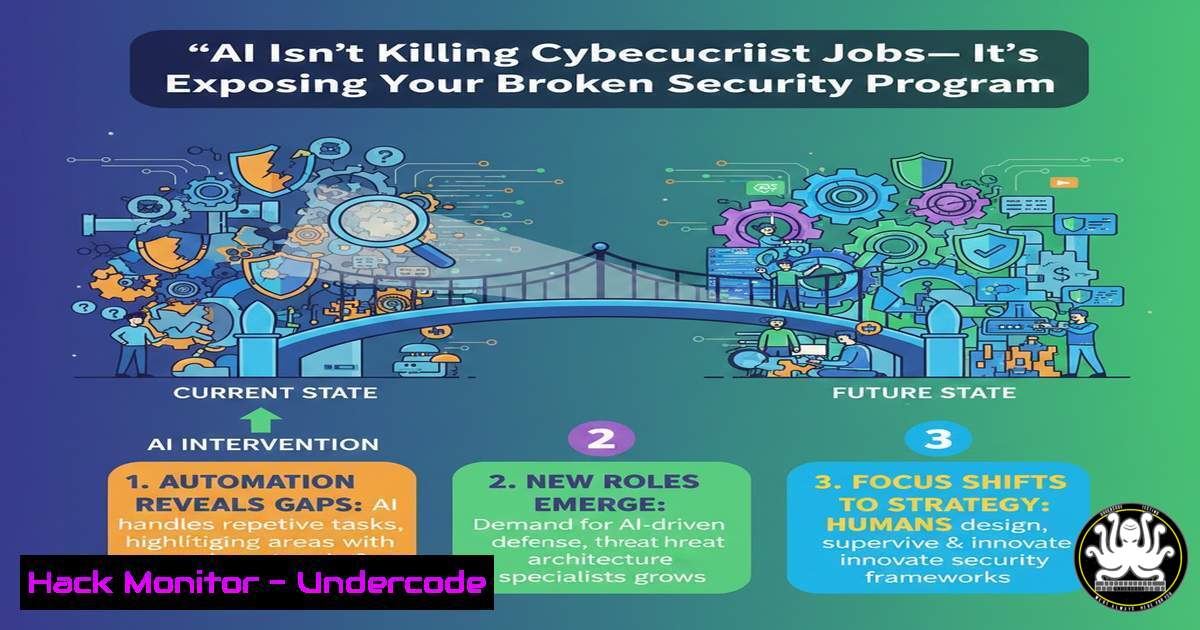
The pervasive narrative that Artificial Intelligence (AI) will replace cybersecurity professionals is a dangerous misconception. In reality, AI acts as a high-powered stress test, accelerating processes to reveal fundamental flaws in security design, governance, and accountability that were previously hidden by manual, slow-paced operations. This article deconstructs why automation fails on weak foundations and provides a technical blueprint for hardening your environment before—and while—integrating AI tools.
Learning Objectives:
- Understand why AI amplifies existing security weaknesses in identity, data visibility, and vendor risk.
- Learn practical steps to audit and fortify security foundations using command-line and cloud-native tools.
- Implement governance controls that ensure human accountability over AI-automated decisions.
You Should Know:
- Audit Identity & Access Management (IAM) Gaps Before AI Integration
AI systems require extensive permissions to function, often exacerbating over-provisioned identities. The first step is to conduct a rigorous IAM audit to eliminate excessive privileges and establish true Zero Trust principles.
Step‑by‑step guide:
- Inventory User & Service Accounts: In an Azure AD environment, use PowerShell to export all users and service principals with their assigned roles.
Connect-AzureAD
Get-AzureADUser | Select-Object UserPrincipalName, DisplayName | Export-Csv -Path "AllUsers.csv" -NoTypeInformation
Get-AzureADServicePrincipal | Select-Object DisplayName, AppId | Export-Csv -Path "ServicePrincipals.csv" -NoTypeInformation
- Analyze Role Assignments: In AWS, use the CLI to generate a detailed report of all IAM users and their attached policies.
aws iam generate-credential-report
aws iam get-credential-report --query 'Content' --output text | base64 --decode > credential_report.csv
- Implement Just-Enough-Access (JEA): Use tools like `BloodHound` on a test Active Directory environment to identify attack paths stemming from group membership chaining. Remediate by tightening group policies and implementing time-bound access via PAM (Privileged Access Management) solutions.
2. Establish Data Visibility and Classification
AI tools process vast datasets. Without a clear map of where sensitive data resides, you cannot govern what AI accesses or exfiltrates. Automated discovery is non-negotiable.
Step‑by‑step guide:
- Scan for Sensitive Data: Use open-source tools like `truffleHog` to find secrets accidentally committed in code repositories.
trufflehog git https://github.com/your-org/your-repo.git --json
- Classify Data in Cloud Storage: For AWS S3 buckets, enable and analyze Macie findings for PII. Alternatively, use the `s3scan` tool to list all buckets and check for public access.
aws s3api list-buckets --query "Buckets[].Name"
aws s3api get-bucket-acl --bucket <bucket-name>
- Deploy a SIEM Query: Create a baseline alert in your SIEM (e.g., Splunk, Sentinel) for large, unusual data transfers by service accounts, which could indicate an AI tool over-reaching.
index=aws_s3_logs (event="GetObject" OR event="PutObject") | stats sum(bytes) as TotalBytes by user_agent, bucket, src_ip | where TotalBytes > 1073741824 | table _time, bucket, user_agent, TotalBytes, src_ip
3. Harden Vendor Risk Management (VRM) Processes
AI-as-a-Service (AIaaS) exponentially increases third-party risk. Automated vendor access must be scrutinized under a new, stricter threat model.
Step‑by‑step guide:
- Map AI Vendor Access Points: Document all API keys, OAuth scopes, and network whitelists granted to vendors. Use a script to inventory these systematically.
Example to list authorized OAuth apps in Google Workspace (requires admin SDK)
gam print oauth2
- Conduct a Supply Chain Code Audit: If using vendor AI libraries, use SCA (Software Composition Analysis) tools like `OWASP Dependency-Check` to scan for vulnerabilities in dependencies.
dependency-check.sh --project "MyAIApp" --scan ./src --format HTML
- Enforce API Security Gateways: Configure rate limiting, schema validation, and strict authentication (e.g., mTLS) for all APIs consumed by AI vendors. Use WAF rules to detect anomalous query patterns from vendor IP ranges.
4. Implement Decision-Logging for AI Actions
Automation without auditability is a liability. Every action taken by an AI security tool must be logged, attributed, and reviewed.
Step‑by‑step guide:
- Enable Comprehensive Logging in SOAR: In tools like Splunk Phantom or Cortex XSOAR, ensure playbooks log the “why” behind automated decisions (e.g., “IP blocked due to correlation with threat feed X and anomalous volume Y”).
- Create Immutable Logs: Send all AI-driven action logs to a immutable, WORM-compliant storage tier. In AWS, configure S3 Object Lock.
aws s3api put-object-lock-configuration --bucket <audit-logs-bucket> --object-lock-configuration '{ "ObjectLockEnabled": "Enabled", "Rule": { "DefaultRetention": { "Mode": "COMPLIANCE", "Years": 7 } } }' - Build a Weekly Review Playbook: Create a SIEM dashboard that surfaces the top 10 automated actions taken by AI tools for human review, focusing on false positives/negatives.
5. Conduct a Pre-AI “Foundation Stress Test”
Simulate the accelerated pace of AI-driven attacks to test your current incident response and governance before deployment.
Step‑by‑step guide:
- Deploy Breach & Attack Simulation (BAS): Use tools like `Caldera` or commercial BAS to simulate adversarial techniques (MITRE ATT&CK) at high speed, mimicking an AI-powered attacker.
Using Caldera CLI to start a operation
python3 caldera.py start
Access GUI to create a fast, automated campaign
- Measure Mean Time to Respond (MTTR): From the simulation, capture the time from initial alert to containment. If this time is unacceptably high, your processes are not ready for AI-scale threats.
- Test Escalation Protocols: Verify that automated alerts from AI tools correctly route to the human team accountable for final decisions. Fix any gaps in notification chains (e.g., using PagerDuty or Opsgenie integrations).
What Undercode Say:
- AI as a Magnifier, Not a Miracle: AI will not compensate for flawed security architecture; it will only make failures happen faster and more catastrophically. The core tenets of security—least privilege, visibility, and accountability—are more critical than ever.
- Governance is the Non-Negotiable Foundation: Treating governance as bureaucratic paperwork is a prelude to failure. In the AI era, governance is the technical control plane that ensures automated systems remain aligned with business risk appetite and compliance requirements. The human leader must remain the final decision node in the kill chain.
Prediction:
The immediate future will see a stark divergence in organizational security postures driven by AI adoption. Companies that use AI to stress-test and reinforce foundational controls will achieve unprecedented defensive speed and resilience, creating a significant competitive moat. Conversely, organizations that treat AI as a mere automation shortcut will face rapid, large-scale breaches, leading to increased regulatory scrutiny and potentially fatal reputational damage. The demand for security professionals who can architect robust, governable systems and ethically manage AI will skyrocket, solidifying the role of human expertise as the irreplaceable core of cyber defense.
🎯Let’s Practice For Free:
IT/Security Reporter URL:
Reported By: Vijayarao Ai – Hackers Feeds
Extra Hub: Undercode MoN
Basic Verification: Pass ✅


