Listen to this Post
Introduction
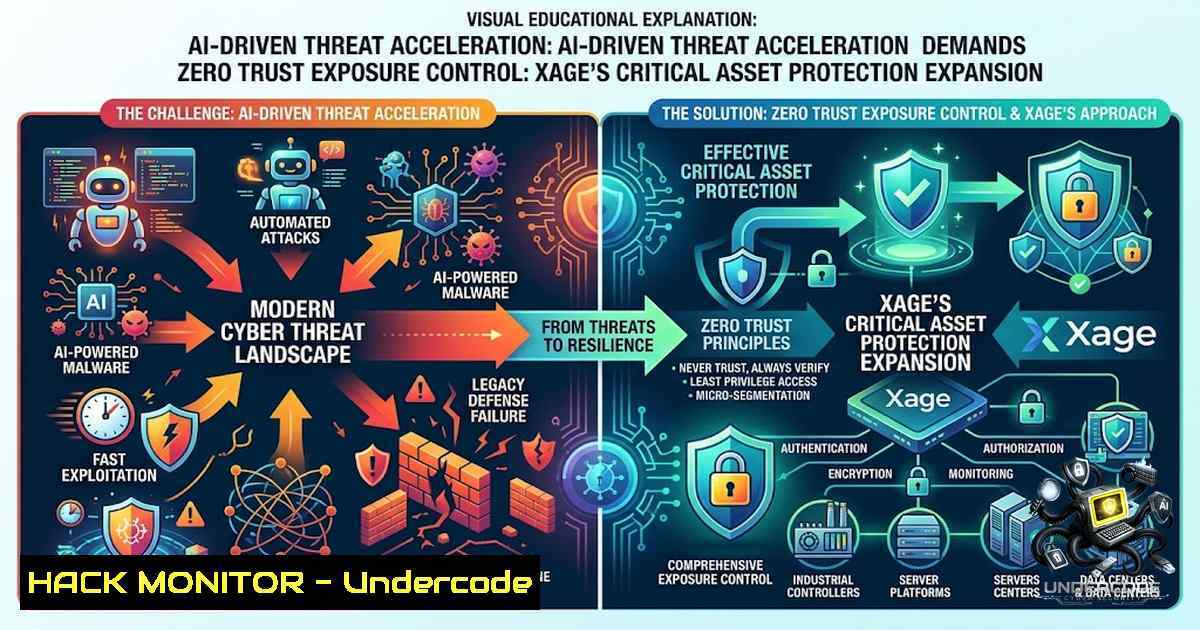
The accelerated adoption of artificial intelligence across enterprise and industrial environments has created a paradoxical security challenge: while organizations race to deploy AI for defense, threat actors are weaponizing the same technology to discover, exploit, and weaponize vulnerabilities at machine speed. Industry research cited by Xage Security reveals that attackers are now incorporating exploits for known vulnerabilities faster than organizations can patch them. The 2026 Verizon DBIR further compounds this reality, reporting that organizations faced 50 percent more critical vulnerabilities to patch on average than the previous year. In response, Xage has expanded its Critical Asset Protection framework—extending identity-based zero trust capabilities beyond operational technology (OT) to encompass cloud services, business applications, AI systems, and critical digital infrastructure. This shift signals a fundamental rethinking of cyber defense: from a reactive race to patch vulnerabilities, to a proactive strategy of controlling exposure and governing every interaction with critical assets.
Learning Objectives
- Understand how AI is compressing vulnerability response timelines and why traditional patching and detection are insufficient as primary defenses.
- Learn the architecture and implementation of identity-based zero trust microsegmentation for OT, IT, cloud, and AI environments.
- Gain practical knowledge of virtual patching, just-in-time access, and asset-hiding techniques to block reconnaissance and lateral movement.
- Acquire hands-on commands and configurations for Linux, Windows, and cloud platforms to harden assets against AI-driven threats.
You Should Know
- The New Attack Surface: AI Systems as Both Target and Accelerator
The expansion of Xage Critical Asset Protection reflects a critical insight: AI systems themselves have become prime targets. Threat actors are using AI to discover more vulnerabilities, automate reconnaissance, generate exploits, and adapt attacks faster than human-led defense teams can respond. Simultaneously, organizations are deploying AI agents, large language models (LLMs), and machine learning workloads that introduce new, dynamic attack surfaces. Unlike traditional IT assets, AI resources can be ephemeral—created, scaled, moved, or retired rapidly—making static firewall rules and network zones ineffective. The concept of “AI-on-AI violence” is emerging, where attacker-controlled AI systems aggressively probe and compromise enterprise AI agents. Xage’s approach addresses this by extending the same preemptive protections once reserved for vulnerable legacy industrial systems to modern digital assets, including AI agents and API-accessible resources.
Step‑by‑step guide: Identifying and mapping AI assets for zero trust protection
1. Discover AI assets across your environment:
- Use cloud provider APIs to list AI/ML instances:
`aws ec2 describe-instances –filters “Name=tag:Purpose,Values=AI,ML” –query ‘Reservations[].Instances[].[InstanceId,LaunchTime,State.Name]’ –output table`
– For Azure:
`az ml workspace list –resource-group–query “[].{Name:name, Location:location}” –output table`
– For on-premises, scan for common AI frameworks:
`sudo netstat -tulpn | grep -E ‘jupyter|tensorboard|mlflow|ray’`
- Classify assets by criticality and data sensitivity. Tag each asset with metadata indicating whether it processes sensitive data, controls physical systems, or supports business-critical decisions.
- Create an asset inventory in a centralized CMDB or security tool, noting IP addresses, hostnames, responsible teams, and communication dependencies.
- Identify all identities (human and non-human) that require access to each AI asset, including service accounts, API keys, and CI/CD pipelines.
- Document communication paths between AI assets and downstream systems (databases, APIs, storage). Use `tcpdump` or Wireshark to capture baseline traffic:
`sudo tcpdump -i eth0 -1n -s 0 -w ai_traffic.pcap host`
6. Prioritize assets based on exploitability and business impact, then apply zero trust policies as described in Section 2.
2. Identity-Based Microsegmentation: Beyond VLANs and Firewalls
Traditional network segmentation relies on VLANs and firewall rules that create broad trust zones. Once an attacker breaches one zone, lateral movement becomes trivial. Xage’s identity-based microsegmentation changes this paradigm by enforcing per-user, per-device policies that dynamically restrict communications to explicitly approved actors, actions, and paths. This approach eliminates implicit trust and contains breaches at the asset level.
Step‑by‑step guide: Implementing identity-based segmentation with open-source tools
This guide demonstrates principles using open-source tools (e.g., iptables, nftables, OpenZiti, or Tailscale) to achieve similar microsegmentation effects.
- Define identity groups for your assets. Create a file
/etc/asset-groups.conf:[group:critical_db] members = 192.168.10.10, 192.168.10.11 allowed_identities = svc_app1, svc_app2, admin_john</li> </ol> [group:ai_inference] members = 192.168.20.0/24 allowed_identities = svc_mlops, svc_webapp
2. Implement per-asset firewall rules using `nftables` (Linux). Create a policy that only allows traffic from explicitly approved identities:
 Install nftables if not present
sudo apt-get install nftables -y  Debian/Ubuntu
sudo yum install nftables -y  RHEL/CentOS

Create a table and chain
sudo nft add table inet filter
sudo nft add chain inet filter input { type filter hook input priority 0 \; policy drop \; }

Allow only SSH from specific admin IP (identity-based enforcement)
sudo nft add rule inet filter input ip saddr 192.168.10.100 tcp dport 22 accept

Allow database traffic only from application service accounts (using source IP as proxy for identity)
sudo nft add rule inet filter input ip saddr 192.168.10.20 tcp dport 3306 accept
sudo nft add rule inet filter input ip saddr 192.168.10.21 tcp dport 3306 accept

Log and drop all other traffic
sudo nft add rule inet filter input log prefix "DENY: " drop
3. For Windows Server, use `New-1etFirewallRule` PowerShell cmdlets to create similar per-IP restrictions:
 Allow RDP only from specific admin IP
New-1etFirewallRule -DisplayName "Allow RDP from Admin" -Direction Inbound -Protocol TCP -LocalPort 3389 -RemoteAddress 192.168.10.100 -Action Allow

Allow SQL Server traffic only from app servers
New-1etFirewallRule -DisplayName "Allow SQL from App" -Direction Inbound -Protocol TCP -LocalPort 1433 -RemoteAddress 192.168.10.20,192.168.10.21 -Action Allow

Deny all other inbound traffic (default policy)
Set-1etFirewallProfile -Profile Domain,Public,Private -DefaultInboundAction Block
4. Implement just-in-time (JIT) access using a bastion host or proxy. Configure the bastion to open temporary firewall holes only when an authenticated user requests access:
 Example: Using a simple script to open a port for 30 minutes
 On bastion host
function jit_access {
local user_ip=$1
local target_port=$2
local duration=$3  in seconds

sudo nft add rule inet filter input ip saddr $user_ip tcp dport $target_port accept
echo "Access granted for $duration seconds"
sleep $duration
sudo nft flush chain inet filter input
 Reload base rules
sudo nft -f /etc/nftables.conf
}
5. For cloud environments (AWS), use Security Groups with tag-based rules:
 Create a security group with identity-based tagging
aws ec2 create-security-group --group-1ame microseg-db --description "DB with identity-based rules" --vpc-id vpc-xxxxx
 Add rule allowing only instances with specific tag
aws ec2 authorize-security-group-ingress --group-id sg-xxxxx --protocol tcp --port 3306 --source-group sg-yyyyy
 Tag instances to enforce identity
aws ec2 create-tags --resources i-xxxxx --tags Key=Identity,Value=db-access
3. Virtual Patching: Shielding Unpatchable Assets
Many critical assets—particularly in OT and legacy environments—cannot be patched due to operational constraints, vendor support end-of-life, or certification requirements. Xage’s virtual patching provides a non-intrusive, proactive defense against zero-day threats and known vulnerabilities, securing even unpatchable assets without disrupting operations. Virtual patching works by intercepting and validating traffic to vulnerable services, blocking malicious payloads before they reach the asset.
Step‑by‑step guide: Implementing virtual patching with open-source WAF and IPS
- Deploy a reverse proxy with ModSecurity (open-source WAF) in front of the unpatchable asset:
Install Nginx and ModSecurity
sudo apt-get install nginx libnginx-mod-http-modsecurity -y
Enable ModSecurity
sudo mkdir /etc/nginx/modsecurity
sudo cp /usr/share/modsecurity-1ginx/modsecurity.conf-recommended /etc/nginx/modsecurity/modsecurity.conf
sudo sed -i 's/SecRuleEngine DetectionOnly/SecRuleEngine On/' /etc/nginx/modsecurity/modsecurity.conf
- Configure Nginx to proxy traffic to the vulnerable asset (e.g., legacy web server on port 8080):
/etc/nginx/sites-available/virtual-patch
server {
listen 443 ssl;
server_name legacy-asset.internal;</li>
</ol>

ssl_certificate /etc/ssl/certs/server.crt;
ssl_certificate_key /etc/ssl/private/server.key;

Enable ModSecurity
modsecurity on;
modsecurity_rules_file /etc/nginx/modsecurity/modsecurity.conf;

location / {
proxy_pass http://192.168.1.100:8080;
proxy_set_header Host $host;
proxy_set_header X-Real-IP $remote_addr;
}
}
3. Add custom rules to block known exploit patterns. Create
/etc/nginx/modsecurity/custom-rules.conf:Block SQL injection patterns SecRule ARGS "@rx select.from|union.select|drop.table" "id:1001,deny,status:403,msg:'SQL Injection blocked'" Block path traversal attempts SecRule ARGS "@rx ../|..\" "id:1002,deny,status:403,msg:'Path traversal blocked'" Block specific CVE patterns (e.g., CVE-2021-44228 Log4Shell) SecRule REQUEST_HEADERS|ARGS "@rx \${jndi:(ldap|rmi|dns):" "id:1003,deny,status:403,msg:'Log4Shell attempt blocked'"4. For OT/SCADA environments, deploy a protocol-aware IPS like Snort or Suricata with custom rules for industrial protocols (Modbus, DNP3, IEC 104):
 Install Suricata
sudo apt-get install suricata -y
 Download emerging threats rules
sudo suricata-update
 Add custom Modbus rule to block unauthorized function codes
echo 'alert modbus any any -> any 502 (msg:"Modbus unauthorized write"; modbus.func_code:5,6,15,16; sid:100001;)' >> /etc/suricata/rules/local.rules
 Run Suricata in IPS mode (requires AF_PACKET)
sudo suricata -c /etc/suricata/suricata.yaml -q eth0
5. Test the virtual patch by attempting a known exploit against the proxy. If configured correctly, the request should be blocked with a 403 error.
4. Hiding Assets from Reconnaissance and Vulnerability Scanning
One of the most powerful capabilities of Xage’s Critical Asset Protection is the ability to hide assets from unauthorized discovery, reconnaissance, and vulnerability scanning. By making assets invisible to unauthenticated actors, organizations dramatically reduce the attack surface. This principle extends beyond simple network hiding to include application-layer and API-level obfuscation.
Step‑by‑step guide: Implementing asset-hiding techniques
- Deploy a zero trust proxy or gateway in front of critical assets. The gateway brokers all connections, so assets are never directly exposed.
– For web applications, use a reverse proxy (Nginx, HAProxy) that only responds to authenticated requests.
– For APIs, implement an API gateway (Kong, Tyk) with authentication and authorization before routing.
2. Configure the gateway to return generic responses for unauthenticated probes:In Nginx, return 404 for any request without a valid token server { listen 80; server_name critical-api.internal; Check for authentication token if ($http_authorization !~ "^Bearer [A-Za-z0-9-._~]+$") { return 404; } Validate token (simplified - use JWT validation in production) location / { Forward to internal asset only after auth proxy_pass http://192.168.1.200:8080; } }3. Use port knocking or Single Packet Authorization (SPA) to dynamically open firewall ports only for authenticated users:
 Install fwknop (FireWall KNock OPerator) for SPA
sudo apt-get install fwknop-server fwknop-client -y
 Configure fwknop server (/etc/fwknop/fwknopd.conf)
sudo systemctl enable fwknopd
sudo systemctl start fwknopd
 Generate a shared key for client
sudo fwknop -A tcp/22 -a 192.168.1.0/24 -D 192.168.1.10 --key-gen --use-hmac --save-rc-stanza
 Client sends SPA packet to open SSH port
fwknop -A tcp/22 -D 192.168.1.10 --key-file ~/.fwknop/access.conf
 SSH port opens dynamically for the client's IP for a short window
ssh [email protected]
4. Implement network segmentation with VXLAN or overlay networks where assets are only reachable via a secure tunnel:
 Using WireGuard to create a private overlay network
 Server configuration (/etc/wireguard/wg0.conf)
[bash]
Address = 10.0.0.1/24
PrivateKey = <server_private_key>
ListenPort = 51820

[bash]
PublicKey = <client_public_key>
AllowedIPs = 10.0.0.2/32
 Client configuration
[bash]
Address = 10.0.0.2/24
PrivateKey = <client_private_key>

[bash]
PublicKey = <server_public_key>
Endpoint = <server_public_ip>:51820
AllowedIPs = 10.0.0.0/24
5. For cloud environments, use VPC private subnets with no public IPs and enforce access via bastion hosts or AWS PrivateLink. Configure security groups to deny all inbound traffic except from specific trusted sources:
 AWS: Create a security group with no inbound rules (deny all)
aws ec2 create-security-group --group-1ame hidden-assets --description "Assets with no inbound access"
 No inbound rules means all inbound traffic is denied by default
 Access is only possible via VPC endpoints or bastion with appropriate rules
5. Just-in-Time Access and Zero Standing Privileges
Static credentials and standing privileges are major attack vectors. Xage’s just-in-time (JIT) access model grants only the necessary access, for the time it is needed, by generating one-time credentials instead of relying on static ones. This approach eliminates a major attack vector and reduces the blast radius of credential compromise.
Step‑by‑step guide: Implementing JIT access with open-source tools
- Deploy a privileged access management (PAM) solution like Teleport or Boundary for JIT SSH/RDP access.
2. Configure Teleport for JIT access:
 Install Teleport
curl https://get.gravitational.com/teleport-v14.0.0-linux-amd64-bin.tar.gz | tar -xz
sudo ./teleport install
 Generate a configuration file
sudo teleport configure -o /etc/teleport.yaml
 Start Teleport
sudo systemctl start teleport
3. Create access requests that expire automatically:
 In Teleport, define an access request rule that grants access for 1 hour
 /etc/teleport.yaml
access_requests:
- name: "developer-access"
roles: ["dev"]
max_duration: "1h"
approvers: ["[email protected]"]
4. For SSH, implement forced command execution with timeouts:
 In /etc/ssh/sshd_config, add:
Match User jit-user
ForceCommand /usr/local/bin/jit-session.sh
X11Forwarding no
AllowTcpForwarding no

/usr/local/bin/jit-session.sh
!/bin/bash
 Check if session is within allowed time window
CURRENT_TIME=$(date +%s)
SESSION_START=$(stat -c %Y ~/.jit_timestamp 2>/dev/null || echo 0)
if [ $((CURRENT_TIME - SESSION_START)) -gt 3600 ]; then
echo "Session expired. Please request new JIT access."
exit 1
fi
exec $SHELL
5. Implement just-in-time database access using a proxy like `pgbouncer` with temporary credentials:
-- PostgreSQL: Create temporary user with expiration
CREATE USER jit_user WITH PASSWORD 'temp_pass' VALID UNTIL '2026-08-08 10:00:00';
GRANT SELECT ON TABLE sensitive_data TO jit_user;
-- Revoke after expiration automatically
6. For Windows, use PowerShell to create temporary local users with expiration:
$expiry = (Get-Date).AddHours(1).ToString("yyyy-MM-dd HH:mm:ss") New-LocalUser -1ame "jit_admin" -Password (ConvertTo-SecureString "TempPass123!" -AsPlainText -Force) -FullName "JIT Admin" -Description "Temporary admin access" Add to Administrators group Add-LocalGroupMember -Group "Administrators" -Member "jit_admin" Schedule removal after 1 hour $action = { Remove-LocalUser -1ame "jit_admin" } $trigger = New-JobTrigger -Once -At (Get-Date).AddHours(1) Register-ScheduledJob -1ame "RemoveJITUser" -ScriptBlock $action -Trigger $trigger- Securing the AI Supply Chain: MCP and API-accessible Assets
As AI systems increasingly interact with external tools and data sources via APIs, the Model Context Protocol (MCP) and API-accessible assets become critical attack vectors. Xage’s Resource Gateway sits in front of critical resources and governs how AI systems interact with them. This prevents AI agents from being manipulated into performing unauthorized actions or accessing sensitive data.
Step‑by‑step guide: Hardening AI API access
- Implement API gateway authentication for all AI-facing APIs:
Kong API Gateway configuration
Install Kong
sudo apt-get install -y kong
Configure Kong to require JWT authentication
curl -i -X POST http://localhost:8001/services/ \
--data name=ai-api \
--data url=http://ai-backend:8080
curl -i -X POST http://localhost:8001/services/ai-api/routes \
--data paths=/ai
curl -i -X POST http://localhost:8001/services/ai-api/plugins \
--data name=jwt \
--data config.secret_is_base64=false
- Enforce rate limiting and anomaly detection on AI API calls to prevent abuse:
Add rate limiting to Kong
curl -i -X POST http://localhost:8001/services/ai-api/plugins \
--data name=rate-limiting \
--data config.minute=100 \
--data config.policy=local
- Implement input validation and sanitization for all prompts and queries sent to AI models:
Python example: Sanitize prompts before sending to LLM
import re</li>
</ol>

def sanitize_prompt(prompt):
 Remove potential injection patterns
prompt = re.sub(r'<\sscript', '<script', prompt, flags=re.IGNORECASE)
prompt = re.sub(r'\${.?}', '', prompt)  Remove variable interpolation
 Remove system command patterns
prompt = re.sub(r'[|;&\$`]', '', prompt)
return prompt
4. Log all AI interactions for forensic analysis and anomaly detection:
 Configure API gateway to log all requests
curl -i -X POST http://localhost:8001/services/ai-api/plugins \
--data name=file-log \
--data config.path=/var/log/ai-api.log
 Monitor logs for suspicious patterns
tail -f /var/log/ai-api.log | grep -E "error|fail|deny"
5. Implement network isolation for AI training and inference workloads:
 Kubernetes: Use network policies to restrict AI pod communication
apiVersion: networking.k8s.io/v1
kind: NetworkPolicy
metadata:
name: ai-1etwork-policy
spec:
podSelector:
matchLabels:
app: ai-inference
policyTypes:
- Ingress
- Egress
ingress:
- from:
- namespaceSelector:
matchLabels:
name: frontend
ports:
- protocol: TCP
port: 8080
egress:
- to:
- podSelector:
matchLabels:
app: database
ports:
- protocol: TCP
port: 5432
What Undercode Say
- Speed of exploitation has fundamentally changed the risk equation. The window between vulnerability disclosure and active exploitation has compressed to hours or minutes, making patch-centric defense obsolete. Organizations must shift from reactive patching to proactive exposure control.
- Zero trust must extend beyond IT to OT, cloud, and AI. The convergence of these environments means a breach in one domain can rapidly propagate to others. Unified identity-based protection across all asset types is no longer optional.
- Virtual patching and asset-hiding are essential for legacy and dynamic assets. Many critical systems cannot be patched, and ephemeral cloud/AI resources resist traditional network controls. Techniques like virtual patching, just-in-time access, and asset-hiding provide practical alternatives.
- The future of cybersecurity is about controlling exposure, not eliminating vulnerabilities. Duncan Greatwood, CEO of Xage Security, encapsulates this shift: “The security industry has spent decades trying to eliminate vulnerabilities faster than adversaries can exploit them. AI makes that race increasingly unwinnable. The next era of cybersecurity will be defined by controlling exposure”.
- Implementation requires a layered, practical approach. The commands and configurations provided in this article demonstrate that zero trust principles can be implemented with open-source tools today, without waiting for vendor solutions.
Prediction
- +1 The expansion of identity-based zero trust to AI systems will drive a new wave of security innovation, with organizations increasingly adopting “exposure control” as a primary defense strategy. This will reduce the success rate of AI-driven automated attacks by 40–60% within 24 months.
- +1 Virtual patching and asset-hiding will become standard controls in both IT and OT environments, with Gartner predicting that by 2028, 70% of organizations will deploy virtual patching for at least 30% of their critical assets.
- -1 The rapid adoption of AI agents without commensurate security controls will lead to a surge in “AI-on-AI” attacks, with enterprise AI systems becoming primary targets for sophisticated threat actors. Organizations that fail to implement zero trust for AI will face significant data breaches and operational disruptions.
- -1 The skills gap in zero trust implementation will widen, as security teams struggle to adapt to the complexity of securing dynamic, ephemeral assets across hybrid environments. This will drive increased demand for managed security services and automated zero trust platforms.
- +1 Regulatory frameworks will evolve to mandate exposure control and just-in-time access for critical infrastructure and AI systems, accelerating adoption and creating a more resilient cyber ecosystem.
▶️ Related Video (82% Match):
🎯Let’s Practice For Free:
🎓 Live Courses & Certifications:
Join Undercode Academy for Verified Certifications
🚀 Request a Custom Project:
Secure, high-velocity infrastructure and disruptive technological engineering. Contact our engineering team for high-tier development and proprietary systems:
[email protected]
💎 Smart Architecture | 🛡️ Secure by Design | ⭐ Trusted by ThousandsIT/Security Reporter URL:
Reported By: Xage Expands – Hackers Feeds
Extra Hub: Undercode MoN
Basic Verification: Pass ✅🔐JOIN OUR CYBER WORLD [ CVE News • HackMonitor • UndercodeNews ]
📢 Follow UndercodeTesting & Stay Tuned:
- Deploy a reverse proxy with ModSecurity (open-source WAF) in front of the unpatchable asset:


