Listen to this Post
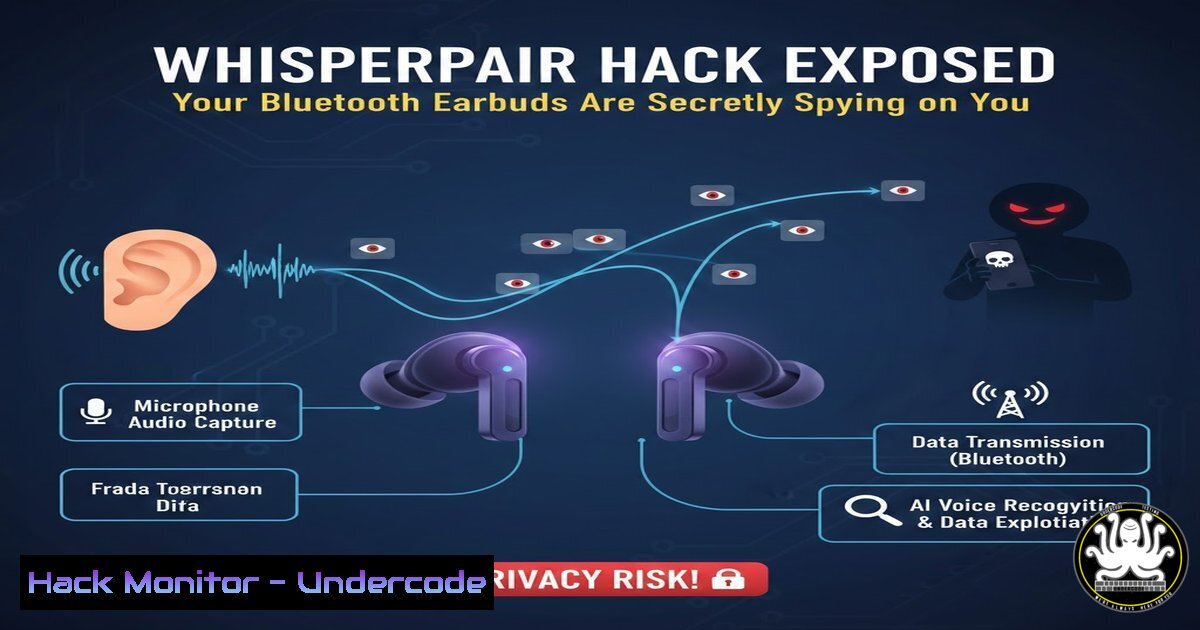
Introduction:
A critical vulnerability dubbed “WhisperPair” has shattered the perceived security of Google’s Fast Pair technology, a feature built into millions of Bluetooth headphones and earbuds designed for seamless connectivity. Researchers from KU Leuven University demonstrated that an attacker can hijack these devices in as little as 10 seconds from up to 14 meters away, transforming ordinary headphones into covert listening devices. This flaw turns a cornerstone of modern convenience into a profound privacy threat, highlighting the inherent risks in prioritizing user experience over robust security.
Learning Objectives:
- Understand the technical mechanism behind the WhisperPair exploit against Google’s Fast Pair protocol.
- Learn how to identify if your Bluetooth devices are vulnerable and apply immediate firmware mitigations.
- Gain practical skills for hardening your personal and enterprise Bluetooth environment against similar eavesdropping attacks.
You Should Know:
1. Decoding the WhisperPair Attack Vector
The WhisperPair exploit targets the initial “pairing” handshake in Google’s Fast Pair protocol. Fast Pair uses Bluetooth Low Energy (BLE) advertisements to broadcast a device’s public key and model ID, allowing nearby Android devices to recognize and pair with it quickly. The vulnerability lies in the lack of authentication during this initial broadcast phase.
Step‑by‑step guide explaining what this does and how to use it.
An attacker uses a specialized radio dongle or a modified smartphone to scan for BLE advertisements.
Linux Command (using `hcitool`):
sudo hcitool lescan --duplicates
This scans for nearby BLE devices. A device advertising a “Fast Pair” service will be visible.
The attacker captures the public key from the advertisement. Because this key is not authenticated, they can impersonate a trusted Android phone.
Using a tool like `gatttool` or a custom Python script with the `pybluez` library, the attacker initiates a connection and completes the pairing process before the legitimate user does, establishing a trusted link.
Once paired, the attacker can often access the Headset Profile (HSP) or Hands-Free Profile (HFP) to route the device’s microphone audio stream to their own system.
2. Identifying Vulnerable Fast Pair Devices
The vulnerability is not in the Bluetooth standard itself but in the Google Fast Pair implementation. A wide array of devices from major manufacturers, including Google’s own Pixel Buds, are affected.
Step‑by‑step guide explaining what this does and how to use it.
1. Check your device’s model against the researcher’s disclosures or manufacturer advisories. The primary source is the KU Leuven paper.
2. On your Android phone, navigate to Settings > Connected devices > Previously connected devices. If your headphones used “Fast Pair” for setup, they are potentially vulnerable.
3. Use a Bluetooth analyzer app like `nRF Connect` from the Play Store to inspect your device’s advertisements. Look for service UUIDs related to Fast Pair (0xFE2C).
4. Windows PowerShell check for driver info (for Bluetooth adapters, to understand your own system’s capability):
Get-PnpDevice -Class Bluetooth | Get-PnpDeviceProperty -KeyName "DEVPKEY_Device_DriverVersion"
Keeping your local Bluetooth driver updated is a foundational security practice.
- Simulating the Attack in a Controlled Lab Environment
Security professionals can recreate this attack in a lab to understand the threat. This requires a test device (e.g., vulnerable earbuds), a Linux machine with a compatible Bluetooth 4.0+ dongle, and scanning tools.
Step‑by‑step guide explaining what this does and how to use it.
1. Set up a lab machine with necessary tools: sudo apt install bluez bluez-tools wireshark.
2. Use `hciconfig` to ensure your dongle is up: sudo hciconfig hci0 up.
3. Start a packet capture to analyze BLE traffic: sudo wireshark -k -i bluetooth0 &.
4. Use `bluetoothctl` to scan and interact:
bluetoothctl
scan on
devices
Identify the MAC address of your target test earbuds.
5. A proof-of-concept script would then parse the advertisements, extract the public key, and attempt a malicious pairing. (Note: Distributing attack code is unethical; this is for authorized research only).
4. Hardening Your Personal Bluetooth Environment
Mitigation relies on both vendor patches and user behavior.
Step‑by‑step guide explaining what this does and how to use it.
1. Apply Firmware Updates Immediately: Check the manufacturer’s app (e.g., Google Pixel Buds app, Sony Headphones Connect) for firmware updates. This is the most critical step.
2. Disable Fast Pair (if possible): In your Android Bluetooth settings, tap the gear icon next to your device. Look for an option to “Unpair” or “Forget” the device. When re-pairing, decline the Fast Pair prompt and use the legacy manual pairing method in your headphone’s manual (often involving a long press on a button).
3. Minimize Advertisements: Power off Bluetooth headphones when not in use. Do not leave them in “discoverable” mode.
4. Use a Physical Switch: Prefer devices with a physical power/mic mute switch to create an air-gap guarantee.
5. Implementing Enterprise Mitigations for Corporate Environments
Corporate threat models must now include peripheral devices.
Step‑by‑step guide explaining what this does and how to use it.
1. Policy Update: Issue a security advisory to staff, forbidding the use of personal Fast Pair-enabled audio devices in sensitive physical areas (meeting rooms, R&D labs).
2. Network Segmentation: Use NAC (Network Access Control) solutions to segment or block devices with Bluetooth interfaces that are not corporate-provisioned.
3. Monitoring: Deploy Bluetooth Intrusion Detection Systems (BIDS) or use sensors with tools like `ubertooth` to detect active reconnaissance and spoofing attempts in secure zones.
4. Provision Secure Devices: Provide employees with vetted, company-managed audio peripherals that have confirmed firmware updates and, ideally, lack microphone capabilities for sensitive roles.
6. Forensic Detection of WhisperPair Activity
Detecting a successful WhisperPair attack post-incident is challenging but possible.
Step‑by‑step guide explaining what this does and how to use it.
1. Check Android Pairing Logs: On the victim’s Android device, pairing events might be logged. Examine the system logs via `adb logcat | grep -i “bluetooth”` or review the `Bluetooth` system app data (requires root for deep forensic access).
2. Analyze Bluetooth Cache: The `/data/misc/bluetooth/logs/` directory on Android can contain historical pairing data. A forensic image would be required.
3. Look for Anomalies: On the headphone itself, an indicator like an unexpected battery drain or a pairing LED flashing at unusual times could be a sign of a second connected device, though this is not guaranteed.
- The Road to Secure Bluetooth Pairing: A Developer’s Guide
The core lesson is that convenience must not bypass cryptographic verification.
Step‑by‑step guide explaining what this does and how to use it.
For developers implementing BLE pairing:
- Always Use Secure Pairing: Enforce Bluetooth Secure Connections (SC) with Numeric Comparison or Passkey Entry (MITM protection) for any device with a microphone or sensitive data channel. Do not rely on “Just Works” association models for sensitive profiles.
- Authenticate Early: Implement an out-of-band (OOB) authentication step, even if simple, before the BLE link layer pairing begins. This could be a button press on both devices.
- Code Snippet – Checking Pairing Method in Android (Kotlin):
val device: BluetoothDevice = ...
val pairingMethod = device.getBluetoothDeviceProperty("android.bluetooth.device.extra.PAIRING_VARIANT") // Pseudo-property
// Reject the connection if pairingMethod is BluetoothDevice.PAIRING_VARIANT_CONSENT
(Note: Actual implementation requires deeper access to Bluetooth stack APIs).
- Penetration Testing: Regularly conduct red-team exercises focusing on peripheral and short-range wireless attack vectors, including spoofing of Fast Pair and Apple’s Find My network advertisements.
What Undercode Say:
- Convenience is the Arch-Nemesis of Security. WhisperPair is a textbook case of a feature designed for zero-click usability creating a zero-day vulnerability. The trade-off is rarely worth it for devices capable of capturing ambient audio.
- The Perimeter is Personal. The attack radius of 14 meters redefines the security perimeter. Threat modeling must now consider adversarial access to any device within a large room or through a thin wall, moving beyond traditional network boundaries.
Analysis:
The WhisperPair vulnerability is not an isolated bug but a systemic failure in security design philosophy. It echoes past flaws in legacy Bluetooth pairing (BlueSnarfing, BlueBorne) and underscores an industry-wide pattern of relegating security to an afterthought in the race to market. The researchers’ findings will likely trigger a wave of scrutiny over other “fast” and “seamless” pairing protocols, including Apple’s Quick Pair and proprietary implementations from other vendors. For cybersecurity professionals, this serves as a critical reminder that the attack surface is continuously expanding into the physical and personal domain, demanding vigilance over every connected component, no matter how mundane.
Prediction:
In the next 12-24 months, WhisperPair will catalyze three major shifts. First, regulatory bodies will begin drafting stricter security requirements for wireless consumer peripherals, potentially mandating vulnerability disclosure programs for headphone and wearable manufacturers. Second, we will see the rise of “zero-trust” frameworks for personal area networks (PANs), with mobile OSes implementing stricter consent prompts and continuous authentication for connected accessories. Finally, this attack will accelerate the adoption of hardware-based security in peripherals, such as secure elements for storing pairing keys, moving security from an optional software layer to a mandatory hardware foundation. The era of trusting a convenience protocol is over.
▶️ Related Video (84% Match):
🎯Let’s Practice For Free:
IT/Security Reporter URL:
Reported By: Michael Tchuindjang – Hackers Feeds
Extra Hub: Undercode MoN
Basic Verification: Pass ✅


